Typography Insight
Typography Insight
다운로드: App Store

이 페이지는 앱이나 개발자의 공식 페이지가 아니며, 정보 제공 및 논평을 목적으로 작성된 독립 편집 간행물입니다. 명시적으로 달리 언급되지 않는 한, 해당 앱이나 개발자는 MWM, Apple, Google Play, 앱 퍼블리셔 또는 앱 개발자와 제휴, 보증, 후원, 승인 또는 공식적으로 연결되어 있지 않으며, 이 페이지의 어떤 내용도 해당 앱이 MWM의 서비스를 사용하여 개발되었음을 의미하지 않습니다. 모든 상표, 로고, 스크린샷 및 기타 콘텐츠는 해당 소유자의 자산입니다.


로고: Typography Insight
다운로드: App Store

Typography Insight

촉감으로 느껴지는 대화형 환경에서 글자꼴 해부학을 탐구하며 교과서를 뛰어넘으세요. Apple Pencil로 커닝을 마스터하고, 역사적인 구조를 따라 그리고, Apple Vision Pro에서 새로운 차원의 타이포그래피를 경험하세요.

주요 수치

다운로드

71K+

사용자 평점

4.4/5

총 평가 수

500

개발사

BRDY Studios, LLC

카테고리

Education

지원 언어

1

최신 버전

6.0

크기

178.3 MB

출시일

2011년 6월 1일
기능

타이포그래피의 예술을 마스터하세요

정적인 교과서는 잊으세요. 시각을 다듬고 창의적인 워크플로우를 향상시키도록 디자인된 글자꼴의 대화형 박물관을 경험하세요.

정밀 오버레이 분석

두 가지 글자꼴을 겹쳐 즉시 비교하세요. 세리프, 카운터, x 높이의 미묘한 차이를 발견하여 정보에 기반한 디자인 선택을 하세요.

촉감 트레이싱 모드

운동 감각 학습을 통해 글자 형태 해부학을 마스터하세요. Apple Pencil로 역사적인 글자꼴을 따라 그리며 모든 획의 긴장감과 구조를 느껴보세요.

다음 스크린샷과 설명은 앱의 공식 스토어 목록에서 직접 가져온 것이며 앱 개발자의 자산입니다.

앱 스토어

스크린샷
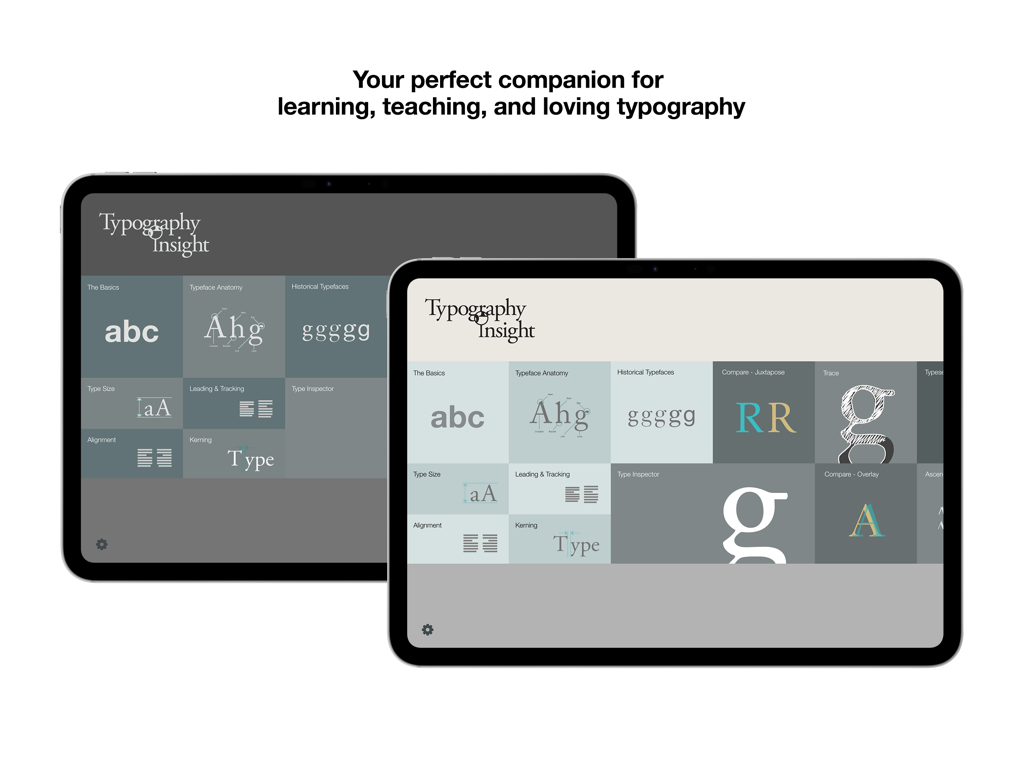
Typography Insight - 타이포그래피 인사이트 앱 대시보드가 두 개의 iPad에 표시되어 다양한 학습 모듈을 보여줍니다.
타이포그래피 인사이트 앱 대시보드가 두 개의 iPad에 표시되어 다양한 학습 모듈을 보여줍니다.

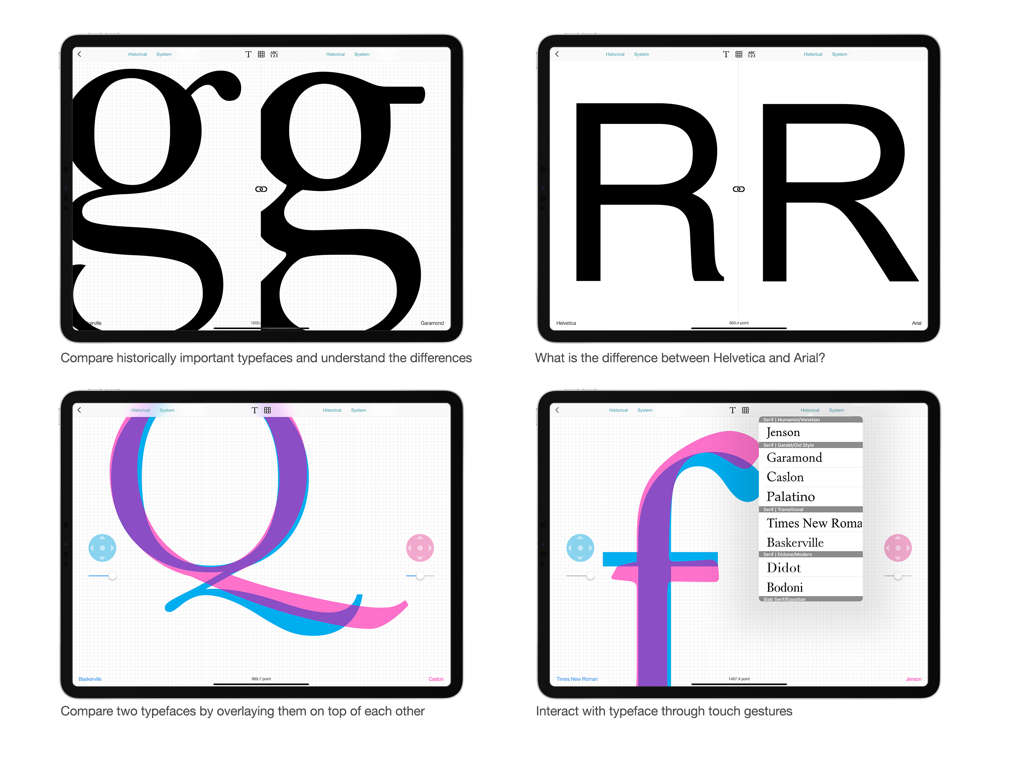
Typography Insight - 디자인 학생 및 전문가를 위한 글자꼴 비교 및 오버레이 기능을 시연하는 타이포그래피 인사이트 iPad 앱의 화면 4개.
디자인 학생 및 전문가를 위한 글자꼴 비교 및 오버레이 기능을 시연하는 타이포그래피 인사이트 iPad 앱의 화면 4개.

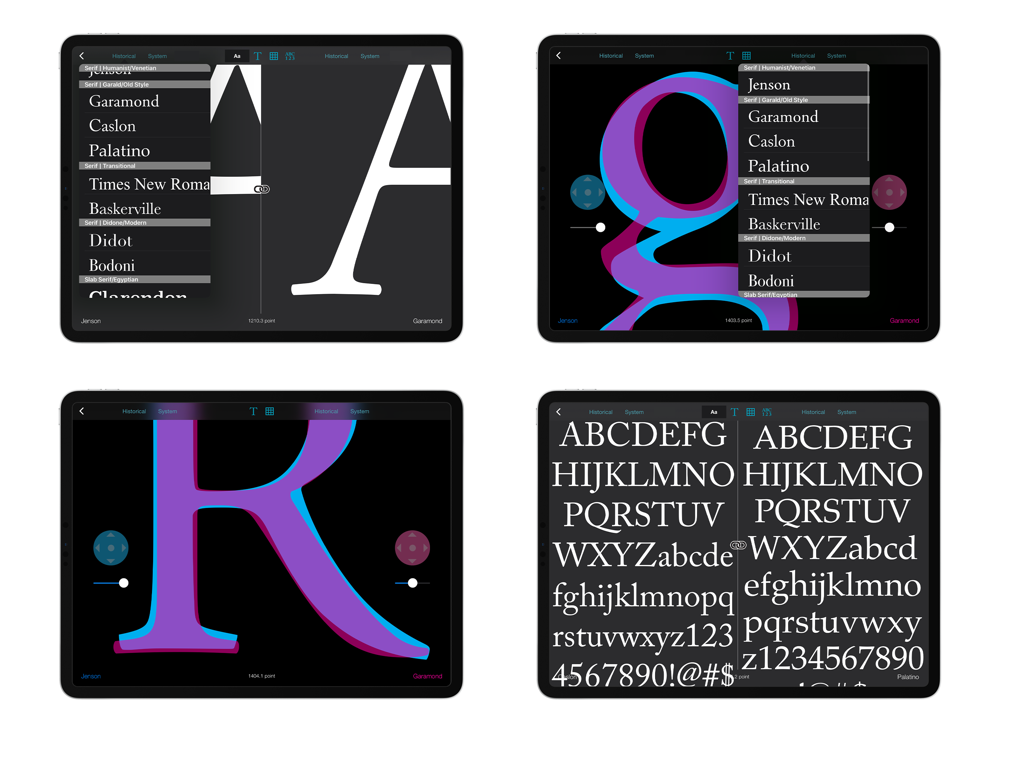
Typography Insight - iPad에서 글자꼴 오버레이 및 나란히 비교 기능을 보여주는 타이포그래피 인사이트 앱의 스크린샷 모음
iPad에서 글자꼴 오버레이 및 나란히 비교 기능을 보여주는 타이포그래피 인사이트 앱의 스크린샷 모음

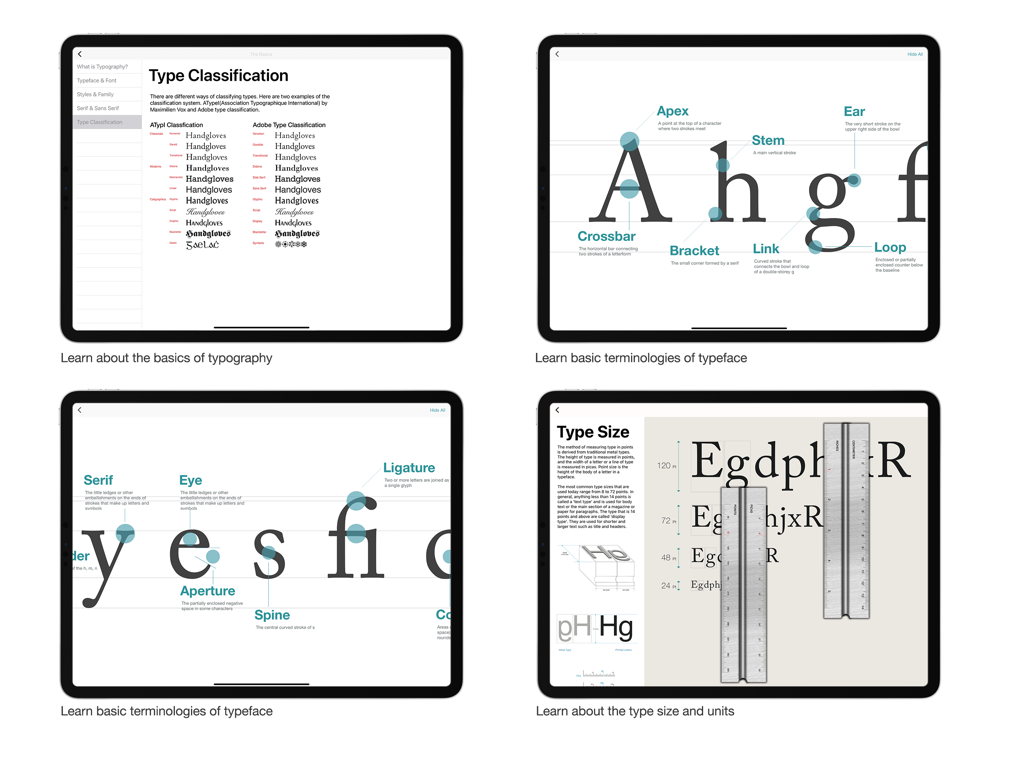
Typography Insight - 타이포그래피 인사이트의 4개 화면으로, 글자꼴 분류 시스템, 글자의 해부학 다이어그램 및 글자 크기 측정 도구를 보여줍니다.
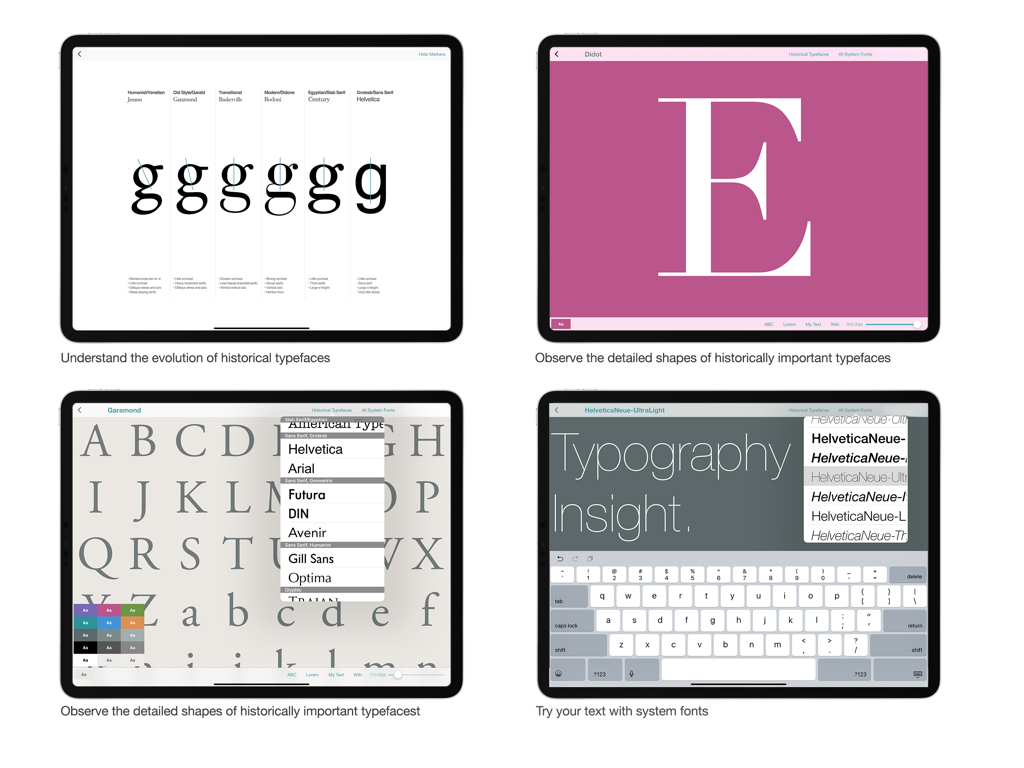
타이포그래피 인사이트의 4개 화면으로, 글자꼴 분류 시스템, 글자의 해부학 다이어그램 및 글자 크기 측정 도구를 보여줍니다.

Typography Insight - 타이포그래피 인사이트 앱의 4개 스크린샷으로, 글자꼴 진화, 상세한 글자꼴 모양 및 iPad의 사용자 정의 텍스트 입력을 보여줍니다.
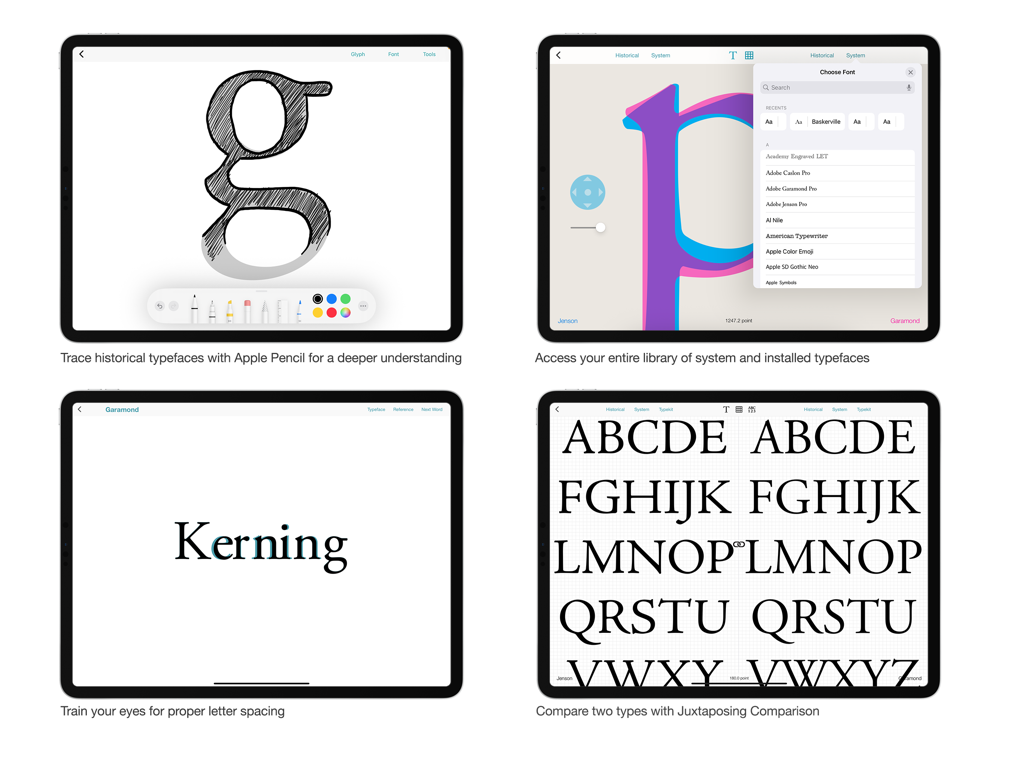
타이포그래피 인사이트 앱의 4개 스크린샷으로, 글자꼴 진화, 상세한 글자꼴 모양 및 iPad의 사용자 정의 텍스트 입력을 보여줍니다.

Typography Insight - 타이포그래피 인사이트 앱의 4개 화면으로, 글자꼴 추적, 글자꼴 라이브러리 선택, 커닝 훈련 및 나란히 글자꼴 비교를 보여줍니다.
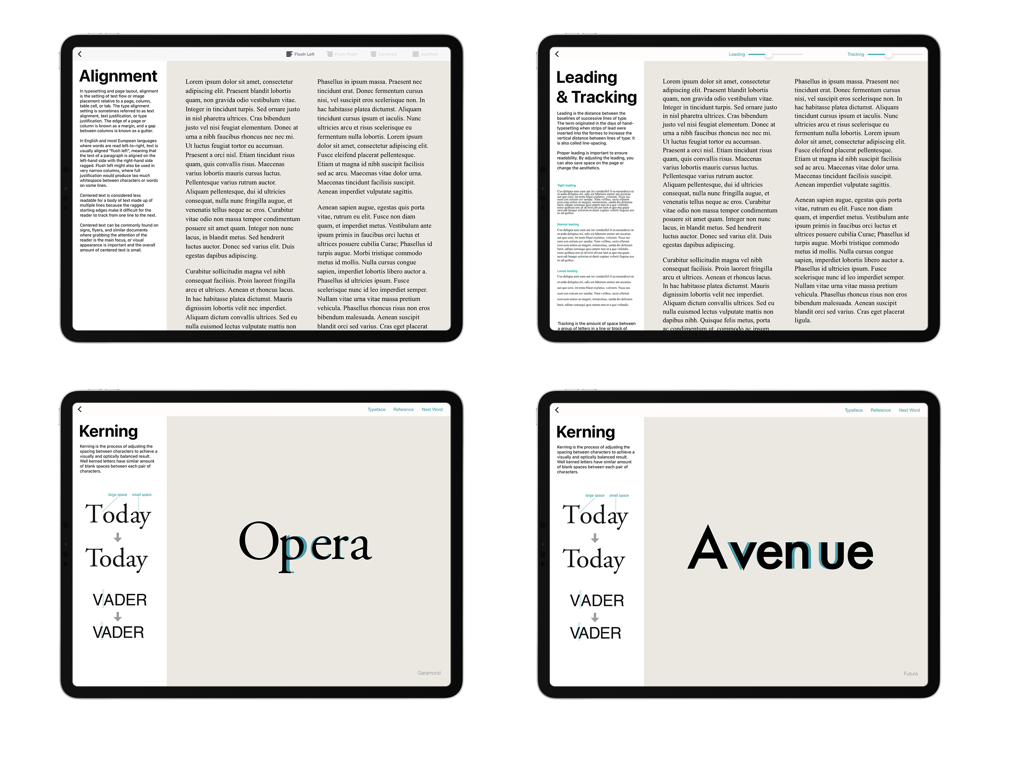
타이포그래피 인사이트 앱의 4개 화면으로, 글자꼴 추적, 글자꼴 라이브러리 선택, 커닝 훈련 및 나란히 글자꼴 비교를 보여줍니다.

Typography Insight - 타이포그래피 인사이트 앱의 4개 화면으로, 텍스트 정렬, 트래킹 및 커닝에 대한 대화형 수업을 보여줍니다.
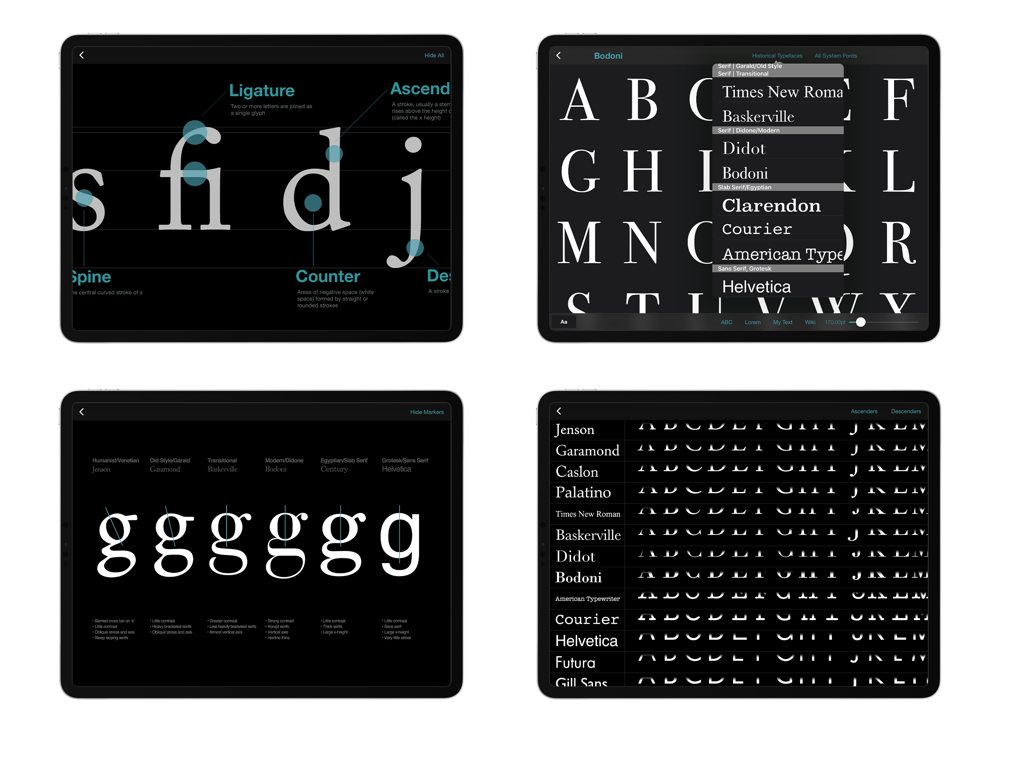
타이포그래피 인사이트 앱의 4개 화면으로, 텍스트 정렬, 트래킹 및 커닝에 대한 대화형 수업을 보여줍니다.

Typography Insight - 타이포그래피 인사이트 앱의 4개 스크린샷으로, iPad에서 글자꼴 해부학 다이어그램 및 글자꼴 비교를 보여줍니다.

타이포그래피 인사이트 앱의 4개 스크린샷으로, iPad에서 글자꼴 해부학 다이어그램 및 글자꼴 비교를 보여줍니다.

설명

Featured as ‘App of the Day’ in 119 countries. “This app could be just your type. Typography Insight will make you think differently about the words you see every day... It’s excitingly interactive.” — Apple Typography Insight is an immersive environment for exploring historically important typefaces, observing their details, and comparing them side-by-side. Designed for students, designers, and type lovers, it bridges the gap between textbooks and interactive learning. Now updated with support for Apple Vision Pro & System Font Picker. PRESS & REVIEWS "It's more like an exquisite museum exhibit than a musty textbook... Intoxicating as Wikipedia and as fun as a video game." — Fast Company "Learning the subtleties of Helvetica and Garamond used to be a pain—but a sleek new app has made the process easier." — The Atlantic "Typography Insight is sort of like an iPad typeface encyclopedia. Only encyclopedias are boring, and Typography Insight is beautiful and fun." — Gizmodo FEATURES • Type Inspector: Observe the finest details of typefaces—serifs, counters, and ears—at a massive scale using standard gestures. • Side-by-Side Comparison: Understand the subtle differences between typefaces instantly. • Overlay View: Compare two typefaces by stacking them on top of each other to spot structural variations. • Custom Font Support: Access system and downloaded fonts using the native iOS System Font Picker. • Spatial Ready: Experience typography in a new dimension on Apple Vision Pro with eye gaze and hand gesture input. • Kerning Training: Train your eye for balanced letter spacing with interactive exercises. • The Basics: Learn typeface anatomy, historical classifications, and typesetting fundamentals. • Tracing Mode: Experience kinesthetic learning by tracing historical typefaces with Apple Pencil. It is the best way to understand the physical structure and tension of type. Perfect for: • Design Students learning the fundamentals of type. • Educators looking for a visual teaching aid. • App Designers needing to visualize system fonts on device.

Download

다운로드: App Store

이 페이지는 앱이나 개발자의 공식 페이지가 아니며, 정보 제공 및 논평을 목적으로 작성된 독립 편집 간행물입니다. 명시적으로 달리 언급되지 않는 한, 해당 앱이나 개발자는 MWM, Apple, Google Play, 앱 퍼블리셔 또는 앱 개발자와 제휴, 보증, 후원, 승인 또는 공식적으로 연결되어 있지 않으며, 이 페이지의 어떤 내용도 해당 앱이 MWM의 서비스를 사용하여 개발되었음을 의미하지 않습니다. 모든 상표, 로고, 스크린샷 및 기타 콘텐츠는 해당 소유자의 자산입니다.








