
이 페이지는 앱이나 개발자의 공식 페이지가 아니며, 정보 제공 및 논평을 목적으로 작성된 독립 편집 간행물입니다. 명시적으로 달리 언급되지 않는 한, 해당 앱이나 개발자는 MWM, Apple, Google Play, 앱 퍼블리셔 또는 앱 개발자와 제휴, 보증, 후원, 승인 또는 공식적으로 연결되어 있지 않으며, 이 페이지의 어떤 내용도 해당 앱이 MWM의 서비스를 사용하여 개발되었음을 의미하지 않습니다. 모든 상표, 로고, 스크린샷 및 기타 콘텐츠는 해당 소유자의 자산입니다.


Ultimate Focus - Visual Timer
마음챙김 작업을 위해 설계된 직관적인 시각적 타이머로 생산성을 높이세요. 70개 이상의 우아한 테마로 집중력을 개인화하고, 시각적 추적으로 시간 맹목을 극복하고, 모든 Apple 기기에서 진행 상황을 동기화하세요.
다운로드
155K+사용자 평점
총 평가 수
8K+개발사
카테고리
Productivity지원 언어
6최신 버전
3.9.1크기
90.1 MB출시일
2023년 1월 26일생산성을 예술의 경지로 변환하세요
Ultimate Focus는 뽀모도로 기법의 과학과 흐름 상태에 도달하고 유지하는 데 도움이 되도록 설계된 놀랍고 사용자 정의 가능한 인터페이스를 결합합니다.
흐름을 시각화하세요
남은 시간을 실감나고, 공간적이며, 스트레스 없이 느껴지게 하는 직관적인 파이 차트 디스플레이로 시간 맹목을 극복하세요.
반성하고 개선하세요
세션 후 회고를 통해 생산성 루프를 닫고, 진행 상황을 기록하고 미래의 작업 습관을 최적화할 수 있습니다.
자주 묻는 질문
에 대해 알아야 할 모든 것 Ultimate Focus - Visual Timer
Ultimate Focus - Visual Timer란 무엇인가요?
Ultimate Focus는 시간 관리와 생산성을 최적화하도록 설계된 정교한 세션 기반 타이머 애플리케이션입니다. 사용자가 각 집중 세션 후 성찰하도록 하여 미래의 집중 관리를 개선하도록 장려합니다.
Ultimate Focus - Visual Timer는 뽀모도로 기법을 지원하나요?
네, Ultimate Focus - Visual Timer는 뽀모도로 기법을 통합합니다. 이 기능은 사용자가 지속적인 생산성을 위해 집중적인 작업과 휴식 시간 사이의 최적 균형을 달성하도록 돕습니다.
Ultimate Focus - Visual Timer의 모양을 사용자 정의할 수 있나요?
네, Ultimate Focus - Visual Timer는 광범위한 사용자 정의를 제공합니다. 사용자는 70개 이상의 다양한 색상 테마 중에서 선택하고 개인 취향에 맞게 앱 아이콘을 사용자 정의할 수 있습니다.
Ultimate Focus - Visual Timer는 iCloud 동기화를 제공하나요?
네, Ultimate Focus - Visual Timer는 iCloud 동기화를 제공합니다. 이 프리미엄 기능은 사용자가 여러 장치에서 집중 기록을 원활하게 액세스, 관리 및 동기화할 수 있도록 하여 언제 어디서나 연속성을 보장합니다.
Ultimate Focus - Visual Timer는 세션에 대해 성찰하는 데 어떻게 도움이 되나요?
Ultimate Focus - Visual Timer에는 회고 기능이 포함되어 있습니다. 각 집중 세션 후 사용자는 향후 참조를 위해 작업 세부 정보를 기록할 수 있으며, 이 메모는 쉽게 액세스, 수정 및 삭제할 수 있습니다.
Ultimate Focus - Visual Timer는 세션 중에 방해 요소를 차단할 수 있나요?
네, Ultimate Focus - Visual Timer는 방해 요소를 차단할 수 있습니다. 이 앱은 "집중 세션 중에는 이 앱이 차단됩니다."라고 명시하여 세션이 끝날 때까지 사용자가 집중을 유지하도록 합니다.
Ultimate Focus - Visual Timer는 홈 화면용 위젯을 제공하나요?
네, Ultimate Focus - Visual Timer는 다양한 위젯을 제공합니다. 사용자는 이 위젯을 사용하여 홈 화면에서 직접 집중 통계 및 기록을 모니터링하여 즉각적인 개요를 제공할 수 있습니다.
Ultimate Focus - Visual Timer는 어떤 프리미엄 기능을 제공하나요?
Ultimate Focus - Visual Timer의 프리미엄 기능에는 다양한 라이브러리에서 알람 소리 선택, 광범위한 컬렉션에서 배경 음악 선택, 다중 장치 연속성을 위한 iCloud 동기화가 포함됩니다.
다음 스크린샷과 설명은 앱의 공식 스토어 목록에서 직접 가져온 것이며 앱 개발자의 자산입니다.
앱 스토어
스크린샷
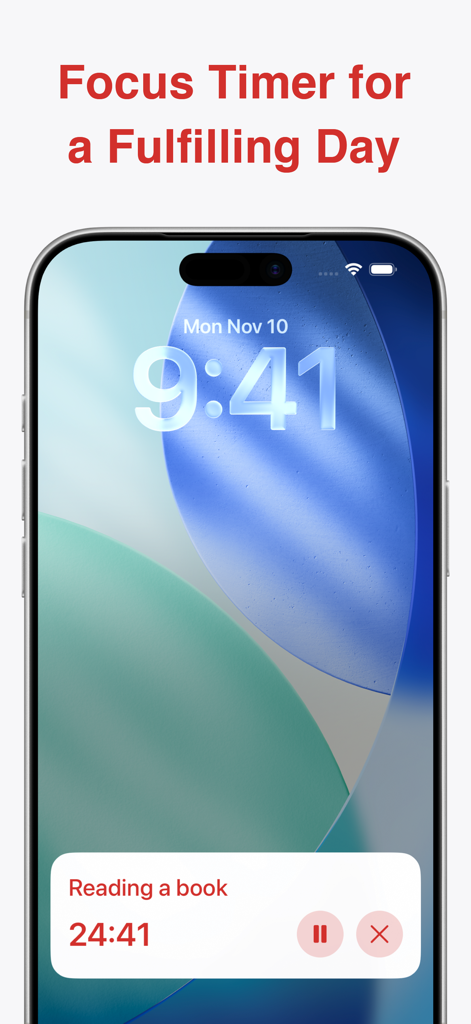
독서 세션을 위한 시각적 집중 타이머를 보여주는 스마트폰 잠금 화면
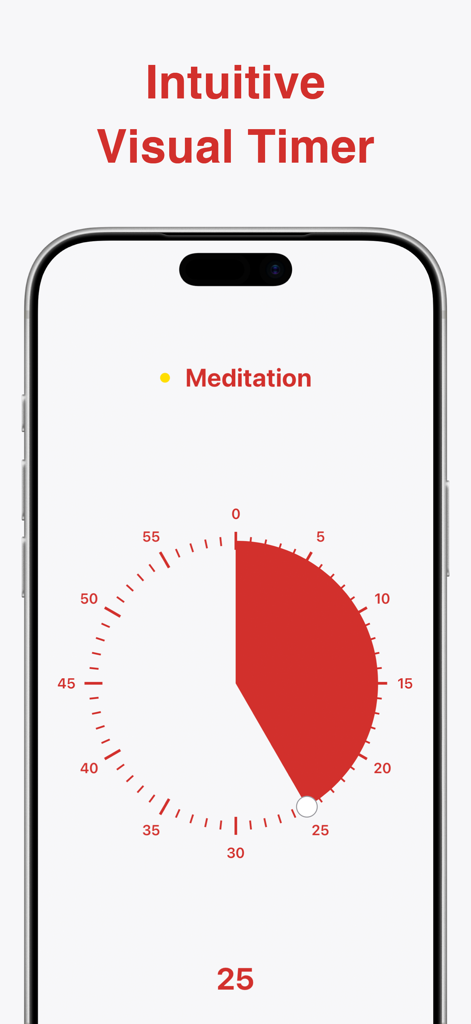
25분 명상 세션에 맞춰진 빨간색 시각적 파이 차트 타이머가 있는 Ultimate Focus 앱을 표시하는 iPhone
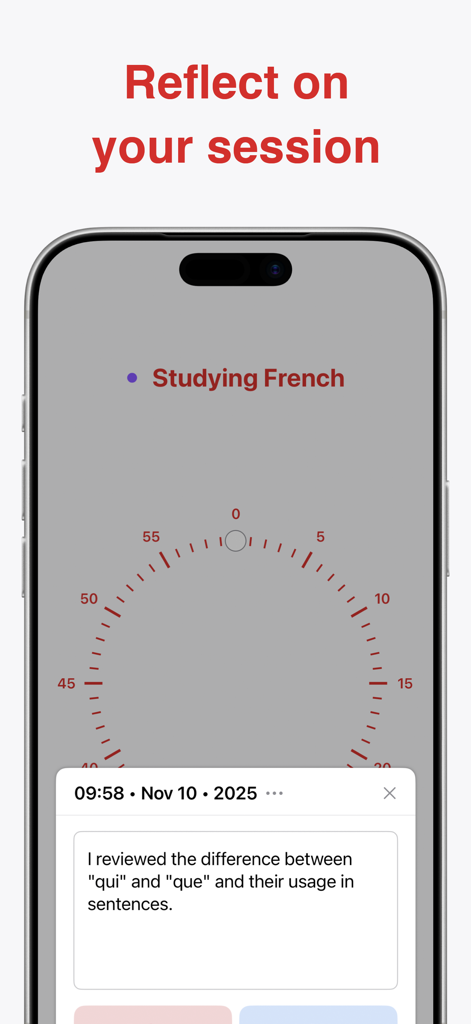
프랑스어 공부를 위한 세션 회고 노트를 보여주는 Ultimate Focus 앱 스크린샷
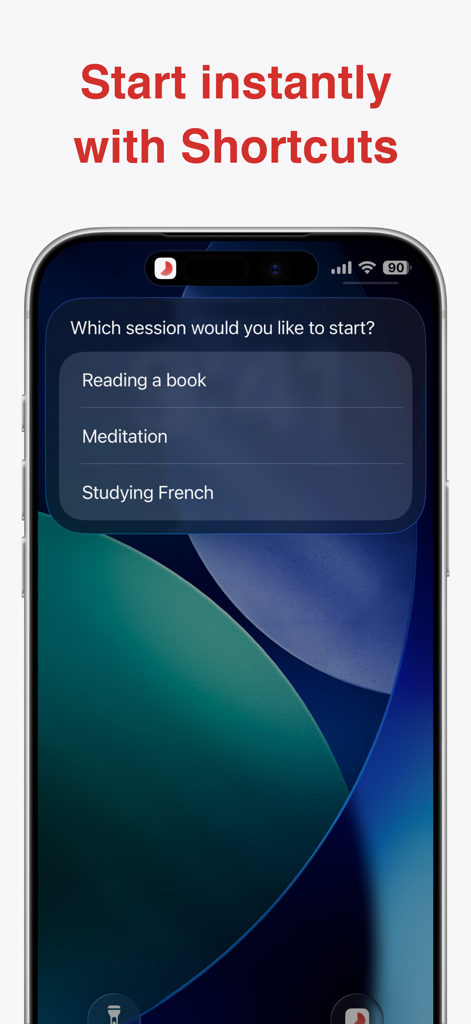
독서, 명상, 공부 세션을 시작하는 옵션이 있는 Ultimate Focus 앱 바로 가기 메뉴를 표시하는 iPhone 화면
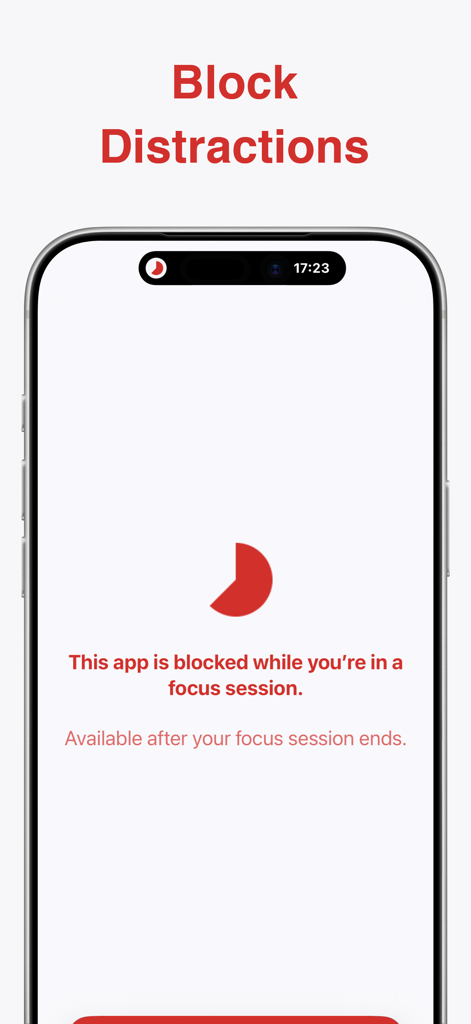
빨간색 달 아이콘으로 집중 세션 중에 방해 요소를 차단하는 화면을 보여주는 Ultimate Focus 앱 스크린샷
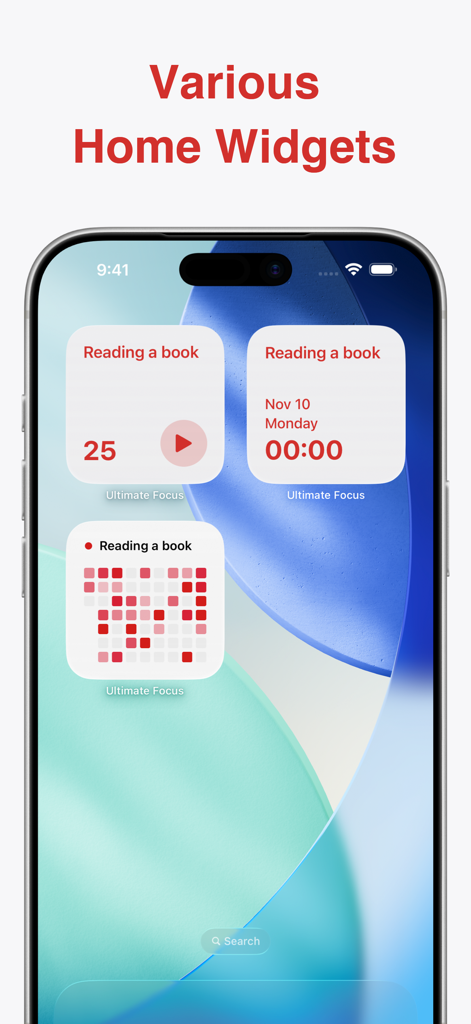
타이머 및 집중 통계를 포함한 다양한 Ultimate Focus 앱 위젯 모음이 있는 iPhone 홈 화면.
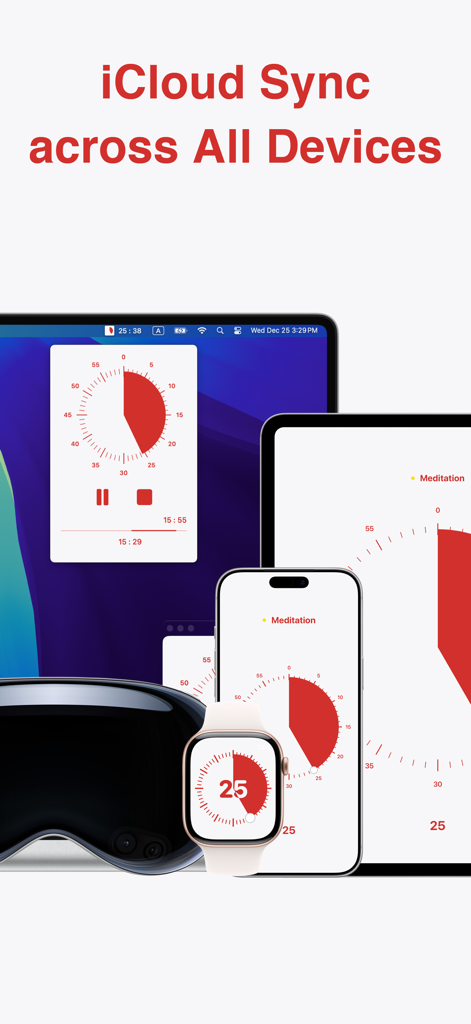
iCloud를 통해 Mac, iPad, iPhone 및 Apple Watch 전체에서 동기화된 Ultimate Focus 시각적 타이머 앱
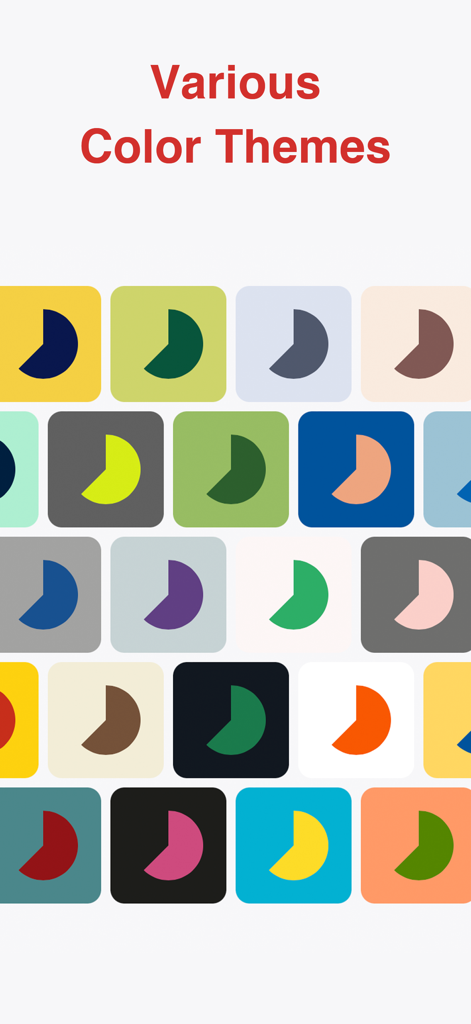
Ultimate Focus 시각적 타이머 앱의 다양한 다채로운 앱 아이콘 및 테마 그리드.
설명
Download
비슷한 앱
유사한 기능과 사용자 경험을 가진 앱

番茄ToDo-极简高效自律番茄钟
Shanghai Paitui Technology Co., Ltd.

Focus To-Do: Focus Timer&Tasks
Shenzhen Tomato Software Technology Co., Ltd.

TimePlanner :专注番茄钟自习室学习课程表
Beijing Fingertip Fusion Technology Co., LTD

Focus: Pomodoro Study Timer
bondavi Inc.
Focus Keeper - Pomodoro Timer
PIXO Incorporation
Focus timer - time keeper
翠玲 施
Flow: Focus & Pomodoro Timer
Yugen GmbH
Study Timer: Focus & Pomodoro
Thomson Inc.
Be Focused Pro - Focus Timer
Denys Ievenko
이 페이지는 앱이나 개발자의 공식 페이지가 아니며, 정보 제공 및 논평을 목적으로 작성된 독립 편집 간행물입니다. 명시적으로 달리 언급되지 않는 한, 해당 앱이나 개발자는 MWM, Apple, Google Play, 앱 퍼블리셔 또는 앱 개발자와 제휴, 보증, 후원, 승인 또는 공식적으로 연결되어 있지 않으며, 이 페이지의 어떤 내용도 해당 앱이 MWM의 서비스를 사용하여 개발되었음을 의미하지 않습니다. 모든 상표, 로고, 스크린샷 및 기타 콘텐츠는 해당 소유자의 자산입니다.