
이 페이지는 앱이나 개발자의 공식 페이지가 아니며, 정보 제공 및 논평을 목적으로 작성된 독립 편집 간행물입니다. 명시적으로 달리 언급되지 않는 한, 해당 앱이나 개발자는 MWM, Apple, Google Play, 앱 퍼블리셔 또는 앱 개발자와 제휴, 보증, 후원, 승인 또는 공식적으로 연결되어 있지 않으며, 이 페이지의 어떤 내용도 해당 앱이 MWM의 서비스를 사용하여 개발되었음을 의미하지 않습니다. 모든 상표, 로고, 스크린샷 및 기타 콘텐츠는 해당 소유자의 자산입니다.


Ultralight: Photo Video Editor
모바일 편집, 마침내 탁월함을 만나다. Ultralight는 사용자가 한때 데스크톱 전용이었던 정밀한 제어력을 휴대폰에서 휘두를 수 있게 합니다. 어설픈 앱은 잊으십시오. 이 앱은 폰에서 탁월함을 보여줍니다.
다운로드
5M+사용자 평점
총 평가 수
34.8K개발사
카테고리
Photo & Video지원 언어
21최신 버전
10.0.18크기
72.4 MB출시일
2015년 6월 8일강력하고 직관적인 사진 및 비디오 편집 기능 심층 분석
Ultralight: Photo Video Editor 앱 분석
통합된 사진 및 비디오 편집 워크플로우
이 앱은 사용자가 사진과 비디오에 동일한 내장 및 사용자 지정 필터를 적용하여 일관된 시각적 스타일을 유지하고 편집 과정을 간소화할 수 있도록 지원합니다.
비파괴 편집 및 실시간 미리보기
이 도구는 실시간으로 고성능 미리보기를 제공하며, 비파괴 편집 기능을 통해 사용자가 언제든지 변경 사항을 되돌리거나 다시 적용할 수 있게 해줍니다.
고품질 맞춤형 프리셋
이 앱은 사용자가 자신의 미학과 스타일에 맞춰 완벽하게 사용자 정의하고 저장할 수 있는 고품질 프리셋을 제공하여, 독창적인 필터 컬렉션을 만들 수 있게 합니다.
전문가 수준의 디테일 조정 도구
이 도구는 밝기, 노출, 선명도, 노이즈 감소, 자르기, 원근 보정 등 광범위한 창의적이고 강력한 편집 기능을 갖추고 있어, 모든 세부 사항에 대한 정밀한 제어를 가능하게 합니다.
고급 색상 제어 (색상 그레이딩 및 HSL)
이 앱은 색상 그레이딩, HSL (색조, 채도, 밝기) 제어, 포화도 및 온도 조절 등 전문적인 색상 제어 기능을 제공하여, 사용자가 이미지와 비디오의 색상을 정교하게 조정할 수 있게 합니다.
크로스 디바이스 호환성
이 앱은 iPhone, iPad, Mac 등 모든 장치에서 동일한 도구와 데스크톱 수준의 편집 경험을 제공하여, 사용자가 어떤 기기에서든 작업을 이어서 할 수 있게 합니다.
사용자 친화적인 인터페이스
이 도구는 초보자부터 전문가까지 모두에게 적합하도록 사용자 친화적이고 간편하게 설계되어, 매일 사용하는 데 완벽한 편집 경험을 제공합니다.
유연한 비디오 편집 (트리밍, 병합, 콜라주)
이 앱은 비디오 클립을 트리밍하고, 여러 비디오를 병합하고 결합하며, 비디오 및 사진 콜라주를 생성할 수 있는 기능을 갖추고 있어, 다양한 비디오 콘텐츠 제작을 지원합니다.
자주 묻는 질문
에 대해 알아야 할 모든 것 Ultralight: Photo Video Editor
What is Ultralight: Photo Video Editor?
Ultralight is a simple, powerful, and intuitive photo and video editor available on iPhone, iPad, and Mac. It offers desktop-quality editing with a user-friendly interface.
Is Ultralight: Photo Video Editor free to download?
Yes, Ultralight: Photo Video Editor is free to download. Ultralight Pro features, offering advanced tools, are available as a separate in-app purchase.
What key photo editing tools does Ultralight offer?
Ultralight provides creative photo editing tools including high-quality presets, light and exposure adjustments, saturation, temperature, color grading, clarity, sharpen, HSL, vignette, crop, and perspective correction.
Can Ultralight edit videos?
Yes, Ultralight supports simple video editing. Users can apply built-in and custom filters, trim clips, merge multiple videos, and create video collages using the same tools as photo editing.
What devices are compatible with Ultralight: Photo Video Editor?
Ultralight: Photo Video Editor is available on iPhone, iPad, and Mac. It provides the same editing tools across all these devices, ensuring a consistent user experience.
Does Ultralight Pro offer additional features?
Yes, Ultralight Pro unlocks professional tools such as Curves, Pro color controls, Texture overlays, and Layers and masks. These advanced features enhance editing capabilities.
How do I subscribe to Ultralight Pro?
Users can subscribe to Ultralight Pro as a separate in-app purchase after a free trial. The subscription is annual and renews automatically unless turned off 24 hours before the period ends.
Can I manage my Ultralight Pro subscription?
Yes, you can manage your Ultralight Pro membership through your device settings. Navigate to Settings > iTunes & App Store > Apple ID > Subscriptions to adjust your preferences.
Where can I find the privacy policy for Ultralight?
The privacy policy for Ultralight is available at https://www.uova.fi/privacy-policy.html. Detailed terms and conditions are also provided on the Uova website for user reference.
What is the average rating for Ultralight: Photo Video Editor?
Ultralight: Photo Video Editor has an average rating of 4.7 stars. It has garnered over 150K five-star reviews from its 7.5M+ downloads, indicating high user satisfaction.
다음 스크린샷과 설명은 앱의 공식 스토어 목록에서 직접 가져온 것이며 앱 개발자의 자산입니다.
앱 스토어
스크린샷
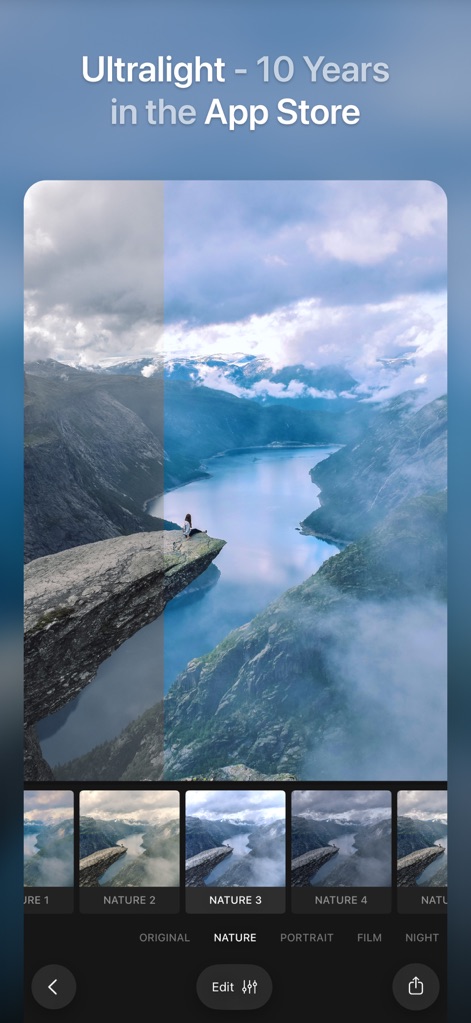
이 앱은 슬라이더를 사용하여 필터 적용 전후를 비교할 수 있으며, 하단의 다양한 프리셋 옵션으로 이미지의 분위기를 쉽게 변경할 수 있습니다.
시각적 변화 경험
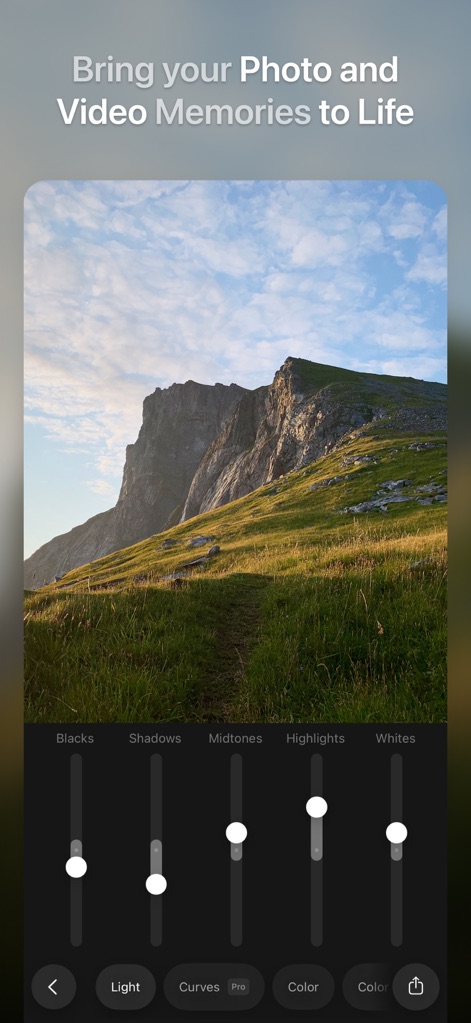
사용자는 다양한 빛 조절 슬라이더를 통해 이미지의 노출을 미세 조정할 수 있으며, 'Light' 도구를 사용하여 블랙과 화이트 톤을 정밀하게 제어할 수 있습니다.
세밀한 빛 조절
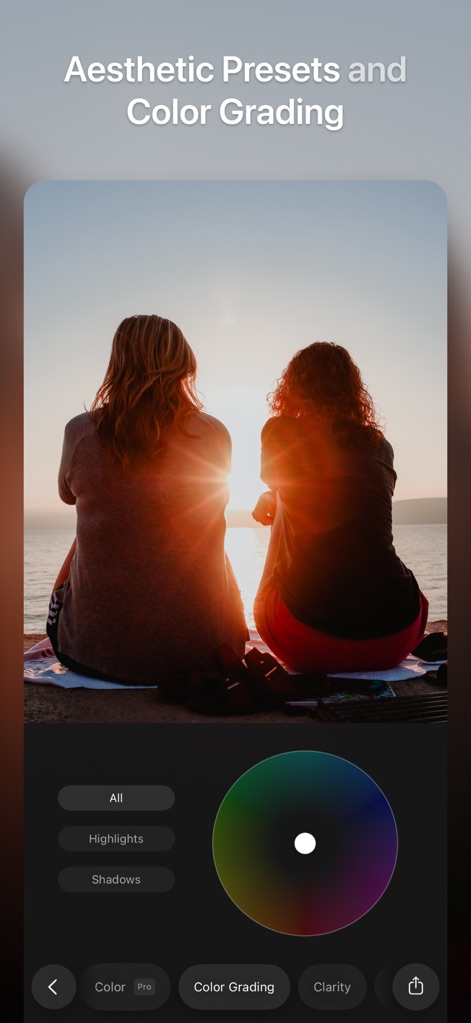
이 앱은 직관적인 색상 휠을 통해 색상 그레이딩을 지원하며, 하이라이트 및 섀도우를 개별적으로 조정하여 이미지의 전체적인 분위기를 섬세하게 조절할 수 있습니다.
전문적인 색상 보정
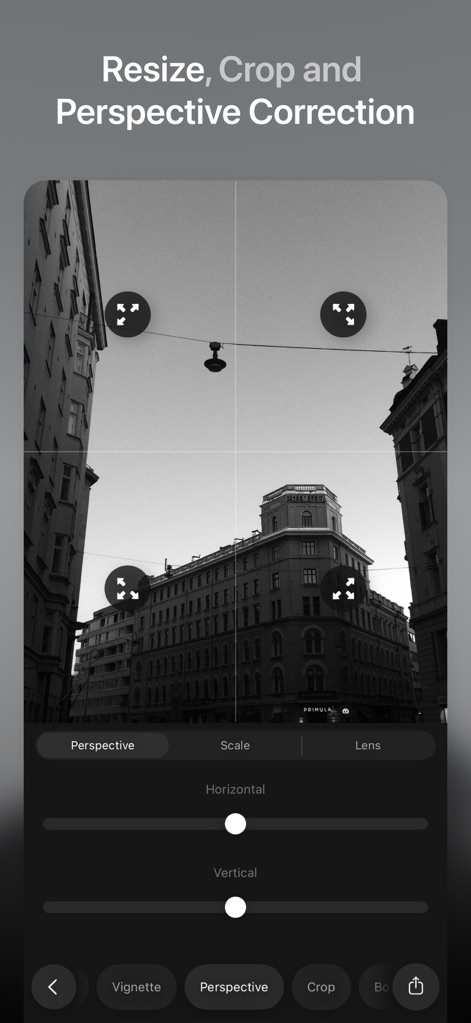
사용자는 이미지의 구도와 원근감을 정확하게 조절할 수 있으며, 가로 및 세로 슬라이더를 이용하여 건물의 기울기를 보정할 수 있습니다.
정확한 구도 교정
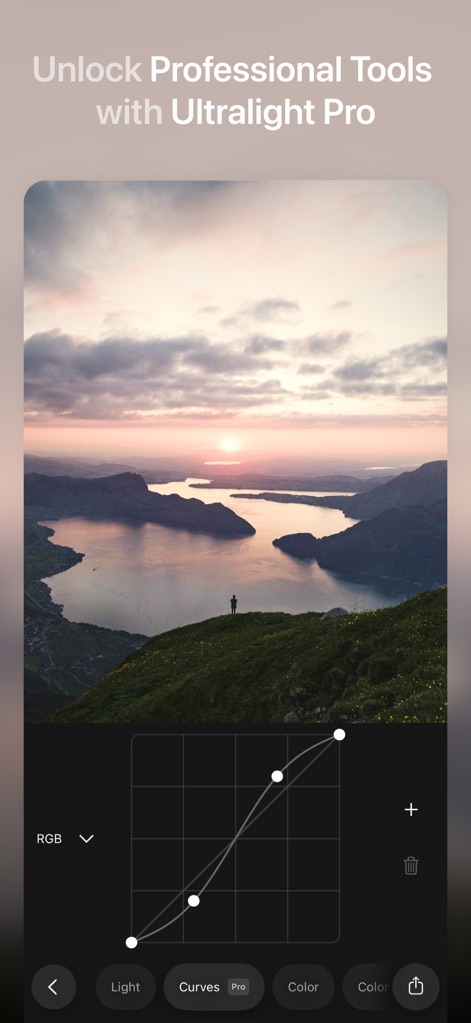
이 앱은 RGB 커브 그래프를 통해 고급 노출 및 대비 조절 기능을 제공하며, 사용자는 세밀한 포인트를 추가하여 이미지의 톤을 정교하게 제어할 수 있습니다.
고급 커브 조절
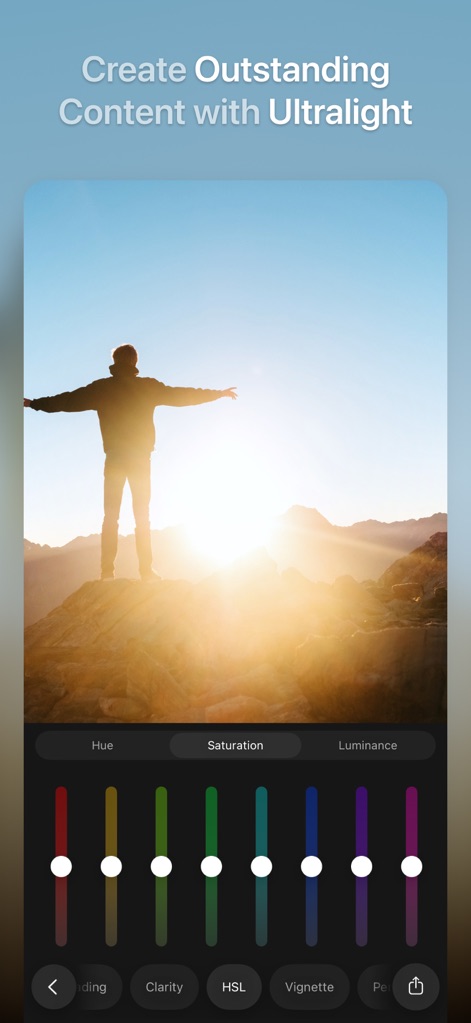
사용자는 HSL 도구를 사용하여 이미지의 각 색상 채도와 밝기를 개별적으로 조절할 수 있으며, 레인보우 스펙트럼 슬라이더를 통해 원하는 색감을 미세하게 조절할 수 있습니다.
색상별 미세 조정
설명
Download
비슷한 앱
유사한 기능과 사용자 경험을 가진 앱

Lightroom: AI Photo Editor
Adobe Inc.

MIX-Photo Editor & Filters
灏 徐

Presets for Lightroom - FLTR
Onelight Apps CY Ltd

Colorby: AI Photo Color Editor
Zhanghan Ke

PRESETS: Filters for Pictures
Gustas Brazaitis

Edith: Presets for Lightroom
MWM

Soft Focus Lite 〜beauty selfie
handyCloset Inc.

BerryFilm - Korean Style Cam
Seungyun Kim

Presets for Lightroom: Filters
Alenrom sp. z o.o.
이 페이지는 앱이나 개발자의 공식 페이지가 아니며, 정보 제공 및 논평을 목적으로 작성된 독립 편집 간행물입니다. 명시적으로 달리 언급되지 않는 한, 해당 앱이나 개발자는 MWM, Apple, Google Play, 앱 퍼블리셔 또는 앱 개발자와 제휴, 보증, 후원, 승인 또는 공식적으로 연결되어 있지 않으며, 이 페이지의 어떤 내용도 해당 앱이 MWM의 서비스를 사용하여 개발되었음을 의미하지 않습니다. 모든 상표, 로고, 스크린샷 및 기타 콘텐츠는 해당 소유자의 자산입니다.