UWACAM
UWACAM
다운로드: App Store

이 페이지는 앱이나 개발자의 공식 페이지가 아니며, 정보 제공 및 논평을 목적으로 작성된 독립 편집 간행물입니다. 명시적으로 달리 언급되지 않는 한, 해당 앱이나 개발자는 MWM, Apple, Google Play, 앱 퍼블리셔 또는 앱 개발자와 제휴, 보증, 후원, 승인 또는 공식적으로 연결되어 있지 않으며, 이 페이지의 어떤 내용도 해당 앱이 MWM의 서비스를 사용하여 개발되었음을 의미하지 않습니다. 모든 상표, 로고, 스크린샷 및 기타 콘텐츠는 해당 소유자의 자산입니다.

로고: UWACAM
다운로드: App Store

UWACAM

실시간 UWACOLOR 처리, 수동 전문가 컨트롤, Vizalyzer AI 해양 생물 식별 기능으로 바다의 진정한 색상을 되살리세요. DIVEVOLK 케이스에 최적화되었습니다.

주요 수치

다운로드

200

사용자 평점

4.7/5

총 평가 수

0

개발사

Bumbayaya GmbH

카테고리

Photo & Video

지원 언어

5

최신 버전

2.4.7

크기

46.4 MB

출시일

2025년 1월 10일
기능

수면 아래에서 전문가 수준의 결과

iPhone을 전문가급 수중 카메라로 바꿔보세요. 깊은 바닷속을 위해 설계된 도구로 생생하고 사실적인 색상을 담고 해양 생물을 즉시 식별하세요.

실시간 색상 복원

UWACOLOR 기술로 푸른빛과 녹색빛을 제거하고, 녹화 중이나 후반 작업에서 생생한 붉은색과 자연스러운 대비를 즉시 복원합니다.

DIVEVOLK 케이스 및 수중 환경을 위해 특별히 설계된 크고 촉감이 좋은 컨트롤을 사용하여 장갑을 끼고도 쉽게 조작할 수 있습니다.

다음 스크린샷과 설명은 앱의 공식 스토어 목록에서 직접 가져온 것이며 앱 개발자의 자산입니다.

앱 스토어

스크린샷
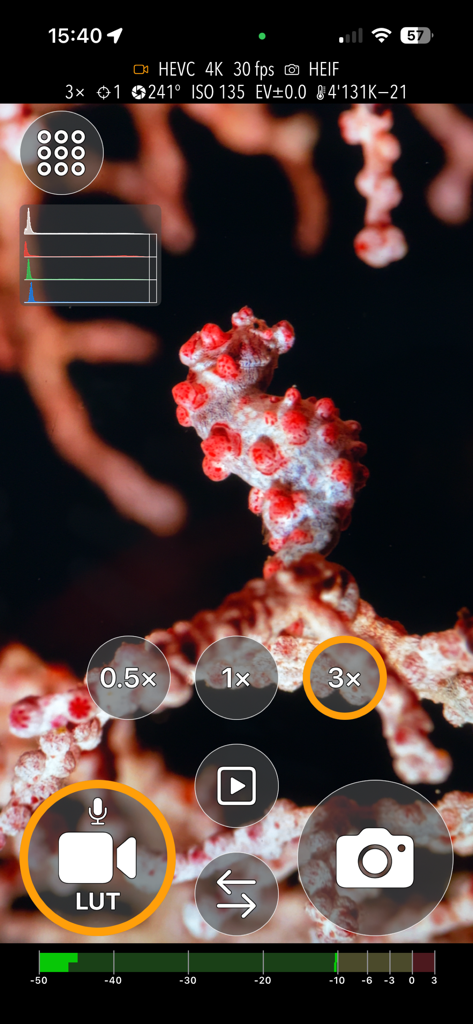
UWACAM - UWACAM 앱 인터페이스, 전문가용 사진 촬영 컨트롤이 있는 해마의 매크로 촬영 화면
UWACAM 앱 인터페이스, 전문가용 사진 촬영 컨트롤이 있는 해마의 매크로 촬영 화면

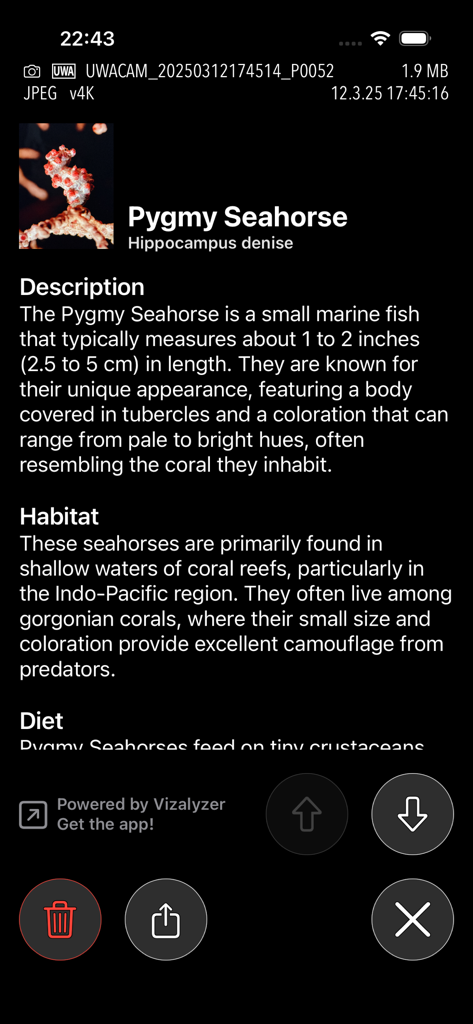
UWACAM - UWACAM 앱 화면, Vizalyzer AI를 사용하여 작은 해마의 해양 생물 식별 표시
UWACAM 앱 화면, Vizalyzer AI를 사용하여 작은 해마의 해양 생물 식별 표시

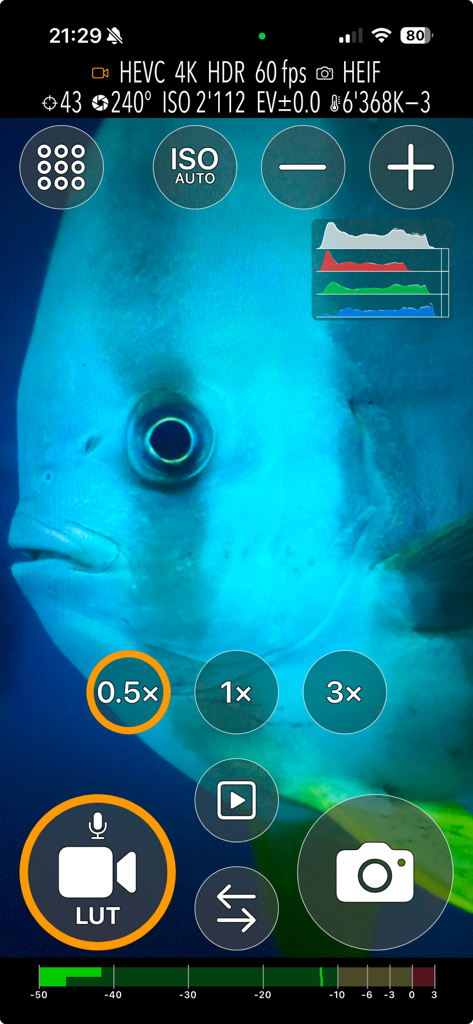
UWACAM - UWACAM 앱 인터페이스, 전문가용 동영상 및 사진 촬영 컨트롤이 있는 물고기 근접 촬영 화면
UWACAM 앱 인터페이스, 전문가용 동영상 및 사진 촬영 컨트롤이 있는 물고기 근접 촬영 화면

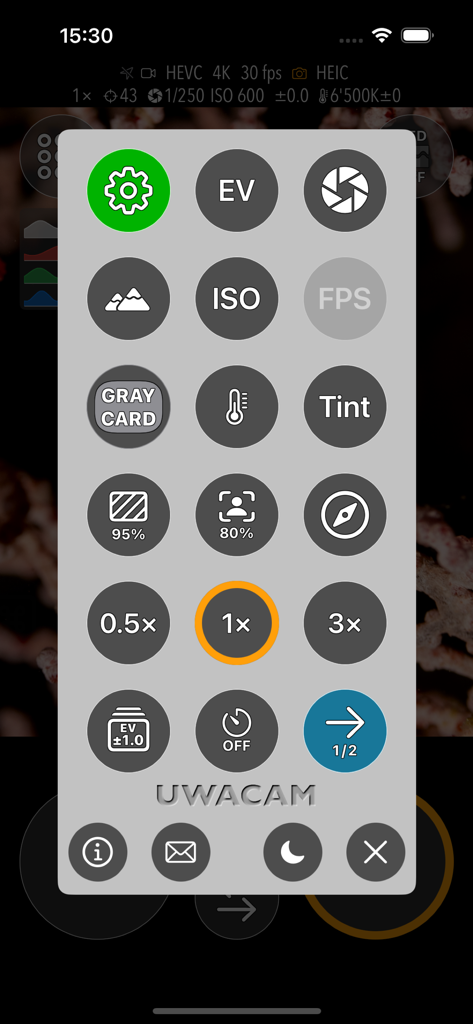
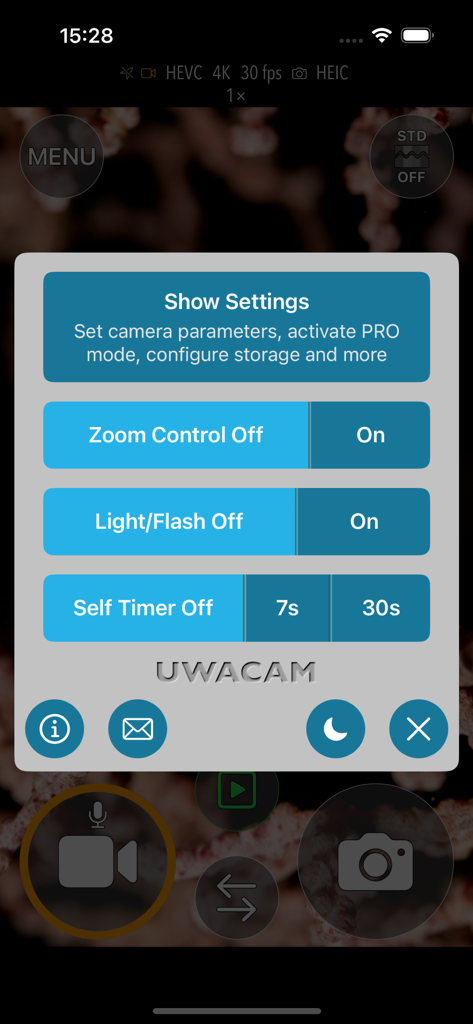
UWACAM - UWACAM 앱 설정 메뉴, 줌, 플래시, 타이머 컨트롤 표시

UWACAM 앱 설정 메뉴, 줌, 플래시, 타이머 컨트롤 표시

UWACAM - UWACAM 앱 설정 메뉴, 수중 사용을 위해 설계된 수동 카메라 컨트롤용 대형 원형 아이콘 표시
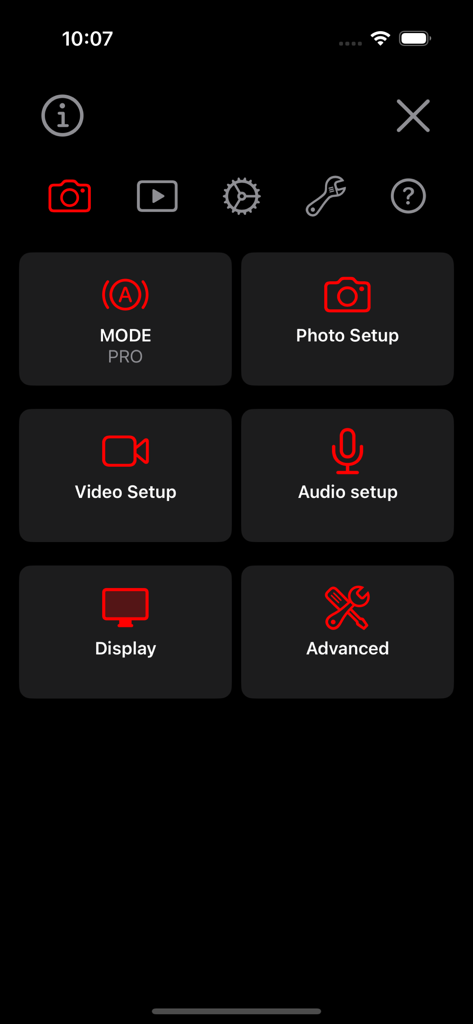
UWACAM 앱 설정 메뉴, 수중 사용을 위해 설계된 수동 카메라 컨트롤용 대형 원형 아이콘 표시

UWACAM - UWACAM 앱 설정 화면, 어두운 배경에 사진 설정, 동영상 설정, 오디오 설정, 고급 컨트롤을 위한 대형 빨간색 아이콘 표시
UWACAM 앱 설정 화면, 어두운 배경에 사진 설정, 동영상 설정, 오디오 설정, 고급 컨트롤을 위한 대형 빨간색 아이콘 표시

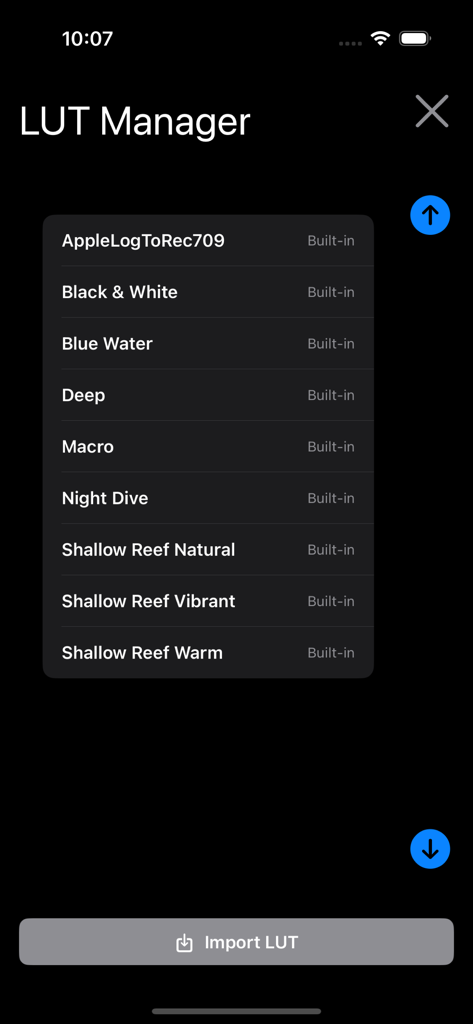
UWACAM - UWACAM 앱 LUT 관리자 화면, Blue Water 및 Shallow Reef와 같은 내장 수중 색상 보정 사전 설정 표시
UWACAM 앱 LUT 관리자 화면, Blue Water 및 Shallow Reef와 같은 내장 수중 색상 보정 사전 설정 표시

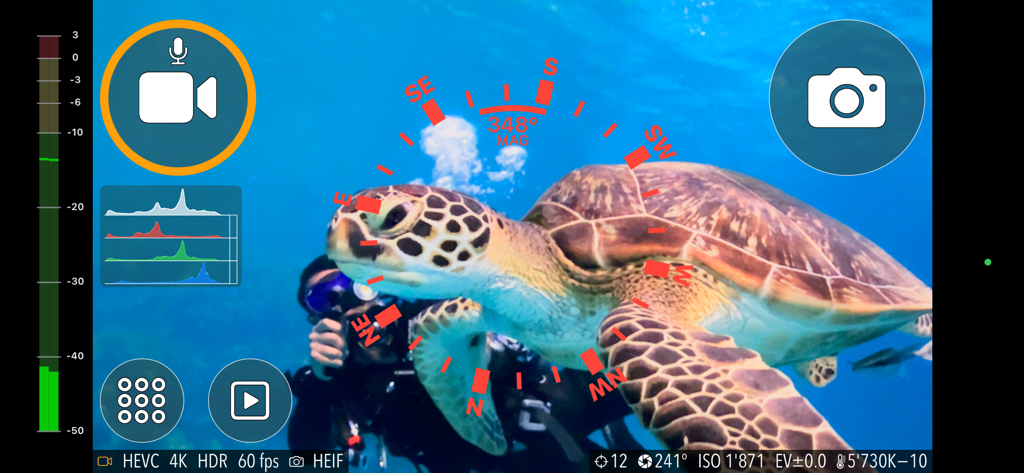
UWACAM - UWACAM 전문가용 수중 카메라 앱 인터페이스, 바다거북 표시

UWACAM 전문가용 수중 카메라 앱 인터페이스, 바다거북 표시

설명

UWACAM is the leading professional app for underwater photo and video, now available in Version 2.4 Designed for DIVEVOLK Seatouch cases and developed in collaboration with award-winning underwater cinematographer Matthias Lebo, this app is easy to use, featuring large, clear controls that enable effortless, stunning video and photo captures. It is packed with professional features typically found in DSLR cameras, provides automatic UWACOLOR* processing for videos and photos either real-time or postprocessed to enhance colors in captures, supports LOG format for enhanced color grading, includes built-in color lookup tables (LUTs), and provides manual mode capturing, user presets, histogram, focus peaking, zebra, and much more. Integrated Vizalyzer AI technology allows you to analyze your video and photo captures, retrieving valuable information on marine life forms (internet connection and subscription required) Feature highlights: • User interface specifically designed for use underwater, action sports or other challenging environments • Easy to use in DIVEVOLK Seatouch cases, or when using touchscreen-compatible gloves • Perfect for scuba diving, snorkelling, watersports and sports action use • Choose between AUTO Mode (great for casual users and beginners) and PRO Mode with full manual control • Automatic UWACOLOR dynamically adaptive color processing gives your underwater video and photo captures more realistic color and beautiful contrast – either real-time during capture or later on by postprocessing directly in the app - also with 4k resolution, high frame rates and HDR/Rec.2020 • Includes optional built-in compass overlay for navigation, even while filming • Easy to use Zoom functionality with three different zooming speeds • Supports Video in all resolutions, frame rates and color spaces of the device • Supports Photo in all resolutions and formats of the device • Focus peaking for focus check • Zebra for exposure check • Record in LOG format for easier color grading in post production • Built-in color lookup tables (LUTs) • Import your own custom LUTs • Manual control of exposure, focus, white balance, tint and more • Magnifier to zoom into the preview imag, e.g. for macro captures • Customizable shooting parameters and user interface with easy-to use menus • User Presets to store complete setups for quick access • Histogram in various sizes. Position, peak hold, limit configurable • Wide variety of configurable overlays: center point, rule of thirds, safe area, and more • Store captures to photo library, files, or in-app • Use sleep mode to conserve battery while not capturing Free download – no capture feature limitations. Subscribe to turn off watermarking for captures you make after subscribing (captures made or processed with UWACOLOR without subscription have a permanent non-removable watermark imprinted) and to enable Vizalyzer AI image analysis. If you have feedback, questions, or experience an issue with the app, please contact us right away by email at support@uwacam.com - we're happy to help! *Please note that no color processing or filter can fully restore colors lost due to spectral absorption. For best results we recommend using a video light if available. End-User License Agreement: https://www.apple.com/legal/internet-services/itunes/dev/stdeula/

Download

다운로드: App Store

이 페이지는 앱이나 개발자의 공식 페이지가 아니며, 정보 제공 및 논평을 목적으로 작성된 독립 편집 간행물입니다. 명시적으로 달리 언급되지 않는 한, 해당 앱이나 개발자는 MWM, Apple, Google Play, 앱 퍼블리셔 또는 앱 개발자와 제휴, 보증, 후원, 승인 또는 공식적으로 연결되어 있지 않으며, 이 페이지의 어떤 내용도 해당 앱이 MWM의 서비스를 사용하여 개발되었음을 의미하지 않습니다. 모든 상표, 로고, 스크린샷 및 기타 콘텐츠는 해당 소유자의 자산입니다.