VDO.Ninja

VDO.Ninja

다운로드: App Store
로고: VDO.Ninja

VDO.Ninja: OBS 및 라이브 프로덕션을 위한 전문가 수준의 무선 비디오

초저지연 WebRTC 스트리밍으로 iOS 기기를 고품질 원격 카메라 또는 소스 화면으로 전환하세요. 크리에이터를 위해 설계되었으며, 전문가 방송 워크플로우에 원활하게 통합할 수 있도록 백그라운드 화면 공유 및 암호화된 P2P 연결을 제공합니다.

개발사

Steve Seguin

카테고리

Photo & Video

다운로드

21K+

사용자 평점

3.8/5

총 평가 수

0

지원 언어

1

워크플로우 엿보기

이 인터페이스를 사용하는 21K+ 명의 사용자.

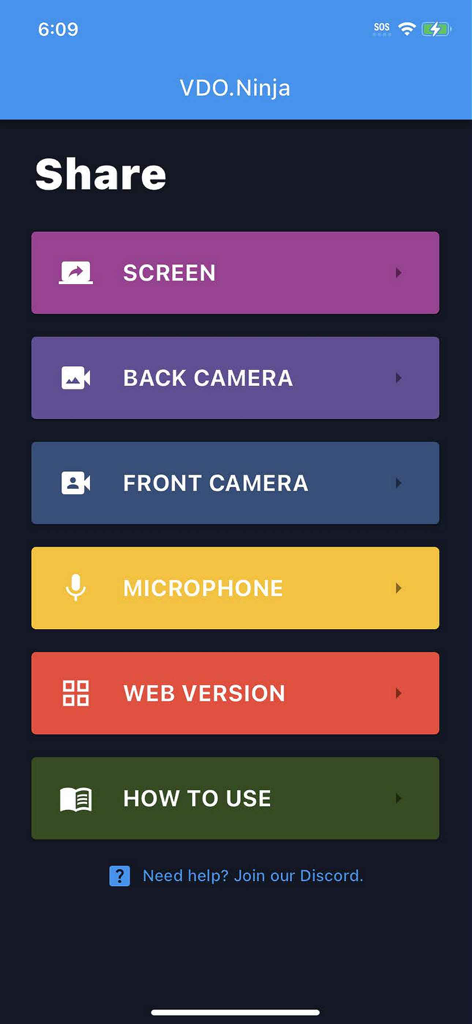
VDO.Ninja 앱의 메인 메뉴에서 화면, 카메라, 마이크 공유 옵션 표시
VDO.Ninja 앱의 메인 메뉴에서 화면, 카메라, 마이크 공유 옵션 표시

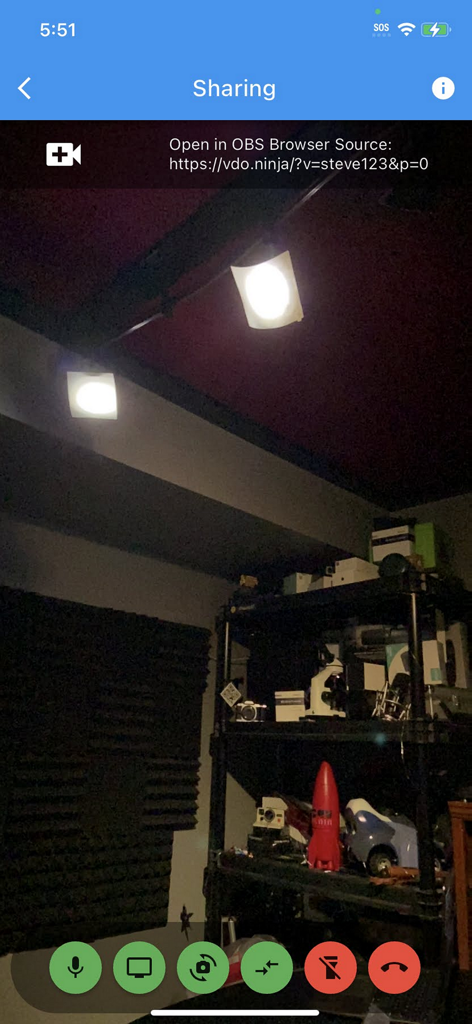
VDO.Ninja 앱 인터페이스에서 원격 스트리밍을 위한 OBS 브라우저 소스 링크와 함께 라이브 모바일 카메라 피드 표시
VDO.Ninja 앱 인터페이스에서 원격 스트리밍을 위한 OBS 브라우저 소스 링크와 함께 라이브 모바일 카메라 피드 표시

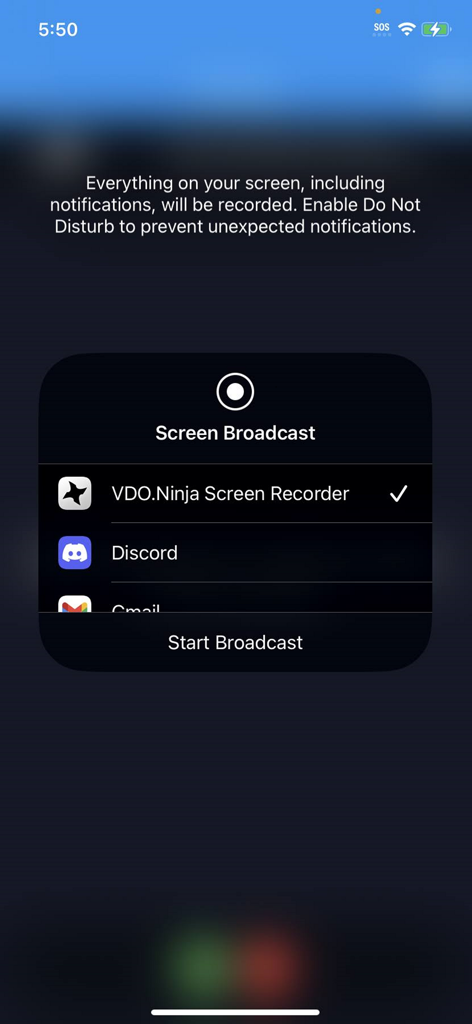
모바일 스트리밍을 위해 VDO Ninja Screen Recorder가 선택된 iOS 화면 방송 인터페이스

모바일 스트리밍을 위해 VDO Ninja Screen Recorder가 선택된 iOS 화면 방송 인터페이스

라이브 프로덕션 워크플로우 향상

이 앱을 돋보이게 하는 도구, 21K+ 명의 사용자가 선택.

🎮

백그라운드 화면 공유

웹 버전과 달리 네이티브 앱을 사용하면 다른 앱을 백그라운드에서 실행하면서 게임 플레이를 방송하거나 화면을 공유할 수 있습니다.

1초 미만 P2P 지연 시간

암호화된 WebRTC 기술을 활용하여 거의 즉각적인 오디오 및 비디오 피드를 제공하며, 원격 인터뷰 및 실시간 프로덕션에 완벽합니다.

🎬

무선 OBS 카메라

케이블이나 비싼 캡처 카드 없이 iPhone을 OBS, vMix 또는 Wirecast의 고급 원격 카메라 소스로 전환하세요.

앱 소개

에 대해 알아야 할 모든 것 VDO.Ninja.

설명

This is Peer-to-peer based, capable of working locally on a LAN or via the Internet by means of webRTC encrypted streaming technology. This is the official native iOS app version of VDO.Ninja. It has limited features compared to the web-based version that's accessible in Safari at https://vdo.ninja. The benefits of this iOS app version is it offers background VoiP support and background screen sharing support. These features are not available via the web version. To use this app: 1. Select the camera you wish to use, or select the microphone, or select the Screen share option. This will take you to the setup page. 2. All settings on the setup page are optional and can be left alone. You can enter a custom Stream ID value if you wish to*, but a default one will be provided if left blank. 3. Next, click Connect, and then allow any Cam/Mic Permissions when prompted. If using the Screen option instead, select the VDO.Ninja broadcast service when you start screen sharing. 4. Enter the URL provided at the top of the page into OBS an browser source or other any remote browser to view the video/audio stream. It will load within seconds. * Stream IDs must be alphanumeric, must not already be in use, and contain no spaces. Capitalization matters. ** If using the Screen option, instead of a selecting camera, select the VDO.Ninja broadcast service when you start screen sharing. Video guide here: https://youtu.be/iLGkGHJCpBo Permissions to allow the app to run while in the background is needed for screen sharing and background VoiP capabilities. You can refer to https://docs.vdo.ninja for information on configuring bitrate, codec, and more there. These options can be configured via the viewer-side in the browser. ie: Adding &stats to the viewer URL can show you details about bitrate, resolution, and frame rate. If you would like to have two-way calling, please access VDO.Ninja instead with Safari at https://vdo.ninja/. The web app is performant and feature rich, with the ability to join group chat.

최신 버전

2.0.52

크기

29.8 MB

출시일

2022년 5월 27일

스트림 워크플로우를 향상시킬 준비가 되셨나요?

수천 명의 프로슈머 및 스트리머가 VDO.Ninja를 사용하여 백그라운드 지원이 완벽한 고성능 저지연 원격 카메라 소스로 iOS 기기를 전환하고 있습니다.

다운로드: App Store

App information, icons, screenshots, and descriptions displayed on this page are sourced from the Apple App Store and are the property of their respective developers. Download estimates and rankings are based on MWM's proprietary models and may not reflect actual figures. This page is provided for informational and analytical purposes only.

Believe this page infringes your intellectual property? File a dispute