Vibroscope

Vibroscope

다운로드: App Store
로고: Vibroscope

Vibroscope: 전문적인 실시간 진동 및 FFT 분석

iPhone을 고정밀 가속도계로 변신시키세요. 진동을 정량화하고, 실시간 FFT 주파수 분석을 통해 3축 데이터를 시각화하며, 자동차, 오디오 및 구조 진단을 위한 전문 로그를 내보낼 수 있습니다.

개발사

TOON,LLC

카테고리

Utilities

다운로드

27K+

사용자 평점

1.0/5

총 평가 수

0

지원 언어

1

한눈에 보는 정밀함

이 인터페이스를 사용하는 27K+ 명의 사용자.

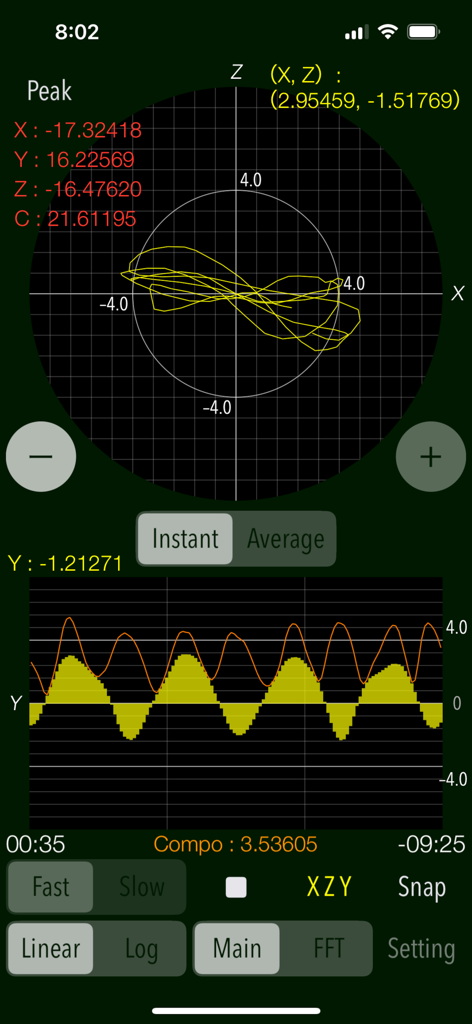
실시간 진동 측정 그래프와 피크 가속도 값을 보여주는 Vibroscope 앱 인터페이스
실시간 진동 측정 그래프와 피크 가속도 값을 보여주는 Vibroscope 앱 인터페이스

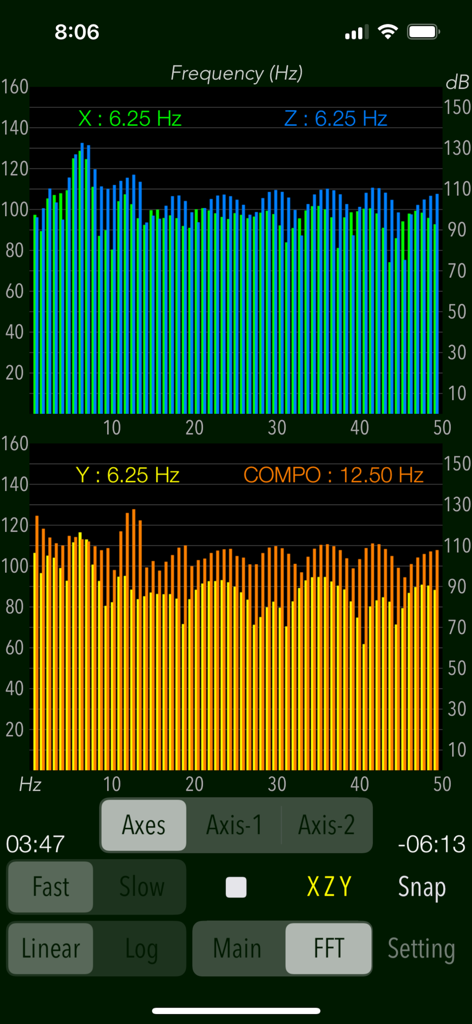
주파수 스펙트럼 그래프와 실시간 진동 데이터 분석을 보여주는 Vibroscope 인터페이스
주파수 스펙트럼 그래프와 실시간 진동 데이터 분석을 보여주는 Vibroscope 인터페이스

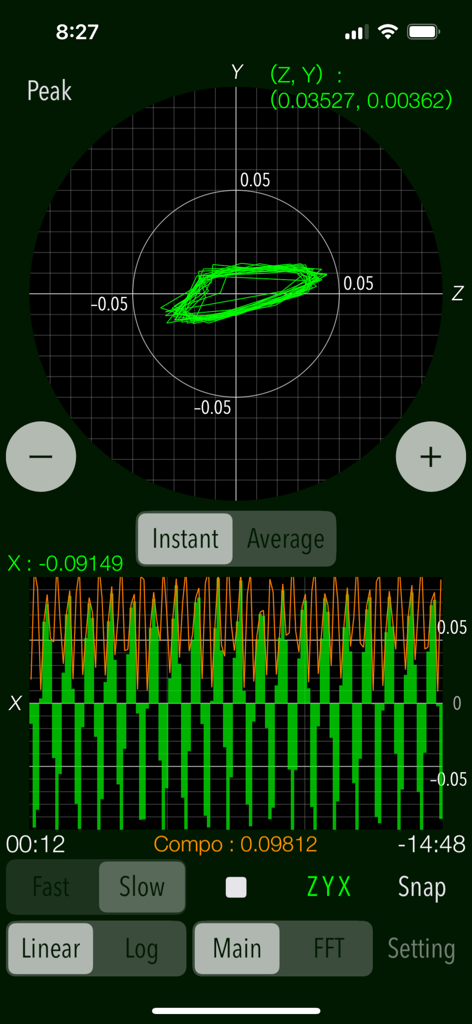
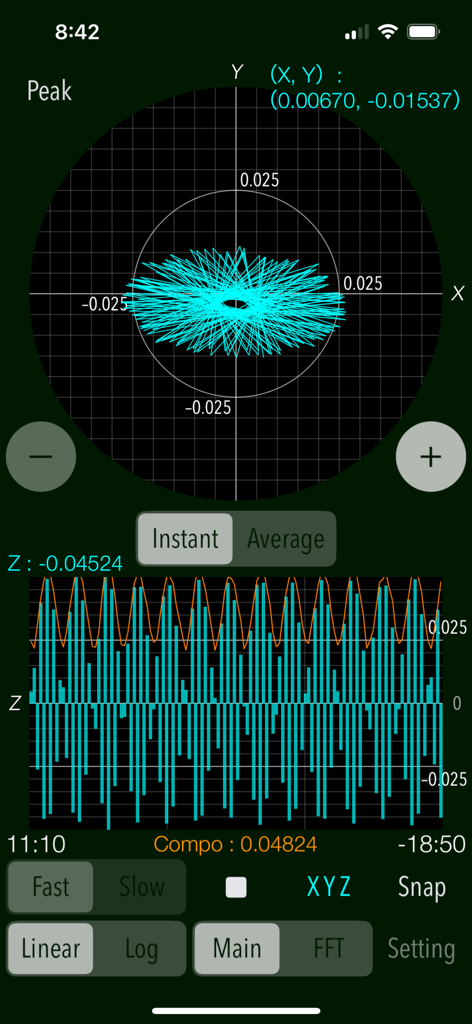
벡터 및 파형 그래프와 함께 실시간 진동 데이터를 보여주는 Vibroscope 모바일 앱 인터페이스
벡터 및 파형 그래프와 함께 실시간 진동 데이터를 보여주는 Vibroscope 모바일 앱 인터페이스

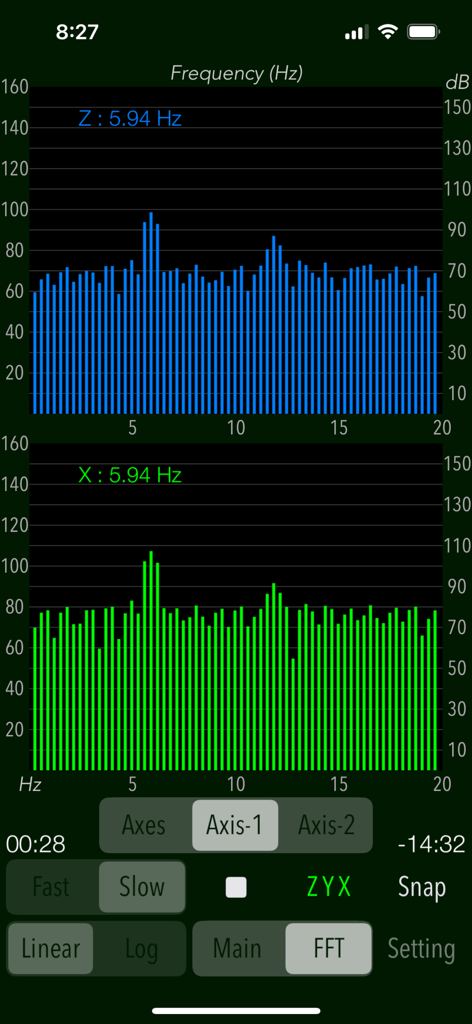
5.94Hz에서 피크 주파수를 갖는 Z축 및 X축 FFT 주파수 분석 그래프를 보여주는 Vibroscope 앱 인터페이스
5.94Hz에서 피크 주파수를 갖는 Z축 및 X축 FFT 주파수 분석 그래프를 보여주는 Vibroscope 앱 인터페이스

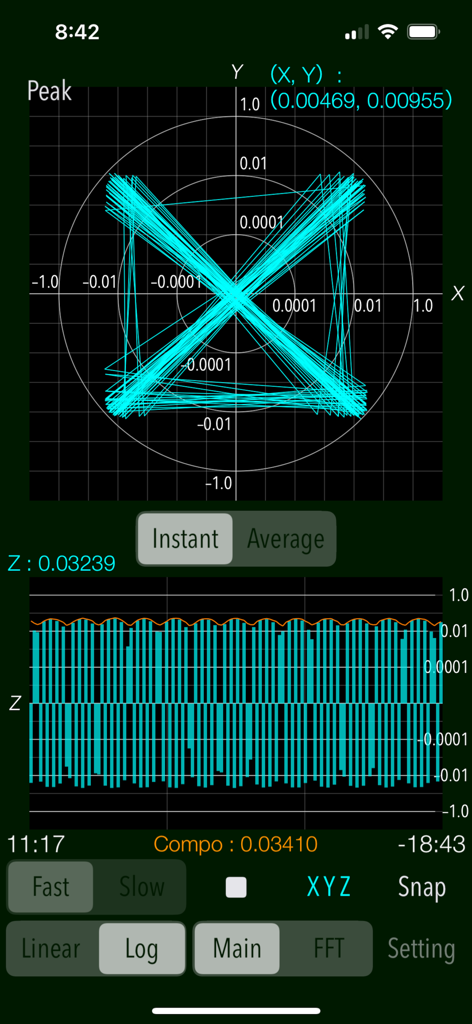
X-Y 벡터 평면 및 Z축 파형 그래프와 함께 실시간 진동 가속도 데이터를 보여주는 Vibroscope 앱 인터페이스
X-Y 벡터 평면 및 Z축 파형 그래프와 함께 실시간 진동 가속도 데이터를 보여주는 Vibroscope 앱 인터페이스

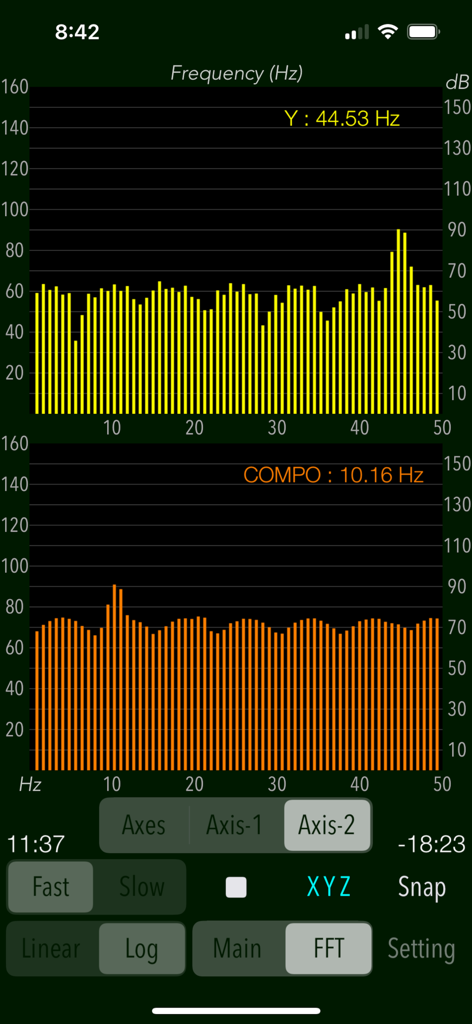
이중 막대 차트로 FFT 주파수 분석을 표시하는 Vibroscope 앱 인터페이스
이중 막대 차트로 FFT 주파수 분석을 표시하는 Vibroscope 앱 인터페이스

실시간 진동 측정을 위한 X-Y 벡터 평면 및 Z축 파형 그래프를 보여주는 Vibroscope 앱 인터페이스
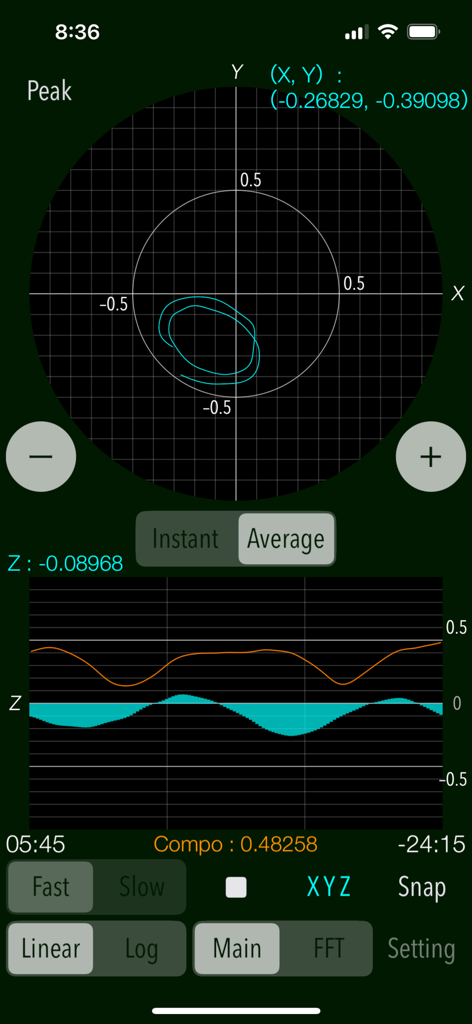
실시간 진동 측정을 위한 X-Y 벡터 평면 및 Z축 파형 그래프를 보여주는 Vibroscope 앱 인터페이스

실시간 3축 진동 가속도 그래프와 데이터 로거 설정을 보여주는 Vibroscope 앱 인터페이스
실시간 3축 진동 가속도 그래프와 데이터 로거 설정을 보여주는 Vibroscope 앱 인터페이스

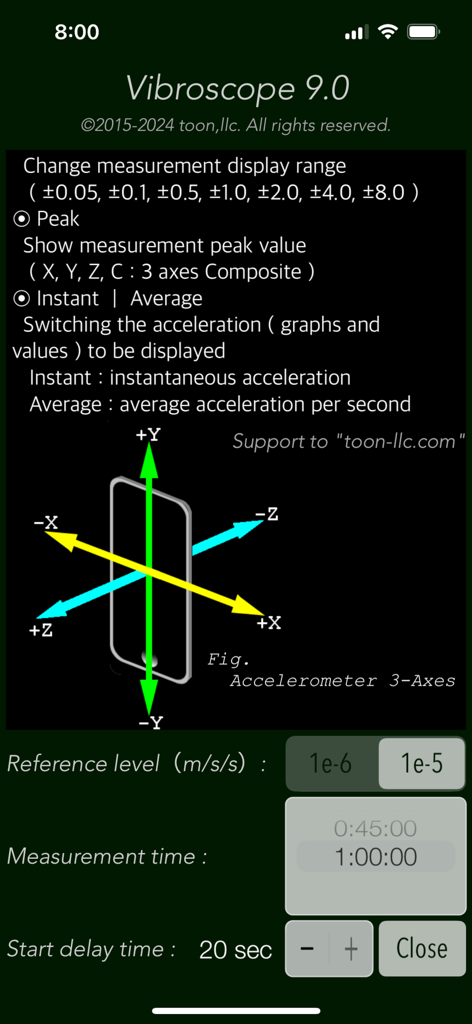
3축 가속도계 방향 다이어그램과 측정 매개변수를 표시하는 Vibroscope 앱 설정 인터페이스

3축 가속도계 방향 다이어그램과 측정 매개변수를 표시하는 Vibroscope 앱 설정 인터페이스

손끝에서 이루어지는 정밀 진동 분석

이 앱을 돋보이게 하는 도구, 27K+ 명의 사용자가 선택.

📊

실시간 3축 모니터링

고해상도 벡터 그래프와 시간축 파형을 통해 X, Y, Z축 진동을 동시에 시각화하여 즉각적인 진단 피드백을 확인하세요.

🔍

고급 FFT 분석

복잡한 진동을 주파수 성분으로 분해하여 엔진, 바닥 또는 오디오 장비의 특정 간섭 원인을 식별합니다.

💾

전문 데이터 로깅

측정 로그를 기록하고 iTunes 또는 Finder를 통해 UTF8 텍스트 파일로 내보내 Mac 또는 PC에서 더 심도 있는 분석 및 문서화를 수행하세요.

전 세계 사용자들에게 사랑받는 앱

Trusted by 27K+ 명이 이 앱을 사랑합니다.

"

"Vibroscope는 제 오디오 설정에 필수적인 도구입니다. FFT 분석기를 사용해 턴테이블 성능에 영향을 주던 미세한 바닥 진동을 감지했습니다. 정확한 주파수 피크를 시각화할 수 있어 적합한 방진 받침대를 선택하는 데 큰 도움이 되었습니다. 스마트폰 앱이라고 믿기지 않을 정도로 정밀합니다."

David L., 하이파이 애호가
"

"수년 동안 전문 가속도계를 사용해 왔습니다. 보정된 산업용 센서를 완벽히 대체할 수는 없지만, 신속한 현장 진단에는 완벽합니다. 데이터 로거 기능은 혁신적입니다. 고장 난 HVAC 모터의 진동 프로필을 캡처하고 분석을 위해 로그를 Mac으로 내보냈습니다. 모든 엔지니어에게 필수적인 유틸리티입니다."

Marcus T., 기계 엔지니어

앱 소개

에 대해 알아야 할 모든 것 Vibroscope.

설명

"Vibroscope" is a powerful vibration analysis tool to measure various vibrations in real time using iPhone's acceleration sensor. It allows you to monitor by visualizing the very low frequency vibration such as inaudible by ear. This app can detect the amount of acceleration of vibration and display the two-axis coordinates in the horizontal direction and the time-axis waveform in the vertical direction. It is also equipped with the ability to analyze the frequency components of the very low frequency vibration by FFT analyzer. It can be measured by determining the horizontal or vertical direction to suit the attitude of the iPhone, so as to be available in a placement of the floor and desk or handheld. The measurement data can also be saved as a log file, so you can use it as a vibration data logger. Application Examples: - Analysis of the amount of acceleration and frequency components of the floor and walls during car traffic. - Measurement of howling vibration of audio equipment, etc. - Detection of acceleration and vibration of trains and automobiles. - Body balance check (horizontal body shaking detection). - Measurement of vibration acceleration during earthquakes, etc. (displayed value x 100 [GAL]) Features: - Measurement of vibrations (Main): acceleration values (m/s/s) - Real-time display: the horizontal direction (X-Y) - 2-axis vector plane graph, the vertical direction (Z) - the time-axis waveform. - Display scale switching of vibration acceleration graph (Linear/Log): Linear - linear scale display, Log - logarithmic scale display. - 3-axis composite acceleration display (Compo) - Peak level value display (Peak) - Switching of acceleration display (Instant/Average): Instant - instantaneous acceleration, Average - average acceleration per second. - Scaling of measurement display range - FFT analysis for 3-axis directional and composite acceleration, with peak frequency (FFT) - FFT graph display control (Axes/Axis-1/Axis-2) - Switching of sensor sampling period (Slow/Fast): slow, fast - Axis direction (Axis): Swapping the axis direction on the graph display during operation. - Measurement timer function: 1 sec to 1 hour - Start delay timer function: 0 - 20 sec - Reference level setting in FFT mode: 1e-6m/s/s, or 1e-5m/s/s - Snapshot of the measurement screen (Snap): Capture the measurement results and Timestamp to "Photos". - Data Logger: X-axis, Y-axis, Z-axis, saved in a text file (UTF8). It saves the measurement data, timestamp to LOG file. It can be exported by using "iTunes File Sharing". Important settings: - At the time of the first access to Photos after installing the app, you will be asked permission to access them from the iOS system. If you did not enable this setting on this time, it cannot be access from the app by privacy restrictions of the iOS. Please enable slide switch of the app in the access permission of the iOS setting, "Settings > Privacy & Security > Photos". - This app does not support to the background operation, so it needs to set on "Never" in the iOS setting, "Settings > General > Auto-Lock" for a long-time operation. Notes: - In general, there is variation and accuracy error by individual terminals and sensor devices of the iPhone, so this app does not recommend the use in the formal measurement. It is also possible that the accuracy error will accumulate if the vibration is too large, it may not be appropriate to display the measured value. - While driving a car or operating machinery, please do not use this app for safety. - The logarithmic scale graph displays very small numerical value, so it may be affected by noise and temperature error in your environment or time fluctuation of sensor calibration. - Log data can be transferred from an iOS device to a Mac or PC using the iTunes File Sharing feature. macOS Catalina and later can share files between an iOS device and a Mac using the Finder. Please visit our iOS app support page for more information on this app.

최신 버전

9.0

크기

0.7 MB

출시일

2015년 9월 16일

iPhone을 전문 진동 분석기로 만드세요

실시간 FFT 분석과 정밀 데이터 로깅을 위해 Vibroscope를 사용하는 수천 명의 엔지니어, 오디오 애호가 및 DIY 전문가와 함께하세요.

다운로드: App Store