Video Cutter - VidTrim
다운로드: App Store

이 페이지는 앱이나 개발자의 공식 페이지가 아니며, 정보 제공 및 논평을 목적으로 작성된 독립 편집 간행물입니다. 명시적으로 달리 언급되지 않는 한, 해당 앱이나 개발자는 MWM, Apple, Google Play, 앱 퍼블리셔 또는 앱 개발자와 제휴, 보증, 후원, 승인 또는 공식적으로 연결되어 있지 않으며, 이 페이지의 어떤 내용도 해당 앱이 MWM의 서비스를 사용하여 개발되었음을 의미하지 않습니다. 모든 상표, 로고, 스크린샷 및 기타 콘텐츠는 해당 소유자의 자산입니다.


로고: Video Cutter - VidTrim
다운로드: App Store

Video Cutter - VidTrim

동영상을 자르고, 속도를 높이고, 다듬는 가볍고 강력한 도구입니다. 긴 녹화본을 몇 초 안에 완벽하고 고품질의 하이라이트로 변환하세요.

주요 수치

다운로드

0

사용자 평점

1.0/5

총 평가 수

0

개발사

Suresh Verma

카테고리

Photo & Video

지원 언어

1

최신 버전

1.0

크기

1.9 MB

출시일

2025년 1월 30일
기능

몇 초 만에 하이라이트 마스터하기

정리되지 않은 갤러리와 복잡한 편집 모음에 작별을 고하세요. VidTrim은 번거로움 없이 최고의 순간을 추출, 다듬고 공유할 수 있는 필수 도구를 제공합니다.

프레임 단위 정밀도

직관적인 AB 슬라이더를 사용하여 정확한 시작 및 종료 시간을 지정하세요. 외승 골 또는 콘서트의 최고의 15초를 수술 정확도로 추출하는 데 완벽합니다.

동적 속도 및 오디오

영화 같은 슬로우 모션 또는 고에너지 빠른 재생 클립을 즉시 만드세요. 배경 소음을 음소거하거나 중요한 순간을 증폭하기 위해 실시간으로 볼륨 수준을 조절하세요.

다음 스크린샷과 설명은 앱의 공식 스토어 목록에서 직접 가져온 것이며 앱 개발자의 자산입니다.

앱 스토어

스크린샷
Video Cutter - VidTrim - 앱 로고와 이름이 표시된 Video Cutter 앱의 실행 화면

앱 로고와 이름이 표시된 Video Cutter 앱의 실행 화면

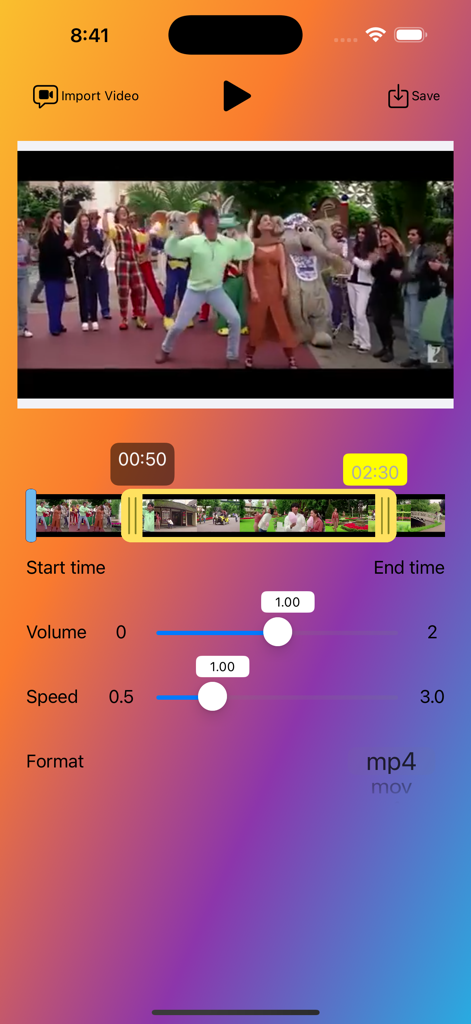
Video Cutter - VidTrim - 볼륨 및 재생 속도 컨트롤이 있는 비디오 타임라인 슬라이더를 특징으로 하는 Video Cutter VidTrim 앱의 사용자 인터페이스
볼륨 및 재생 속도 컨트롤이 있는 비디오 타임라인 슬라이더를 특징으로 하는 Video Cutter VidTrim 앱의 사용자 인터페이스

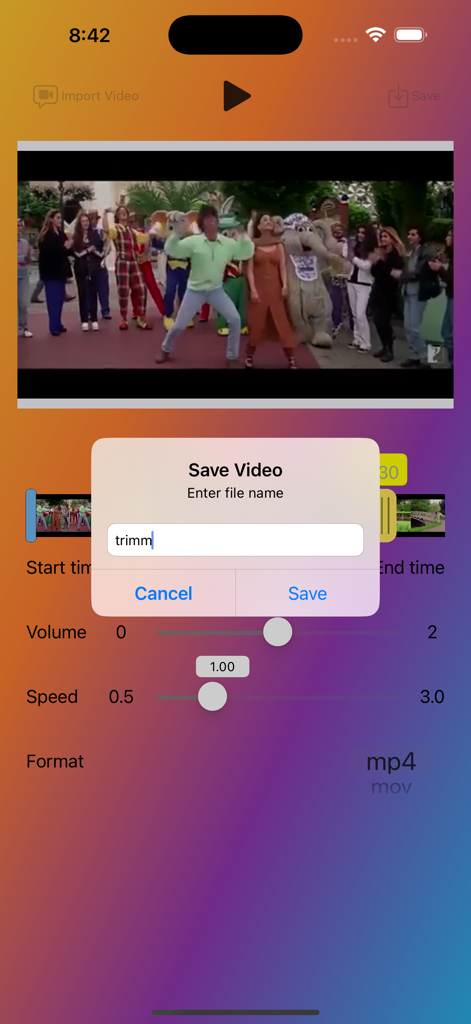
Video Cutter - VidTrim - 편집 컨트롤 위에 사용자 지정 파일 이름을 입력하기 위한 동영상 저장 대화 상자를 보여주는 Video Cutter - VidTrim 앱의 인터페이스
편집 컨트롤 위에 사용자 지정 파일 이름을 입력하기 위한 동영상 저장 대화 상자를 보여주는 Video Cutter - VidTrim 앱의 인터페이스

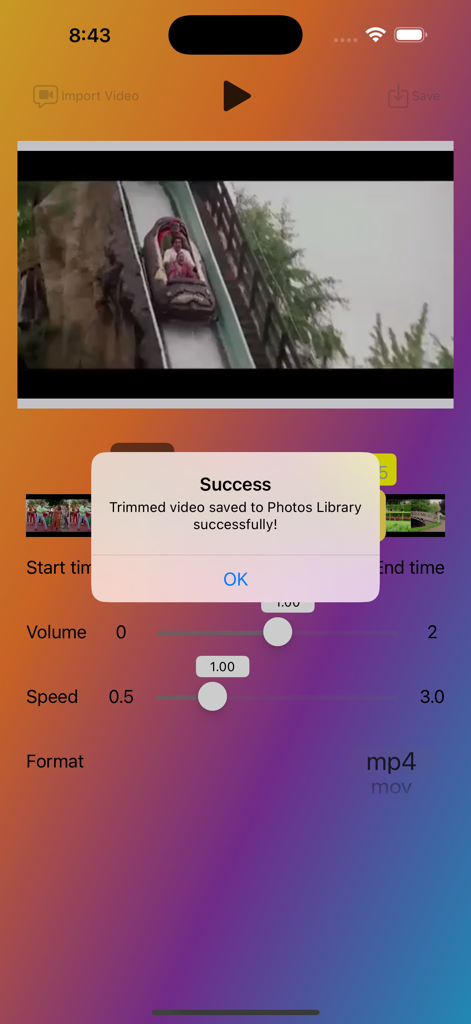
Video Cutter - VidTrim - 라이브러리에 트리밍된 동영상이 저장된 후 성공 팝업을 보여주는 VidTrim 앱 인터페이스

라이브러리에 트리밍된 동영상이 저장된 후 성공 팝업을 보여주는 VidTrim 앱 인터페이스

설명

The Video Cutter App is a powerful and easy-to-use application, enabling users to import, trim, and save videos with precision. The app provides a smooth and intuitive interface, making it simple for users to select their desired video segments and export them in various formats. Whether you are a content creator, social media enthusiast, or just someone who enjoys editing videos, this app is perfect for you. Key Features Import Videos from Library: Easily import videos from your device's photo library. Supports popular video formats such as MP4, MOV, and M4V. Precise Trimming: Use the ABVideoRangeSlider to select the exact start and end points for trimming. Displays the selected start and end times for better accuracy. Customizable Export Options: Choose from various video formats (MP4, MOV, M4V) for exporting. Save the trimmed video with a custom file name. Interactive Video Player: Play and pause the video within the app. Real-time video preview while selecting the trimming range. Volume Control: Adjust the volume of your video to your liking. Playback Speed: Control the playback speed of your video for slow-motion or fast-motion effects. Save the trimmed video directly to your device's Photos Library. Ensures quick and easy access to your edited videos. How to Use Import a Video: Tap the "Import Video" button to open your device's photo library. Trim the Video: Use the video range slider to set the start and end points for trimming. Preview the selected segment using the built-in video player. Adjust Volume and Speed: Use the sliders to adjust the volume and playback speed of your video. Export the Trimmed Video: Tap the "Export Video" button to save the trimmed video. Enter a custom file name and choose the desired format for the exported video. The app will process the video and save it to your Photos Library. Playback Control: Use the play/pause button to control video playback. The app will automatically pause the video when it reaches the selected end time. Additional Information : The app requires access to your device's photo library to import and save videos. Make sure the selected video is at least 60 seconds long to enable trimming.

Download

다운로드: App Store

이 페이지는 앱이나 개발자의 공식 페이지가 아니며, 정보 제공 및 논평을 목적으로 작성된 독립 편집 간행물입니다. 명시적으로 달리 언급되지 않는 한, 해당 앱이나 개발자는 MWM, Apple, Google Play, 앱 퍼블리셔 또는 앱 개발자와 제휴, 보증, 후원, 승인 또는 공식적으로 연결되어 있지 않으며, 이 페이지의 어떤 내용도 해당 앱이 MWM의 서비스를 사용하여 개발되었음을 의미하지 않습니다. 모든 상표, 로고, 스크린샷 및 기타 콘텐츠는 해당 소유자의 자산입니다.