Video Editor & Maker -Cup Cute
다운로드: App Store

이 페이지는 앱이나 개발자의 공식 페이지가 아니며, 정보 제공 및 논평을 목적으로 작성된 독립 편집 간행물입니다. 명시적으로 달리 언급되지 않는 한, 해당 앱이나 개발자는 MWM, Apple, Google Play, 앱 퍼블리셔 또는 앱 개발자와 제휴, 보증, 후원, 승인 또는 공식적으로 연결되어 있지 않으며, 이 페이지의 어떤 내용도 해당 앱이 MWM의 서비스를 사용하여 개발되었음을 의미하지 않습니다. 모든 상표, 로고, 스크린샷 및 기타 콘텐츠는 해당 소유자의 자산입니다.


로고: Video Editor & Maker -Cup Cute
다운로드: App Store

Video Editor & Maker -Cup Cute

프레임 단위 정밀 편집, 모든 동영상 형식 변환, 원치 않는 개체 즉시 삭제. 오디오 추출부터 스마트 압축까지, 컴퓨터 없이도 모바일에서 소셜 미디어 워크플로우를 마스터하세요.

주요 수치

다운로드

115K+

사용자 평점

4.6/5

총 평가 수

1K+

개발사

立瑗 胡

카테고리

Graphics & Design

지원 언어

3

최신 버전

4.3

크기

93.8 MB

출시일

2021년 2월 25일
기능

현대적인 크리에이터를 위한 올인원 스튜디오

앱 전환은 그만. 모든 형식을 변환하고, 모든 플랫폼에 맞게 압축하고, 아이폰에서 바로 전문적인 정밀 편집을 하세요.

보편적인 형식 지원

'지원되지 않는 파일' 오류는 이제 그만. MKV, AVI, FLV 파일을 모바일 장치에서 소셜 미디어용 MP4로 직접 편집하고 변환하세요.

전문가 수준의 정밀도

프레임 단위 편집, 가변 속도 램프, 배경의 원치 않는 개체를 삭제하는 스마트 도구로 콘텐츠를 마스터하세요.

다음 스크린샷과 설명은 앱의 공식 스토어 목록에서 직접 가져온 것이며 앱 개발자의 자산입니다.

앱 스토어

스크린샷
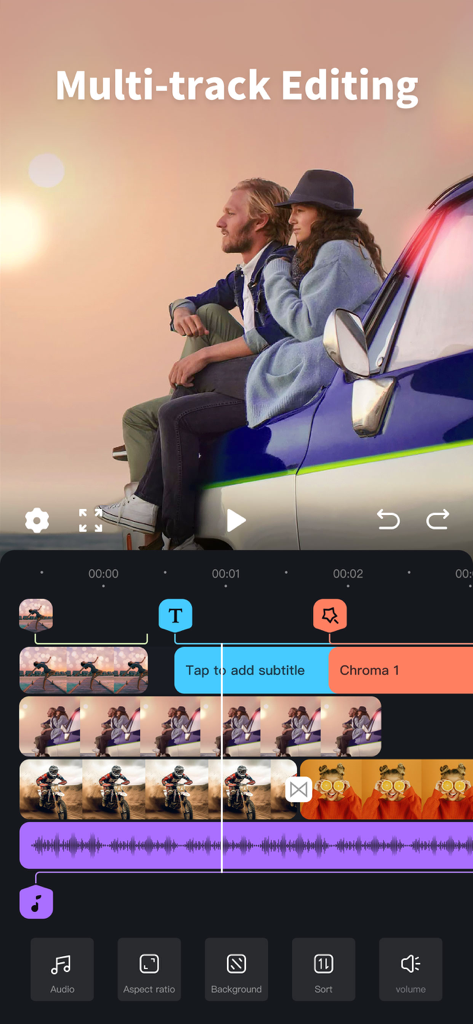
Video Editor & Maker -Cup Cute - Cup Cute 앱의 멀티트랙 동영상 편집 인터페이스, 동영상 및 오디오 트랙이 있는 타임라인 표시
Cup Cute 앱의 멀티트랙 동영상 편집 인터페이스, 동영상 및 오디오 트랙이 있는 타임라인 표시

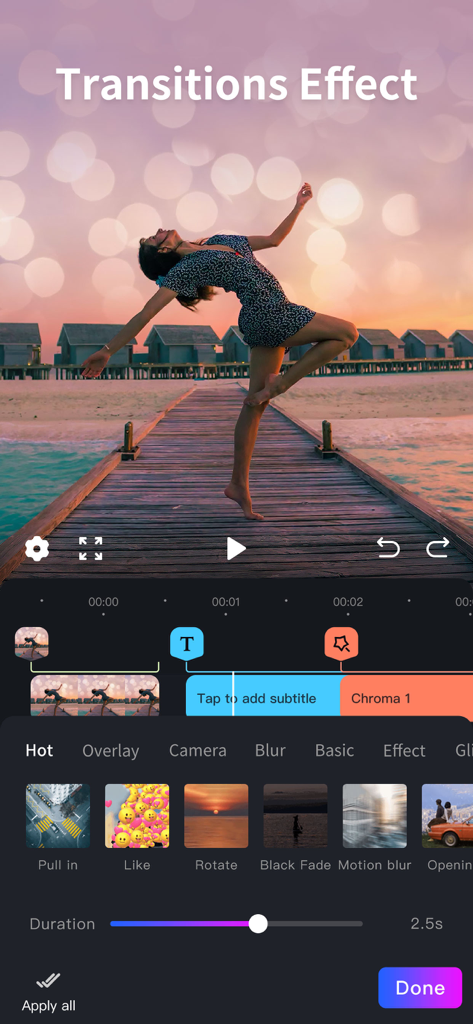
Video Editor & Maker -Cup Cute - 모바일 동영상 편집 인터페이스, 석양 동영상을 위한 지속 시간 슬라이더와 함께 Pull in 및 Motion blur와 같은 다양한 전환 효과 표시
모바일 동영상 편집 인터페이스, 석양 동영상을 위한 지속 시간 슬라이더와 함께 Pull in 및 Motion blur와 같은 다양한 전환 효과 표시

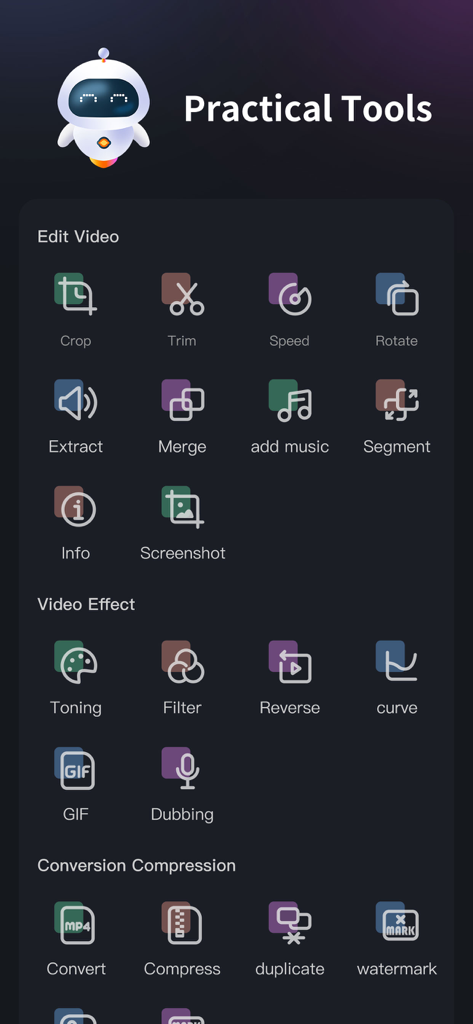
Video Editor & Maker -Cup Cute - Cup Cute 동영상 편집기 앱의 대시보드, 편집 효과 및 변환 도구 표시
Cup Cute 동영상 편집기 앱의 대시보드, 편집 효과 및 변환 도구 표시

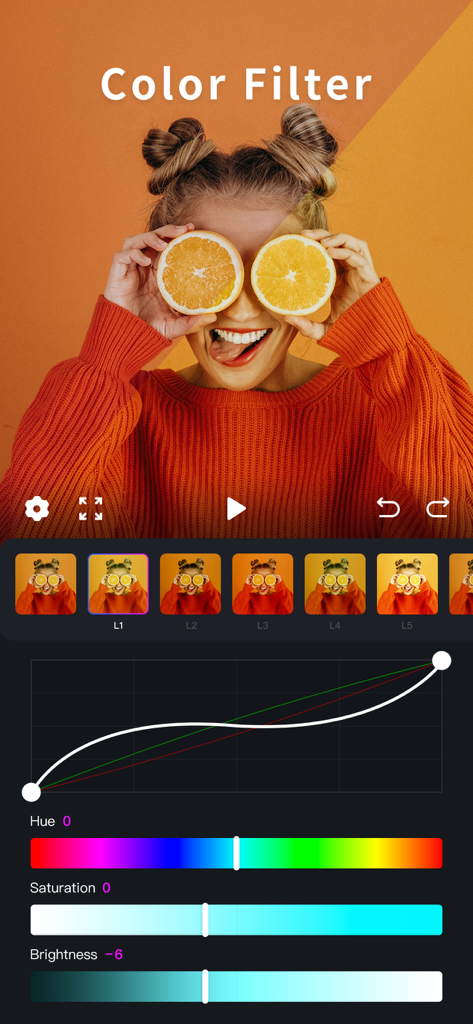
Video Editor & Maker -Cup Cute - Cup Cute 앱의 인터페이스, 조정 슬라이더 및 곡선과 함께 전문적인 색상 필터 및 톤 도구 표시
Cup Cute 앱의 인터페이스, 조정 슬라이더 및 곡선과 함께 전문적인 색상 필터 및 톤 도구 표시

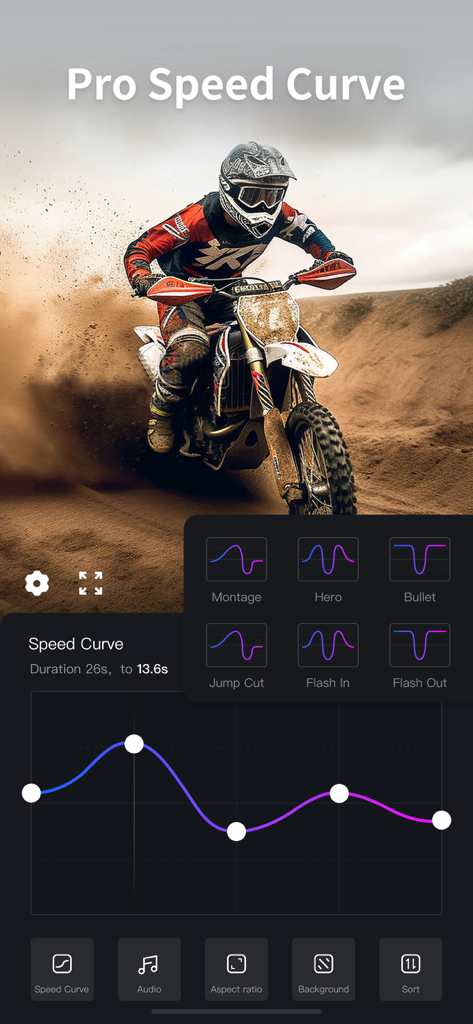
Video Editor & Maker -Cup Cute - Cup Cute 동영상 편집기의 프로 속도 곡선 편집 인터페이스, 속도 램핑 사전 설정 표시
Cup Cute 동영상 편집기의 프로 속도 곡선 편집 인터페이스, 속도 램핑 사전 설정 표시

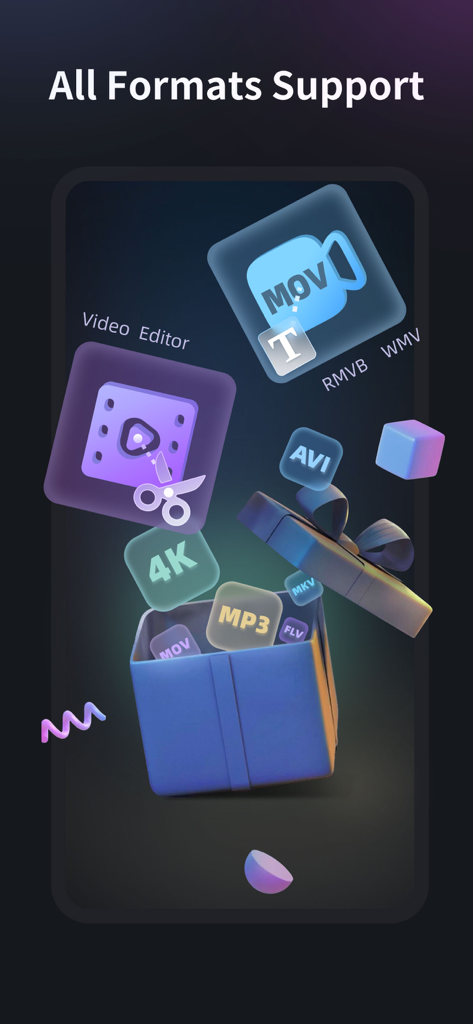
Video Editor & Maker -Cup Cute - MOV AVI 및 MP3와 같은 여러 동영상 및 오디오 형식에 대한 앱 지원을 보여주는 그래픽 디스플레이

MOV AVI 및 MP3와 같은 여러 동영상 및 오디오 형식에 대한 앱 지원을 보여주는 그래픽 디스플레이

설명

Video editing assistant is a full-format and full-featured video editing software. Compatible with mainstream audio and video formats, and integrates many common functions in the video production process. Set video editing, video format factory, video conversion Video compression in one video production tool software. Easy to operate, easily edit the video you want, it is a must-have video app for video makers [Supported audio and video media formats] •Supported video formats: mp4, mov, mkv, flv, avi, rm, rmvb, 3pg, gif, m4v, mpg, wmv, asf, etc. • Supported audio formats: mp3, wav, m4a, aac, ape, flac, wma, amr, etc. [Software Features] • Full media format support, non-mp4 format video on the computer can also be edited on the mobile phone. TV drama mkv , Avi and other formats can also be edited directly on the mobile phone, which is convenient and convenient • Precise video editing, so that a single frame of video can be adjusted • No video time limit, time is under your control • Multiple network-wide unique video editing functions to help video editing and production 【Function description】 1. Screen cut 2. Time Clip 3. Video speed adjustment 4. Direction rotation 5. Extract audio 6. Merge and merge 7. Replace music 8. Segment cutting 9. Video information 10. Single frame screenshot 11. Video toning 12. Video filters 13. Rewind video 14. Slope speed regulation 15.Video to gif 16. Convert to MP4 17. Video compression 18.Video duplication 19.Image Erase 20.Video Erase 【meidaLeap VIP subscription】 1. Subscribing to VIP members includes the following benefits: HD export, removing advertising and opening all functions. 2. According to your choice, VIP members offer two time period subscriptions: "Monthly Fee" and "Annual Fee”. 3. When purchase confirmed, your iTunes account will be charged. 4. Subscription will automatically renew unless auto-renew is turned off at least 24 hours before the end of the current period 5. Account will be charged for renewal within 24 hours before the end of the current period 6. Subscription can be managed by the user, and can be turned off in user's account settings after purchased. The specific steps are: "Settings"-> "iTunes Store and App Store"-> select "Apple ID" on the iOS device 』-> Click『 View Apple ID 』-> Click『 Subscribe 』-> Select 『meidaLeap 』 on the account settings page to cancel subscription. Privacy Policy: https://video-alum.oss-cn-hangzhou.aliyuncs.com/support/meidaLeap_privacyPolicy.html Terms of Service: https://video-alum.oss-cn-hangzhou.aliyuncs.com/support/meidaLeap_terms.html 【contact us】 •Official Weibo: http://weibo.com/shipinxiangce •User exchange qq group: 773291563

Download

다운로드: App Store

이 페이지는 앱이나 개발자의 공식 페이지가 아니며, 정보 제공 및 논평을 목적으로 작성된 독립 편집 간행물입니다. 명시적으로 달리 언급되지 않는 한, 해당 앱이나 개발자는 MWM, Apple, Google Play, 앱 퍼블리셔 또는 앱 개발자와 제휴, 보증, 후원, 승인 또는 공식적으로 연결되어 있지 않으며, 이 페이지의 어떤 내용도 해당 앱이 MWM의 서비스를 사용하여 개발되었음을 의미하지 않습니다. 모든 상표, 로고, 스크린샷 및 기타 콘텐츠는 해당 소유자의 자산입니다.







