
이 페이지는 앱이나 개발자의 공식 페이지가 아니며, 정보 제공 및 논평을 목적으로 작성된 독립 편집 간행물입니다. 명시적으로 달리 언급되지 않는 한, 해당 앱이나 개발자는 MWM, Apple, Google Play, 앱 퍼블리셔 또는 앱 개발자와 제휴, 보증, 후원, 승인 또는 공식적으로 연결되어 있지 않으며, 이 페이지의 어떤 내용도 해당 앱이 MWM의 서비스를 사용하여 개발되었음을 의미하지 않습니다. 모든 상표, 로고, 스크린샷 및 기타 콘텐츠는 해당 소유자의 자산입니다.


Video Eraser .
카메라 롤을 바이럴 준비 스토 for 로 전환하는 가장 쉬운 방법. 몇 번의 탭만으로 음악을 추가하고, 멋진 효과를 적용하고, 좋아하는 추억을 전 세계와 공유하세요.
다운로드
742K+사용자 평점
총 평가 수
0개발사
카테고리
Photo & Video지원 언어
37최신 버전
7.8.50크기
249.0 MB출시일
2019년 1월 25일추억을 시네마틱 스토리로 변환
Vidanimate는 전문 도구를 제공하여 좋아하는 사진을 음악, 필터 및 멋진 효과가 있는 고품질 동영상으로 변환합니다. 편집 기술이 필요 없습니다.
원탭 프로 템플릿
복잡한 편집은 건너뛰세요. 다양한 세련된 템플릿 중에서 선택하여 사진에 애니메이션을 적용하고 몇 초 만에 눈길을 끄는 콘텐츠를 만드세요.
완벽한 사운드트랙
무제한 음악 라이브러리에 액세스하여 분위기를 설정하세요. 최대의 소셜 영향력을 위해 좋아하는 트랙을 프로젝트에 쉽게 동기화하세요.
자주 묻는 질문
에 대해 알아야 할 모든 것 Video Eraser .
Vidanimate는 무엇인가요?
Vidanimate는 사진으로 개인 동영상을 만들고, 음악, 효과를 추가하고, 앱에서 직접 프로젝트를 공유할 수 있는 도구를 제공하는 비디오 편집기입니다.
Vidanimate에서 동영상에 음악을 추가할 수 있나요?
예, Vidanimate에서는 사용자가 동영상에 노래를 추가할 수 있습니다. VidEspresso Premium 구독은 프로젝트에 대한 무제한 음악 액세스를 제공합니다.
Vidanimate에서 효과와 필터를 적용할 수 있나요?
예, Vidanimate를 사용하면 사용자는 동영상에 다양한 사진 효과와 필터를 적용할 수 있습니다. VidEspresso Premium 구독은 효과에 대한 무제한 액세스를 제공합니다.
Vidanimate의 VidEspresso Premium 구독 옵션은 무엇인가요?
VidEspresso Premium은 주간 구독 $4.99 및 월간 구독 $9.99를 제공합니다. 두 옵션 모두 3일 무료 체험 기간이 포함됩니다.
VidEspresso Premium 구독에는 어떤 기능이 포함되나요?
VidEspresso Premium 구독은 음악, 스티커 및 효과에 대한 무제한 액세스를 제공합니다. 또한 사용자는 무제한 수의 동영상을 저장할 수 있습니다.
Vidanimate에서 VidEspresso Premium 구독을 어떻게 관리하나요?
사용자는 구매 후 iTunes 계정 설정을 통해 VidEspresso Premium 구독 및 자동 갱신 설정을 관리합니다. 자동 갱신은 현재 기간 종료 24시간 전에 꺼야 합니다.
Vidanimate에서 프로젝트를 저장하고 수정할 수 있나요?
예, Vidanimate를 사용하면 사용자는 동영상 프로젝트를 저장하고 생성 후 언제든지 수정할 수 있습니다.
Vidanimate에서 슬라이드쇼 생성을 제공하나요?
예, Vidanimate는 슬라이드쇼 메이커로 작동하여 사용자가 카메라 롤에서 사진을 가져오고 배열하여 비디오 슬라이드쇼를 만들 수 있습니다.
Vidanimate에서 동영상에 전환을 적용할 수 있나요?
예, Vidanimate를 사용하면 사용자는 완벽한 동영상 프로젝트를 만들기 위해 동영상 세그먼트 사이에 다양한 전환을 추가할 수 있습니다.
Vidanimate에서 슬로우 모션 효과를 지원하나요?
예, Vidanimate는 슬로우 모션 효과를 지원하여 사용자가 특정 동영상 세그먼트의 속도를 정확하게 조정할 수 있습니다.
다음 스크린샷과 설명은 앱의 공식 스토어 목록에서 직접 가져온 것이며 앱 개발자의 자산입니다.
앱 스토어
스크린샷
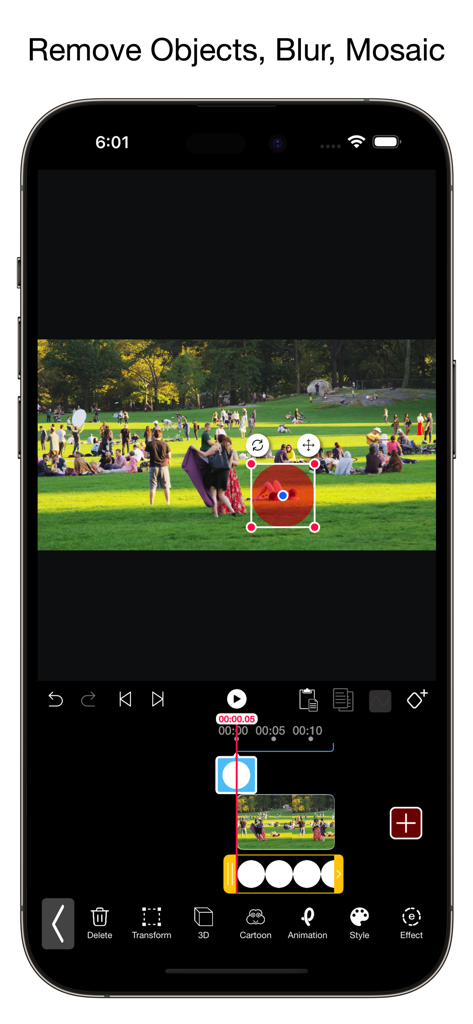
Video Eraser 앱의 모바일 인터페이스로, 선택 도구를 사용하여 동영상에서 개체를 제거하는 모습.
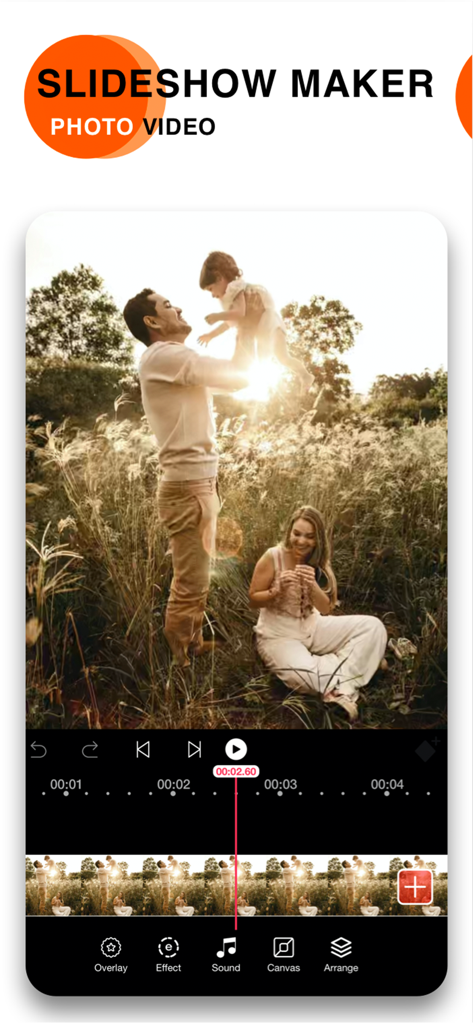
Vidanimate의 모바일 앱 인터페이스로, 사운드 및 효과 도구를 사용하여 가족 슬라이드쇼를 편집하는 모습
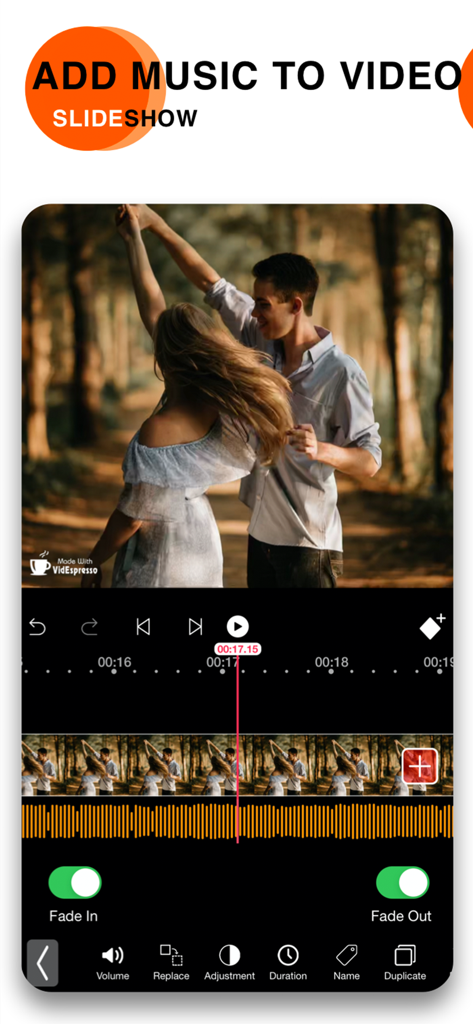
동영상 슬라이드쇼에 음악 및 오디오 페이드를 추가하는 방법을 보여주는 모바일 앱 인터페이스
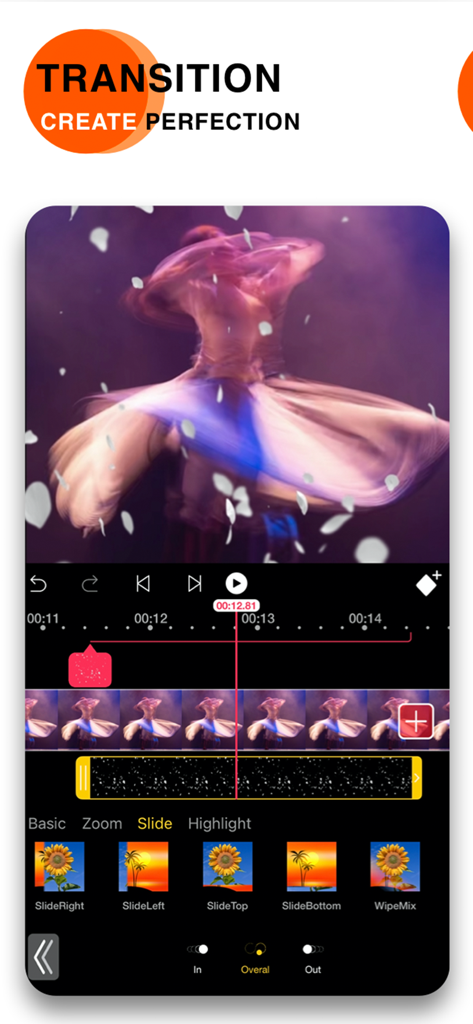
창의적인 동영상 편집을 위한 슬라이드 및 줌 전환 효과를 보여주는 모바일 동영상 편집기 인터페이스.
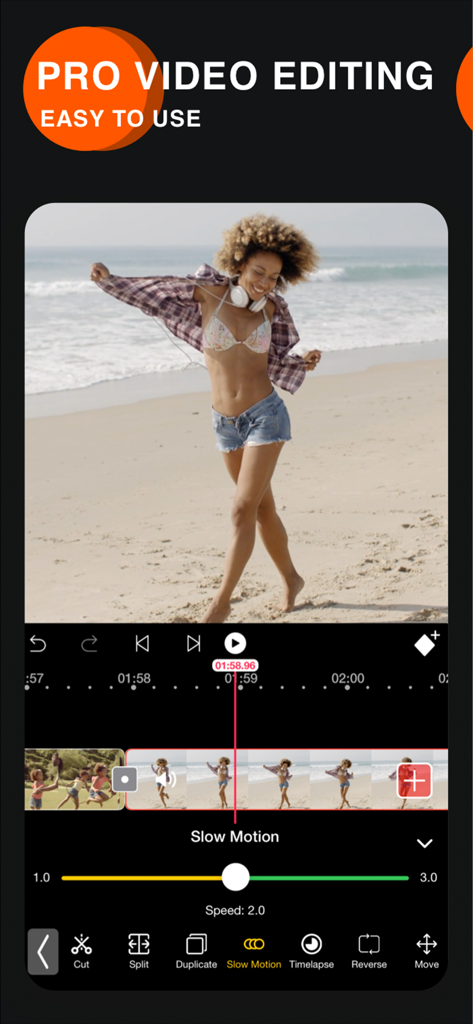
속도 조절 슬라이더가 있는 슬로우 모션 동영상 편집 도구를 보여주는 Video Eraser 앱 인터페이스.
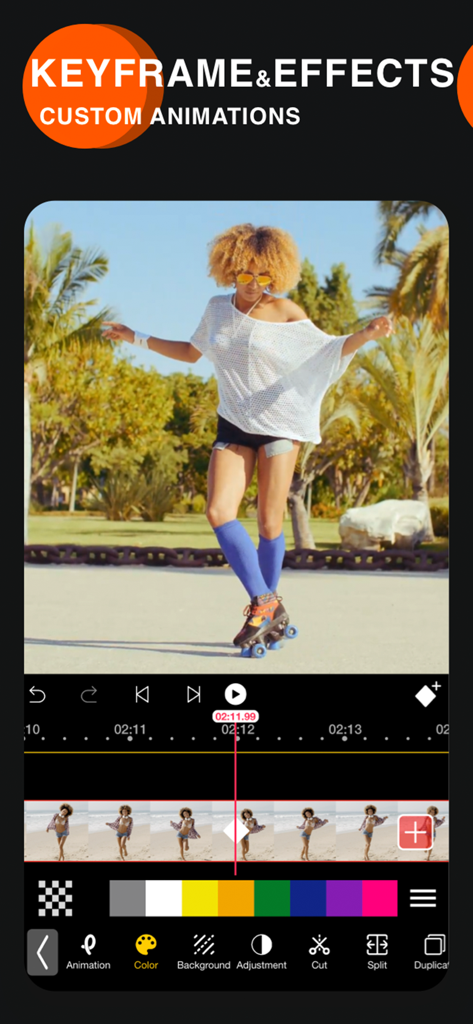
사용자 지정 애니메이션을 위한 키프레임 및 효과를 보여주는 Video Eraser 앱 인터페이스
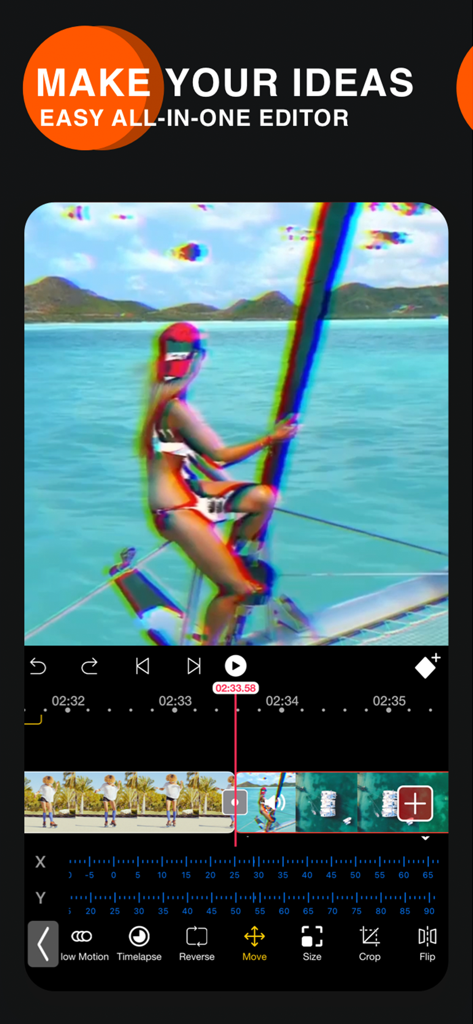
글리치 효과 및 타임라인 편집 도구를 보여주는 Vidanimate 동영상 편집기 앱 인터페이스
설명
Download
비슷한 앱
유사한 기능과 사용자 경험을 가진 앱

VEED Shorts: AI videos
VEED Ltd

AI Video Maker - Renderforest
Renderforest LLC

Slideshow Creator -MovieStudio
立瑗 胡

Filmigo Video Maker & Editor
VIDEOSHOW PTE. LTD.

Slideshow Maker Video & Photo
Honk Honk Punch Pty Ltd

Quick Slideshow Maker + Music
Zipo Apps Ltd.

Salad Video -Video Editor
ChengDu PinGuo Technology Co., Ltd.

Story Swag - Quick Reels
Slider LLC

StoryWave - Video Maker
UNSTATIC LTD
이 페이지는 앱이나 개발자의 공식 페이지가 아니며, 정보 제공 및 논평을 목적으로 작성된 독립 편집 간행물입니다. 명시적으로 달리 언급되지 않는 한, 해당 앱이나 개발자는 MWM, Apple, Google Play, 앱 퍼블리셔 또는 앱 개발자와 제휴, 보증, 후원, 승인 또는 공식적으로 연결되어 있지 않으며, 이 페이지의 어떤 내용도 해당 앱이 MWM의 서비스를 사용하여 개발되었음을 의미하지 않습니다. 모든 상표, 로고, 스크린샷 및 기타 콘텐츠는 해당 소유자의 자산입니다.