Video Maker - Slideshow Editor
다운로드: App Store

이 페이지는 앱이나 개발자의 공식 페이지가 아니며, 정보 제공 및 논평을 목적으로 작성된 독립 편집 간행물입니다. 명시적으로 달리 언급되지 않는 한, 해당 앱이나 개발자는 MWM, Apple, Google Play, 앱 퍼블리셔 또는 앱 개발자와 제휴, 보증, 후원, 승인 또는 공식적으로 연결되어 있지 않으며, 이 페이지의 어떤 내용도 해당 앱이 MWM의 서비스를 사용하여 개발되었음을 의미하지 않습니다. 모든 상표, 로고, 스크린샷 및 기타 콘텐츠는 해당 소유자의 자산입니다.


로고: Video Maker - Slideshow Editor
다운로드: App Store

Video Maker - Slideshow Editor

가족의 추억을 편집 기술 없이 음악과 애니메이션이 포함된 전문적인 품질의 동영상으로 바꾸는 가장 쉬운 방법입니다. 사진을 선택하고, 테마를 고르고, 몇 분 안에 사랑하는 사람들과 마법을 공유하세요.

주요 수치

다운로드

880K+

사용자 평점

4.0/5

총 평가 수

50K+

개발사

pixel force private limited

카테고리

Photo & Video

지원 언어

1

최신 버전

2.0.19.4

크기

84.3 MB

출시일

2014년 6월 23일
기능

삶의 가장 큰 순간을 기념하세요

사진 라이브러리를 배우기 쉬운 아름답고 고품질의 동영상으로 바꿔 가족의 이야기를 들려주는 가장 쉬운 방법입니다.

원터치 동영상 마법

편집 경험이 필요 없습니다. 좋아하는 사진을 선택하기만 하면 스마트 편집기가 즉시 전문가 수준의 동영상을 만들어 드립니다.

모든 추억을 위한 음악

광범위한 테마 라이브러리에서 완벽한 사운드트랙을 추가하거나 나만의 노래를 사용하여 생일 및 휴가 동영상을 잊을 수 없게 만드세요.

다음 스크린샷과 설명은 앱의 공식 스토어 목록에서 직접 가져온 것이며 앱 개발자의 자산입니다.

앱 스토어

스크린샷
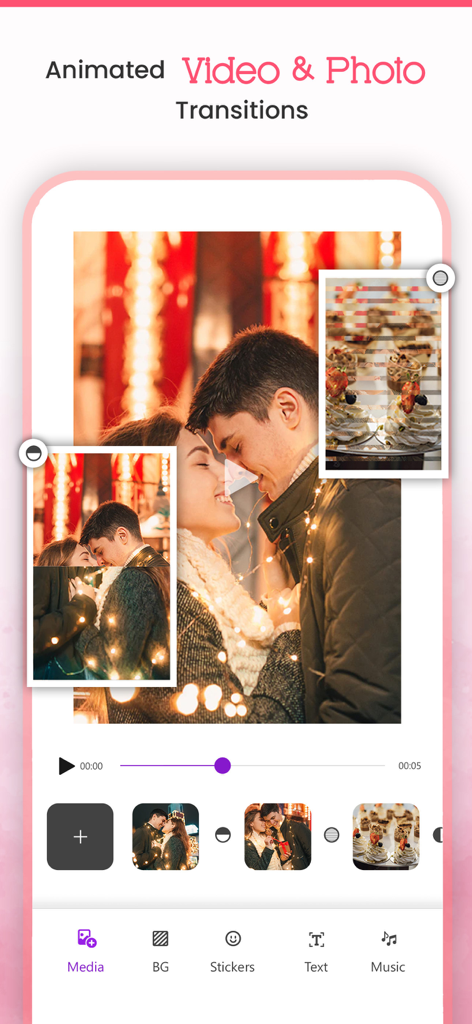
Video Maker - Slideshow Editor - 애니메이션 전환 효과가 있는 사진 슬라이드쇼 편집 기능을 보여주는 동영상 제작기 앱의 사용자 인터페이스.
애니메이션 전환 효과가 있는 사진 슬라이드쇼 편집 기능을 보여주는 동영상 제작기 앱의 사용자 인터페이스.

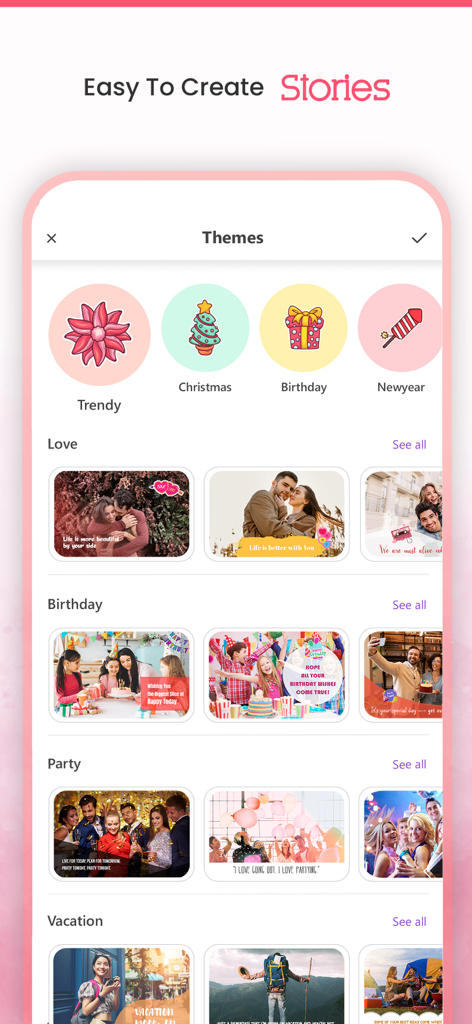
Video Maker - Slideshow Editor - 생일 및 휴일을 위한 다양한 슬라이드쇼 테마를 보여주는 동영상 제작기 앱의 인터페이스
생일 및 휴일을 위한 다양한 슬라이드쇼 테마를 보여주는 동영상 제작기 앱의 인터페이스

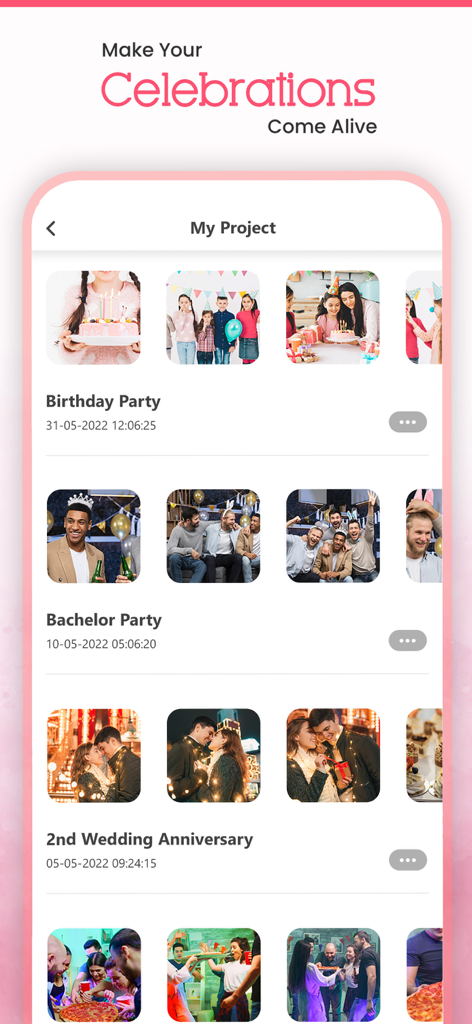
Video Maker - Slideshow Editor - 생일 및 기념일을 위한 저장된 사진 슬라이드쇼 프로젝트 목록을 보여주는 모바일 앱 인터페이스
생일 및 기념일을 위한 저장된 사진 슬라이드쇼 프로젝트 목록을 보여주는 모바일 앱 인터페이스

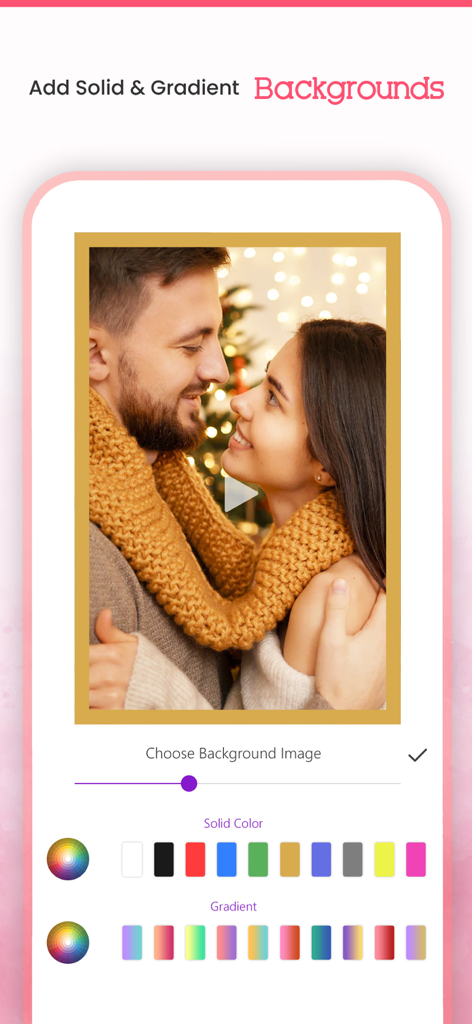
Video Maker - Slideshow Editor - 동영상 슬라이드쇼를 위한 단색 및 그라디언트 배경 옵션을 보여주는 모바일 앱 인터페이스
동영상 슬라이드쇼를 위한 단색 및 그라디언트 배경 옵션을 보여주는 모바일 앱 인터페이스

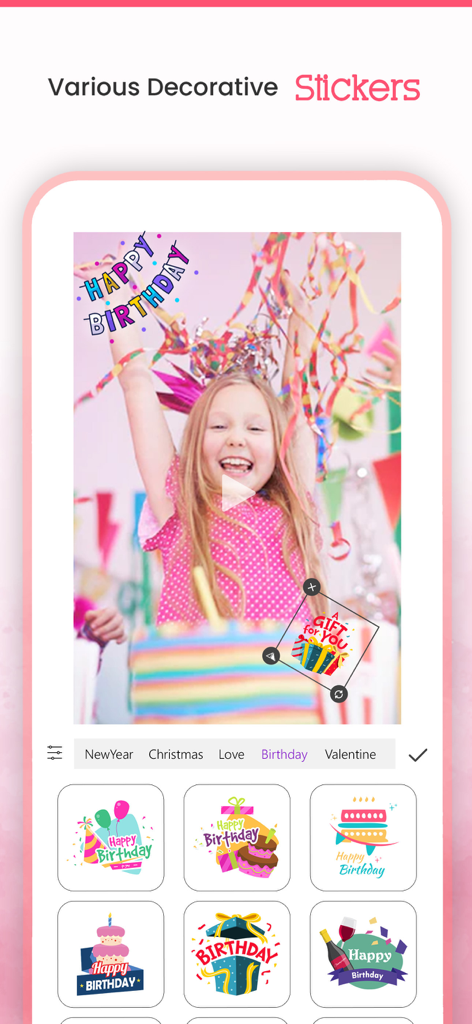
Video Maker - Slideshow Editor - 동영상 제작기 슬라이드쇼 편집기 앱 인터페이스의 장식용 생일 스티커 선택 메뉴.

동영상 제작기 슬라이드쇼 편집기 앱 인터페이스의 장식용 생일 스티커 선택 메뉴.

설명

VideoMaker App will turn your photos into sensational movies by adding beautiful animations and music to it for Free. It allows you to select the Theme/effects and Audio of your Choice, and allows you to create & Share your Stunning Video. It's never been easier to make video from images/photos by choosing one of our video effects and music from our library or choose your ownsong/Music of your choice to make most beautiful video out of your photos, and Share that amazing movements with your Friends using our inbuilt Social Sharing option. Key Features:- * Create Stunning Video from your Photos * Add our in-built movie Themes and make your albums with your photos * Add Animated backgrounds to your video * Add Music from our in-built library * You can choose song or music of your own choice if you wish * You can arrange the images according to your choice * Add Title to your Video/Photo * Option to choose photos from your camera roll * In-built option to share your Awesome video with social networking sites * You can share on Facebook, Instagram, email, YouTube, Viddy etc Steps to create your movie 1. Select Create Project and select your Aspect Ratio and all photos from your album. 2. Add your Favourite transition. 3. Select your background, background 4. Select animation transition 5. Select music from music library or from our app. 6. Add effects to photos. 7. Enter your movie title. 8. Click on done button to create your movie. 9. Share with your friends(supports Facebook,Instagram, email,YouTube ,Viddy etc). Or You can use our huge collection of Themes and make movie with photos and videos too. How Does VideoMaker App Works? You don't need be a video editor at all to use this app. Just use our app as a movie maker. VideoMaker app will analyze your photos and focus on users automatically and creates a professional looking movie from photos that you have selected. It will give you an option to select effect and music according to your Choice/mood and make your video even more interesting/Compiling. RESTORE:You can restore your paid in app purchases without paying again. Follow these steps 1. Open the app 2. Click on Top Right to open the Premium window 3. Click on RESTORE to re-activate your in app purchases again 4. DONE Video Maker Premium Subscription========================== 1. Enjoy professional video maker & slideshow tools with Pro-Level Features & Amazing Members-Only Benefits. 2. Get unlimited access to all premium Slideshow maker Themes 3. Get unlimited access to all premium filters and tools 4. Patterns, colors, Stickers and Fonts 5. Get rid of ads and watermark 6. Get access to all movie style Photo and video transitions. • Subscriptions may be managed by the user and auto-renewal may be turned off by going to the user's Account Settings after purchase • Any unused portion of a free trial period, if offered, will be forfeited when the user purchases a subscription to that publication, where applicable Subscription plans: 1. USD $20.99/6 Months 2. USD $3.99/Week 3. USD $30.99/Year with 3 days Free Trial Subscriptions automatically renew unless they are turned off at least 24 hours before the end of the current period in account settings. Renewals are charged within 24-hours preceding the end of the current period. Payment is charged to iTunes Account at confirmation of purchase. Subscriptions are managed by the user. Terms of Service: http://206.189.130.170/ps_tc.html Privacy: http://206.189.130.170/ps_privacy.html

Download

다운로드: App Store

이 페이지는 앱이나 개발자의 공식 페이지가 아니며, 정보 제공 및 논평을 목적으로 작성된 독립 편집 간행물입니다. 명시적으로 달리 언급되지 않는 한, 해당 앱이나 개발자는 MWM, Apple, Google Play, 앱 퍼블리셔 또는 앱 개발자와 제휴, 보증, 후원, 승인 또는 공식적으로 연결되어 있지 않으며, 이 페이지의 어떤 내용도 해당 앱이 MWM의 서비스를 사용하여 개발되었음을 의미하지 않습니다. 모든 상표, 로고, 스크린샷 및 기타 콘텐츠는 해당 소유자의 자산입니다.








