Video Pencil
Video Pencil
다운로드: App Store

이 페이지는 앱이나 개발자의 공식 페이지가 아니며, 정보 제공 및 논평을 목적으로 작성된 독립 편집 간행물입니다. 명시적으로 달리 언급되지 않는 한, 해당 앱이나 개발자는 MWM, Apple, Google Play, 앱 퍼블리셔 또는 앱 개발자와 제휴, 보증, 후원, 승인 또는 공식적으로 연결되어 있지 않으며, 이 페이지의 어떤 내용도 해당 앱이 MWM의 서비스를 사용하여 개발되었음을 의미하지 않습니다. 모든 상표, 로고, 스크린샷 및 기타 콘텐츠는 해당 소유자의 자산입니다.

로고: Video Pencil
다운로드: App Store

Video Pencil

iPad를 전문가 수준의 프로덕션 도구로 바꾸세요. 라이브 카메라 피드, 동영상 또는 Mac 화면에 직접 그려 시청자를 사로잡고 절대적인 명확성으로 소통하세요.

주요 수치

다운로드

6K+

사용자 평점

4.2/5

총 평가 수

100

개발사

Good To Hear Ltd

카테고리

Photo & Video

지원 언어

1

최신 버전

1.7.12

크기

29.5 MB

출시일

2022년 11월 20일
기능

시각적 커뮤니케이션 기술을 마스터하세요

iPad를 전문가용 텔레스트레이터로 바꾸어 라이브 영상에 주석을 달고, 시청자의 참여를 유도하며, 강력한 프레젠테이션을 쉽게 전달하세요.

실시간 영상 주석

실시간으로 카메라 피드 또는 가져온 클립 위에 직접 그림을 그리세요. 스포츠 코칭, 기술 분석, 라이브 스트림 분석에 완벽합니다.

매끄러운 프로 워크플로우

NDI, AirPlay 또는 HDMI 위에 투명한 레이어로 그림을 방송하세요. OBS, Ecamm Live, Zoom과 쉽게 통합됩니다.

다음 스크린샷과 설명은 앱의 공식 스토어 목록에서 직접 가져온 것이며 앱 개발자의 자산입니다.

앱 스토어

스크린샷
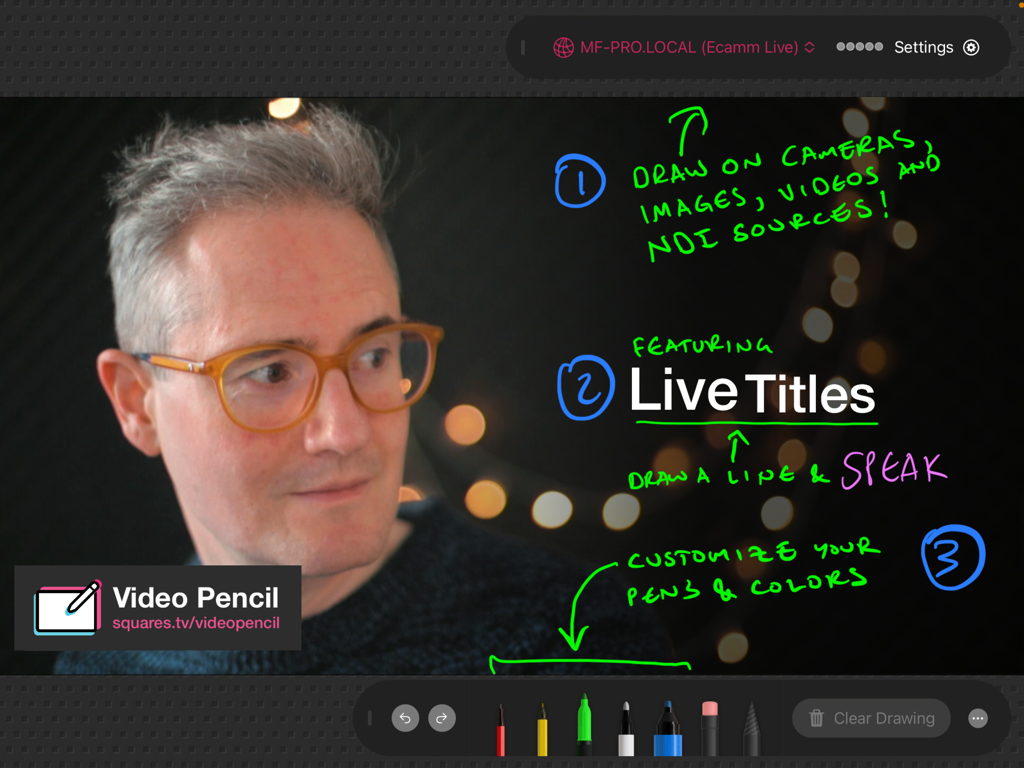
Video Pencil - Video Pencil 앱의 iPad 스크린샷으로, 웹캠 영상 위에 다채로운 손글씨 주석과 라이브 제목이 표시됨
Video Pencil 앱의 iPad 스크린샷으로, 웹캠 영상 위에 다채로운 손글씨 주석과 라이브 제목이 표시됨

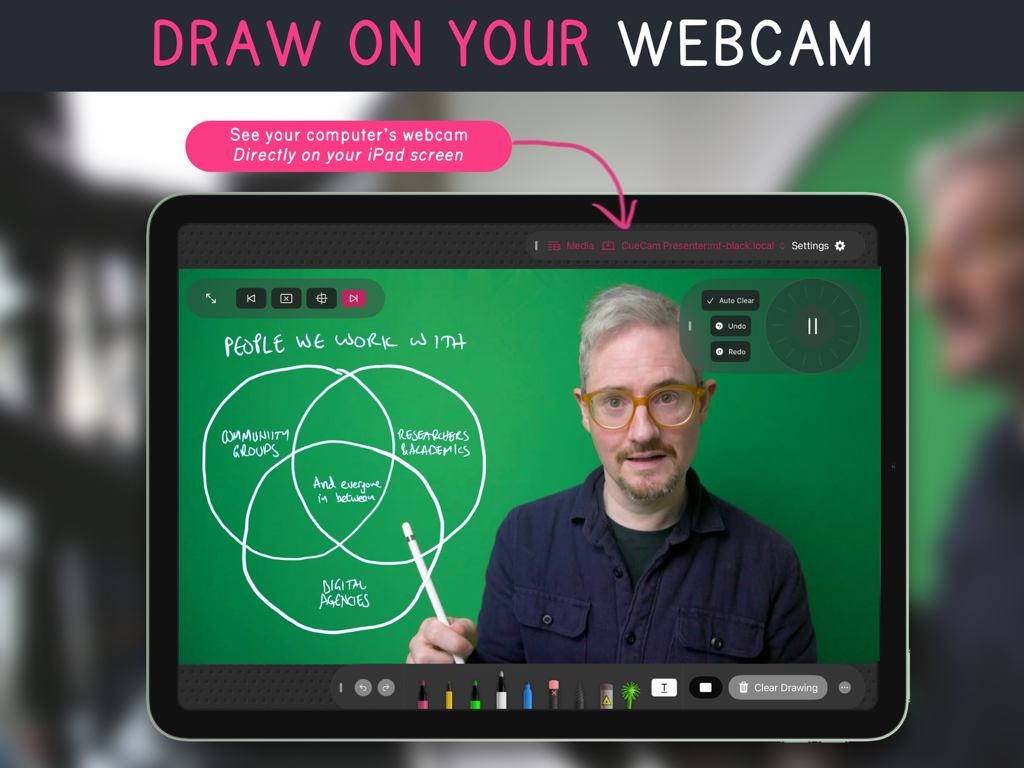
Video Pencil - Video Pencil 앱이 실행 중인 iPad로, 손글씨로 작성된 벤 다이어그램 오버레이가 있는 라이브 웹캠 피드가 표시됨
Video Pencil 앱이 실행 중인 iPad로, 손글씨로 작성된 벤 다이어그램 오버레이가 있는 라이브 웹캠 피드가 표시됨

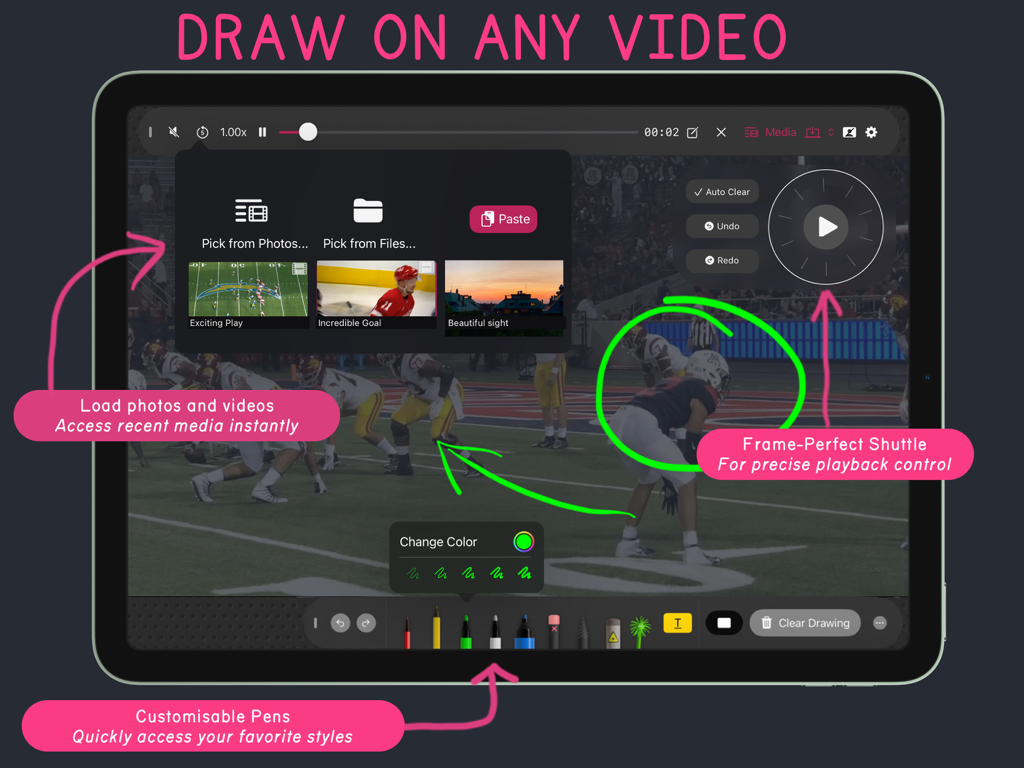
Video Pencil - iPad의 Video Pencil 앱 인터페이스로, 사용자 정의 가능한 펜과 정밀한 재생 컨트롤을 사용하여 스포츠 영상에 그리는 방법을 보여줌.
iPad의 Video Pencil 앱 인터페이스로, 사용자 정의 가능한 펜과 정밀한 재생 컨트롤을 사용하여 스포츠 영상에 그리는 방법을 보여줌.

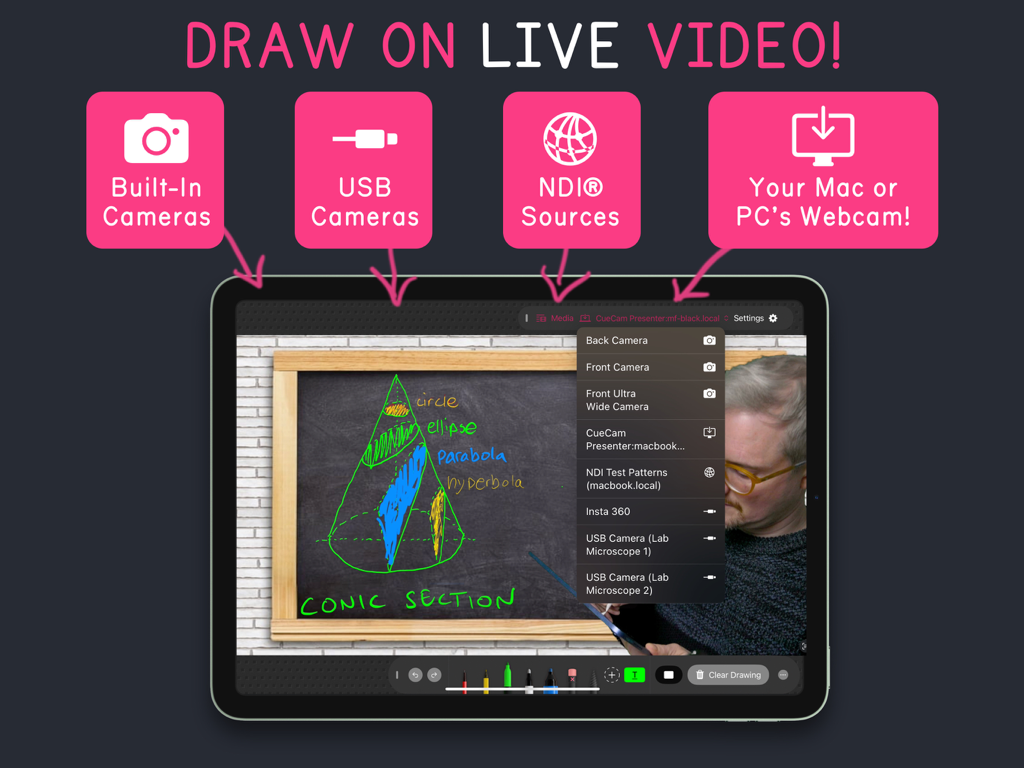
Video Pencil - Video Pencil iPad 앱 인터페이스로, USB 카메라 및 NDI와 같은 여러 입력 소스를 사용하여 라이브 영상에 그림을 그리는 것을 보여줌
Video Pencil iPad 앱 인터페이스로, USB 카메라 및 NDI와 같은 여러 입력 소스를 사용하여 라이브 영상에 그림을 그리는 것을 보여줌

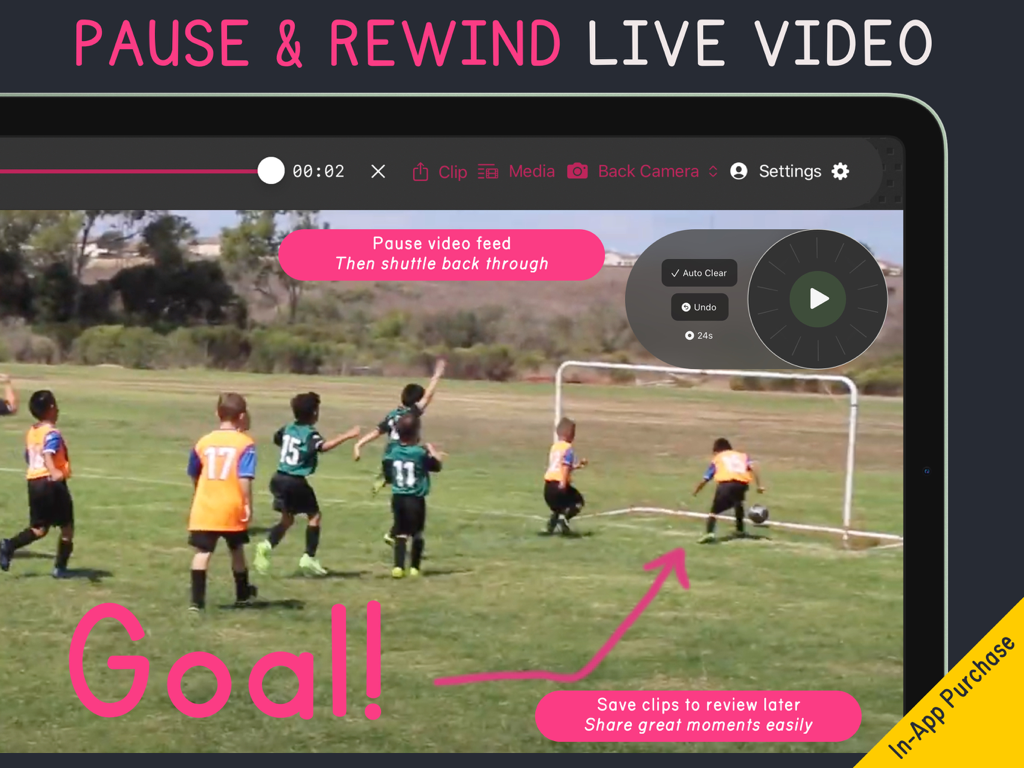
Video Pencil - Video Pencil 앱 스크린샷으로, 스포츠 코칭을 위해 라이브 영상 일시 중지 및 되감기 기능이 표시됨

Video Pencil 앱 스크린샷으로, 스포츠 코칭을 위해 라이브 영상 일시 중지 및 되감기 기능이 표시됨

설명

DRAW ON ANYTHING Draw on any video in your library Smart shuttle control naturally clears your drawings as you scrub precisely back and forth through a video. Draw on your iPad's camera or any connected USB camera. See the results over HDMI, AirPlay or NDI. CUSTOMISABLE Customise your toolbar with your favourite colors and pen styles. Add a laser pointer so you can draw (extra) Sparkle wand adds a touch of magic to your calls (extra) RECORD Record with/or without as a full video or transparent drawing layer PAUSE AND REWIND LIVE VIDEO Action Replay lets you pause and rewind live video (extra) EASY TO USE WITH YOUR MAC Seamless connection to your Mac available via CueCam Presenter. See your webcam, or whatever you're sharing, directly on your iPad screen while you draw. FOR PROS Use the transparent NDI feed with Ecamm Live, OBS, mimoLive or your switcher of choice. COMMUNITY Active creator community on Discord and Squares TV. WHO IS IT FOR? * Sports coaches and broadcasters * Filmmakers providing feedback in-person or remotely * Anybody who wants to be able to communicate more clearly on a webcam RECOMMENDED BY EXPERTS "Video Pencil, an innovative app for the iPad, enables you to annotate directly onto your screen during live streams and online meetings. Be it crucial notes or interactive doodles, your audience will see your on-screen markings as if they were overlaid on your camera feed, creating an immersive and engaging presentation experience." - Alec / Take One Tech "One of my channel members suggested this app called Video Pencil which I had never heard of so I decided to try it live on stream and see what it could do. After the stream I was so excited that I had to come and make this video" - Aaron Parecki "Video Pencil has fundamentally changed the way I teach, lead, present and interact with my audience in Zoom. Being able to see my program output in Video Pencil on my iPad and then telestrate right on the screen is HUGE! Kudos to Michael for developing an indispensable tool to enhance my workflow." - David Paskin (Torah Tech Guy) “I have one word for the Video Pencil app: brilliant! I used Video Pencil with Ecamm and I loved what I could do. So easy to use. I could actually see where I was drawing on the screen. I did a session for grades 1 and 2 students about how shapes can be the building blocks for faces and they were over the moon with the demonstration. My favourite moment was hearing the question “how did you do that?” Thanks, Video Pencil for helping me level up my virtual presentations." – Marty Chan (Author, Playwright) See Developer Website for more testimonials. NDI® is a registered trademark of NewTek, Inc. http://ndi.tv

Download

다운로드: App Store

이 페이지는 앱이나 개발자의 공식 페이지가 아니며, 정보 제공 및 논평을 목적으로 작성된 독립 편집 간행물입니다. 명시적으로 달리 언급되지 않는 한, 해당 앱이나 개발자는 MWM, Apple, Google Play, 앱 퍼블리셔 또는 앱 개발자와 제휴, 보증, 후원, 승인 또는 공식적으로 연결되어 있지 않으며, 이 페이지의 어떤 내용도 해당 앱이 MWM의 서비스를 사용하여 개발되었음을 의미하지 않습니다. 모든 상표, 로고, 스크린샷 및 기타 콘텐츠는 해당 소유자의 자산입니다.









