Video Player - PIP and more
다운로드: App Store

이 페이지는 앱이나 개발자의 공식 페이지가 아니며, 정보 제공 및 논평을 목적으로 작성된 독립 편집 간행물입니다. 명시적으로 달리 언급되지 않는 한, 해당 앱이나 개발자는 MWM, Apple, Google Play, 앱 퍼블리셔 또는 앱 개발자와 제휴, 보증, 후원, 승인 또는 공식적으로 연결되어 있지 않으며, 이 페이지의 어떤 내용도 해당 앱이 MWM의 서비스를 사용하여 개발되었음을 의미하지 않습니다. 모든 상표, 로고, 스크린샷 및 기타 콘텐츠는 해당 소유자의 자산입니다.


로고: Video Player - PIP and more
다운로드: App Store

Video Player - PIP and more

모든 포맷을 재생하고, 클라우드에서 스트리밍하고, 전문가급 컨트롤과 고급 PIP로 시청 경험을 마스터하세요.

주요 수치

다운로드

12K+

사용자 평점

4.4/5

총 평가 수

300

개발사

Jonathan Bui

카테고리

Photo & Video

지원 언어

2

최신 버전

4.0.3

크기

57.1 MB

출시일

2022년 2월 22일
기능

동영상 라이브러리를 완벽하게 제어하세요

멀티태스커와 파워 유저를 위한 궁극의 플레이어. 다른 모든 작업을 하면서 원하는 모든 것을 어디서든 스트리밍하세요.

원활한 PIP(화면 속 화면)

메시지를 보내거나, 일하거나, 공부하면서 계속 시청하세요. PIP 창에서 자막 크기를 조절하여 완벽한 가독성을 확보하세요.

모든 포맷, 문제 없이 재생

Apple의 포맷 제약을 벗어나세요. 번거로운 변환 없이 MKV, AVI, AV1, 4K HDR 파일을 즉시 재생하세요.

다음 스크린샷과 설명은 앱의 공식 스토어 목록에서 직접 가져온 것이며 앱 개발자의 자산입니다.

앱 스토어

스크린샷
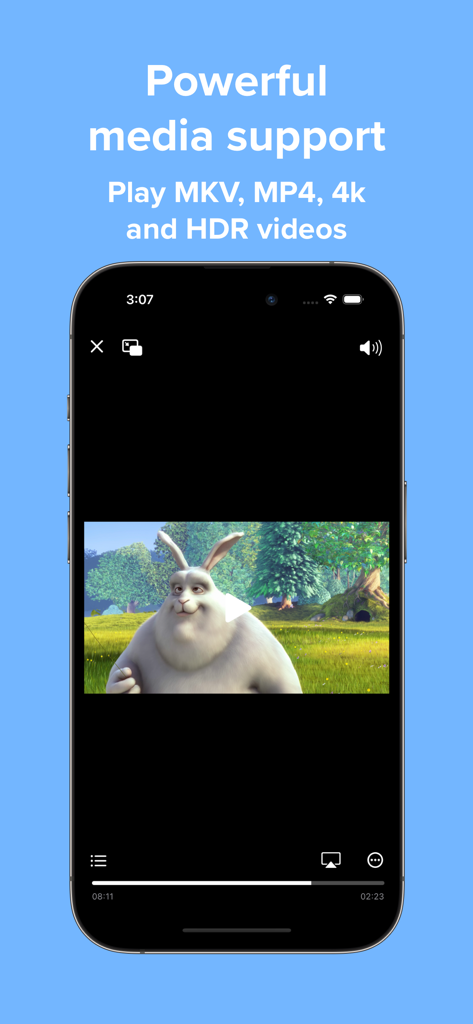
Video Player - PIP and more - MKV 및 MP4 포맷을 지원하는 4K HDR 동영상을 재생하는 동영상 플레이어 앱을 보여주는 아이폰 화면
MKV 및 MP4 포맷을 지원하는 4K HDR 동영상을 재생하는 동영상 플레이어 앱을 보여주는 아이폰 화면

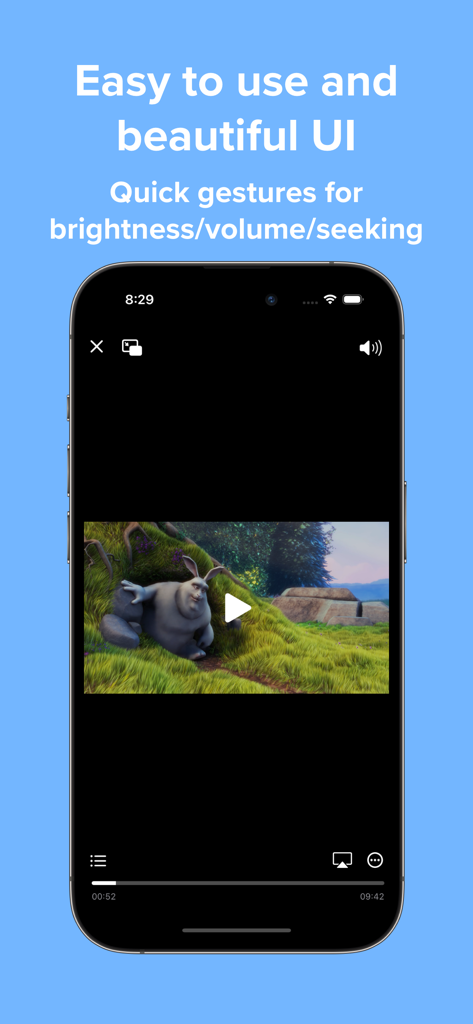
Video Player - PIP and more - 볼륨 및 밝기 제스처 컨트롤을 특징으로 하는 동영상 플레이어 앱의 인터페이스
볼륨 및 밝기 제스처 컨트롤을 특징으로 하는 동영상 플레이어 앱의 인터페이스

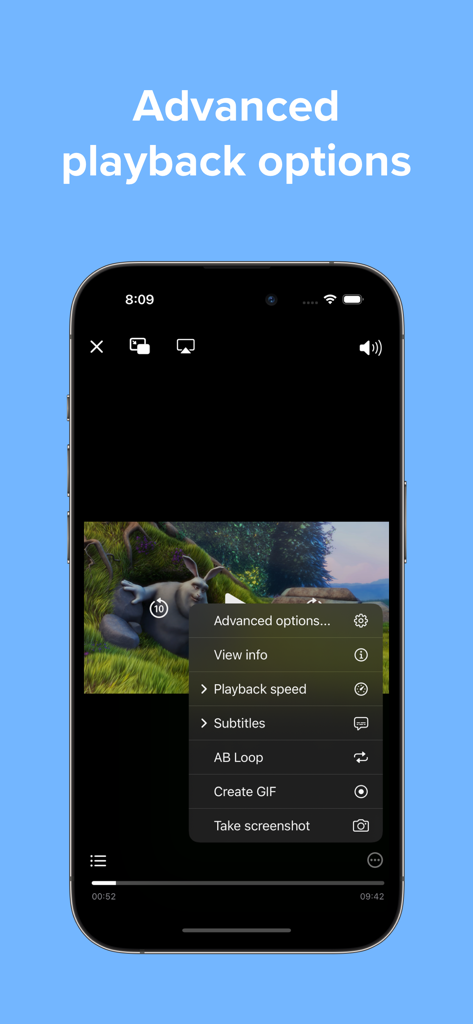
Video Player - PIP and more - 동영상 플레이어 앱에서 GIF 생성 및 AB 루프를 포함한 고급 재생 옵션을 보여주는 아이폰 화면
동영상 플레이어 앱에서 GIF 생성 및 AB 루프를 포함한 고급 재생 옵션을 보여주는 아이폰 화면

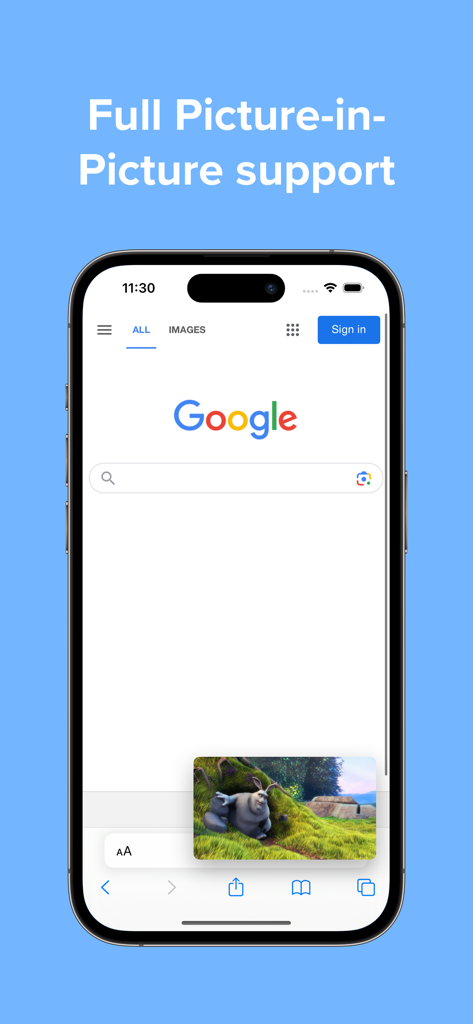
Video Player - PIP and more - 웹 브라우저를 사용하는 동안 동영상 플레이어 앱의 PIP(화면 속 화면) 기능을 보여주는 스마트폰 화면
웹 브라우저를 사용하는 동안 동영상 플레이어 앱의 PIP(화면 속 화면) 기능을 보여주는 스마트폰 화면

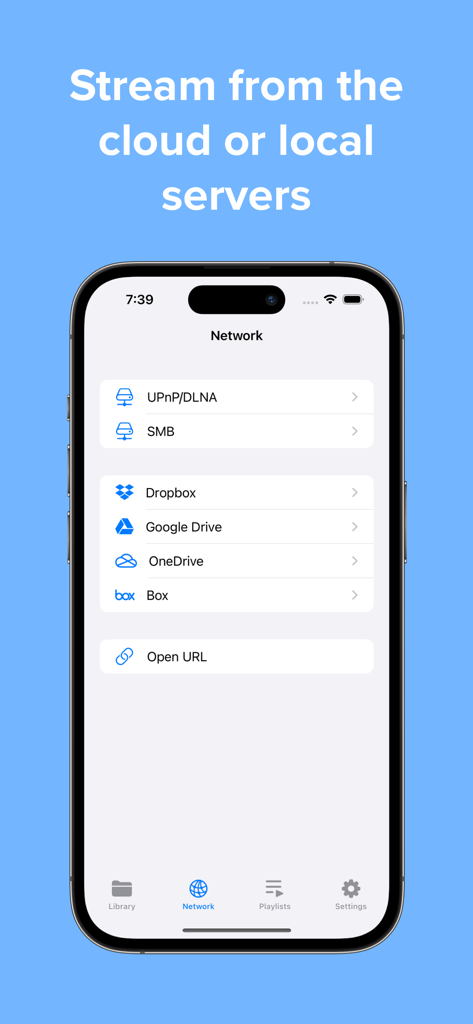
Video Player - PIP and more - 로컬 서버 및 Google Drive, Dropbox와 같은 클라우드 스토리지에서 동영상을 스트리밍하는 앱 인터페이스
로컬 서버 및 Google Drive, Dropbox와 같은 클라우드 스토리지에서 동영상을 스트리밍하는 앱 인터페이스

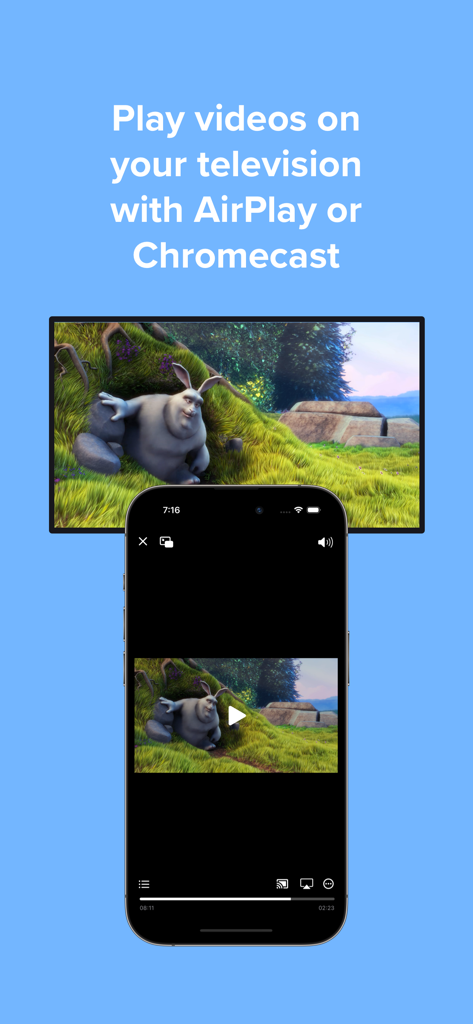
Video Player - PIP and more - AirPlay 또는 Chromecast를 통해 동시에 동영상을 재생하는 아이폰 및 TV 화면
AirPlay 또는 Chromecast를 통해 동시에 동영상을 재생하는 아이폰 및 TV 화면

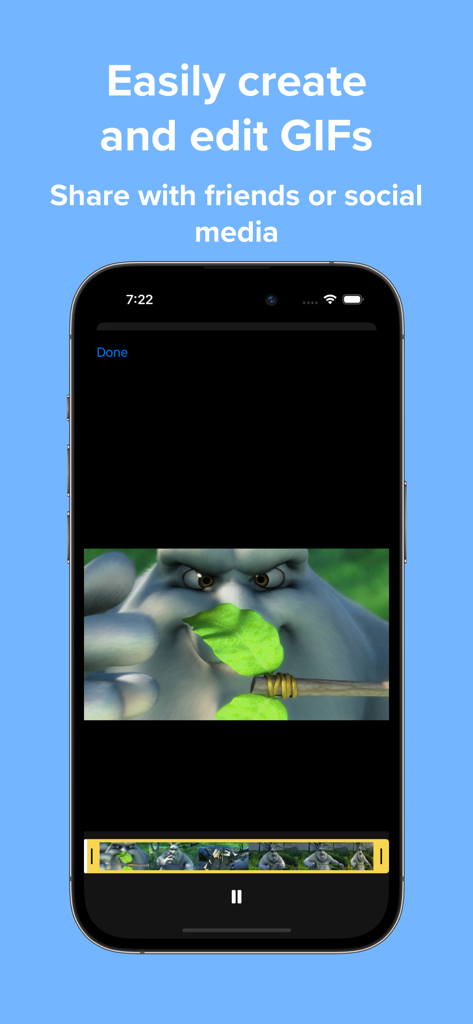
Video Player - PIP and more - 동영상에서 GIF를 생성하고 편집하는 도구를 보여주는 동영상 플레이어 앱의 인터페이스

동영상에서 GIF를 생성하고 편집하는 도구를 보여주는 동영상 플레이어 앱의 인터페이스

설명

Play a variety of videos with powerful features such as Picture-in-Picture all wrapped in an easy-to-use interface. FEATURES Versatile media support Play a variety of popular media codecs such as H264, H265, AV1, VP8, and VP9 and file formats such as AVI, MP4, WEBM, MKV. 4K and HDR playback is also supported. Home Page Easily add videos to the home page with no importing or copying required. Or open directly from the Files app. Interface Watch videos in a player with an interface that looks native to iOS. When you need it advanced options are just a tap away. Gestures Control playback position, brightness, and volume with a swipe of your finger. Picture-in-picture Continue watching even while multitasking with Picture-in-Picture. Adjust the size of subtitles automatically to make it easier to read. Subtitles Full subtitle rendering is supported even in Picture-in-Picture. Add external subtitle files to your videos. Customize subtitle options like font, size, and color. And easily search for and download subtitles from OpenSubtitles without leaving your video. Advanced features Play video on your television with AirPlay. Adjust audio to your liking with a 10-band audio equalizer. Change playback speed. Repeat the same section of video with A-B Loop. Copy text from your video when paused with Live Text on supported devices. UPGRADE TO PRO Subscribe to Pro monthly or yearly or purchase a lifetime upgrade to unlock all the following features: UI enhancements Change to a minimal player interface, and show chapter markers in the progress bar. Recents Access all your recently played videos at the top of the home page. Playlists Create and edit playlists, and enable shuffle and repeat playback options. Download videos Download your favorite videos directly to watch offline later. Even download subtitles when available. Servers and cloud services Stream videos directly from supported cloud services such as Dropbox, Google Drive, OneDrive, and Box. Stream videos directly from your local servers using SMB, Emby, and Jellyfin. Screenshots and GIFs Take screenshots in full resolution and save them to your photo library. Create and edit GIFs up to 15 seconds in length. Passcode lock Protect your videos from prying eyes with a passcode lock, and use Touch ID or Face ID to unlock. Chromecast Cast videos up to 1080P to the big screen with Chromecast. Support indie development Help support future updates! ================================================ Information about Video Player Pro subscriptions: Monthly and yearly subscriptions are available. Payment will be charged to your iTunes account upon confirmation of purchase. Your subscription will automatically renew unless auto-renew is turned off at least 24 hours before the end of the subscription period. Terms of use: https://www.apple.com/legal/internet-services/itunes/dev/stdeula/ Privacy policy: https://jonbui.com/privacy.html

Download

다운로드: App Store

이 페이지는 앱이나 개발자의 공식 페이지가 아니며, 정보 제공 및 논평을 목적으로 작성된 독립 편집 간행물입니다. 명시적으로 달리 언급되지 않는 한, 해당 앱이나 개발자는 MWM, Apple, Google Play, 앱 퍼블리셔 또는 앱 개발자와 제휴, 보증, 후원, 승인 또는 공식적으로 연결되어 있지 않으며, 이 페이지의 어떤 내용도 해당 앱이 MWM의 서비스를 사용하여 개발되었음을 의미하지 않습니다. 모든 상표, 로고, 스크린샷 및 기타 콘텐츠는 해당 소유자의 자산입니다.








