
이 페이지는 앱이나 개발자의 공식 페이지가 아니며, 정보 제공 및 논평을 목적으로 작성된 독립 편집 간행물입니다. 명시적으로 달리 언급되지 않는 한, 해당 앱이나 개발자는 MWM, Apple, Google Play, 앱 퍼블리셔 또는 앱 개발자와 제휴, 보증, 후원, 승인 또는 공식적으로 연결되어 있지 않으며, 이 페이지의 어떤 내용도 해당 앱이 MWM의 서비스를 사용하여 개발되었음을 의미하지 않습니다. 모든 상표, 로고, 스크린샷 및 기타 콘텐츠는 해당 소유자의 자산입니다.


Video Recovery: Restore Files
소중한 추억이 사라지게 두지 마세요. AI 기반 압축으로 삭제된 파일을 즉시 복구하고 저장 공간을 최적화하며, 간단한 스와이프 기술로 카메라 롤을 깔끔하게 유지하세요.
다운로드
134K+사용자 평점
총 평가 수
3K+개발사
카테고리
Photo & Video지원 언어
1최신 버전
1.06크기
60.4 MB출시일
2024년 10월 24일모든 것을 담은 디지털 안전망
즉각적인 복구부터 AI 기반 정리까지, VidRecover는 몇 초 안에 삭제된 파일을 구출하고 iPhone 저장 공간을 최적화하는 도구를 제공합니다.
즉각적인 한 번의 탭 복구
카메라 롤에서 삭제된 사진과 동영상을 즉시 복구하여 가장 중요한 순간이 영원히 사라지지 않도록 합니다.
스와이프로 정리
중요한 것을 위한 공간을 만드세요. 스와이프 기술을 사용하면 몇 분 안에 디지털 정리를 완료할 수 있어 저장 공간 관리가 쉬워집니다.
자주 묻는 질문
에 대해 알아야 할 모든 것 Video Recovery: Restore Files
Video Recovery: Restore Files 앱은 무엇인가요?
VidRecover라고도 알려진 Video Recovery: Restore Files는 손실되거나 삭제된 동영상 및 사진을 복구하도록 설계된 앱입니다. 또한 동영상 편집, 미디어 압축, 카메라 롤 정리용 내장 도구를 제공합니다.
VidRecover는 삭제된 미디어를 어떻게 복구하나요?
VidRecover는 카메라 롤 전체를 스캔하여 이전에 삭제된 동영상 및 사진을 식별합니다. 그런 다음 사용자는 앱 인터페이스 내에서 한 번의 탭으로 이러한 항목을 복구할 수 있습니다.
VidRecover에 동영상 편집 기능이 포함되어 있나요?
예, VidRecover에는 내장 AI 동영상 편집 도구가 통합되어 있습니다. 이러한 기능을 통해 사용자는 앱 내에서 바로 동영상을 편집하고, 트리밍, 분할 및 기타 조정 옵션을 제공할 수 있습니다.
VidRecover가 저장 공간 확보에 도움이 될 수 있나요?
예, VidRecover는 기기 저장 공간 관리를 지원합니다. 대형 사진 및 동영상을 압축하는 도구를 제공하며, 스와이프 기술을 사용하여 카메라 롤을 정리하는 정리 기능이 있습니다.
VidRecover 프리미엄 구독 비용은 얼마인가요?
VidRecover 프리미엄 구독 비용은 주당 3.99달러입니다. 이 주간 결제를 통해 복구, 편집, 압축 및 저장 공간 관리 도구를 포함한 VidRecover의 모든 기능에 완전히 액세스할 수 있습니다.
VidRecover 프리미엄 자동 갱신을 어떻게 취소할 수 있나요?
자동 갱신을 해제하여 VidRecover 프리미엄 구독을 취소할 수 있습니다. iPhone 설정으로 이동한 다음 Apple ID를 선택하고 마지막으로 구독을 선택하여 구독을 관리하고 취소하세요.
VidRecover에 개인정보 보호 정책이 있나요?
예, VidRecover는 개인정보 보호 정책을 제공합니다. 사용자 데이터가 어떻게 처리되고 관리되는지에 대한 자세한 내용을 담고 있습니다. 전체 개인정보 보호 정책은 앱 설명에 제공된 링크를 통해 액세스할 수 있습니다.
VidRecover가 내 기기의 숨겨진 사진을 찾을 수 있나요?
예, VidRecover에는 "숨겨진 사진" 기능이 포함되어 있습니다. 이 기능은 사용자가 일반 사진 갤러리에서 즉시 보이지 않을 수 있는 사진을 발견하고 잠재적으로 복구하는 데 도움이 되도록 설계되었습니다.
VidRecover 프리미엄에는 어떤 기능이 포함되나요?
VidRecover 프리미엄은 사진 및 동영상 복구, 내장 동영상 편집기, 압축 도구, 저장 공간 관리 및 모든 향후 앱 업데이트를 포함한 모든 기능에 액세스할 수 있습니다.
다음 스크린샷과 설명은 앱의 공식 스토어 목록에서 직접 가져온 것이며 앱 개발자의 자산입니다.
앱 스토어
스크린샷
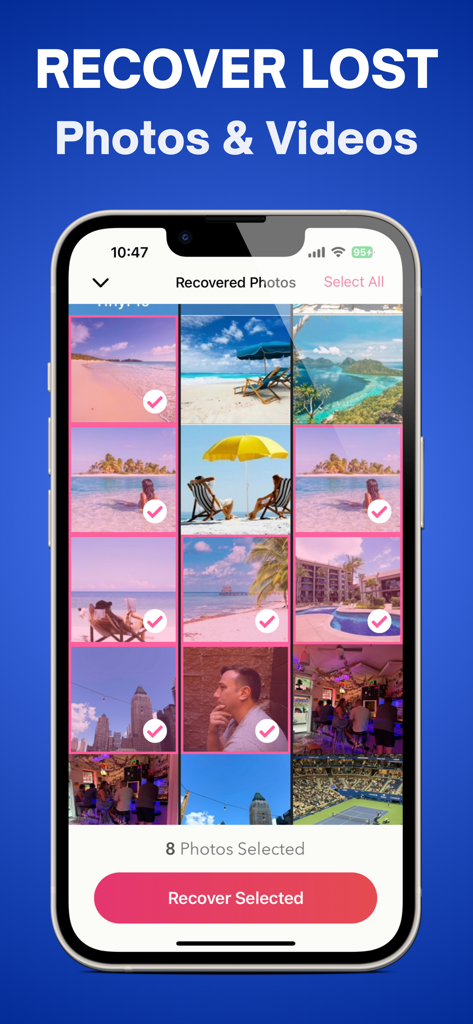
VidRecover 모바일 앱 인터페이스에 복구를 위해 선택된 사진이 표시된 격자
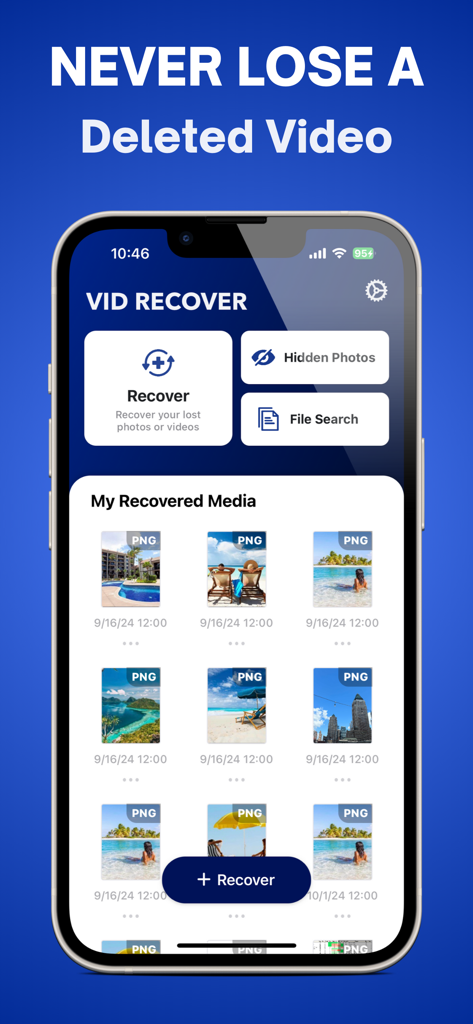
VidRecover 모바일 앱 대시보드에 삭제된 동영상 복구 기능과 복구된 사진 갤러리가 표시됨
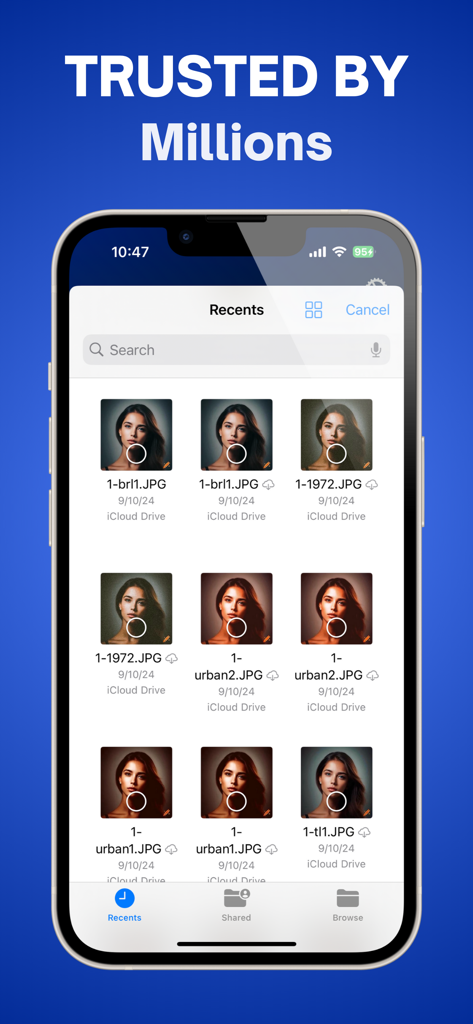
VidRecover 모바일 앱에 iCloud Drive에서 복구된 사진 갤러리가 표시됨
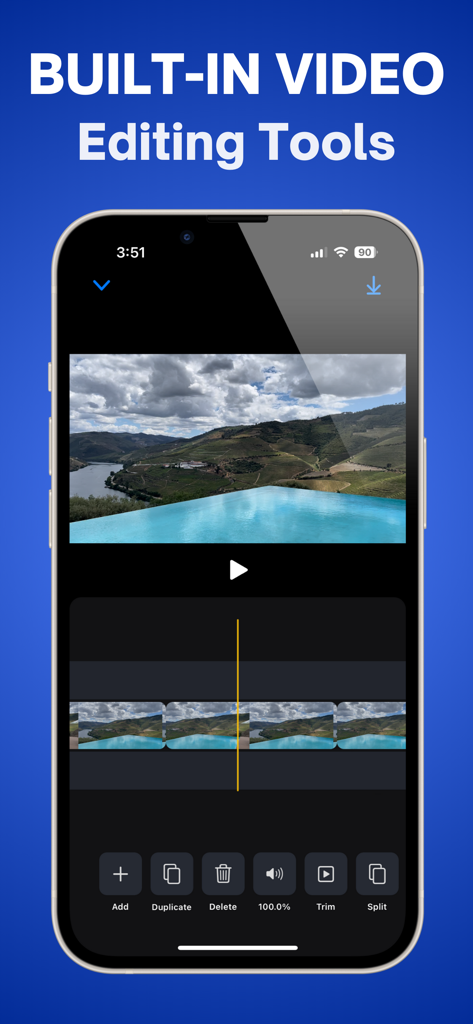
iPhone에서 VidRecover 앱의 내장 동영상 편집 도구 인터페이스
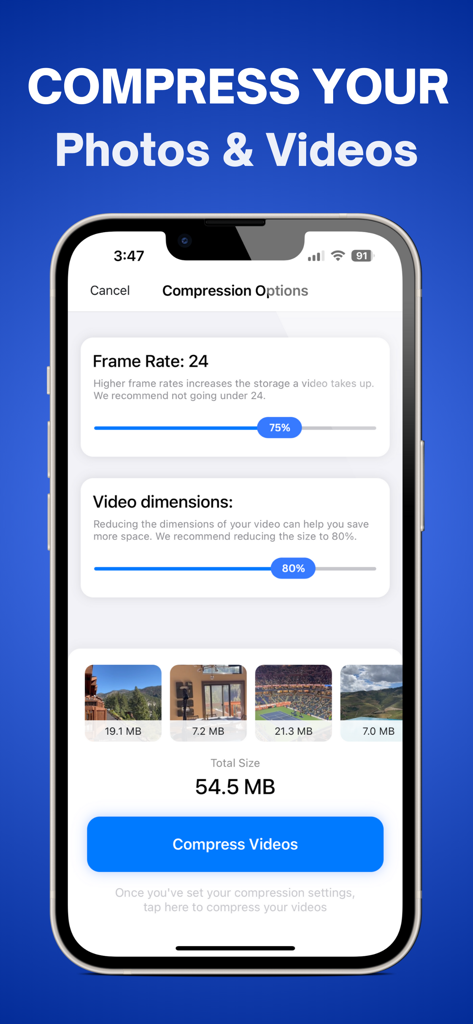
VidRecover 앱 스크린샷에 저장 공간 확보를 위한 사진 및 동영상 압축 설정 표시
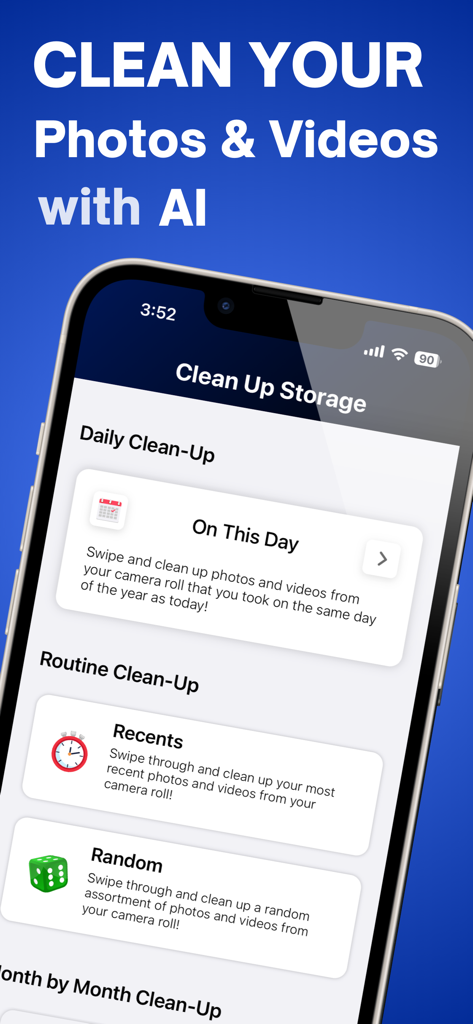
VidRecover 앱 화면에 사진 및 동영상 저장 공간 정리 옵션 표시
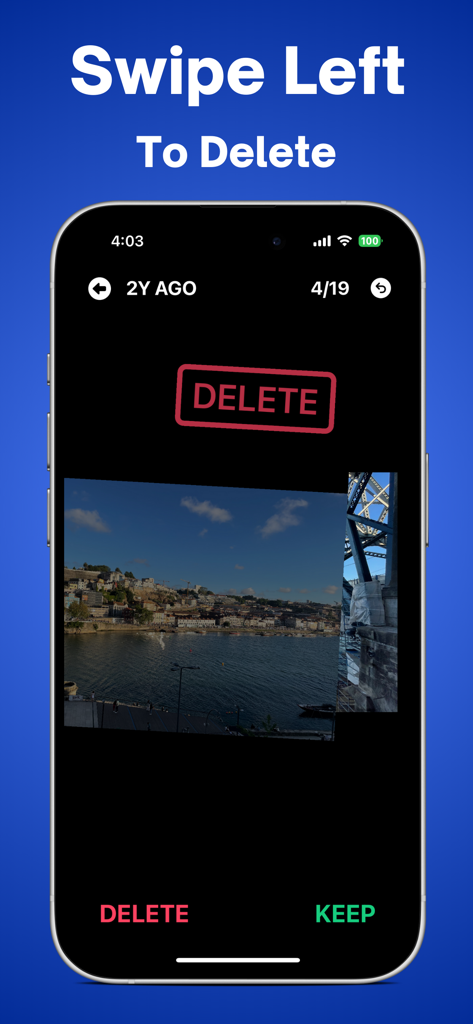
VidRecover 앱 화면에서 카메라 롤 정리를 위한 왼쪽 스와이프 삭제 기능 시연
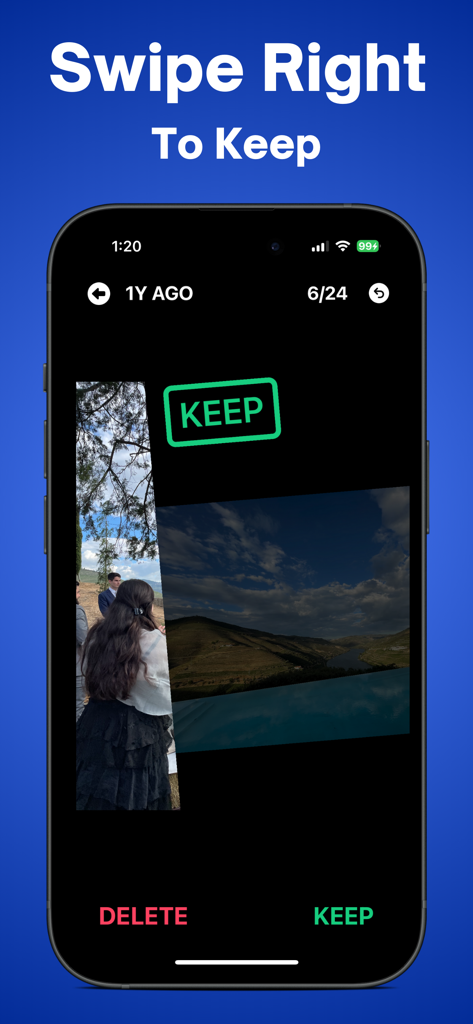
VidRecover 모바일 앱에서 사진 유지를 위한 오른쪽 스와이프 기능 표시
설명
Download
비슷한 앱
유사한 기능과 사용자 경험을 가진 앱

Photo Recovery: Restore Pics
Umair Afzal

微工具 - 工作分开效率助手
欢 舒

Photo Recovery: Pic Restore
Island Palm Mobile LLC

聊天记录恢复 - 专业数据恢复&照片恢复&恢复大师
鹏 杨

Transfer My Data&Data Recovery
Shenzhen Leyuan ShentuTechnology Co.,Ltd

Photo Recovery : Deleted Photo
Goyani Bharatbhai

Quick extreme recovery
永涛 杨

Tiger Data Recovery:Rescue
Shanghai Yixuan Network Technology Co., Ltd.

Video Recovery, Recover Photos
Ravibhai Ramani
이 페이지는 앱이나 개발자의 공식 페이지가 아니며, 정보 제공 및 논평을 목적으로 작성된 독립 편집 간행물입니다. 명시적으로 달리 언급되지 않는 한, 해당 앱이나 개발자는 MWM, Apple, Google Play, 앱 퍼블리셔 또는 앱 개발자와 제휴, 보증, 후원, 승인 또는 공식적으로 연결되어 있지 않으며, 이 페이지의 어떤 내용도 해당 앱이 MWM의 서비스를 사용하여 개발되었음을 의미하지 않습니다. 모든 상표, 로고, 스크린샷 및 기타 콘텐츠는 해당 소유자의 자산입니다.