Video Subtitle Hardcoder
다운로드: App Store

이 페이지는 앱이나 개발자의 공식 페이지가 아니며, 정보 제공 및 논평을 목적으로 작성된 독립 편집 간행물입니다. 명시적으로 달리 언급되지 않는 한, 해당 앱이나 개발자는 MWM, Apple, Google Play, 앱 퍼블리셔 또는 앱 개발자와 제휴, 보증, 후원, 승인 또는 공식적으로 연결되어 있지 않으며, 이 페이지의 어떤 내용도 해당 앱이 MWM의 서비스를 사용하여 개발되었음을 의미하지 않습니다. 모든 상표, 로고, 스크린샷 및 기타 콘텐츠는 해당 소유자의 자산입니다.

로고: Video Subtitle Hardcoder
다운로드: App Store

Video Subtitle Hardcoder

스타일화된 자막을 비디오에 직접 구워 넣어 시청자 유지율과 접근성을 높이세요. SRT 파일을 가져오거나 사용자 지정 텍스트를 만들 때 모든 플랫폼에서 브랜드의 목소리가 보이도록 하세요. 소리가 꺼져 있어도 마찬가지입니다.

주요 수치

다운로드

1K+

사용자 평점

4.2/5

총 평가 수

0

개발사

Nikhil Anshuman

카테고리

Photo & Video

지원 언어

6

최신 버전

2.2

크기

356.2 MB

출시일

2019년 5월 21일
기능

모든 피드에서 시청자를 사로잡으세요

소셜 플랫폼에서 비디오가 음소거 상태로 자동 재생될 때 유지율을 높이고 접근성을 보장하며 스크롤을 멈추기 위해 자막을 하드코딩하세요.

영구적으로 구워진 자막

메시지가 항상 보이도록 하세요. 닫힌 자막과 달리 하드코딩된 자막은 모든 장치 또는 플랫폼에서 완벽하게 표시되도록 비디오 파일에 영구적으로 병합됩니다.

맞춤 브랜드 미학

시각적 요소를 완벽하게 제어하세요. 글꼴, 크기, 색상을 사용자 지정하고 텍스트를 상단, 중간 또는 하단에 배치하여 고유한 크리에이터 브랜드 정체성에 맞추세요.

다음 스크린샷과 설명은 앱의 공식 스토어 목록에서 직접 가져온 것이며 앱 개발자의 자산입니다.

앱 스토어

스크린샷
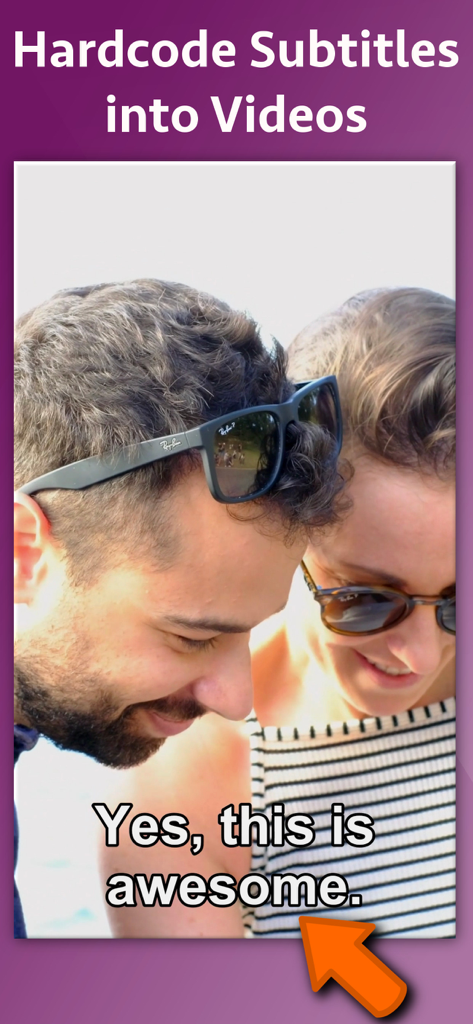
Video Subtitle Hardcoder - 네, 정말 멋지네요라는 텍스트가 포함된 하드코딩 자막이 표시되는 비디오 미리 보기
네, 정말 멋지네요라는 텍스트가 포함된 하드코딩 자막이 표시되는 비디오 미리 보기

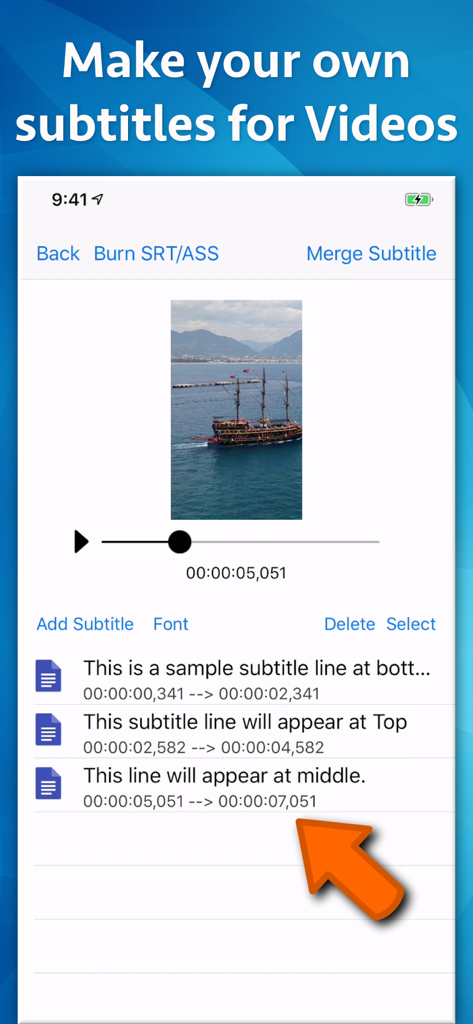
Video Subtitle Hardcoder - 비디오에 사용자 지정 텍스트 자막을 추가하고 배치하는 방법을 보여주는 비디오 자막 하드코더 앱 인터페이스.
비디오에 사용자 지정 텍스트 자막을 추가하고 배치하는 방법을 보여주는 비디오 자막 하드코더 앱 인터페이스.

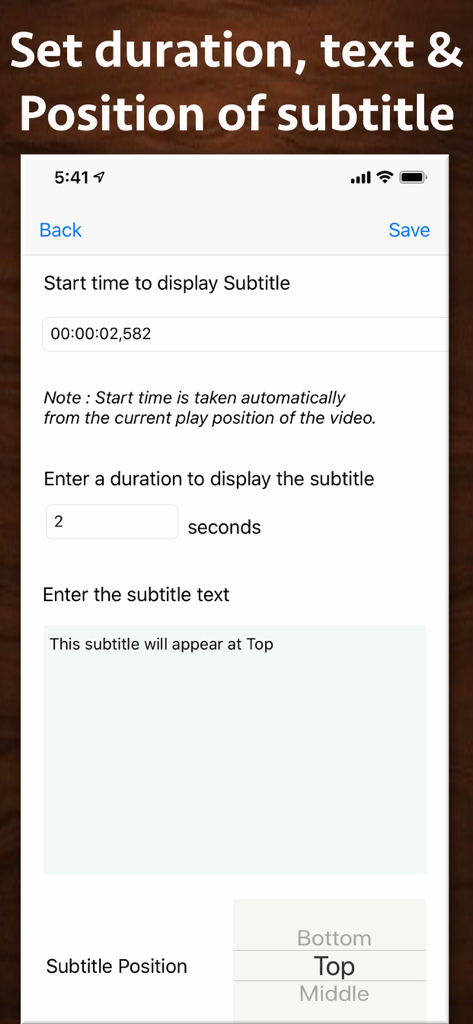
Video Subtitle Hardcoder - 자막 시작 시간, 지속 시간, 텍스트 및 화면 위치에 대한 설정을 보여주는 모바일 화면.
자막 시작 시간, 지속 시간, 텍스트 및 화면 위치에 대한 설정을 보여주는 모바일 화면.

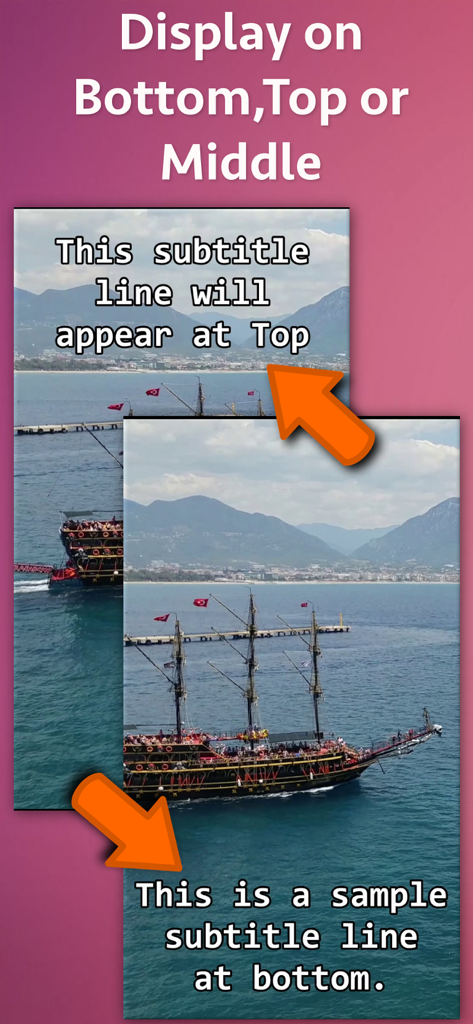
Video Subtitle Hardcoder - 앱 내에서 비디오 프레임의 상단과 하단에 자막 배치를 시연합니다.

앱 내에서 비디오 프레임의 상단과 하단에 자막 배치를 시연합니다.
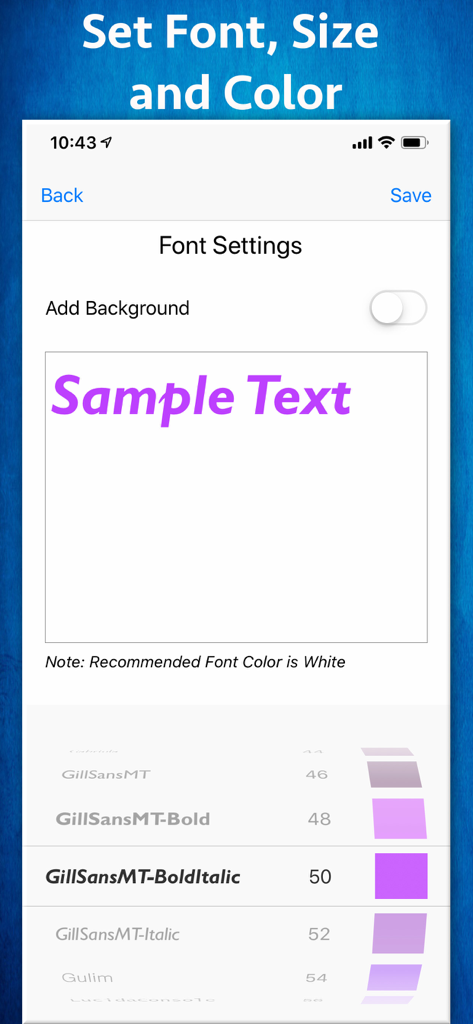
Video Subtitle Hardcoder - 글꼴 크기 및 색상 옵션이 있는 자막 글꼴 사용자 지정 인터페이스

글꼴 크기 및 색상 옵션이 있는 자막 글꼴 사용자 지정 인터페이스

Video Subtitle Hardcoder - 글꼴 및 색상 스타일 선택을 시연하기 위해 사용자 지정 보라색 자막이 표시되는 비디오 미리 보기.
글꼴 및 색상 스타일 선택을 시연하기 위해 사용자 지정 보라색 자막이 표시되는 비디오 미리 보기.

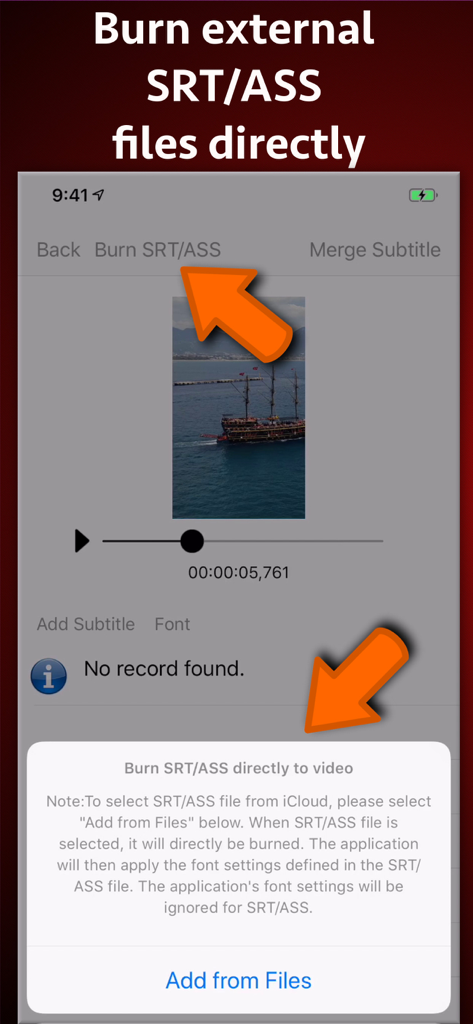
Video Subtitle Hardcoder - 외부 SRT 및 ASS 자막 파일을 비디오에 직접 굽는 과정을 보여주는 모바일 앱 인터페이스.
외부 SRT 및 ASS 자막 파일을 비디오에 직접 굽는 과정을 보여주는 모바일 앱 인터페이스.

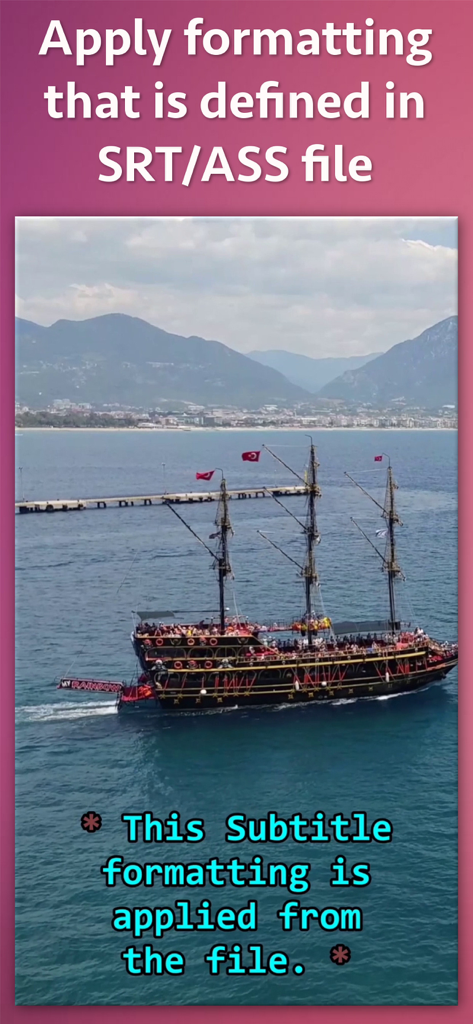
Video Subtitle Hardcoder - SRT 또는 ASS 파일에서 선박 비디오에 적용된 사용자 지정 자막 형식의 예.
SRT 또는 ASS 파일에서 선박 비디오에 적용된 사용자 지정 자막 형식의 예.

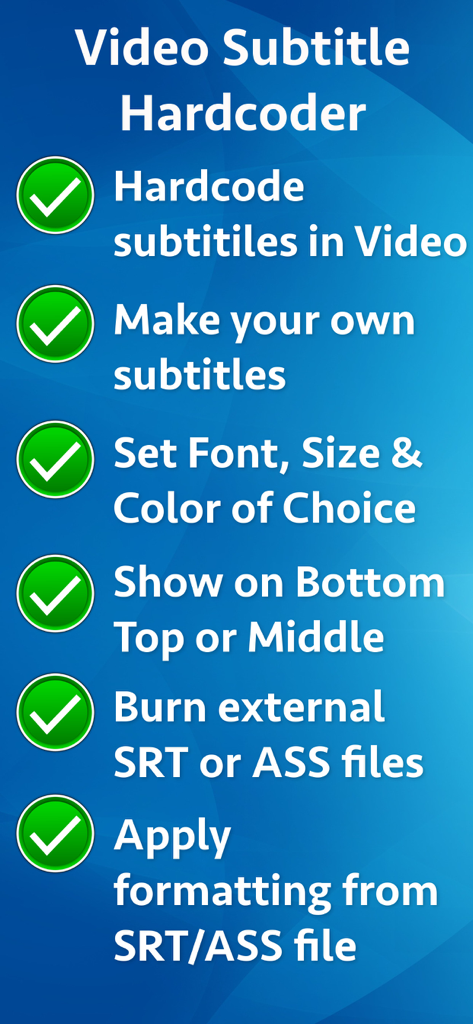
Video Subtitle Hardcoder - 사용자 지정 형식 및 SRT 파일 지원을 포함한 비디오 자막 하드코더 앱의 주요 기능 목록
사용자 지정 형식 및 SRT 파일 지원을 포함한 비디오 자막 하드코더 앱의 주요 기능 목록

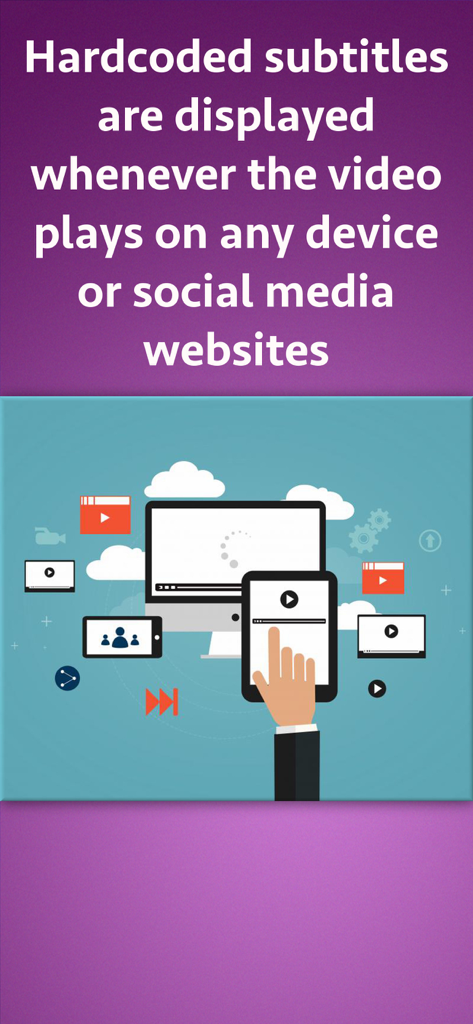
Video Subtitle Hardcoder - 컴퓨터, 태블릿, 스마트폰을 포함한 다양한 장치에서 재생되는 하드코딩 자막이 있는 비디오를 보여주는 삽화.

컴퓨터, 태블릿, 스마트폰을 포함한 다양한 장치에서 재생되는 하드코딩 자막이 있는 비디오를 보여주는 삽화.

설명

Hardcode subtitles into a video. When a subtitle is hardcoded, it is permanently written into a Video and it is displayed whenever the video plays on any device or social media websites. Since videos autoplay without sound on social platforms, most of the viewers watch videos without sound. By uploading videos with hardcoded subtitles, you’ll get more engagement and higher viewer retention rates. The application provides two ways to hardcode the subtitles. ** Inbuilt support for SRT and ASS files : If you already have a SRT or ASS file, you could directly hardcode it to the video. In this case, the application will automatically take all formatting, font and location settings from the SRT/ASS files and hardcode it directly to the video. ** You could also create your own subtitles and merge them into the video right from the application. The application comes with its own editing interface. On this interface the video preview is displayed. You could traverse through the video and add the subtitle lines wherever required. ** Font, Size and Location : When you are defining your own subtitle lines, there is an option to set the font name, font size and the text color. These settings are universally applied to all subtitles lines that are added. ** Subtitle display location : For each subtitle line, you could specify whether that line should appear at Top, Bottom or Middle. These settings could be specified for individual lines. ** Start Time and duration to display subtitles : You could define the start time from which the subtitle should start displaying and the duration till which it should be displayed. This will ensure that the subtitles are displayed at exactly the right moment in your video. The application has its own inbuilt previewer where you could directly preview the created video with subtitles.

Download

다운로드: App Store

이 페이지는 앱이나 개발자의 공식 페이지가 아니며, 정보 제공 및 논평을 목적으로 작성된 독립 편집 간행물입니다. 명시적으로 달리 언급되지 않는 한, 해당 앱이나 개발자는 MWM, Apple, Google Play, 앱 퍼블리셔 또는 앱 개발자와 제휴, 보증, 후원, 승인 또는 공식적으로 연결되어 있지 않으며, 이 페이지의 어떤 내용도 해당 앱이 MWM의 서비스를 사용하여 개발되었음을 의미하지 않습니다. 모든 상표, 로고, 스크린샷 및 기타 콘텐츠는 해당 소유자의 자산입니다.