Video to Photo Grabber
다운로드: App Store

이 페이지는 앱이나 개발자의 공식 페이지가 아니며, 정보 제공 및 논평을 목적으로 작성된 독립 편집 간행물입니다. 명시적으로 달리 언급되지 않는 한, 해당 앱이나 개발자는 MWM, Apple, Google Play, 앱 퍼블리셔 또는 앱 개발자와 제휴, 보증, 후원, 승인 또는 공식적으로 연결되어 있지 않으며, 이 페이지의 어떤 내용도 해당 앱이 MWM의 서비스를 사용하여 개발되었음을 의미하지 않습니다. 모든 상표, 로고, 스크린샷 및 기타 콘텐츠는 해당 소유자의 자산입니다.


로고: Video to Photo Grabber
다운로드: App Store

Video to Photo Grabber

좋아하는 동영상을 고해상도 4K 사진으로 바꾸세요. 액션 샷, 가족 기념일, 솔로 모험에서 완벽한 프레임을 전문가 수준의 정밀도로 추출하세요.

주요 수치

다운로드

245K+

사용자 평점

4.2/5

총 평가 수

600

개발사

Shenzhen Socusoft Co., Ltd

카테고리

Photo & Video

지원 언어

1

최신 버전

3.02

크기

5.1 MB

출시일

2013년 5월 7일
기능

완벽한 샷의 기술을 마스터하세요

고화질 동영상을 놀라운 전문가 수준의 사진으로 바꾸세요. 프레임 단위 정밀도와 4K 선명도로 중요한 정확한 순간을 포착하세요.

정밀한 액션 순간 포착

흐릿한 액션 샷에 만족하지 마세요. 동영상을 프레임 단위로 탐색하여 아이, 애완동물 또는 스포츠의 완벽하고 빠른 순간을 포착하세요.

놀라운 4K 해상도

거친 스크린샷으로 품질을 타협하지 마세요. 원본 동영상 해상도로 이미지를 추출하여 추억을 선명하게 유지하고 갤러리에 준비하세요.

다음 스크린샷과 설명은 앱의 공식 스토어 목록에서 직접 가져온 것이며 앱 개발자의 자산입니다.

앱 스토어

스크린샷
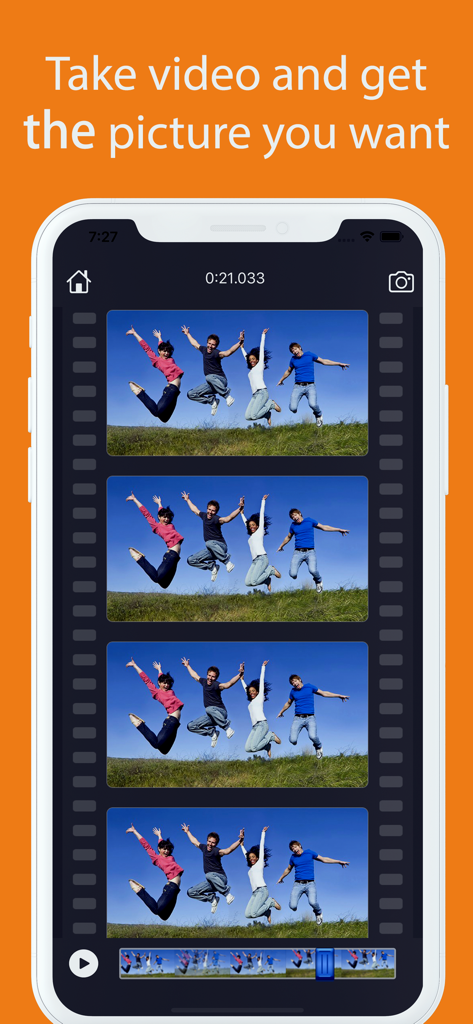
Video to Photo Grabber - 동영상 프레임에서 프레임별로 정지 사진을 캡처하는 방법을 보여주는 앱 인터페이스.
동영상 프레임에서 프레임별로 정지 사진을 캡처하는 방법을 보여주는 앱 인터페이스.

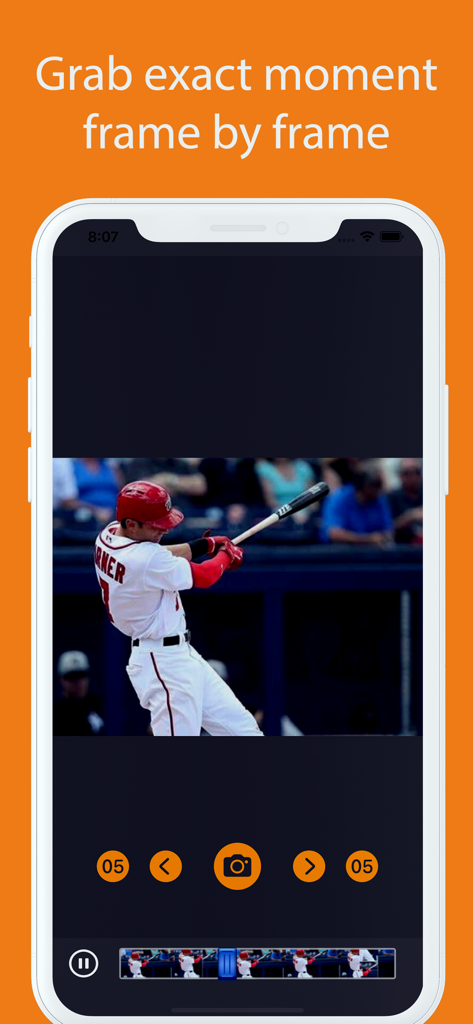
Video to Photo Grabber - 야구 선수가 공을 치는 장면을 프레임별로 추출하는 Video to Photo Grabber 앱 인터페이스
야구 선수가 공을 치는 장면을 프레임별로 추출하는 Video to Photo Grabber 앱 인터페이스

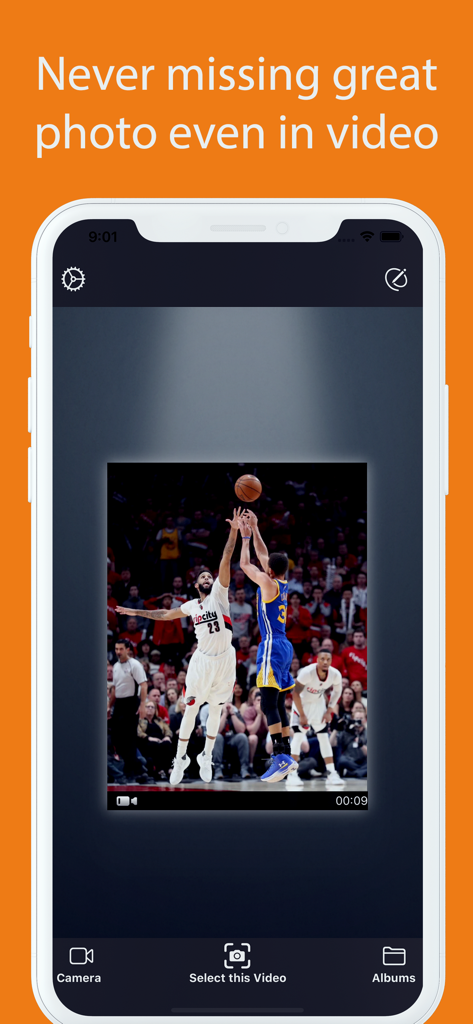
Video to Photo Grabber - 농구 동영상에서 액션 샷 프레임을 보여주는 iPhone 앱 화면 (Video to Photo Grabber)

농구 동영상에서 액션 샷 프레임을 보여주는 iPhone 앱 화면 (Video to Photo Grabber)

설명

Video to Photo Grabber is an easy way to extract high quality photos from recorded videos on iPhone, iPad. Videos can be loaded directly from Camera Roll to the Video to Photo Grabber app, then you can inspect the video frame by frame and pick up the one you like to save as still image. The photo will be saved at the same resolution as the source video. For the new iPhone , you can record 4K video and extract still frame photo has a high resolution of 3840x2160. How can the App help? * The photo & video modes switching could be cumbersome. With the Video to Photo Grabber App, you can simply choose to take a video when you hesitate which to choose. As Video to Photo can help you easily extract any static photos or images from the video. * The traditional point-and-shoot way could be too slow sometimes. Video to Photo helps you take better pictures of fast moving objects (cars, sports, dance , exciting baby and so on). With Video to Photo Grabber app you can take up to 1,800 pictures a minute, you will certainly have a better chance of getting excellent candidate shoots than you would with the regular iPhone camera. * Recover Photos from Recorded Videos Sometimes you want to take a photo, but you may have been forgetful and leave your iPhone cameras set to video. Video to Photo Grabber app helps you recover photos from the recorded videos. * Extract the Best Photos from Videos You can browse the video frame by frame to get the best scenery and the exact moment you need. You can extract up to 30 different pictures of a one second video recorded with your iPhone or iPad and save them as 1080p full HD pictures. * Taking a great photo of yourself If you use the front camera for easier use, you will find it is difficult to get the right angle, what's worse you have no way to take full body pictures without help, let alone taking photos with your family or friends. With Video to Photo Grabber App, you can prop your iPhone up, shoot a video of yourself and your family or friends. You can export any photo suits you best afterwards. * Easy Photo Sharing Features You can export images to Camera Roll, email the photos, share via iTunes File-Sharing, print them out, open in with other apps, etc. Features: *Very Easy to use Just select the video file you want to extract, then browse the video frame by frame by swiping the film. Tap to capture the great moment and save a still photo. *Fast locate the frame You can play the video, pause, fast forward and backward to easily locate the frame you want to save as photo.

Download

다운로드: App Store

이 페이지는 앱이나 개발자의 공식 페이지가 아니며, 정보 제공 및 논평을 목적으로 작성된 독립 편집 간행물입니다. 명시적으로 달리 언급되지 않는 한, 해당 앱이나 개발자는 MWM, Apple, Google Play, 앱 퍼블리셔 또는 앱 개발자와 제휴, 보증, 후원, 승인 또는 공식적으로 연결되어 있지 않으며, 이 페이지의 어떤 내용도 해당 앱이 MWM의 서비스를 사용하여 개발되었음을 의미하지 않습니다. 모든 상표, 로고, 스크린샷 및 기타 콘텐츠는 해당 소유자의 자산입니다.








