Video Watermarker
Video Watermarker
다운로드: App Store

이 페이지는 앱이나 개발자의 공식 페이지가 아니며, 정보 제공 및 논평을 목적으로 작성된 독립 편집 간행물입니다. 명시적으로 달리 언급되지 않는 한, 해당 앱이나 개발자는 MWM, Apple, Google Play, 앱 퍼블리셔 또는 앱 개발자와 제휴, 보증, 후원, 승인 또는 공식적으로 연결되어 있지 않으며, 이 페이지의 어떤 내용도 해당 앱이 MWM의 서비스를 사용하여 개발되었음을 의미하지 않습니다. 모든 상표, 로고, 스크린샷 및 기타 콘텐츠는 해당 소유자의 자산입니다.

로고: Video Watermarker
다운로드: App Store

Video Watermarker

전문적이고 완벽하게 사용자 정의 가능한 텍스트 및 이미지 워터마크로 무단 사용으로부터 창작물을 보호하세요. 몇 초 만에 동영상을 브랜딩해야 하는 크리에이터 및 기업가에게 적합합니다.

주요 수치

다운로드

200

사용자 평점

1.0/5

총 평가 수

0

개발사

Ruchira Ramesh

카테고리

Photo & Video

지원 언어

1

최신 버전

2.1

크기

3.5 MB

출시일

2019년 1월 26일
기능

콘텐츠를 손쉽게 보호하고 브랜딩하세요

현대 크리에이터 경제를 위해 설계된 전문적인 워터마킹 도구로 콘텐츠 도용을 막고 디지털 아이덴티티를 구축하세요.

무단 사용 방지

영구적인 소유권 및 저작권 정보를 삽입하여 바이럴 동영상을 보호하고 다른 사람이 귀하의 작업을 크레딧 없이 다시 게시하는 것을 방지하세요.

전문적인 브랜드 미학

투명한 PNG 로고를 업로드하거나 100개 이상의 프리미엄 글꼴 중에서 선택하여 잠재고객과의 신뢰를 구축하는 세련되고 고급스러운 룩을 만드세요.

다음 스크린샷과 설명은 앱의 공식 스토어 목록에서 직접 가져온 것이며 앱 개발자의 자산입니다.

앱 스토어

스크린샷
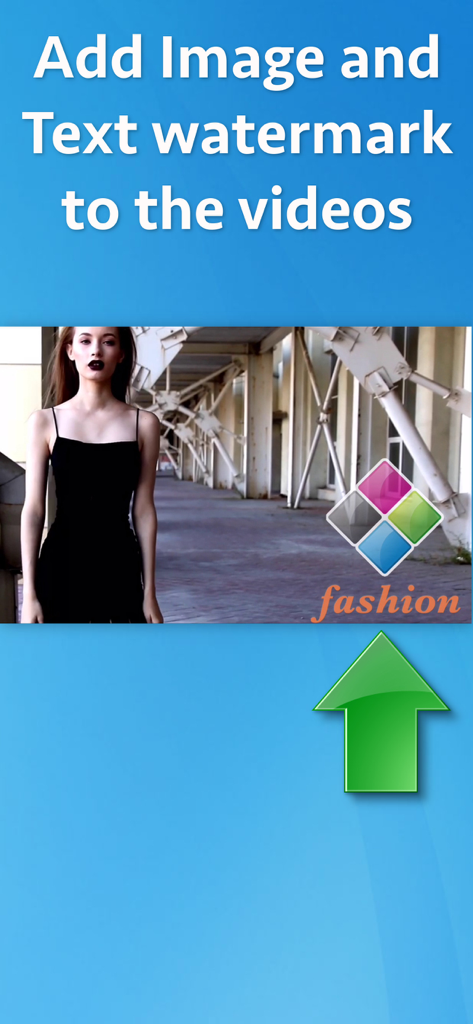
Video Watermarker - Video Watermarker 앱 내에서 동영상에 로고 및 텍스트 워터마크를 추가하는 과정을 보여주는 스크린샷.
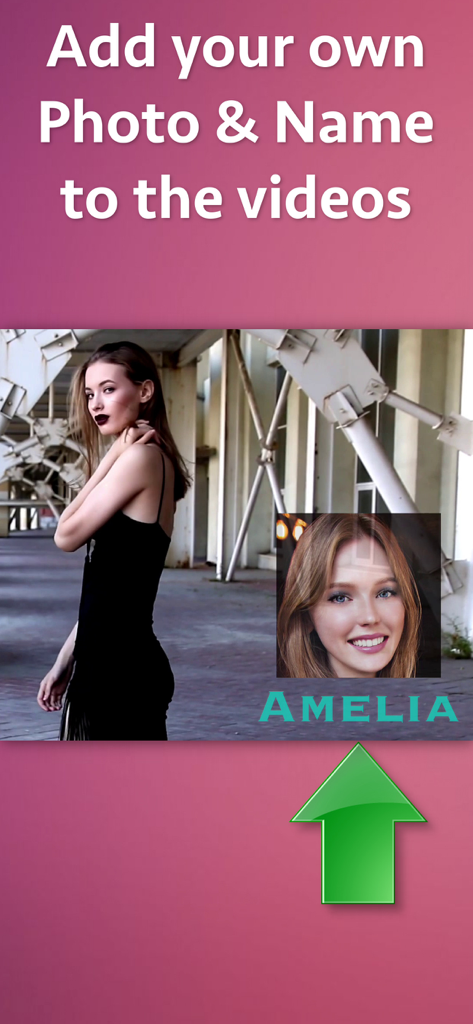
Video Watermarker 앱 내에서 동영상에 로고 및 텍스트 워터마크를 추가하는 과정을 보여주는 스크린샷.

Video Watermarker - 개인 사진과 Amelia라는 이름이 워터마크 오버레이로 추가된 동영상 미리 보기
개인 사진과 Amelia라는 이름이 워터마크 오버레이로 추가된 동영상 미리 보기

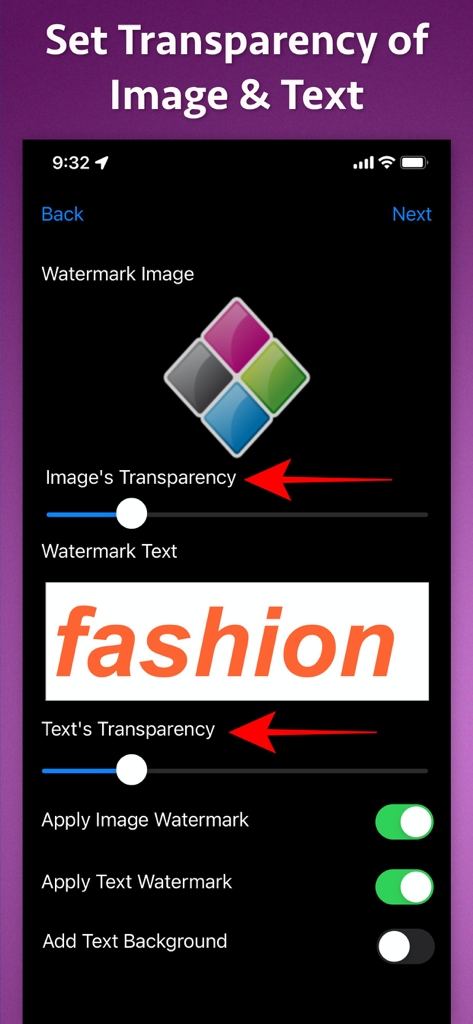
Video Watermarker - Video Watermarker 앱 인터페이스에서 이미지 및 텍스트 워터마크의 투명도 수준 조정
Video Watermarker 앱 인터페이스에서 이미지 및 텍스트 워터마크의 투명도 수준 조정

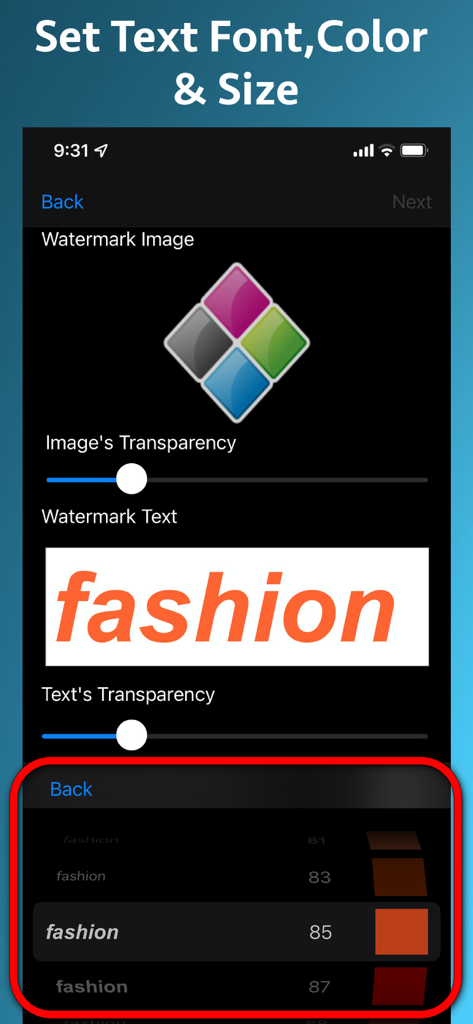
Video Watermarker - Video Watermarker 앱에서 텍스트 워터마크의 글꼴 색상 및 크기를 사용자 정의하는 인터페이스
Video Watermarker 앱에서 텍스트 워터마크의 글꼴 색상 및 크기를 사용자 정의하는 인터페이스

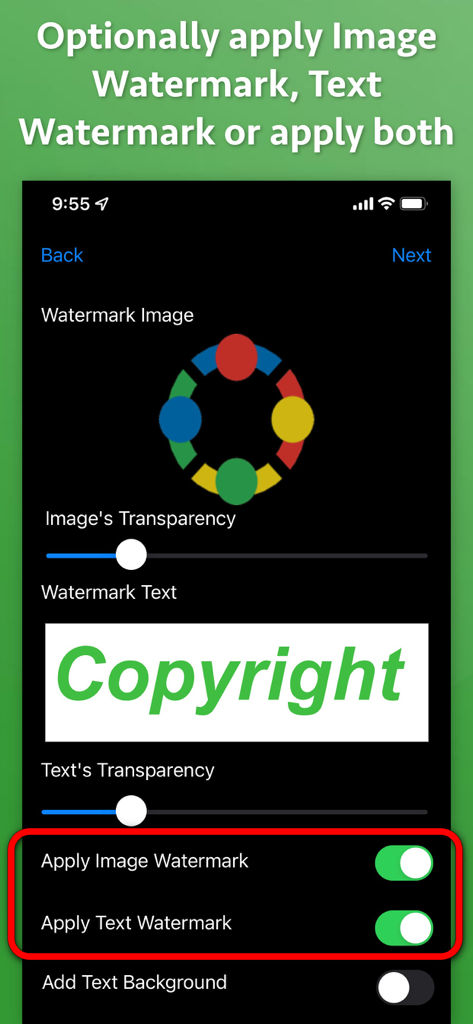
Video Watermarker - 투명도 컨트롤 및 토글 스위치가 있는 Video Watermarker 앱에서 동영상에 이미지 및 텍스트 워터마크를 추가하는 인터페이스
투명도 컨트롤 및 토글 스위치가 있는 Video Watermarker 앱에서 동영상에 이미지 및 텍스트 워터마크를 추가하는 인터페이스

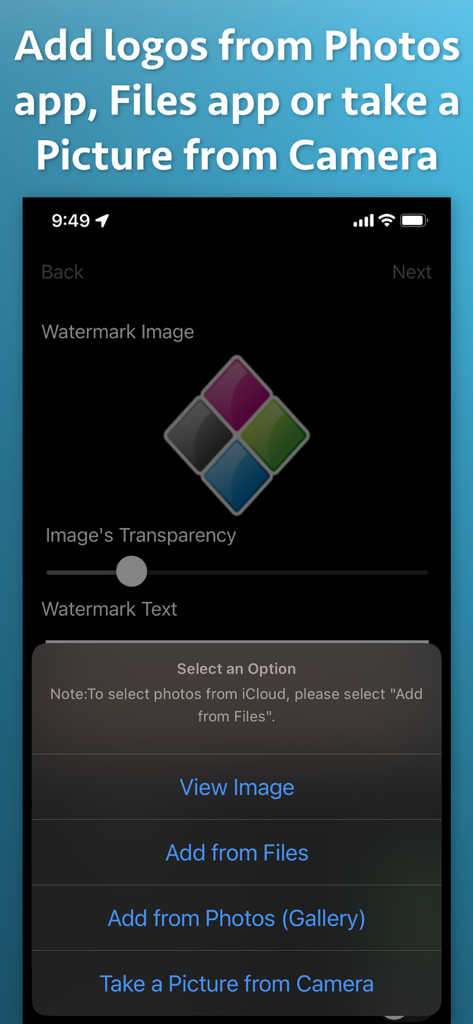
Video Watermarker - Photos, Files 또는 Camera에서 로고를 추가하는 옵션을 보여주는 Video Watermarker 앱의 메뉴.
Photos, Files 또는 Camera에서 로고를 추가하는 옵션을 보여주는 Video Watermarker 앱의 메뉴.

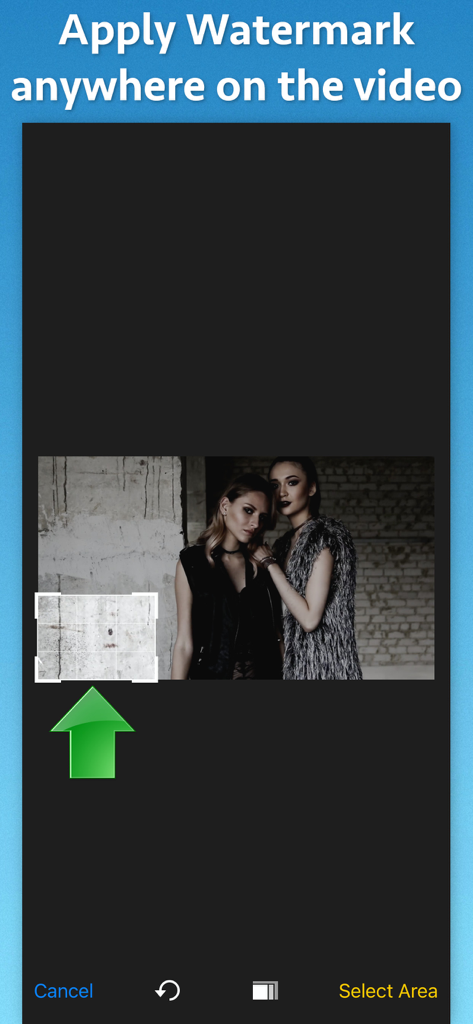
Video Watermarker - Video Watermarker 앱 내에서 동영상의 워터마크 위치를 선택하는 인터페이스
Video Watermarker 앱 내에서 동영상의 워터마크 위치를 선택하는 인터페이스

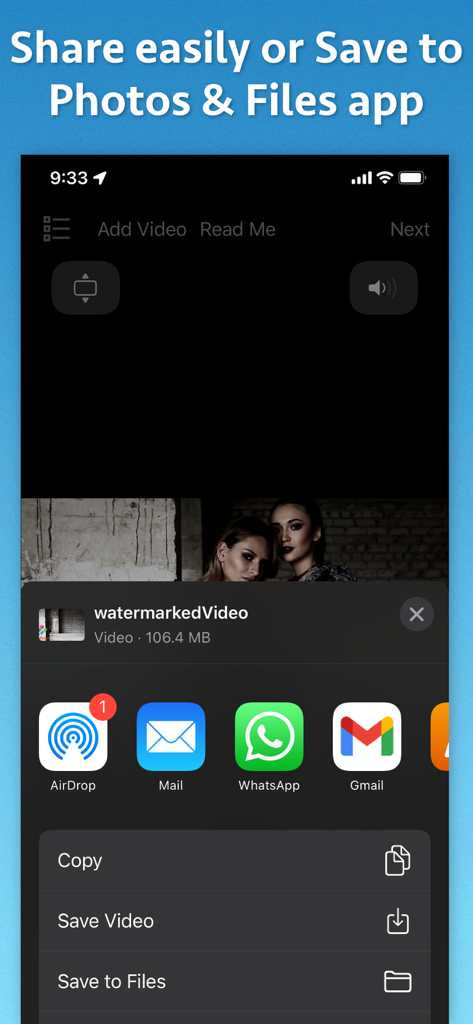
Video Watermarker - 워터마크가 있는 동영상을 사진 및 파일로 공유하거나 저장하는 옵션을 표시하는 iOS 공유 시트
워터마크가 있는 동영상을 사진 및 파일로 공유하거나 저장하는 옵션을 표시하는 iOS 공유 시트

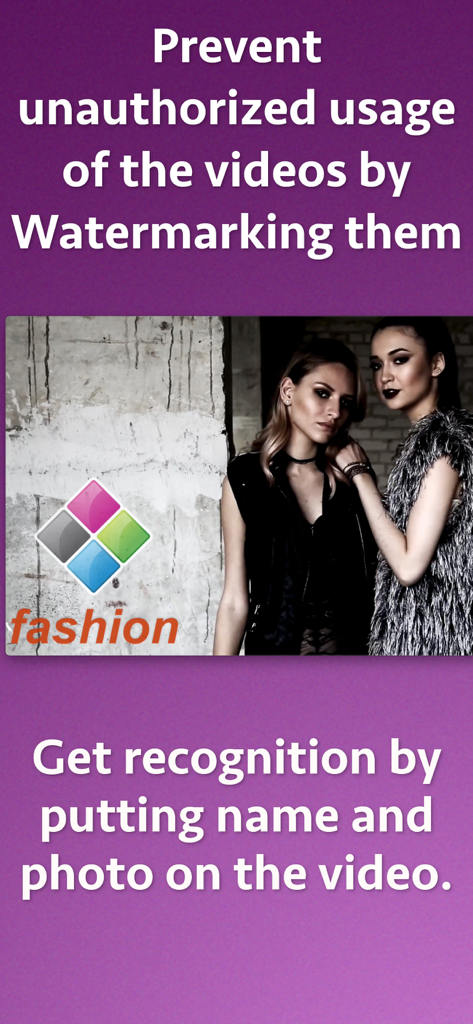
Video Watermarker - 저작권 보호 및 브랜드 인식을 위한 로고 및 텍스트 워터마크가 있는 패션 동영상

저작권 보호 및 브랜드 인식을 위한 로고 및 텍스트 워터마크가 있는 패션 동영상

설명

Add text and image watermark to videos. Customize watermarks further with various options like Transparency, text font, text colors ,text size and many more. Watermarking videos prevents the unauthorized usage of Videos across social platforms and video streaming websites.Watermarks also help to show your ownership and Copyrights for the video.By adding the copyright information to videos, one can easily protect his online videos from being used by unauthorized persons. You could also show your work and brand by adding your own watermarks to the video. You could add the company's logo or your own face to get the recognition. Apart from JPEG images, the application also supports PNG images which have transparency and alpha channel. This ensures that the logo and watermarks of PNG format are displayed accurately along with the transparency of the original image. Features : ** Add either text, image or both text & image watermarks to videos at the same time. ** Support for PNG format of images that have alpha channel and transparency. ** Set transparency for the Image and text. You could have different transparency settings for image and text. ** Set Text watermark's Font, Size and Color. ** Optionally add a background to the text for better visibility, ** Over 100 fonts to customize the appearance of the text. ** Specify any location in the video where the watermark should appear. ** Specify an exact area inside which the Image and Text watermarks should appear in a video. The Image and text watermarks will automatically resize to fit inside the area that you select in the video. ** Realtime preview. ** Support for a wide range of video formats.

Download

다운로드: App Store

이 페이지는 앱이나 개발자의 공식 페이지가 아니며, 정보 제공 및 논평을 목적으로 작성된 독립 편집 간행물입니다. 명시적으로 달리 언급되지 않는 한, 해당 앱이나 개발자는 MWM, Apple, Google Play, 앱 퍼블리셔 또는 앱 개발자와 제휴, 보증, 후원, 승인 또는 공식적으로 연결되어 있지 않으며, 이 페이지의 어떤 내용도 해당 앱이 MWM의 서비스를 사용하여 개발되었음을 의미하지 않습니다. 모든 상표, 로고, 스크린샷 및 기타 콘텐츠는 해당 소유자의 자산입니다.








