VideoLUT - Color Grade Editor

VideoLUT - Color Grade Editor

다운로드: App Store
로고: VideoLUT - Color Grade Editor

VideoLUT: 프로 크리에이터를 위한 시네마틱 컬러 그레이딩

2,500개 이상의 프리셋, .cube 지원, 스킨 마스크 및 HSL 커브와 같은 고급 도구로 시각적 미학을 업그레이드하세요. 모바일 우선 영상 제작자를 위해 설계되었습니다.

다운로드: App Store

개발사

Enrique Garcia

카테고리

Photo & Video

다운로드

29K+

사용자 평점

4.4/5

총 평가 수

200

지원 언어

12

시네마틱 마스터리

이 인터페이스를 사용하는 29K+ 명의 사용자.

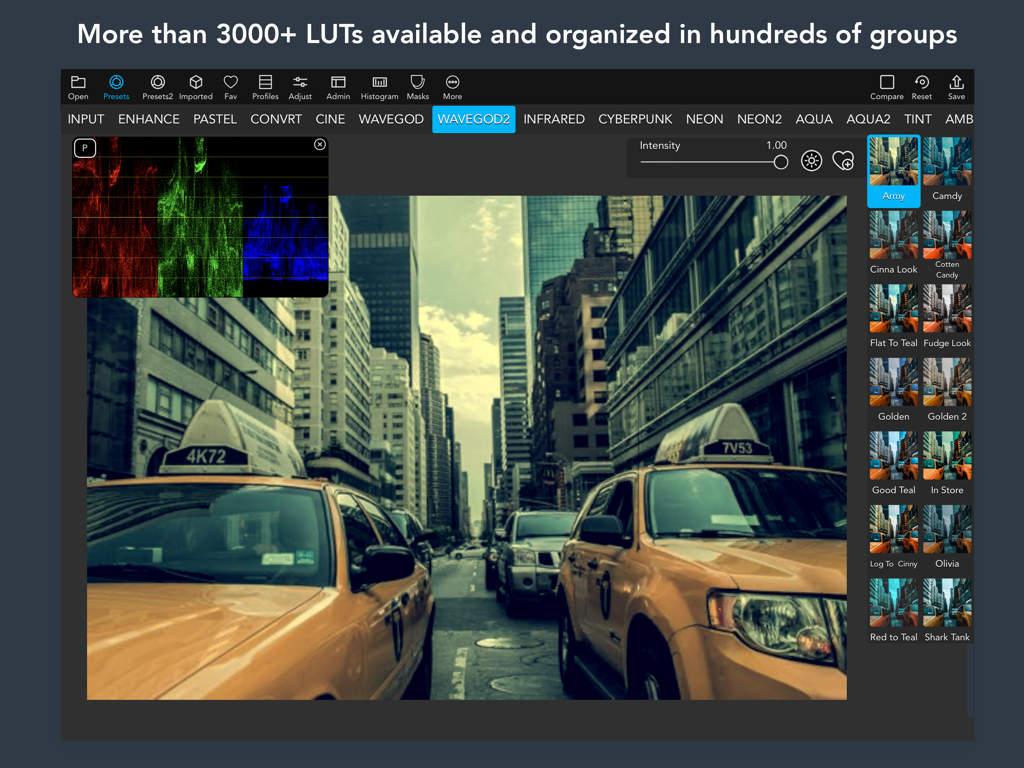
비디오 에디터를 위한 시네마틱 컬러 그레이딩 프리셋과 전문적인 히스토그램 도구를 보여주는 iPad의 VideoLUT 앱 인터페이스
비디오 에디터를 위한 시네마틱 컬러 그레이딩 프리셋과 전문적인 히스토그램 도구를 보여주는 iPad의 VideoLUT 앱 인터페이스

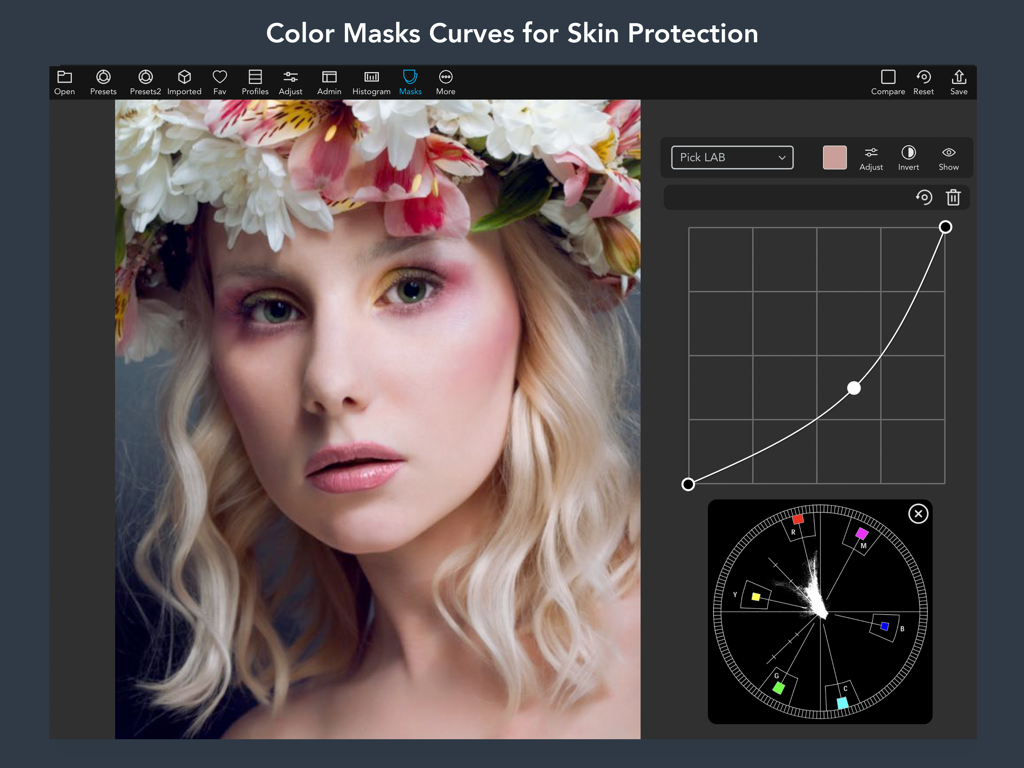
iPad에서 컬러 마스크 커브와 스킨 보호 도구를 보여주는 VideoLUT 앱 인터페이스
iPad에서 컬러 마스크 커브와 스킨 보호 도구를 보여주는 VideoLUT 앱 인터페이스

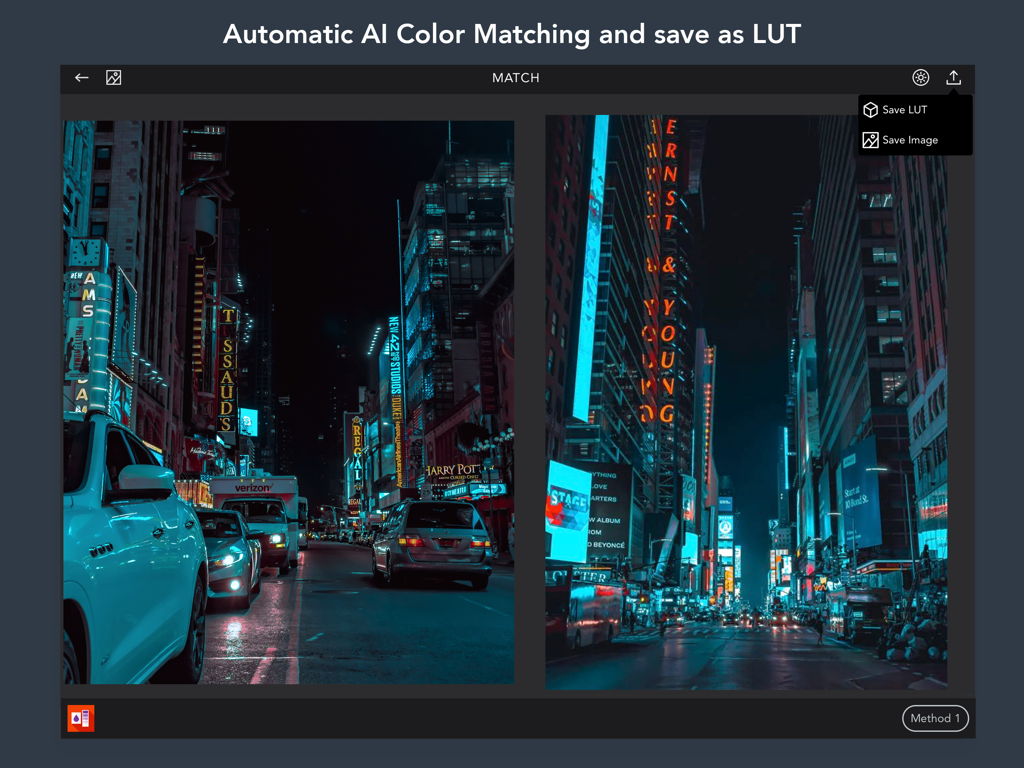
VideoLUT 앱 인터페이스에서 두 도시 야경 사진 간의 자동 AI 색상 매칭
VideoLUT 앱 인터페이스에서 두 도시 야경 사진 간의 자동 AI 색상 매칭

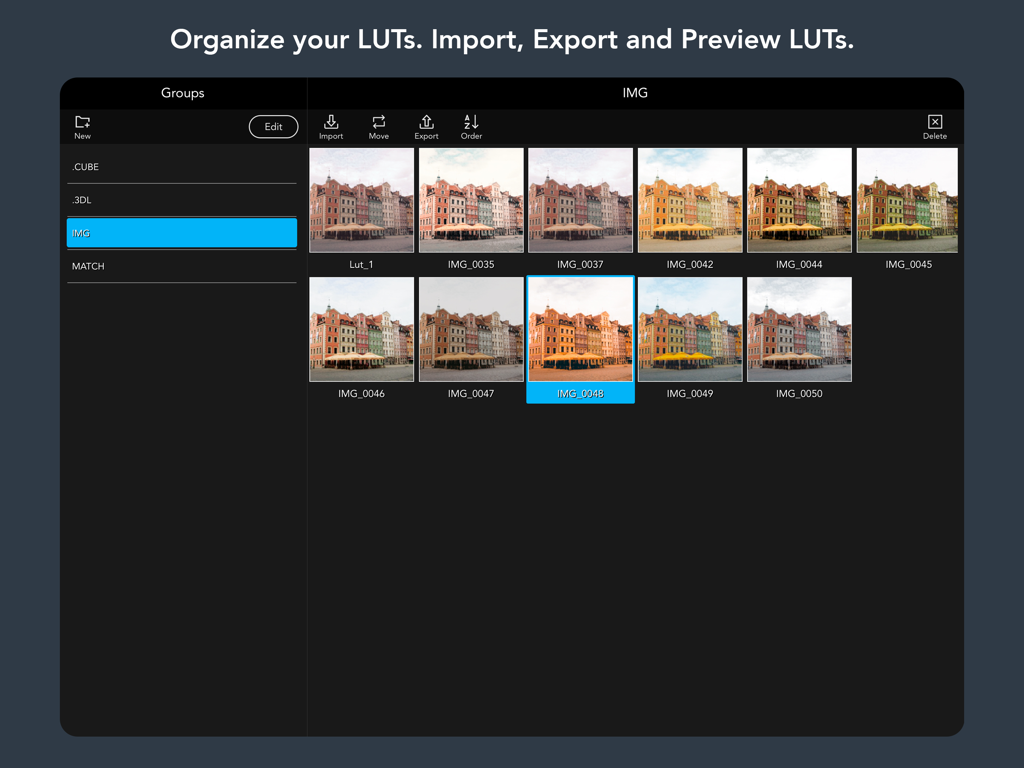
시네마틱 컬러 그레이딩 프리뷰 라이브러리를 보여주는 VideoLUT 앱의 iPad 인터페이스
시네마틱 컬러 그레이딩 프리뷰 라이브러리를 보여주는 VideoLUT 앱의 iPad 인터페이스

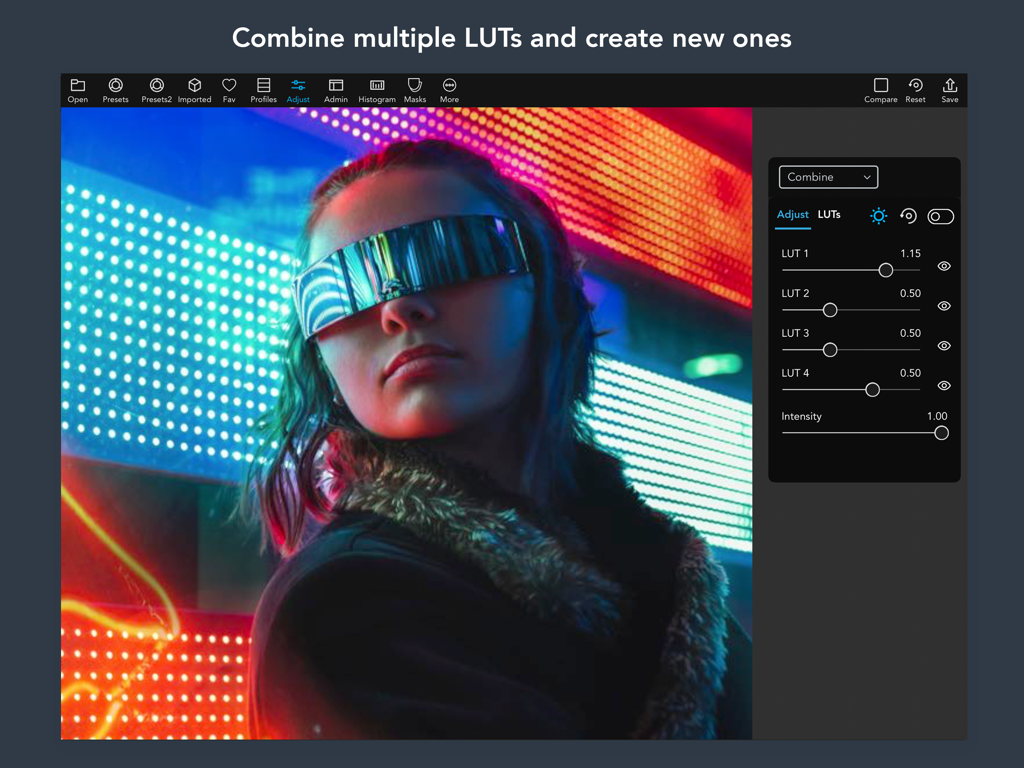
시네마틱 이미지에서 여러 컬러 그레이딩 LUT를 결합하는 슬라이더를 보여주는 VideoLUT 앱의 인터페이스
시네마틱 이미지에서 여러 컬러 그레이딩 LUT를 결합하는 슬라이더를 보여주는 VideoLUT 앱의 인터페이스

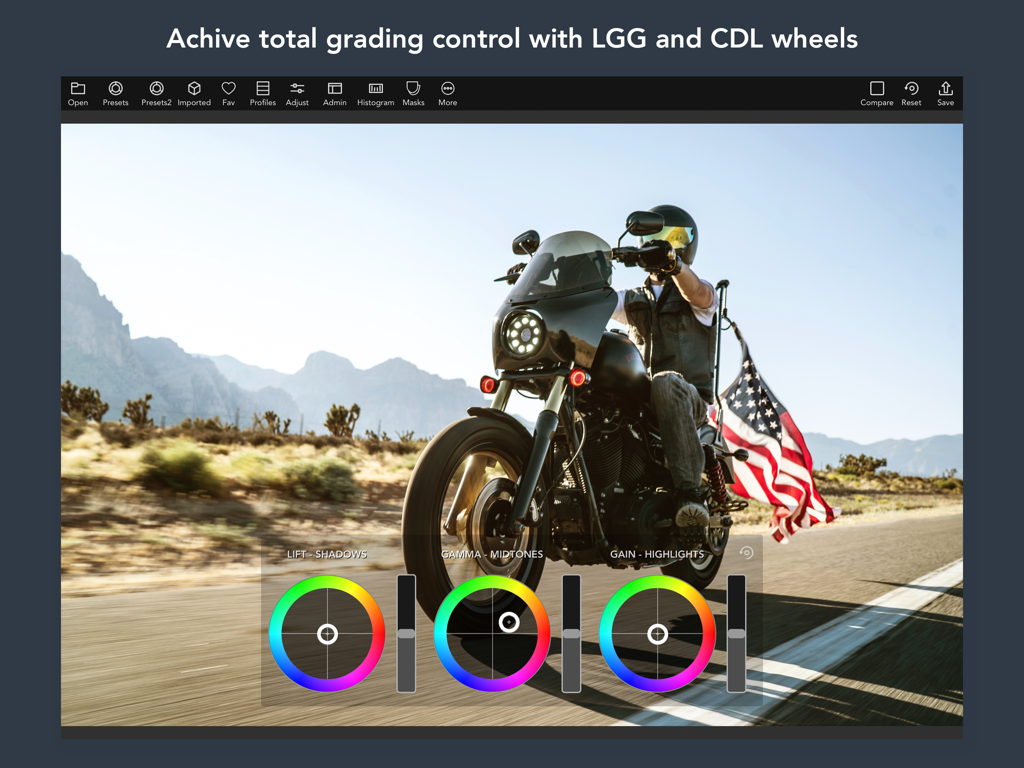
iPad에서 시네마틱 비디오를 편집하는 데 사용되는 LGG 및 CDL 휠을 보여주는 전문적인 컬러 그레이딩 인터페이스
iPad에서 시네마틱 비디오를 편집하는 데 사용되는 LGG 및 CDL 휠을 보여주는 전문적인 컬러 그레이딩 인터페이스

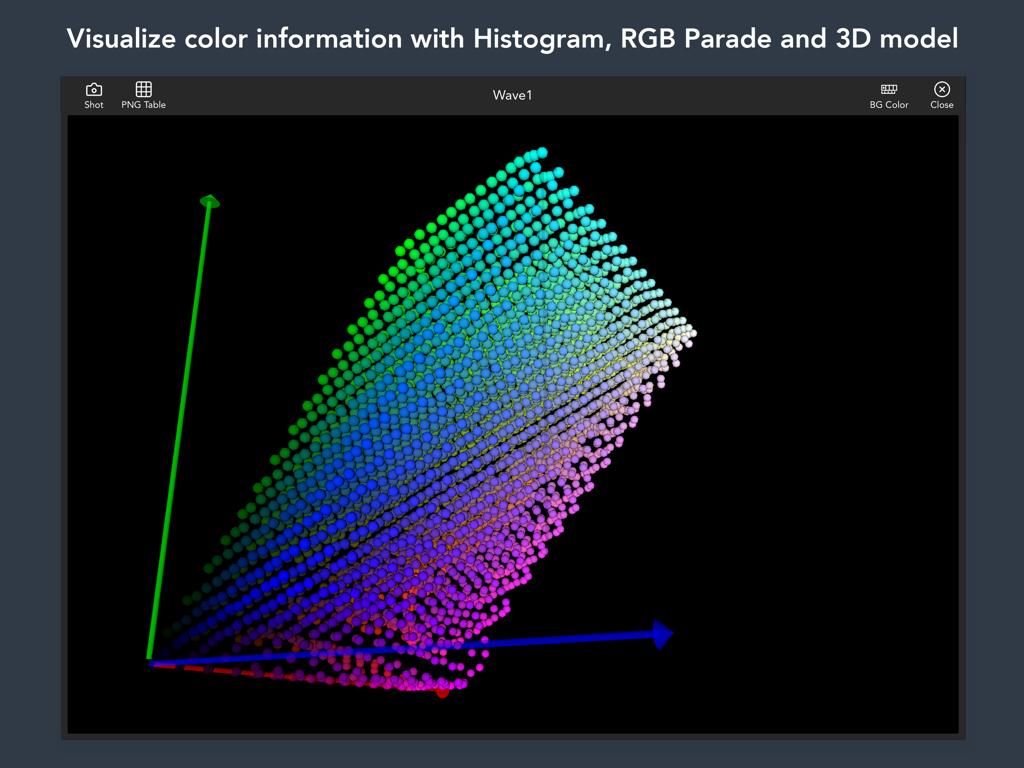
세 축을 가로지르는 색상 분포를 보여주는 VideoLUT 앱 인터페이스 내의 3D 컬러 모델 시각화
세 축을 가로지르는 색상 분포를 보여주는 VideoLUT 앱 인터페이스 내의 3D 컬러 모델 시각화

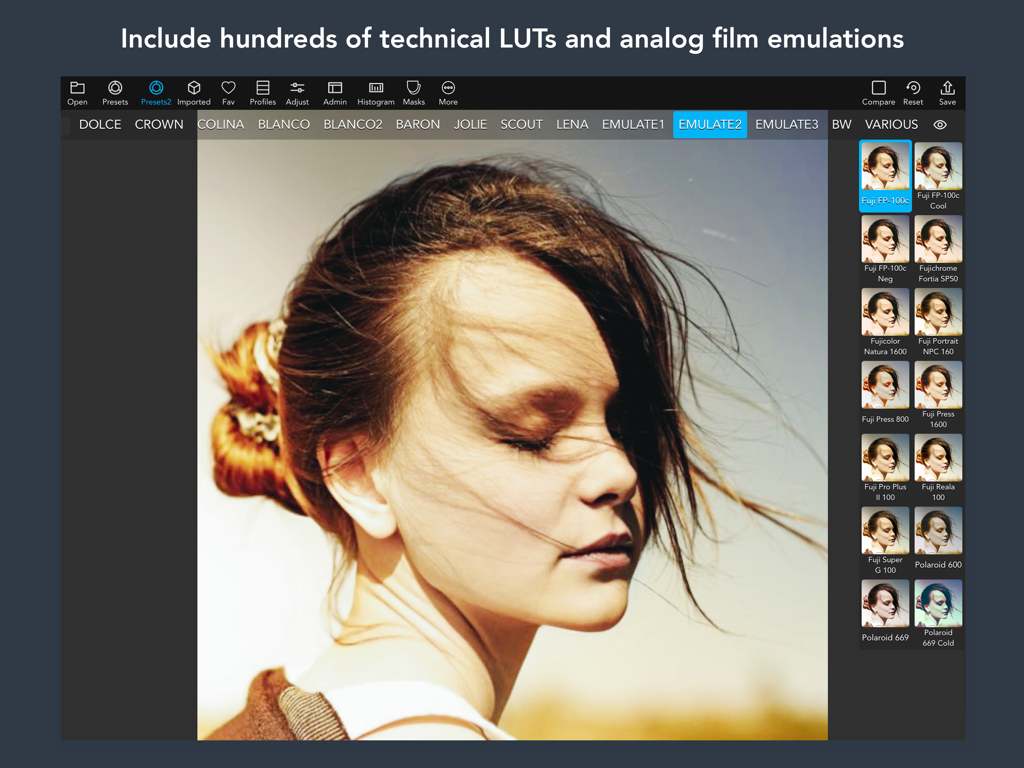
전문적인 컬러 그레이딩을 위한 아날로그 필름 에뮬레이션 프리셋을 표시하는 VideoLUT 인터페이스
전문적인 컬러 그레이딩을 위한 아날로그 필름 에뮬레이션 프리셋을 표시하는 VideoLUT 인터페이스

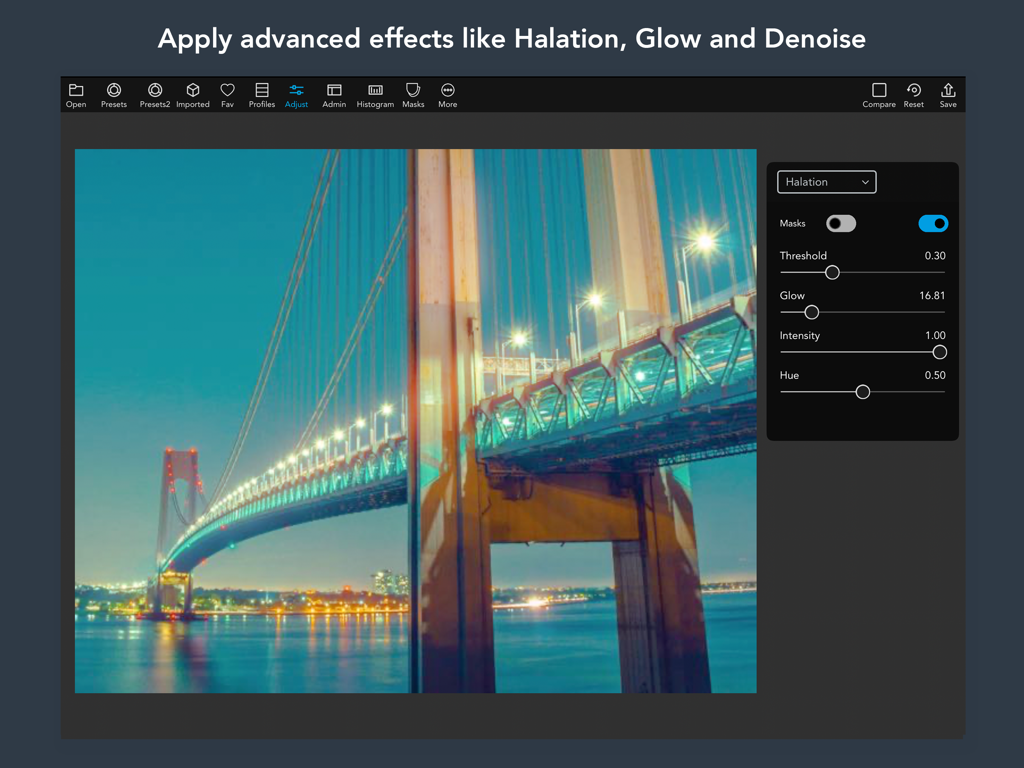
시네마틱한 밤의 다리 사진에 헤일레이션 및 글로우 효과 설정을 보여주는 VideoLUT iPad 앱 인터페이스

시네마틱한 밤의 다리 사진에 헤일레이션 및 글로우 효과 설정을 보여주는 VideoLUT iPad 앱 인터페이스

장소에 구애받지 않는 전문적인 컬러 그레이딩

이 앱을 돋보이게 하는 도구, 29K+ 명의 사용자가 선택.

🖥️

모바일에서 누리는 데스크톱의 성능

DaVinci Resolve 또는 Premiere Pro의 업계 표준 .cube 및 .3dl LUT를 iPhone 또는 iPad에서 직접 가져와 사용하여 원활한 크로스 플랫폼 워크플로우를 구현하세요.

🎨

정교한 색상 정밀도

스킨 마스크, HSL 커브, CMYK 도구로 나만의 미학을 완성하세요. 완벽한 피부 톤과 시그니처 컬러 스토리를 만드는 데 필요한 세밀한 제어 기능을 제공합니다.

프로 워크플로우 통합

어떤 참조 사진에서도 색상을 매칭하고 맞춤형 그레이딩을 LumaFusion으로 직접 내보내거나 즉석 QR 코드를 통해 공유하여 결과물 제작 속도를 높이세요.

앱 소개

에 대해 알아야 할 모든 것 VideoLUT - Color Grade Editor.

설명

Transform your videos and images into cinematic masterpieces with VideoLUT, the ultimate color-grading app! With over 2500 presets, you can easily import, edit, and apply LUTs to create stunning videos and photos. Plus, VideoLUT allows you to record videos and take photos with your imported LUTs, giving you the ultimate creative control. Whether you're a professional filmmaker or a casual iPhone photographer, VideoLUT is the perfect app for you. It comes with powerful editing tools that allow you to color grade your videos and images with ease. You can even create your own LUTs and share them with other users via QR codes or apps like Lumafusion. VideoLUT supports a variety of LUT formats, including DaVinci Resolve 3D Cube LUT (.cube) and Autodesk 3D LUT (.3dl). You can import .cube, .3dl, and 512x512 .png LUT tables, and save or import cube files to iCloud, Dropbox, and other storage apps. But that's not all – VideoLUT also lets you visualize LUTs in 3D, export them as LUT images (.png), and share them as .cube 16, 32, or 33 (DaVinci Resolve 3D Cube LUT) with other apps or your desktop. You can also match colors from images and build new LUTs from the result, and use RGB, HSL, CMYK, LAB, and Skin Masks and Curves for added control. With VideoLUT's auto white balance, Mackbet table detection and correction, split toning, color wheels, and other adjust tools, you have everything you need to perfect your videos and images. Mix multiple LUTs to create new ones, convert Filmic Pro LUTS, and even preprocess RAW photos for added flexibility. Download VideoLUT today and transform your videos and images into true works of art! Terms of Use (EULA): https://www.apple.com/legal/internet-services/itunes/dev/stdeula/

최신 버전

2.65

크기

298.9 MB

출시일

2016년 10월 29일

모든 프레임에 시네마틱한 탁월함을 더하세요

이동 중에도 컬러 스토리를 마스터하는 수천 명의 프로급 크리에이터와 함께하세요. 지금 VideoLUT를 다운로드하고 iPhone 또는 iPad에서 직접 2,500개 이상의 전문 프리셋과 데스크톱급 편집 도구의 성능을 경험해 보세요.

다운로드: App Store

App information, icons, screenshots, and descriptions displayed on this page are sourced from the Apple App Store and are the property of their respective developers. Download estimates and rankings are based on MWM's proprietary models and may not reflect actual figures. This page is provided for informational and analytical purposes only.

Believe this page infringes your intellectual property? File a dispute