VideoMate - Casting for Safari
다운로드: App Store

이 페이지는 앱이나 개발자의 공식 페이지가 아니며, 정보 제공 및 논평을 목적으로 작성된 독립 편집 간행물입니다. 명시적으로 달리 언급되지 않는 한, 해당 앱이나 개발자는 MWM, Apple, Google Play, 앱 퍼블리셔 또는 앱 개발자와 제휴, 보증, 후원, 승인 또는 공식적으로 연결되어 있지 않으며, 이 페이지의 어떤 내용도 해당 앱이 MWM의 서비스를 사용하여 개발되었음을 의미하지 않습니다. 모든 상표, 로고, 스크린샷 및 기타 콘텐츠는 해당 소유자의 자산입니다.


로고: VideoMate - Casting for Safari
다운로드: App Store

VideoMate - Casting for Safari

iPhone 및 iPad에 데스크톱 수준의 미디어 경험을 선사하세요. 모든 웹 동영상을 TV로 전송하고, 최대 5배의 속도 제어로 시청을 최적화하고, 정밀 탐색 및 원탭 Picture-in-Picture로 모든 프레임을 마스터하세요.

주요 수치

다운로드

1K+

사용자 평점

1.0/5

총 평가 수

0

개발사

Ameen Mody

카테고리

Utilities

지원 언어

1

최신 버전

4.0

크기

99.3 MB

출시일

2023년 11월 7일
기능

미디어 경험을 마스터하세요

iPhone 및 iPad에서 데스크톱 수준의 비디오 경험을 요구하는 파워 유저를 위해 설계된 궁극의 Safari 확장 프로그램입니다.

범용 웹 캐스팅

모바일의 제약에서 벗어나세요. Safari의 모든 웹 기반 동영상을 탭 한 번으로 스마트 TV로 손쉽게 전송하세요.

정밀 재생 제어

빠른 학습을 위한 최대 5.0배의 속도와 필요한 순간을 정확히 찾을 수 있는 0.5초 단위의 미세 탐색 기능으로 제어하세요.

다음 스크린샷과 설명은 앱의 공식 스토어 목록에서 직접 가져온 것이며 앱 개발자의 자산입니다.

앱 스토어

스크린샷
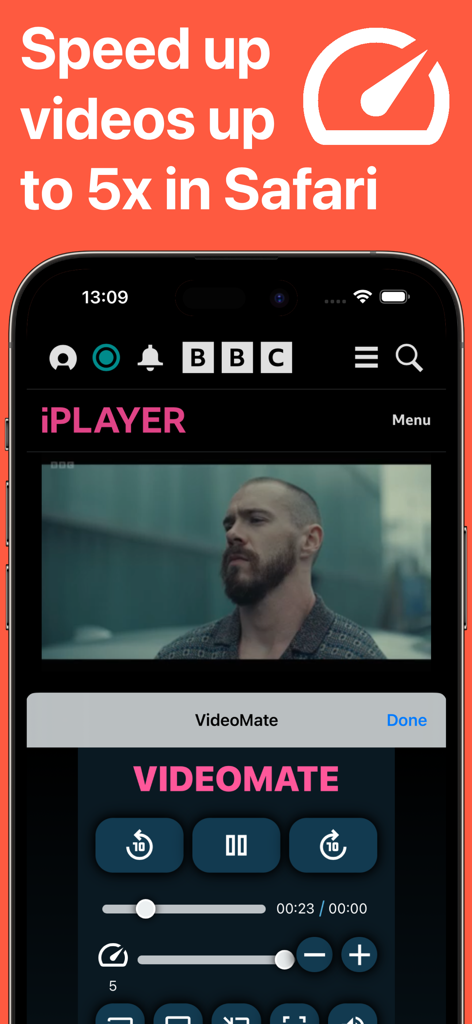
VideoMate - Casting for Safari - VideoMate Safari 확장 프로그램 인터페이스로 iPhone에서 최대 5배의 비디오 재생 속도를 제어합니다
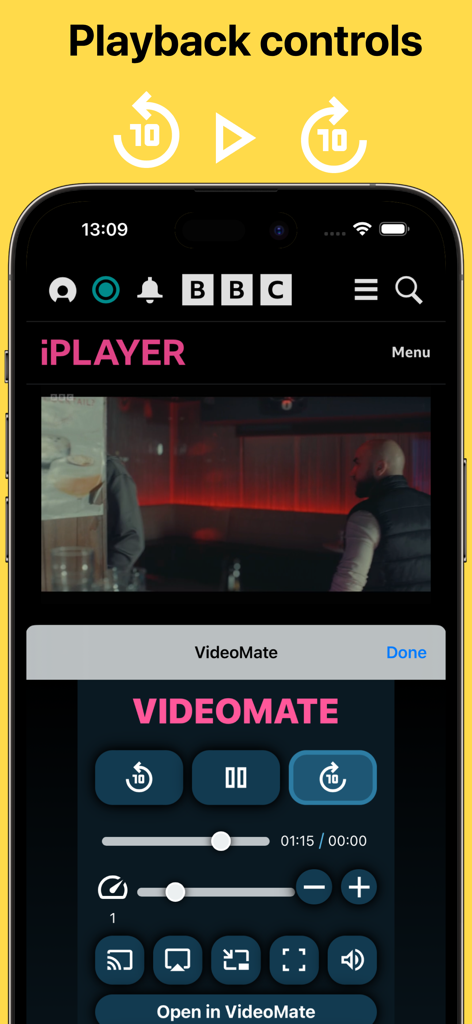
VideoMate Safari 확장 프로그램 인터페이스로 iPhone에서 최대 5배의 비디오 재생 속도를 제어합니다

VideoMate - Casting for Safari - VideoMate Safari 확장 프로그램 재생 제어, 속도 조정 및 캐스팅 옵션이 포함된 스마트폰 화면
VideoMate Safari 확장 프로그램 재생 제어, 속도 조정 및 캐스팅 옵션이 포함된 스마트폰 화면

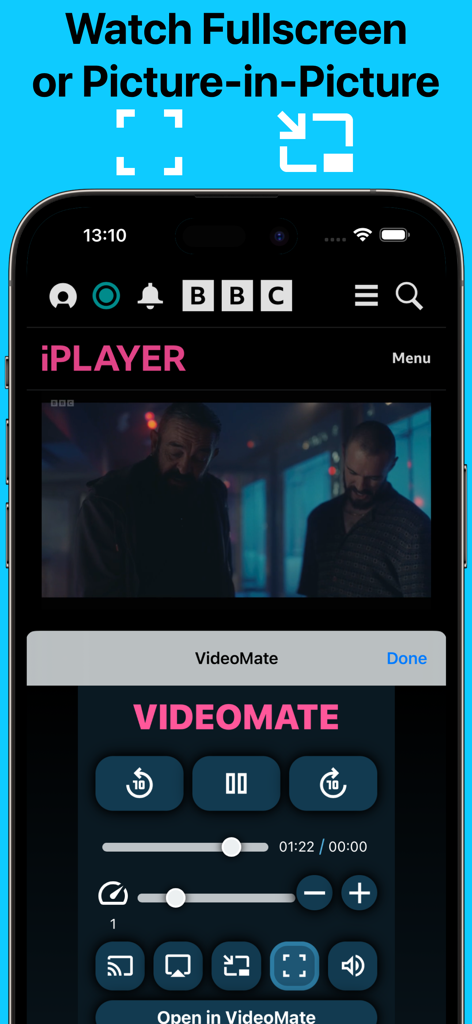
VideoMate - Casting for Safari - Picture-in-Picture 및 전체 화면 비디오 재생을 위한 VideoMate 확장 프로그램 인터페이스

Picture-in-Picture 및 전체 화면 비디오 재생을 위한 VideoMate 확장 프로그램 인터페이스

VideoMate - Casting for Safari - VideoMate Safari 확장 프로그램의 프로모션 화면으로 5배 속도 제어, Picture-in-Picture 및 캐스팅 기능 강조
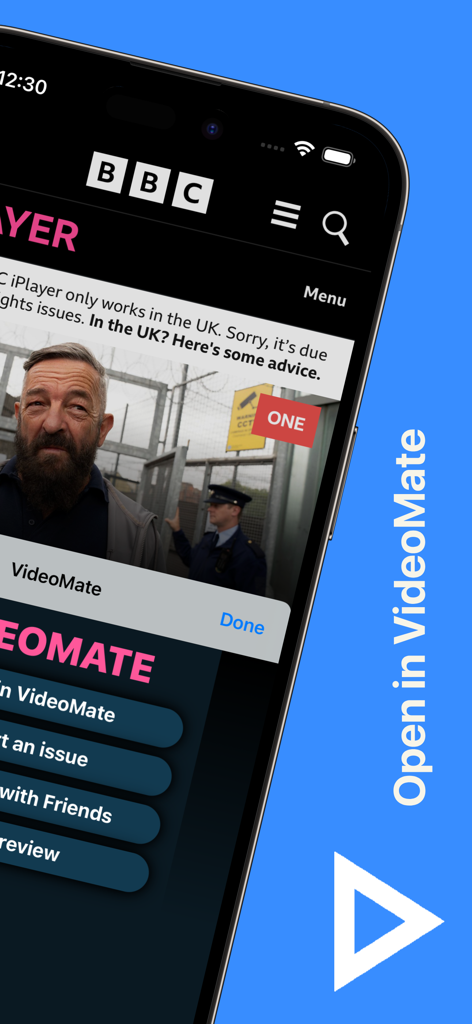
VideoMate Safari 확장 프로그램의 프로모션 화면으로 5배 속도 제어, Picture-in-Picture 및 캐스팅 기능 강조

VideoMate - Casting for Safari - iPhone 화면의 VideoMate Safari 확장 프로그램 인터페이스

iPhone 화면의 VideoMate Safari 확장 프로그램 인터페이스

설명

VideoMate is a Safari extension that allows your play videos to your TV or locally. Built from the ground up with the goal of creating a desktop like experience for all users. To start using the extension simply enable the extension by going to the device settings > Safari > Extensions > and set VideoMate to "On". Then when you visit a webpage with a video trigger the VideoMate extension. • CAST Play your web video on your TV • SPEED CONTROL Easily control playback speed of your videos from 0.25 - 5.0x. • SEEK Ease to use seek bar makes finding the exact spot easy. Use the "+" and "-" seek buttons to slow seek at 0.5 second interval. • PLAYBACK CONTROLS Play/Pause, Skip forward or backwards, mute/unmute everything is easy now with VideoMate • PIP Picture-in-picture is now possible on video with just one tap Download and see what everyone is talking about! Satisfying you our customer is our one priority. Share you feedback, report bug, feature request. Just email us at jcltravels@gmail.com Note: DRM protected media cannot be played. Payment and automatic renewal terms: -VideoMate subscription automatically renews unless auto-renew is turned off at least 24 hours before the end of the current period -Your account will be charged for renewal within 24 hours prior to the end of the current period -Subscriptions may be managed by you in your account and auto-renewal may be turned off by going to your account settings after purchase -VideoMate Privacy Policy: http://www.jcltravels.co.uk/privacy-policy.html -VideoMate Terms of use: http://www.jcltravels.co.uk/terms-of-use.html

Download

다운로드: App Store

이 페이지는 앱이나 개발자의 공식 페이지가 아니며, 정보 제공 및 논평을 목적으로 작성된 독립 편집 간행물입니다. 명시적으로 달리 언급되지 않는 한, 해당 앱이나 개발자는 MWM, Apple, Google Play, 앱 퍼블리셔 또는 앱 개발자와 제휴, 보증, 후원, 승인 또는 공식적으로 연결되어 있지 않으며, 이 페이지의 어떤 내용도 해당 앱이 MWM의 서비스를 사용하여 개발되었음을 의미하지 않습니다. 모든 상표, 로고, 스크린샷 및 기타 콘텐츠는 해당 소유자의 자산입니다.








