Vimar VIEW Wireless

Vimar VIEW Wireless

다운로드: App Store
로고: Vimar VIEW Wireless

Vimar VIEW Wireless: 스마트 시스템 커미셔닝을 위한 전문가용 도구

Vimar 연결 시리즈에 대한 안내 프로그래밍으로 설치를 간소화하세요. 메시 네트워크 구성부터 원활한 프로토콜 인계까지, 궁극의 설치자 전용 인터페이스로 프로젝트에 힘을 실어주세요.

개발사

VIMAR Spa

카테고리

Productivity

다운로드

39K+

사용자 평점

2.5/5

총 평가 수

100

지원 언어

8

설치자의 작업대

이 인터페이스를 사용하는 39K+ 명의 사용자.

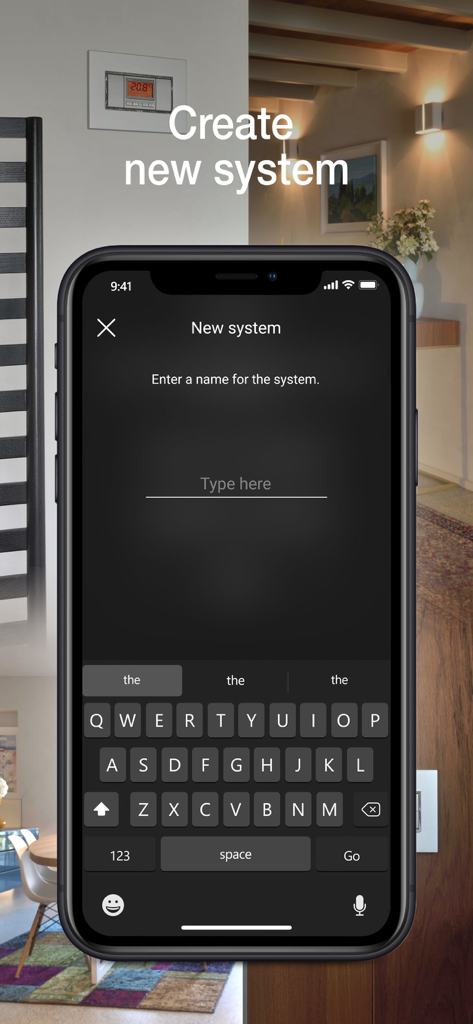
새 스마트 홈 시스템을 생성하고 이름을 지정하는 설정 화면을 보여주는 Vimar VIEW Wireless 앱 인터페이스.

새 스마트 홈 시스템을 생성하고 이름을 지정하는 설정 화면을 보여주는 Vimar VIEW Wireless 앱 인터페이스.

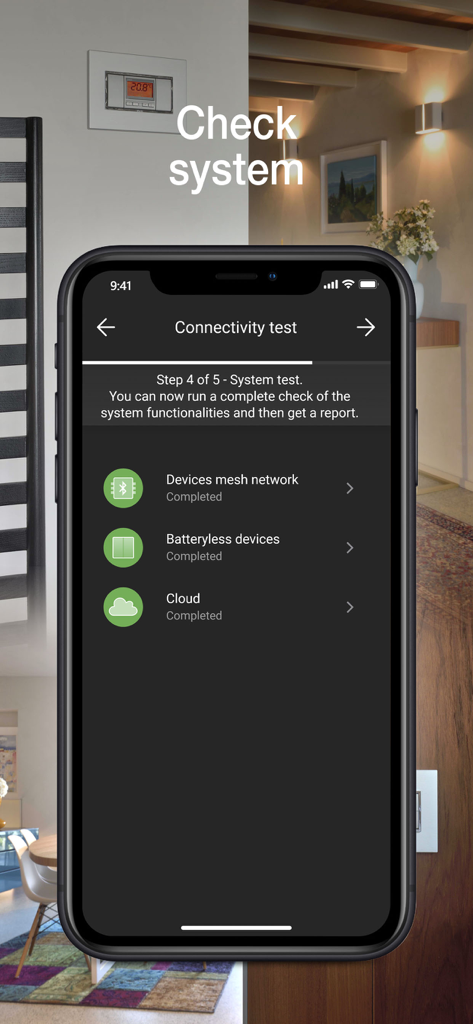
메시 네트워크 및 클라우드에 대한 완료 상태를 보여주는 Vimar VIEW Wireless 앱 연결 테스트 화면

메시 네트워크 및 클라우드에 대한 완료 상태를 보여주는 Vimar VIEW Wireless 앱 연결 테스트 화면

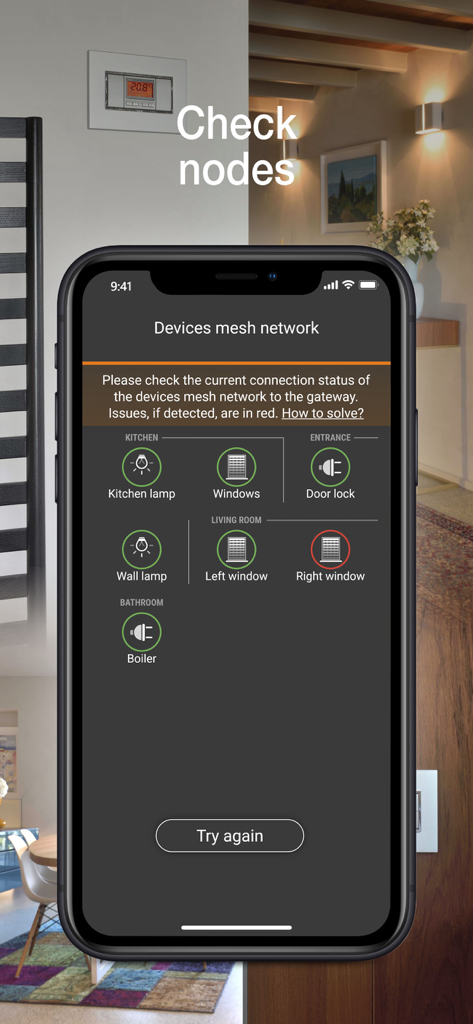
스마트 홈 장치의 연결 상태를 메시 네트워크로 보여주는 Vimar VIEW Wireless 앱의 스마트폰 화면

스마트 홈 장치의 연결 상태를 메시 네트워크로 보여주는 Vimar VIEW Wireless 앱의 스마트폰 화면

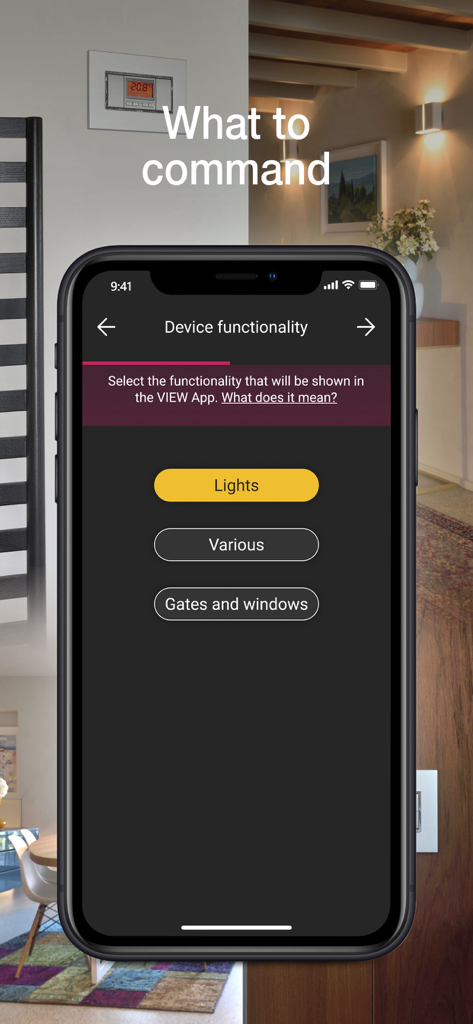
조명 및 게이트와 같은 장치 기능 구성을 보여주는 Vimar VIEW Wireless 앱 인터페이스

조명 및 게이트와 같은 장치 기능 구성을 보여주는 Vimar VIEW Wireless 앱 인터페이스

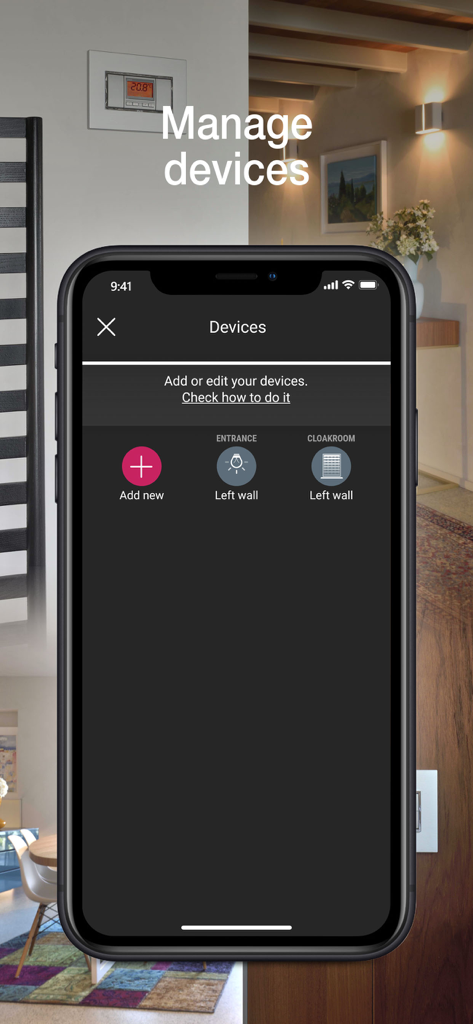
조명 및 셔터와 같은 스마트 홈 구성 요소를 추가하거나 편집하는 옵션이 있는 장치 관리 화면을 보여주는 Vimar VIEW Wireless 앱의 인터페이스

조명 및 셔터와 같은 스마트 홈 구성 요소를 추가하거나 편집하는 옵션이 있는 장치 관리 화면을 보여주는 Vimar VIEW Wireless 앱의 인터페이스

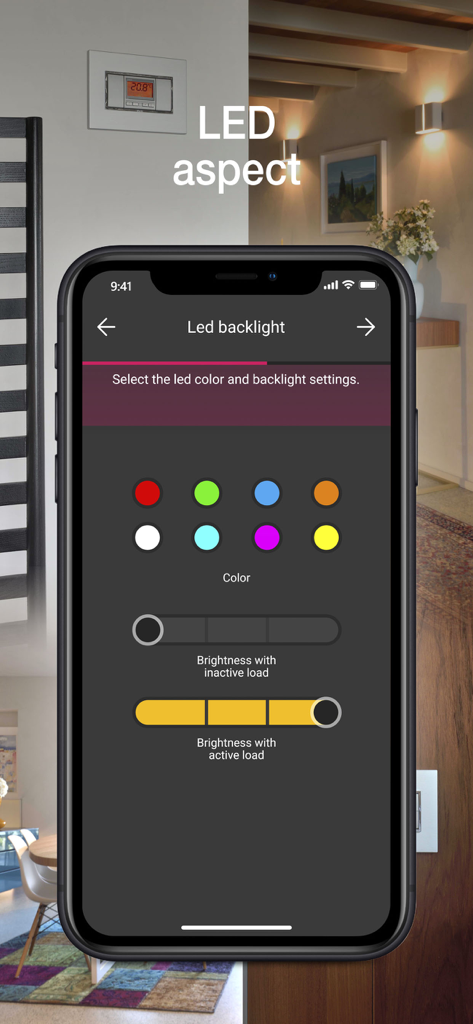
스마트 홈 설치자를 위한 LED 백라이트 색상 선택 및 밝기 설정을 보여주는 Vimar VIEW Wireless 앱 인터페이스.

스마트 홈 설치자를 위한 LED 백라이트 색상 선택 및 밝기 설정을 보여주는 Vimar VIEW Wireless 앱 인터페이스.

스마트 시스템을 위한 간소화된 커미셔닝

이 앱을 돋보이게 하는 도구, 39K+ 명의 사용자가 선택.

안내에 따른 설정 및 구성

모든 Vimar 연결 배선 시리즈에 대한 환경 생성 및 장치 등록을 단순화하는 직관적인 인터페이스로 현장에서 소요되는 시간을 줄입니다.

🔄

다중 프로토콜 호환성

Bluetooth 5.0 및 Zigbee 3.0 간 전환 기능을 통해 모든 프로젝트를 미래에 대비하고 최고의 스마트 홈 허브와의 원활한 통합을 보장합니다.

🔑

전문적인 시스템 인계

메시 네트워크 범위를 확인하고 제어권을 고객에게 안전하게 이전하여 지원 요청을 제거하는 세련되고 안정적인 전달을 보장합니다.

앱 소개

에 대해 알아야 할 모든 것 Vimar VIEW Wireless.

설명

The VIEW Wireless App is designed for programming Vimar connected wiring series (Eikon, Arkè, Plana and Idea) via tablet or smartphone and creating the VIEW Wireless smart system, locally, thanks to simple steps guided by an extremely user-friendly interface. The VIEW Wireless connected system allows the smart management of lights, roller shutters, electrical socket outlets, energy monitoring, temperature control, accesses and scenarios. The devices liaise with one another in a mesh network based on the Bluetooth 5.0 standard; they are installed like traditional flush mounted devices beside electro-mechanical 1-way switches, push buttons and 2-way switches or retrofit/in junction boxes to accommodate all installation situations and thanks to a Bluetooth/wi-fi gateway, they allow connectivity with the Vimar Cloud for integration with smart speakers and local and remote control via the VIEW APP. The connected devices allow the creation of smart systems both in new buildings and in renovations and, thanks to the easy installation, also in existing traditional systems in the form of a simple functional upgrade. Supervision via the VIEW APP also makes it possible to benefit from a single platform control interface with VIEW IoT Smart Systems, which VIEW Wireless is a sub-system of: you can in fact also control the By-alarm burglar alarm system, the IP and 2F+ video door entry systems and the Elvox IP cameras (after integration by a professional installer via the VIEW PRO APP). In detail, the VIEW Wireless APP allows: • the creation of environments and sub-environments; • enrolment of devices, setting their parameters and allocating them in the created environments; • association of wired or radio push buttons (battery-free, thanks to the Energy Harvesting technological motor by EnOcean), to replicate control points or call up scenarios; • association with the Bluetooth/wi-fi gateway; • checking the radio coverage of the mesh network configured; • delivery of the system to the administrator user. What’s more, the VIEW Wireless APP is designed to convert the radio standard of devices from Bluetooth 5.0 to Zigbee 3.0 (and vice-versa) ensuring configuration and direct control via the Zigbee Hub and related App. The App can only be accessed by entering installer credentials, which are generated on the MyVIMAR portal.

최신 버전

1.17.0

크기

71.5 MB

출시일

2020년 2월 29일

전문가용 툴킷을 업그레이드할 준비가 되셨나요?

VIEW Wireless 앱을 다운로드하여 다음 설치를 간소화하세요. MyVIMAR 자격 증명으로 고급 커미셔닝 도구에 액세스하고 탁월한 효율성으로 전문 스마트 시스템을 제공하세요.

다운로드: App Store

App information, icons, screenshots, and descriptions displayed on this page are sourced from the Apple App Store and are the property of their respective developers. Download estimates and rankings are based on MWM's proprietary models and may not reflect actual figures. This page is provided for informational and analytical purposes only.

Believe this page infringes your intellectual property? File a dispute