VizRef
VizRef
다운로드: App Store

이 페이지는 앱이나 개발자의 공식 페이지가 아니며, 정보 제공 및 논평을 목적으로 작성된 독립 편집 간행물입니다. 명시적으로 달리 언급되지 않는 한, 해당 앱이나 개발자는 MWM, Apple, Google Play, 앱 퍼블리셔 또는 앱 개발자와 제휴, 보증, 후원, 승인 또는 공식적으로 연결되어 있지 않으며, 이 페이지의 어떤 내용도 해당 앱이 MWM의 서비스를 사용하여 개발되었음을 의미하지 않습니다. 모든 상표, 로고, 스크린샷 및 기타 콘텐츠는 해당 소유자의 자산입니다.


로고: VizRef
다운로드: App Store

VizRef

크리에이터를 위해 설계된 궁극의 무드 보드 도구로 iPad 워크플로우를 간소화하세요. Procreate 또는 Adobe Fresco에서 그리는 동안 영감을 구성하고, GIF를 프레임별로 분석하며, 레이어 정리를 제거하세요.

주요 수치

다운로드

258K+

사용자 평점

4.1/5

총 평가 수

1K+

개발사

Studio Pixanoh Inc

카테고리

Graphics & Design

지원 언어

1

최신 버전

1.1.7

크기

4.4 MB

출시일

2020년 3월 16일
기능

창의적인 워크플로우 마스터하기

VizRef는 iPad 아티스트를 위한 궁극의 디지털 컴패니언으로, Procreate, Adobe Fresco 등에서 시각적 영감을 구성하고 레이어 정리를 제거하도록 설계되었습니다.

원활한 멀티태스킹

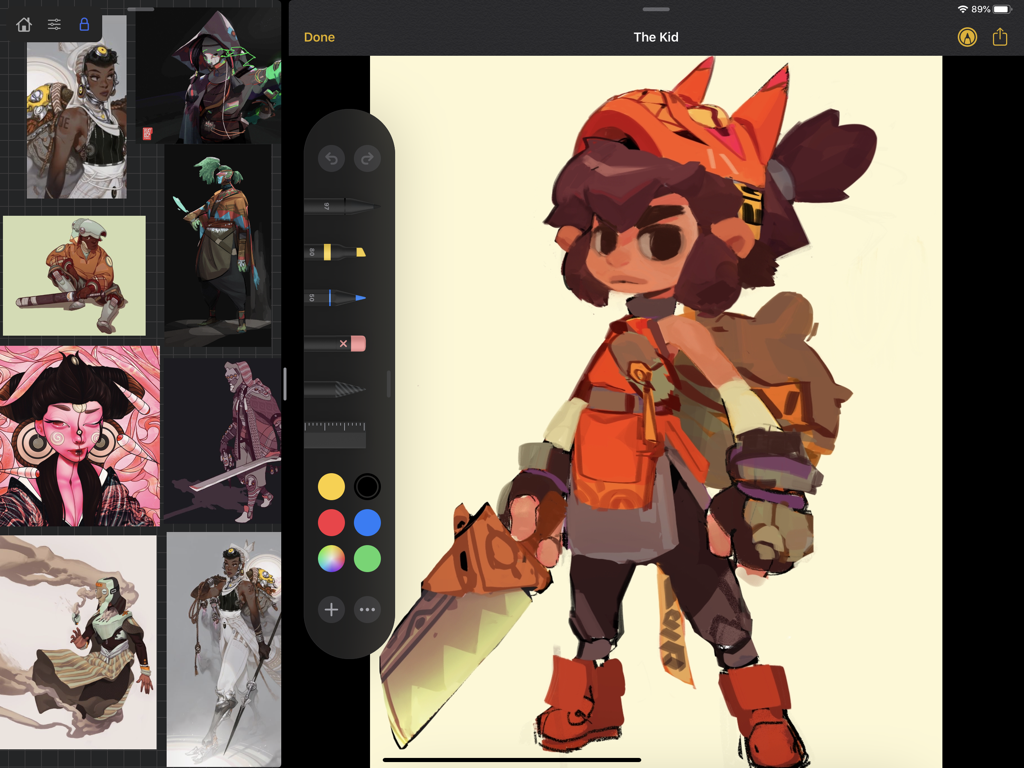
iPadOS Split View 및 Slide Over를 사용하여 VizRef를 즐겨 사용하는 그리기 앱과 페어링하여 캔버스 공간을 희생하지 않고 레퍼런스를 볼 수 있습니다.

고급 GIF 분석

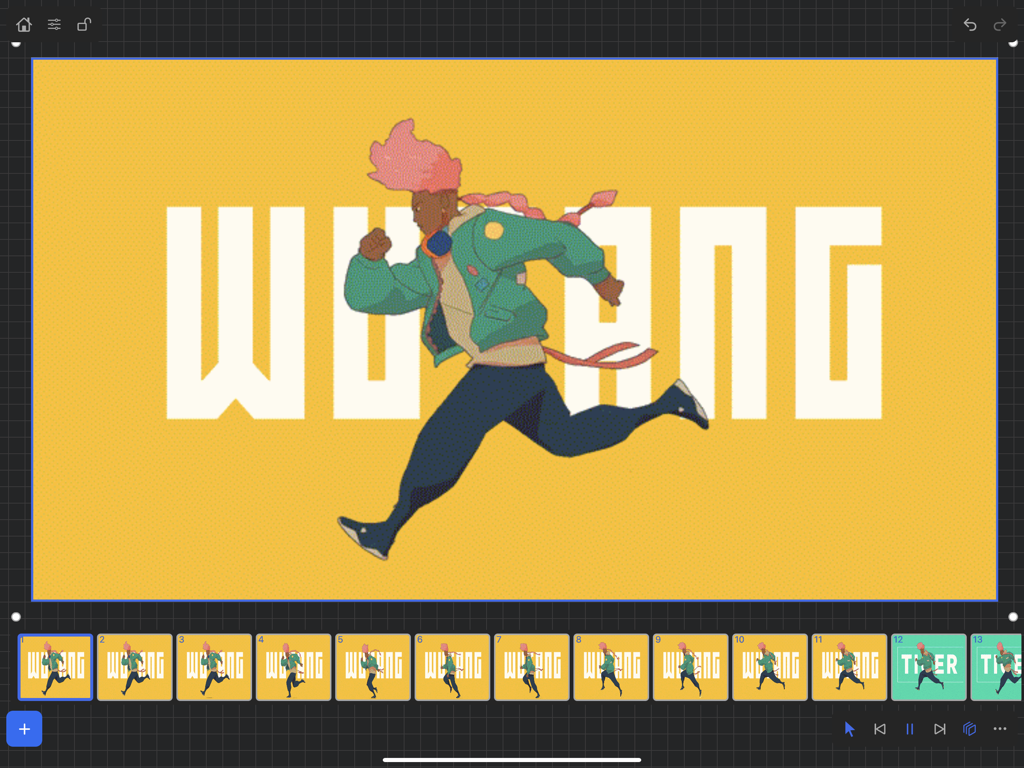
애니메이터를 위해 특별히 설계된 인터랙티브 타임라인을 사용하여 애니메이션 GIF를 일시 중지하고 프레임별로 연구하여 움직임의 예술을 마스터하세요.

다음 스크린샷과 설명은 앱의 공식 스토어 목록에서 직접 가져온 것이며 앱 개발자의 자산입니다.

앱 스토어

스크린샷
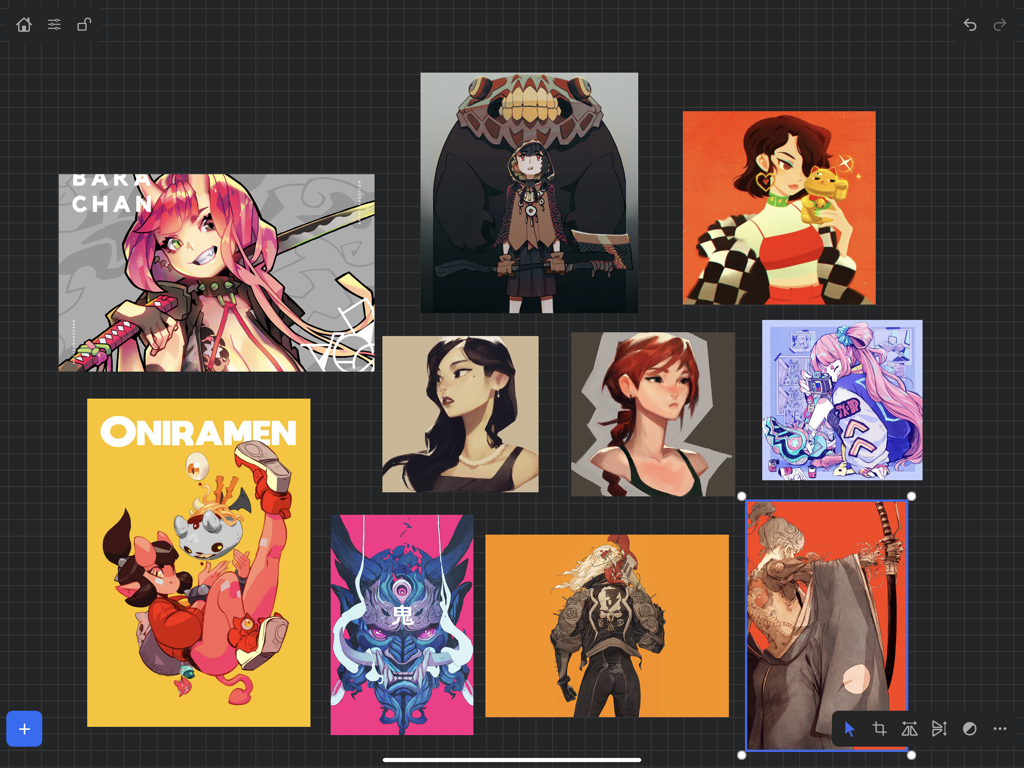
VizRef - 다양한 캐릭터 일러스트가 어두운 그리드 배경에 표시된 VizRef iPad 앱의 디지털 아트 레퍼런스 보드
다양한 캐릭터 일러스트가 어두운 그리드 배경에 표시된 VizRef iPad 앱의 디지털 아트 레퍼런스 보드

VizRef - 캐릭터 참조가 표시된 디지털 일러스트레이션 앱 옆 iPad의 분할 보기에서 VizRef
캐릭터 참조가 표시된 디지털 일러스트레이션 앱 옆 iPad의 분할 보기에서 VizRef

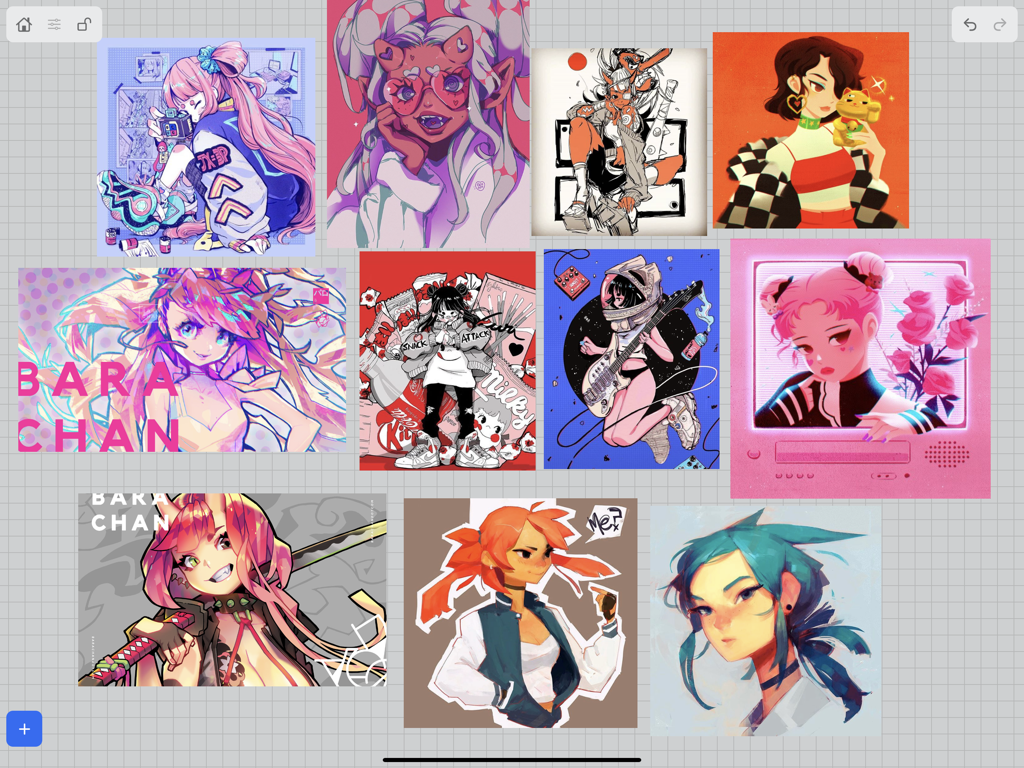
VizRef - 그리드에 배열된 여러 디지털 캐릭터 일러스트가 있는 VizRef의 시각적 무드 보드
그리드에 배열된 여러 디지털 캐릭터 일러스트가 있는 VizRef의 시각적 무드 보드

VizRef - 애니메이션 참조를 위해 달리는 캐릭터의 프레임별 분석을 보여주는 VizRef 앱 인터페이스

애니메이션 참조를 위해 달리는 캐릭터의 프레임별 분석을 보여주는 VizRef 앱 인터페이스

설명

VizRef for iPad enables creatives to finally take their inspiration anywhere. It becomes the perfect companion app for Procreate® or paired with your favorite drawing/animation application by utilizing iPad IOS multitasking features. Clear up your hard to find hidden layers in your drawing app and easily organize your inspiration on the go. Make visual reference boards with any images or gifs from web browsers, cloud storage, photos, screen captures and more. The first mood board creation app made by artists for artists, that brings comprehensive referencing tools to animators and visual artists/en. We are dedicated to bringing creatives what they need most in being inspired everywhere they go. HIGHLIGHTS -Perfect companion app paired with Procreate® Adobe Fresco ® Clip Studio Paint® Infinite Painter® etc. by utilizing iPad IOS multitasking features -Supports many image types including GIF -Drag and drop from web -Batch Import from Photos app -Batch Export images from boards to cloud storage using Files app - *Multi-Select and auto pack images for a quicker workflow * -Import High-Resolution images with HD toggle _*Focus on whats importing with Focus mode. ( rotate imageboard ) -Batch Import from iCloud, Dropbox, Google Drive with split-screen -Quick and responsive visual reference board experience -Easy to use/ minimal UI -Light mode and Dark mode -Set thumbnails for reference boards to visually organize your inspiration ANIMATED GIF SUPPORT -Reference your favorite animated gifs -Pause animation and play frame by frame to better understand referenced animations -Advanced animation timeline gives you an interactive visual breakdown of all frames EASY TO USE REFERENCE TOOLS -Crop images to optimize screen space and view more references -Greyscale toggle for images for value reference -Flip horizontally and vertically -Rotate Images -Copy-paste images into other apps Artwork and animation credits @_Artazi @_baomii @_Deadslug_ @amnesiapancake @barachan @belgeist @criisalys @ergo.josh @evan_monteiro @gloomwastaken @mrbeezul @onemegawatt @rocketboiART @samuelyounart @cobalt_requin VizRef was created by Max Gonzalez and RoboWorld Entertainment with supporting development from Valere Labs

Download

다운로드: App Store

이 페이지는 앱이나 개발자의 공식 페이지가 아니며, 정보 제공 및 논평을 목적으로 작성된 독립 편집 간행물입니다. 명시적으로 달리 언급되지 않는 한, 해당 앱이나 개발자는 MWM, Apple, Google Play, 앱 퍼블리셔 또는 앱 개발자와 제휴, 보증, 후원, 승인 또는 공식적으로 연결되어 있지 않으며, 이 페이지의 어떤 내용도 해당 앱이 MWM의 서비스를 사용하여 개발되었음을 의미하지 않습니다. 모든 상표, 로고, 스크린샷 및 기타 콘텐츠는 해당 소유자의 자산입니다.