Voice Aloud Reader TTS reader
다운로드: App Store

이 페이지는 앱이나 개발자의 공식 페이지가 아니며, 정보 제공 및 논평을 목적으로 작성된 독립 편집 간행물입니다. 명시적으로 달리 언급되지 않는 한, 해당 앱이나 개발자는 MWM, Apple, Google Play, 앱 퍼블리셔 또는 앱 개발자와 제휴, 보증, 후원, 승인 또는 공식적으로 연결되어 있지 않으며, 이 페이지의 어떤 내용도 해당 앱이 MWM의 서비스를 사용하여 개발되었음을 의미하지 않습니다. 모든 상표, 로고, 스크린샷 및 기타 콘텐츠는 해당 소유자의 자산입니다.

로고: Voice Aloud Reader TTS reader
다운로드: App Store

Voice Aloud Reader TTS reader

PDF, 웹 페이지, 사진을 자연스러운 음성으로 변환하세요. 통근, 운동 또는 휴식 중에 생산성을 높이고 독서 목록을 마스터하세요.

주요 수치

다운로드

6K+

사용자 평점

5.0/5

총 평가 수

0

개발사

汇杭 钟

카테고리

Utilities

지원 언어

19

최신 버전

1.8

크기

32.9 MB

출시일

2022년 4월 4일
기능

더 똑똑하게 읽고, 덜 힘들게

모든 문서, 웹 페이지 또는 실물 책을 전문적인 오디오 경험으로 바꾸세요. 다중 작업, 공부, 독서 장벽 극복에 완벽합니다.

언제 어디서나 듣기

PDF, 웹 기사, 문서를 고품질 오디오로 변환하세요. MP3로 내보내 통근 또는 운동 중에 독서 목록을 처리하세요.

즉시 종이를 소리로

고급 OCR을 사용하여 실제 책이나 사진을 스캔하세요. 사진을 찍고 즉시 들어 종이와 디지털 생산성의 격차를 해소하세요.

다음 스크린샷과 설명은 앱의 공식 스토어 목록에서 직접 가져온 것이며 앱 개발자의 자산입니다.

앱 스토어

스크린샷
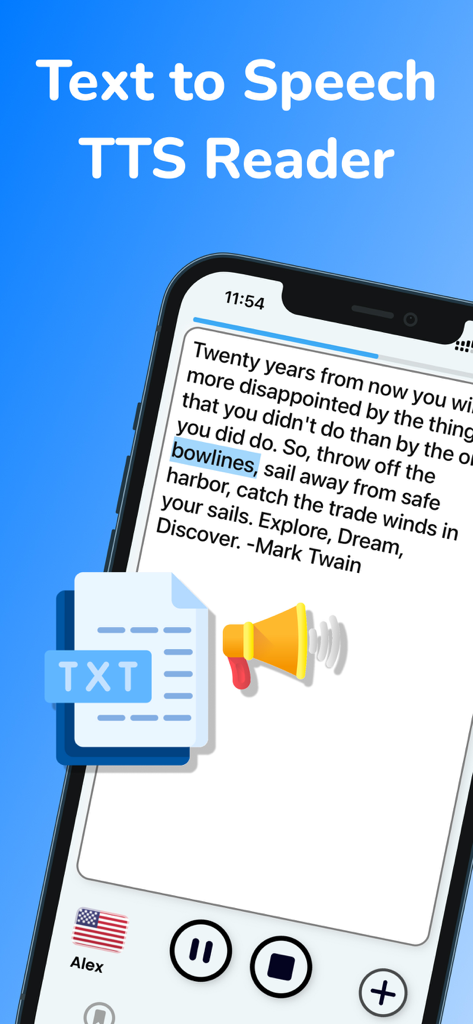
Voice Aloud Reader TTS reader - 말하기 텍스트 앱으로, 단어 강조 표시 및 음성 제어 기능이 있는 인용문 표시
말하기 텍스트 앱으로, 단어 강조 표시 및 음성 제어 기능이 있는 인용문 표시

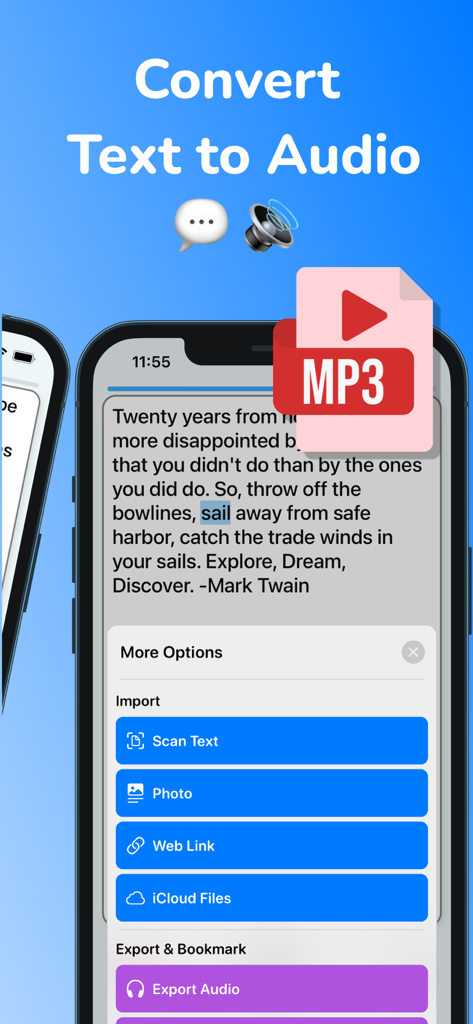
Voice Aloud Reader TTS reader - Voice Aloud Reader 앱 인터페이스로, 텍스트를 오디오로 변환하고 텍스트 스캔 및 MP3 내보내기 옵션 표시
Voice Aloud Reader 앱 인터페이스로, 텍스트를 오디오로 변환하고 텍스트 스캔 및 MP3 내보내기 옵션 표시

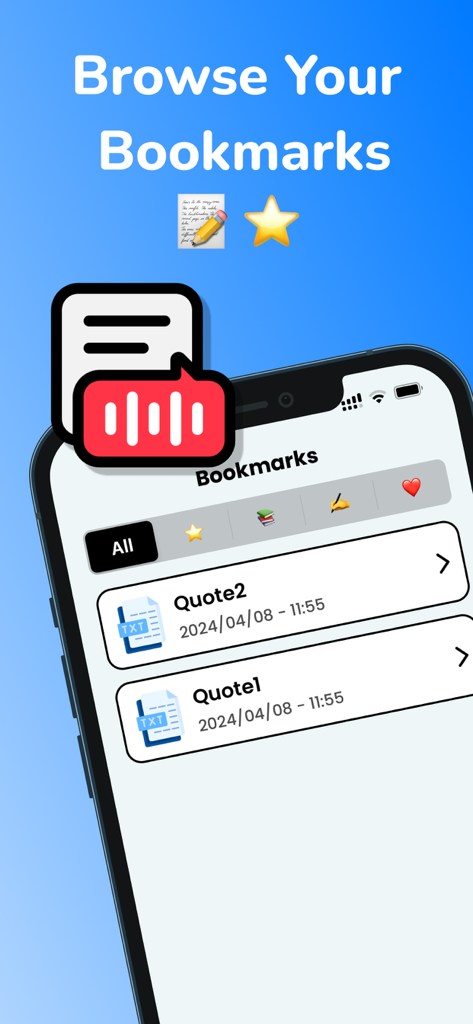
Voice Aloud Reader TTS reader - 말하기 텍스트 앱 인터페이스로, 북마크된 텍스트 인용문 목록 표시

말하기 텍스트 앱 인터페이스로, 북마크된 텍스트 인용문 목록 표시
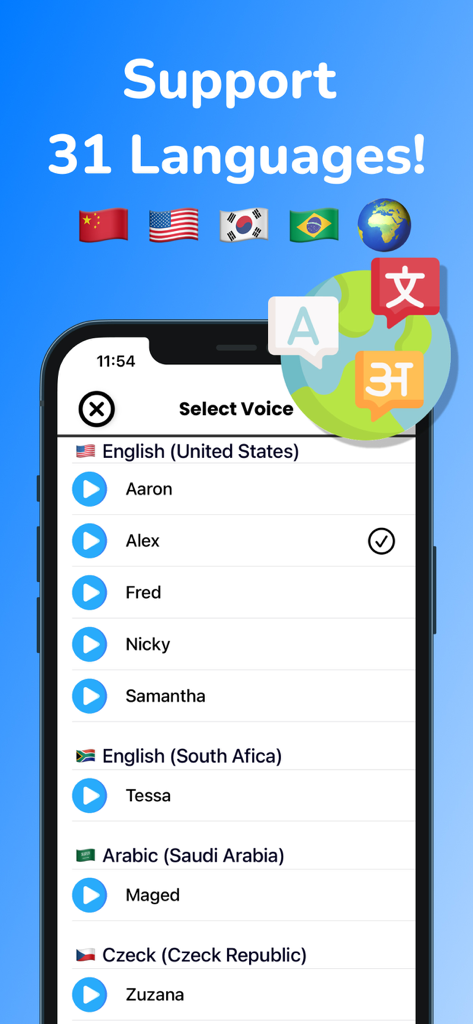
Voice Aloud Reader TTS reader - 31개 언어 지원이 포함된 Voice Aloud Reader 앱 음성 선택 메뉴를 보여주는 화면.

31개 언어 지원이 포함된 Voice Aloud Reader 앱 음성 선택 메뉴를 보여주는 화면.

설명

Are you looking for an easy-to-use and versatile text to speech app? Look no further than Text To Speech - TTS Reader. This app allows you to convert text to speech in 31 different languages, making it perfect for international users. You can even change the speaker, speed, and pitch to create a personalized listening experience. In addition to converting text to speech, Text To Speech - TTS Reader also works as a text reader, allowing you to read text aloud and scan text or photos via OCR. It's perfect for people with dyslexia and other reading difficulties. Other features of this app include the ability to export audio files in mp3 format, add bookmarks, and import text from weblinks and iCloud files (including PDFs). You can even highlight spoken text to keep track of your reading progress. Using Text To Speech - TTS Reader is easy. Simply import your text, select a speaker, adjust the speed and pitch, and tap the play button to hear your text read aloud. We value your feedback and are always looking for ways to improve our app. If you have any suggestions or issues, please contact us at andychung.cc@gmail.com. === Subscription options === The app is free to download, but to access premium features, a subscription is required. With the subscription, you'll enjoy uninterrupted access to our premium features. Your subscription will automatically renew at the end of each term, and your credit card will be charged through your iTunes account within 24 hours before the end of the current period. If you wish to cancel the automatic renewal of your subscription, you can do so at any time by accessing your iTunes account settings. However, please note that refunds will not be provided for any unused portion of the term. To ensure a successful cancellation, please make sure to turn off auto-renewal at least 24 hours before the end of the current period. Terms of use: https://tts.andyrgb.com/terms Privacy Policy: https://tts.andyrgb.com/privacy

Download

다운로드: App Store

이 페이지는 앱이나 개발자의 공식 페이지가 아니며, 정보 제공 및 논평을 목적으로 작성된 독립 편집 간행물입니다. 명시적으로 달리 언급되지 않는 한, 해당 앱이나 개발자는 MWM, Apple, Google Play, 앱 퍼블리셔 또는 앱 개발자와 제휴, 보증, 후원, 승인 또는 공식적으로 연결되어 있지 않으며, 이 페이지의 어떤 내용도 해당 앱이 MWM의 서비스를 사용하여 개발되었음을 의미하지 않습니다. 모든 상표, 로고, 스크린샷 및 기타 콘텐츠는 해당 소유자의 자산입니다.








