Voice Recorder - Audio Memos
다운로드: App Store

이 페이지는 앱이나 개발자의 공식 페이지가 아니며, 정보 제공 및 논평을 목적으로 작성된 독립 편집 간행물입니다. 명시적으로 달리 언급되지 않는 한, 해당 앱이나 개발자는 MWM, Apple, Google Play, 앱 퍼블리셔 또는 앱 개발자와 제휴, 보증, 후원, 승인 또는 공식적으로 연결되어 있지 않으며, 이 페이지의 어떤 내용도 해당 앱이 MWM의 서비스를 사용하여 개발되었음을 의미하지 않습니다. 모든 상표, 로고, 스크린샷 및 기타 콘텐츠는 해당 소유자의 자산입니다.

로고: Voice Recorder - Audio Memos
다운로드: App Store

Voice Recorder - Audio Memos

결정적인 순간을 놓치지 마세요. 회의 및 강의 내용을 선명한 오디오로 녹음하세요. 비밀번호 보안으로 민감한 녹음 파일을 보호하고, 백그라운드 녹음을 사용하며, 파일을 즉시 공유하세요.

주요 수치

다운로드

11K+

사용자 평점

4.4/5

총 평가 수

400

개발사

APPASPECT TECHNOLOGIES PRIVATE LIMITED

카테고리

Utilities

지원 언어

30

최신 버전

6.4

크기

51.1 MB

출시일

2015년 5월 30일
기능

무제한 녹음

보안과 정밀도를 중요하게 생각하는 학생, 전문가, 크리에이터를 위해 설계된 강력한 도구로 표준 음성 메모를 뛰어넘으세요.

개인 정보 보호 및 보안

기본 녹음 앱에는 없는 전용 비밀번호 잠금 기능으로 민감한 회의 또는 개인 메모를 보호하세요.

다중 작업 가능

메모를 작성하거나, 웹을 탐색하거나, 기타 필수 앱을 사용하는 동안 백그라운드에서 고품질 오디오를 녹음하세요.

다음 스크린샷과 설명은 앱의 공식 스토어 목록에서 직접 가져온 것이며 앱 개발자의 자산입니다.

앱 스토어

스크린샷
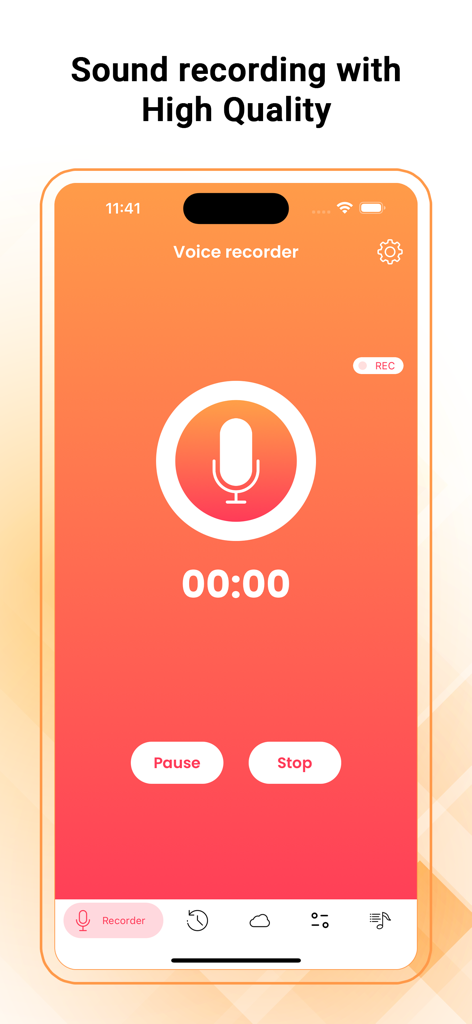
Voice Recorder - Audio Memos - 음성 녹음기 앱의 메인 녹음 화면으로, 큰 마이크 아이콘과 고품질 오디오 설정이 특징입니다.
음성 녹음기 앱의 메인 녹음 화면으로, 큰 마이크 아이콘과 고품질 오디오 설정이 특징입니다.

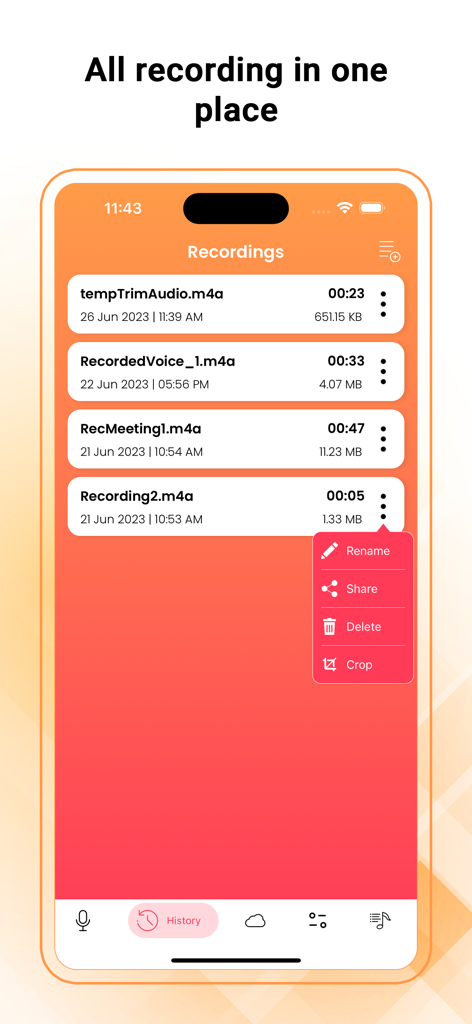
Voice Recorder - Audio Memos - 음성 녹음기 앱에서 녹음된 오디오 메모 목록으로, 이름 변경, 공유, 삭제 및 자르기 옵션이 있습니다.
음성 녹음기 앱에서 녹음된 오디오 메모 목록으로, 이름 변경, 공유, 삭제 및 자르기 옵션이 있습니다.

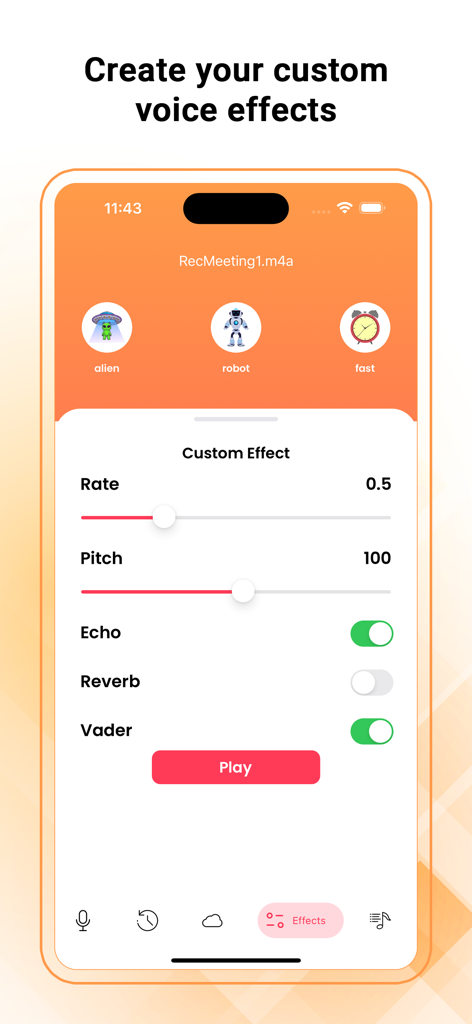
Voice Recorder - Audio Memos - 음성 녹음기 앱 인터페이스로, 음높이, 속도 및 에코에 대한 사용자 지정 오디오 효과 설정을 보여줍니다.
음성 녹음기 앱 인터페이스로, 음높이, 속도 및 에코에 대한 사용자 지정 오디오 효과 설정을 보여줍니다.

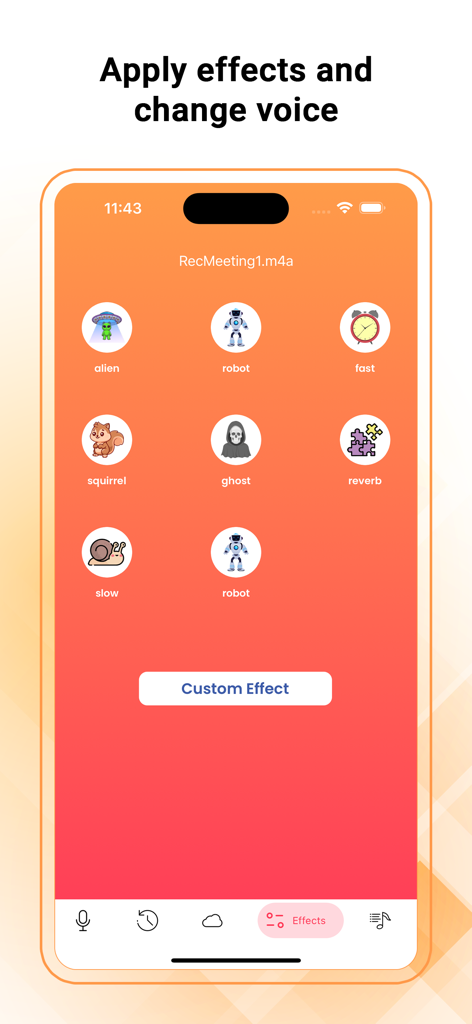
Voice Recorder - Audio Memos - 음성 녹음기 앱 인터페이스로, 로봇, 외계인, 다람쥐와 같은 다양한 음성 효과를 보여주는 스크린샷입니다.
음성 녹음기 앱 인터페이스로, 로봇, 외계인, 다람쥐와 같은 다양한 음성 효과를 보여주는 스크린샷입니다.

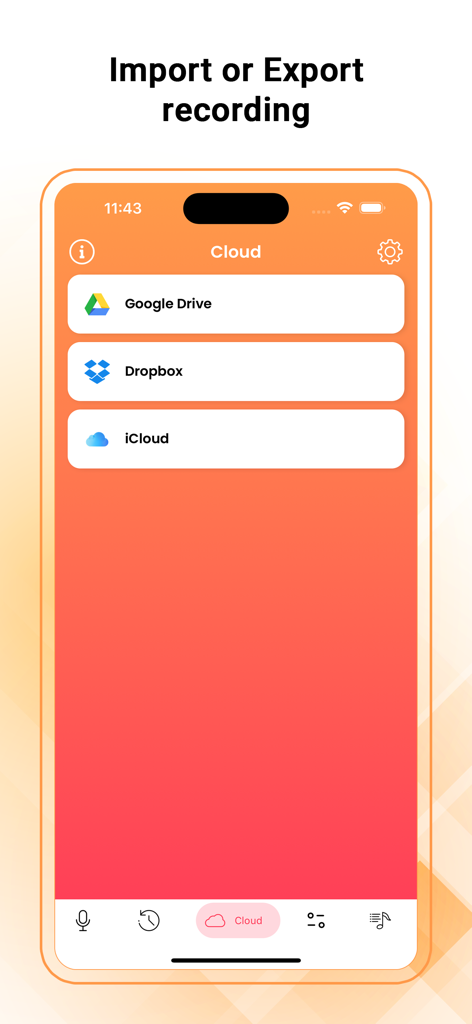
Voice Recorder - Audio Memos - Google Drive, Dropbox 및 iCloud를 통한 오디오 녹음 가져오기 및 내보내기용 클라우드 저장소 옵션을 보여주는 인터페이스입니다.
Google Drive, Dropbox 및 iCloud를 통한 오디오 녹음 가져오기 및 내보내기용 클라우드 저장소 옵션을 보여주는 인터페이스입니다.

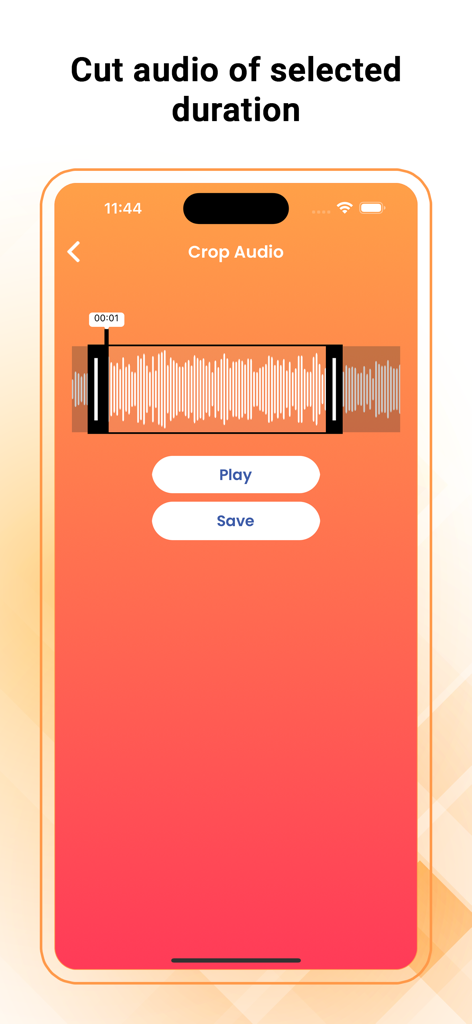
Voice Recorder - Audio Memos - 음성 녹음기 앱 인터페이스로, 파형 및 재생/저장 버튼이 있는 오디오 자르기 도구를 보여줍니다.
음성 녹음기 앱 인터페이스로, 파형 및 재생/저장 버튼이 있는 오디오 자르기 도구를 보여줍니다.

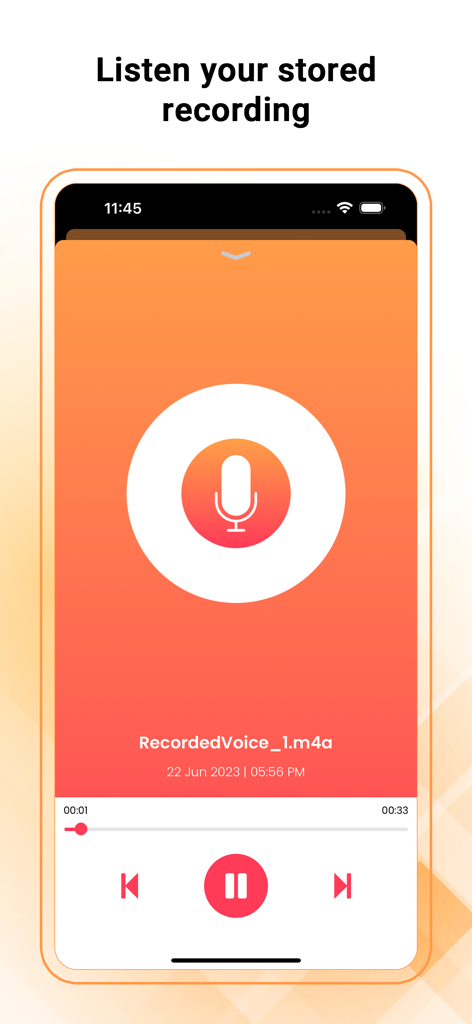
Voice Recorder - Audio Memos - 음성 녹음기 앱에서 저장된 오디오 메모를 재생하기 위한 스마트폰 인터페이스로, 재생 컨트롤과 큰 마이크 아이콘이 특징입니다.

음성 녹음기 앱에서 저장된 오디오 메모를 재생하기 위한 스마트폰 인터페이스로, 재생 컨트롤과 큰 마이크 아이콘이 특징입니다.

설명

Voice Recorder - Audio Memos & Voice Notes is a full-featured recording app with a streamlined and simple user interface. Press the big recording button to record; press it again to stop and manage your recordings, all with just a fingertip. Record meetings, conversations, lectures, and more in the easiest way. You can email recordings from Voice Recorder. It also supports direct file sharing through iTunes. and you can modify your sound by adding effects and changing speed, pitch echo, etc. Features: ● One Touch Recording ● Supports Background Recording (you can use other apps while recording) ● Record, Pause, and Resume ● Trim Audio ● Sound Effects ● Record Timer and Playback Counter ● voice changer and create effects ● Set Label for recorded audio and also provide rename feature ● Use the device’s inbuilt or Add-On Mic ● Drag Slider for Seek/Forward/Rewind ● Email your recordings directly from this app ● Delete voice memo at any time from the file listing ● Transfer files using iTunes File Sharing ● File sharing / sending files in another app “Open in” ● Unlimited recording time ● High-quality audio recording ● Provide various themes in the app Settings: ● Record audio with Low, Medium, and High quality ● Passcode Lock for the security of your recorded voice memos Uses: ● Record a lecture or meeting so that you can transcribe it later ● Play a practical joke or impress a friend ● Always have proof of key conversations in case required in future ● Record conversations when you are in or out of the room Microphone Privacy: iOS Settings > Privacy > Microphone > Voice Recorder make it “ON” Disclaimer: We do not condone using Audio Recorder to break laws or intrude on private conversations. Please use the app responsibly.

Download

다운로드: App Store

이 페이지는 앱이나 개발자의 공식 페이지가 아니며, 정보 제공 및 논평을 목적으로 작성된 독립 편집 간행물입니다. 명시적으로 달리 언급되지 않는 한, 해당 앱이나 개발자는 MWM, Apple, Google Play, 앱 퍼블리셔 또는 앱 개발자와 제휴, 보증, 후원, 승인 또는 공식적으로 연결되어 있지 않으며, 이 페이지의 어떤 내용도 해당 앱이 MWM의 서비스를 사용하여 개발되었음을 의미하지 않습니다. 모든 상표, 로고, 스크린샷 및 기타 콘텐츠는 해당 소유자의 자산입니다.








