Voice Recorder with Timecodes

Voice Recorder with Timecodes

다운로드: App Store
로고: Voice Recorder with Timecodes

시간 코드가 있는 음성 녹음기: 녹음 정밀 탐색

몇 시간의 오디오를 검색하며 시간을 낭비하지 마세요. 회의 및 강의를 즉각적인 북마크, 메모 및 사진이 포함된 대화형 지도로 바꾸세요. 정확한 초 단위로 기록됩니다.

다운로드: App Store

개발사

Aleksei Varochko

카테고리

Business

다운로드

3K+

사용자 평점

4.6/5

총 평가 수

0

지원 언어

2

오디오를 위한 지도

이 인터페이스를 사용하는 3K+ 명의 사용자.

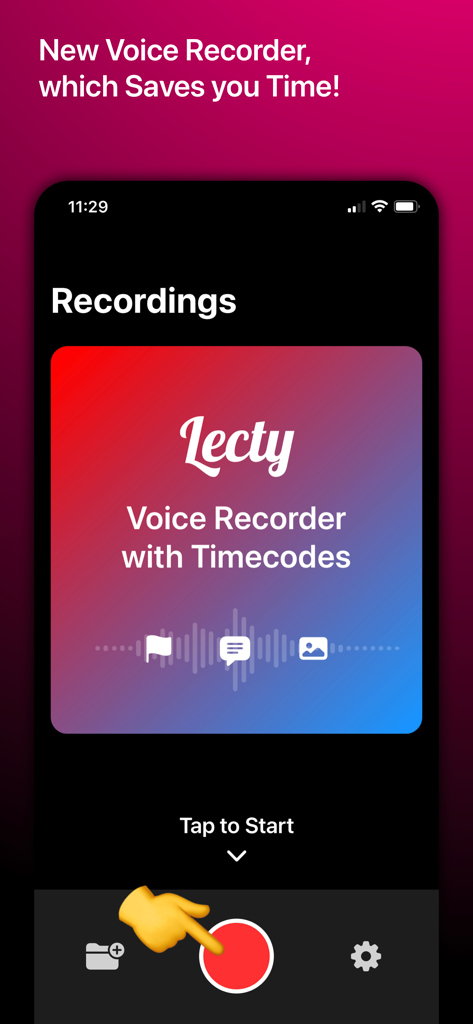
Lecty 음성 녹음기 앱의 홈 화면으로, 큰 빨간색 녹음 버튼과 타임 코드, 북마크, 사진을 추가하는 아이콘이 표시됩니다.
Lecty 음성 녹음기 앱의 홈 화면으로, 큰 빨간색 녹음 버튼과 타임 코드, 북마크, 사진을 추가하는 아이콘이 표시됩니다.

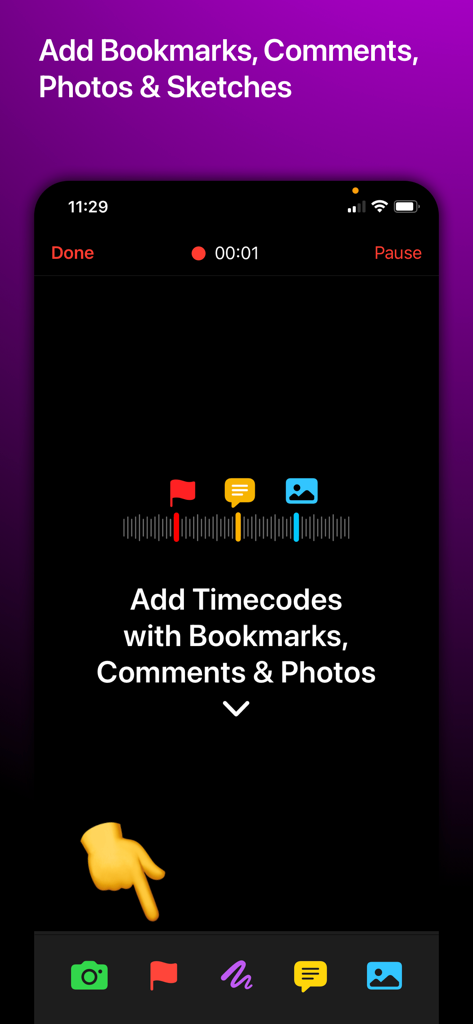
음성 녹음에 타임 코드로 북마크, 댓글, 사진을 추가하기 위한 모바일 앱 인터페이스
음성 녹음에 타임 코드로 북마크, 댓글, 사진을 추가하기 위한 모바일 앱 인터페이스

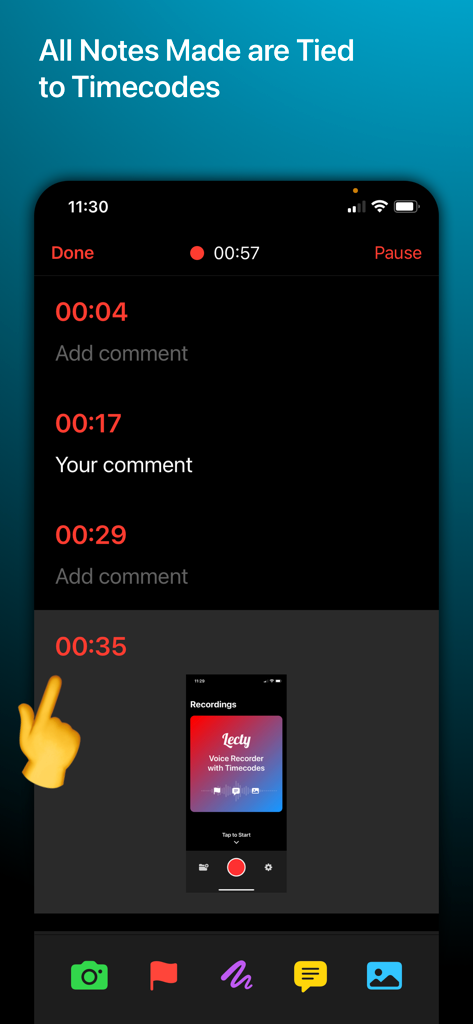
스마트폰 화면에 오디오 녹음 타임 코드에 연결된 메모 및 사진이 있는 Lecty 앱 인터페이스가 표시됩니다.
스마트폰 화면에 오디오 녹음 타임 코드에 연결된 메모 및 사진이 있는 Lecty 앱 인터페이스가 표시됩니다.

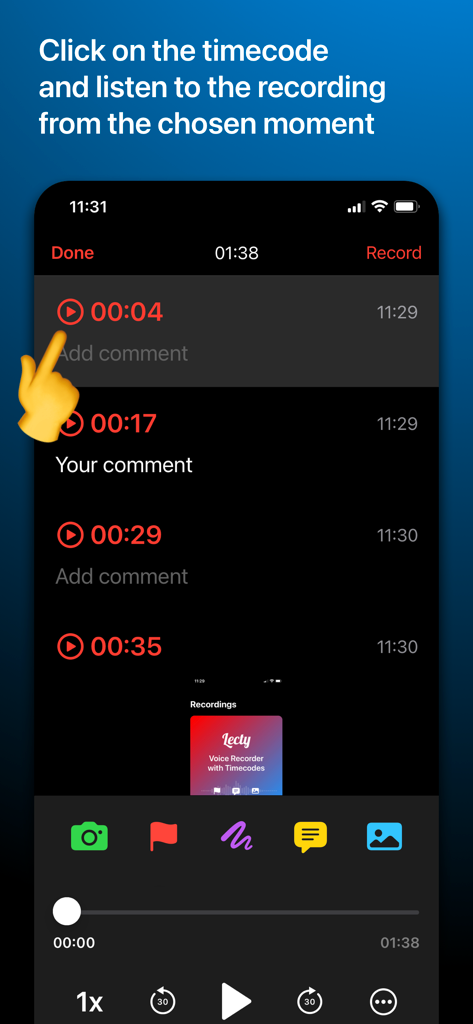
Lecty 앱 인터페이스의 스크린샷으로, 특정 타임 코드를 클릭하여 해당 순간부터 음성 녹음을 즉시 재생하는 방법을 보여줍니다.
Lecty 앱 인터페이스의 스크린샷으로, 특정 타임 코드를 클릭하여 해당 순간부터 음성 녹음을 즉시 재생하는 방법을 보여줍니다.

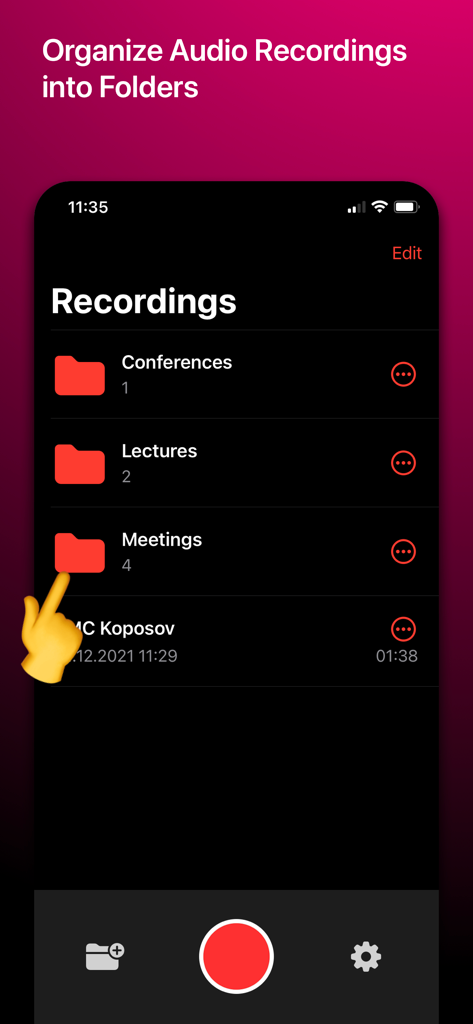
회의, 강의, 회의와 같은 폴더에 정리된 음성 녹음을 보여주는 Lecty 앱 인터페이스의 스크린샷.
회의, 강의, 회의와 같은 폴더에 정리된 음성 녹음을 보여주는 Lecty 앱 인터페이스의 스크린샷.

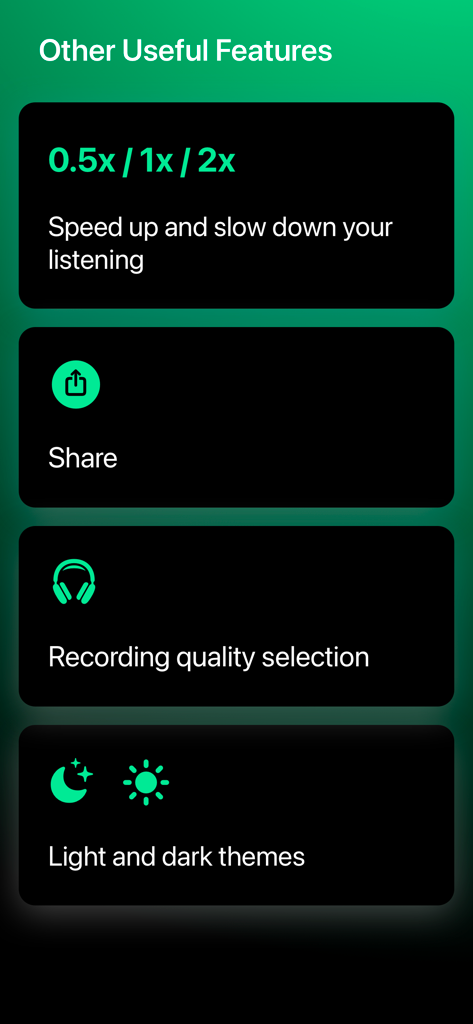
재생 속도 제어, 공유 옵션, 녹음 품질 및 테마 설정과 같은 추가 기능 목록입니다.

재생 속도 제어, 공유 옵션, 녹음 품질 및 테마 설정과 같은 추가 기능 목록입니다.

모든 녹음을 시각적 지도로 만들기

이 앱을 돋보이게 하는 도구, 3K+ 명의 사용자가 선택.

📍

즉각적인 타임스탬프 탐색

수동으로 스크럽하는 것을 잊어버리세요. 녹음 중에 북마크와 댓글을 추가한 다음 나중에 타임코드를 탭하여 해당 특정 순간으로 바로 이동하세요.

📸

사진 찍고 동기화

앱 내에서 직접 슬라이드 또는 화이트보드 사진을 캡처하세요. 각 이미지는 완벽한 컨텍스트를 위해 자동으로 오디오 타임라인에 고정됩니다.

자신만의 속도로 검토

재생 속도를 높이고 모든 데이터가 첨부된 주석이 달린 녹음을 내보내 원활한 보고를 위한 효율성을 극대화하세요.

앱 소개

에 대해 알아야 할 모든 것 Voice Recorder with Timecodes.

설명

Lecty is a voice recorder with timecodes. As you create and listen to recordings, you can create timecodes by adding bookmarks, comments, and photos. As a result, you get a visual transcript of the audio recording, consisting of bookmarks, photos and comments, each of which is tied to the time they were added. Using the created timecodes, you can quickly navigate your recordings and instantly rewind the recording to the desired section by simply clicking on the desired timecode. Do you want to start listening to the recording from the moment you added a comment or photo? Just click on the timecode and listen.  Each timecode displays both the time from the beginning of the recording and the time by the clock, for example, 9:41 AM (displayed while listening). It also greatly helps to navigate the notes. KEY FEATURES: - Create timecodes with bookmarks, comments and photos - Adding timecodes both at the time of recording and while listening - Fast rewind to the desired section of the recording by clicking on the timecode - Create folders - Export of records with all attached data (comments, bookmarks, photos) - Ability to slow down or speed up playback - Each timecode displays 2 times: 1) time from the beginning of the recording; 2) real time, for example, 9:41 AM - Changing the recording quality FREE VERSION LIMITS: - 3 timecodes for each audio recording - 3 audio recordings - 1 folder - Export of records is not available - Maximum recording quality is not available Our voice recorder is indispensable for recording lectures, working meetings, conferences, consultations with specialists, as well as when creating music. We will be glad to receive feedback! Be sure to email us at info@lecty.app if you have any ideas, questions or suggestions. ______ Support & Feedback: aleksei.varochko@icloud.com Privacy Policy: https://bio.cash/lecty/privacy Terms Of Use: https://bio.cash/lecty/termsofuse

최신 버전

3.0.2

크기

7.9 MB

출시일

2020년 2월 8일

다시 듣기 중단. 검토 시작.

수천 명의 성공한 사람들이 몇 시간의 오디오를 실행 가능하고 검색 가능한 지도로 바꾸고 있습니다. 지금 Lecty를 다운로드하고 다시는 중요한 세부 정보를 놓치지 마세요.

다운로드: App Store

App information, icons, screenshots, and descriptions displayed on this page are sourced from the Apple App Store and are the property of their respective developers. Download estimates and rankings are based on MWM's proprietary models and may not reflect actual figures. This page is provided for informational and analytical purposes only.

Believe this page infringes your intellectual property? File a dispute