Wake Up Light – Sunrise Alarm
다운로드: App Store

이 페이지는 앱이나 개발자의 공식 페이지가 아니며, 정보 제공 및 논평을 목적으로 작성된 독립 편집 간행물입니다. 명시적으로 달리 언급되지 않는 한, 해당 앱이나 개발자는 MWM, Apple, Google Play, 앱 퍼블리셔 또는 앱 개발자와 제휴, 보증, 후원, 승인 또는 공식적으로 연결되어 있지 않으며, 이 페이지의 어떤 내용도 해당 앱이 MWM의 서비스를 사용하여 개발되었음을 의미하지 않습니다. 모든 상표, 로고, 스크린샷 및 기타 콘텐츠는 해당 소유자의 자산입니다.

로고: Wake Up Light – Sunrise Alarm
다운로드: App Store

Wake Up Light – Sunrise Alarm

거슬리는 알람 소리에 깨는 것을 멈추세요. Apple HomeKit 조명과 블라인드를 자동화하여 생체 리듬을 동기화하고 부드럽고 개인화된 일출을 만들어 활기차고 생산적인 아침을 맞이하세요.

주요 수치

다운로드

2K+

사용자 평점

3.6/5

총 평가 수

300

개발사

Andreas Ganske

카테고리

Utilities

지원 언어

16

최신 버전

4.17.6

크기

50.0 MB

출시일

2019년 6월 20일
기능

매일 태양과 함께 일어나세요

생체 리듬을 최적화하고 고성능 아침에 맞춰진 원활한 HomeKit 자동화로 침실을 자연스러운 일출로 바꾸세요.

자연스러운 일출 시뮬레이션

조명을 따뜻한 붉은색에서 밝은 낮으로 전환하여 자연스러운 새벽을 모방하여 수면 관성을 제거하세요.

아침의 모든 측면을 자동화하기 위해 조명, 스마트 블라인드, 커피 머신을 단일 루틴으로 동기화하세요.

다음 스크린샷과 설명은 앱의 공식 스토어 목록에서 직접 가져온 것이며 앱 개발자의 자산입니다.

앱 스토어

스크린샷
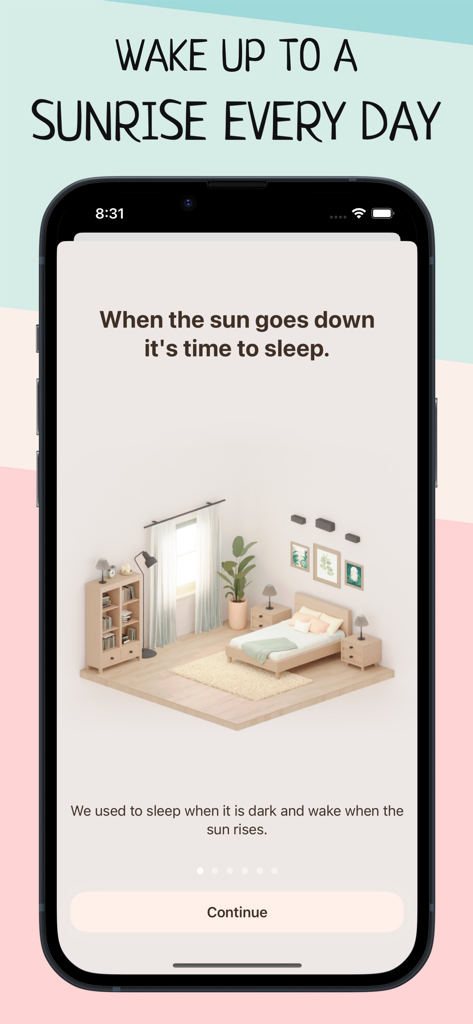
Wake Up Light – Sunrise Alarm - 미니멀한 침실 일러스트와 일출 기상 컨셉을 특징으로 하는 Wake Up Light 앱 온보딩 화면
미니멀한 침실 일러스트와 일출 기상 컨셉을 특징으로 하는 Wake Up Light 앱 온보딩 화면

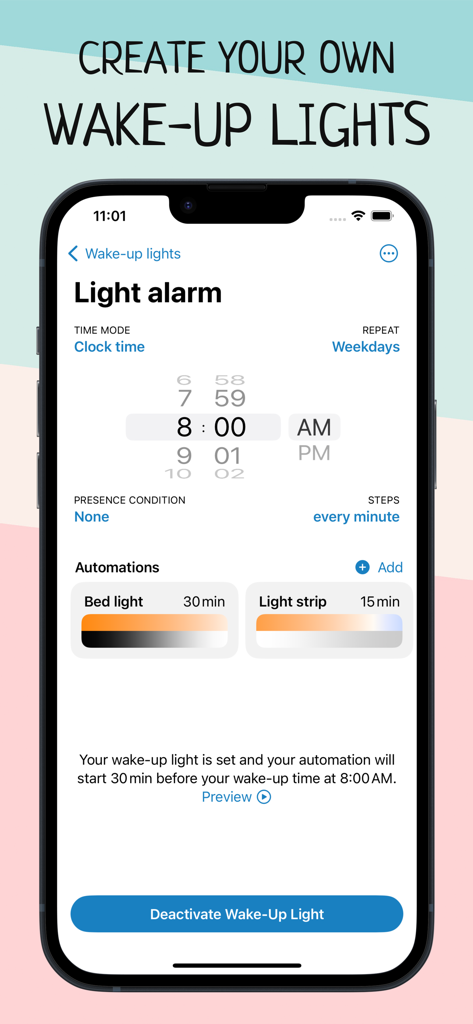
Wake Up Light – Sunrise Alarm - 스마트 홈 조명 및 자동화를 위한 일출 알람 설정이 표시된 스마트폰 화면
스마트 홈 조명 및 자동화를 위한 일출 알람 설정이 표시된 스마트폰 화면

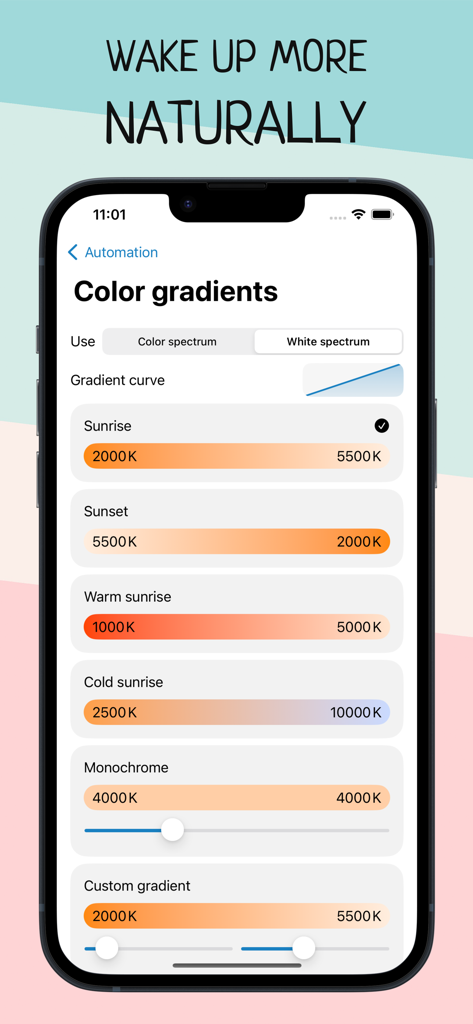
Wake Up Light – Sunrise Alarm - 일출 및 일몰 온도 옵션의 다양한 색상 기울기 조정을 보여주는 스마트 홈 자동화를 위한 Wake Up Light 앱의 색상 기울기 설정.
일출 및 일몰 온도 옵션의 다양한 색상 기울기 조정을 보여주는 스마트 홈 자동화를 위한 Wake Up Light 앱의 색상 기울기 설정.

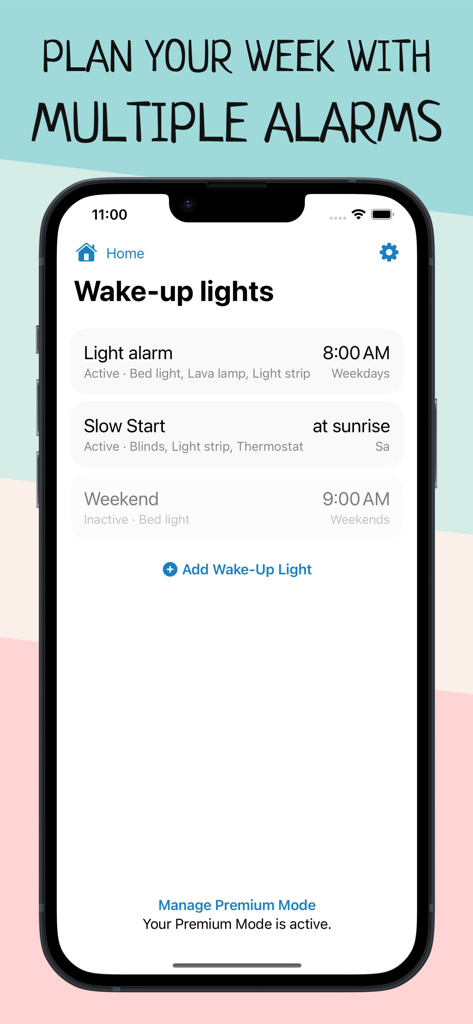
Wake Up Light – Sunrise Alarm - 스마트 홈 장치에 대한 예약된 일출 알람 목록을 보여주는 Wake Up Light 앱의 인터페이스
스마트 홈 장치에 대한 예약된 일출 알람 목록을 보여주는 Wake Up Light 앱의 인터페이스

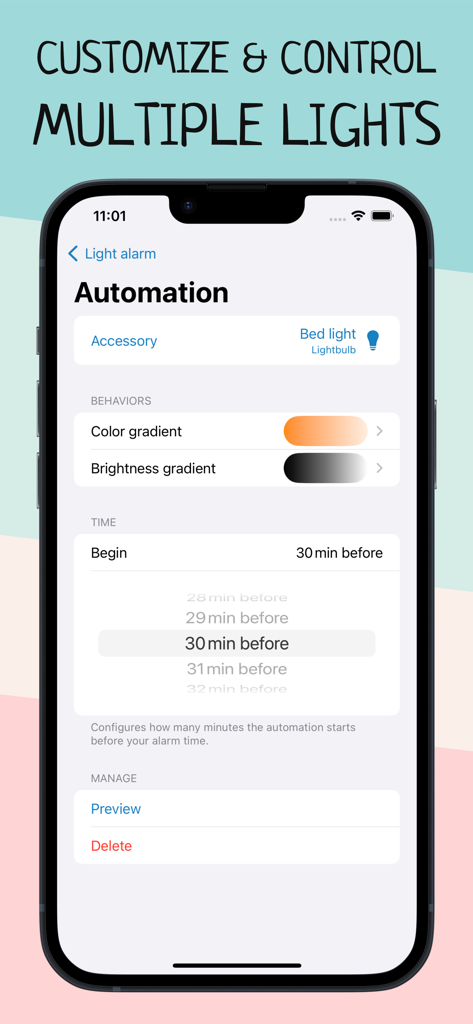
Wake Up Light – Sunrise Alarm - 일출 알람을 위한 색상 기울기 및 밝기 기울기 설정을 보여주는 스마트 조명 자동화 화면
일출 알람을 위한 색상 기울기 및 밝기 기울기 설정을 보여주는 스마트 조명 자동화 화면

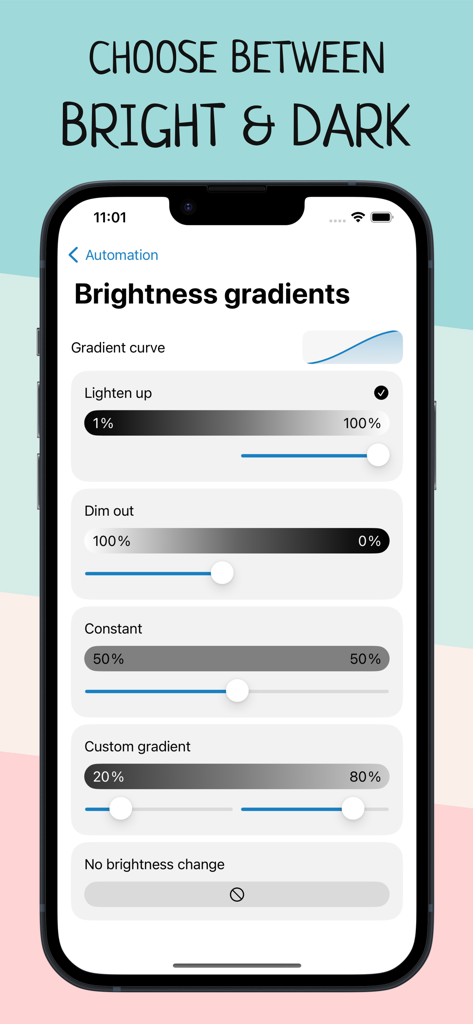
Wake Up Light – Sunrise Alarm - 스마트 홈 조명 자동화를 위한 밝기 기울기 옵션을 보여주는 인터페이스
스마트 홈 조명 자동화를 위한 밝기 기울기 옵션을 보여주는 인터페이스

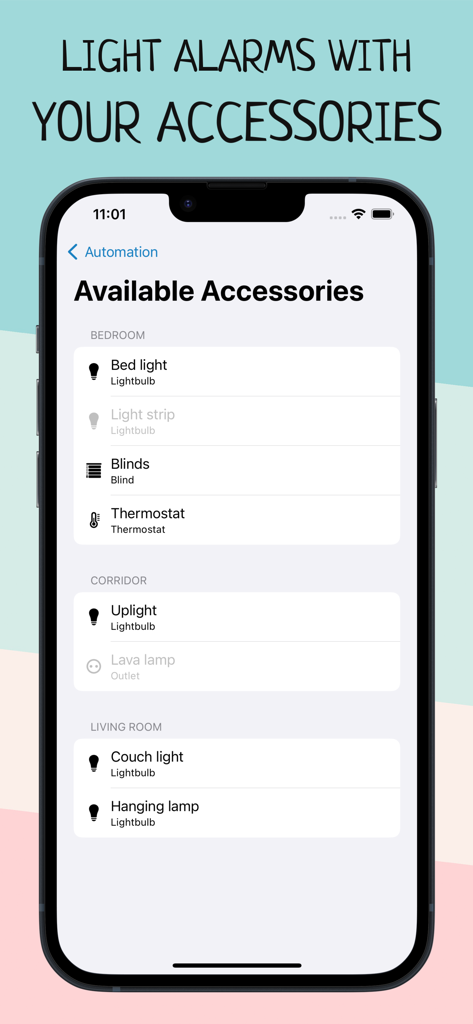
Wake Up Light – Sunrise Alarm - 일출 자동화를 위해 방별로 분류된 스마트 전구 및 블라인드와 같은 사용 가능한 HomeKit 액세서리 목록을 보여주는 Wake Up Light 앱 스크린샷
일출 자동화를 위해 방별로 분류된 스마트 전구 및 블라인드와 같은 사용 가능한 HomeKit 액세서리 목록을 보여주는 Wake Up Light 앱 스크린샷

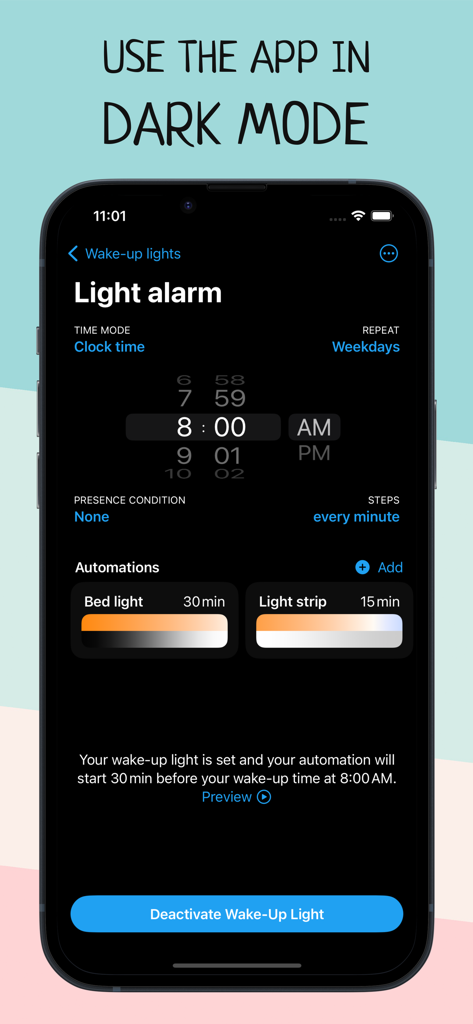
Wake Up Light – Sunrise Alarm - 어두운 모드에서 조명 알람 설정 및 자동화를 보여주는 Wake Up Light 앱의 인터페이스
어두운 모드에서 조명 알람 설정 및 자동화를 보여주는 Wake Up Light 앱의 인터페이스

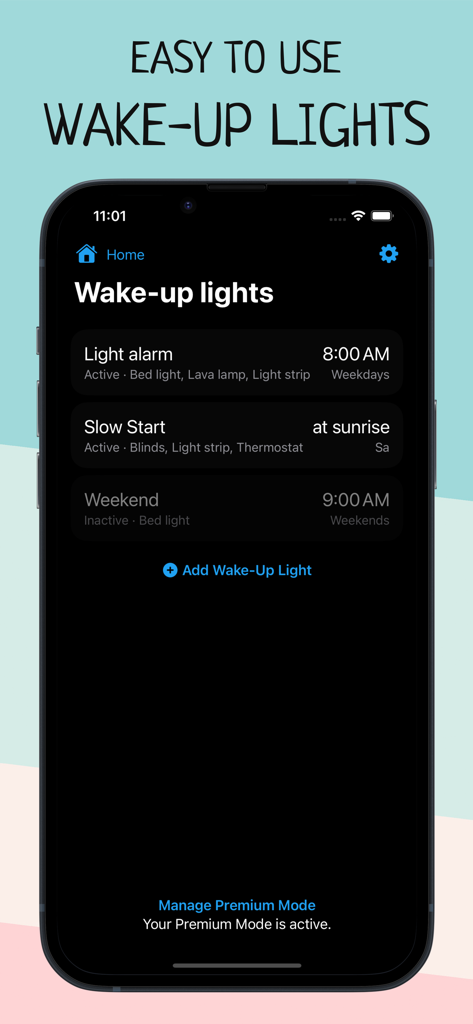
Wake Up Light – Sunrise Alarm - 예약된 일출 알람이 표시된 Wake Up Light 앱의 홈 메뉴를 표시하는 스마트폰 화면
예약된 일출 알람이 표시된 Wake Up Light 앱의 홈 메뉴를 표시하는 스마트폰 화면

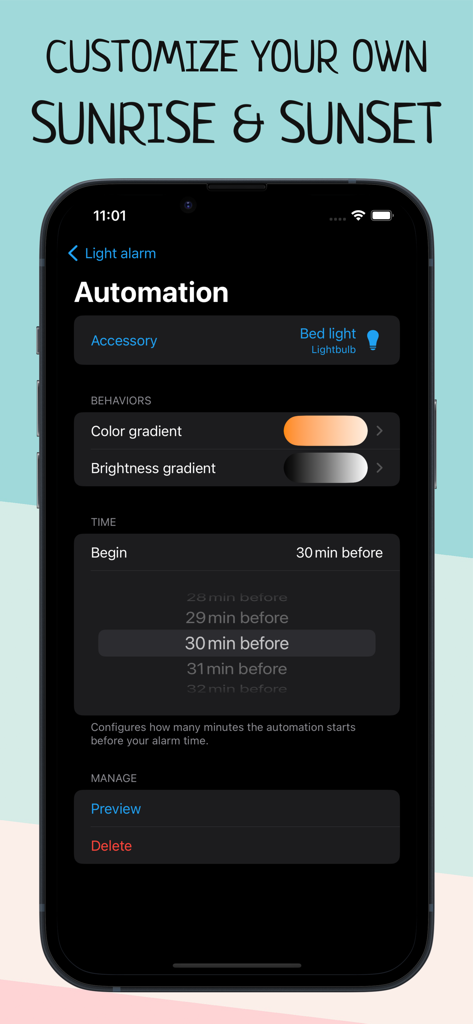
Wake Up Light – Sunrise Alarm - Wake Up Light 앱의 일출 알람 자동화 설정

Wake Up Light 앱의 일출 알람 자동화 설정

설명

Wake up more naturally with your wake-up light based on your smart HomeKit lights, and improve your morning routine with Wake Up Light. Are you tired in the morning? Does your body feel like it doesn't want to get up? Create an artificial dawn with Wake Up Light, so getting up in the morning feels easier and more natural. Built for use with HomeKit-enabled lights, now it’s easy to add a wake-up light alarm to the Apple Home app. Say you want to wake up at 8:00 a.m. Use Wake Up Light to schedule your bed light to turn on at 7:30 am with its minimum brightness in a dark reddish color. Your light will then gradually increase its brightness and change its color to daylight white until it reaches its full brightness at 8:00 a.m. Got smart blinds? Let them gradually open 20 minutes before your wake-up time. Coffee machine plugged into a smart outlet? Let it turn on 15 minutes before your alarm goes off. Set a light alarm that starts your day before your desired wake-up time (a recommended duration is something between 30 and 60 minutes). Your light brightens to its maximum intensity by the time you’ve set it, shifting from dim, warm red to bright and cold white after its light-up duration. The brighter the light, the better the effect will be on your body. The goal is to put you into a lighter sleep so that you awaken easier. FEATURES – Alarms that turn on lights and change colors as they brighten – Support for all HomeKit-enabled lights, blinds and outlets – Alarms are shared with everyone who has access to the same home – There is no need to keep your iPhone connected (or even on) – Set the days your wake-up light should wake you – Combine lightbulbs, power outlets, and smart blinds – Shortcuts and Siri support to activate, reschedule and deactivate your alarms – Create multiple wake-up lights and control multiple accessories per alarm – Preview your wake-up light Wake Up Light lets you easily create wake-up lights that fit your needs. Just select your light and preferred wake-up time, and Wake Up Light will create HomeKit automation for you, turning your lights on gradually over time. Adjust the duration of the brightening phase (between 30 and 60 minutes is recommended) and choose the brightness your lights should reach. Your light then brightens to its maximum intensity by the time you have chosen, shifting from dim, warm red to bright and cold white after its light-up duration (if supported by the light bulb). Add multiple wake-up lights to your weekly schedule. Control different lights with their own custom time, duration and brightness. Everyone in the same house can control the wake-up lights, too – thanks to HomeKit. HOW DOES IT WORK? A wake-up light alarm clock brings you slowly into shallower states of sleep by gradually increasing the brightness in your room. The light travels through your closed eyelids, notifying your body the same way as a natural sunrise. This gradual transition from deeper to shallower states of sleep has been found to wake you more naturally and boost your mood, energy and productivity for the whole day. Let your lights brighten your morning. App preview music is Haven by Nihilore: http://www.nihilore.com/license Terms of Use: https://wakeuplight.app/terms-of-use/

Download

다운로드: App Store

이 페이지는 앱이나 개발자의 공식 페이지가 아니며, 정보 제공 및 논평을 목적으로 작성된 독립 편집 간행물입니다. 명시적으로 달리 언급되지 않는 한, 해당 앱이나 개발자는 MWM, Apple, Google Play, 앱 퍼블리셔 또는 앱 개발자와 제휴, 보증, 후원, 승인 또는 공식적으로 연결되어 있지 않으며, 이 페이지의 어떤 내용도 해당 앱이 MWM의 서비스를 사용하여 개발되었음을 의미하지 않습니다. 모든 상표, 로고, 스크린샷 및 기타 콘텐츠는 해당 소유자의 자산입니다.








