Watch Browser with Keyboard

Watch Browser with Keyboard

다운로드: App Store
로고: Watch Browser with Keyboard

키보드 포함 워치 브라우저: 손목 위의 모든 웹

사용자 정의 QWERTY 키보드와 20개 이상의 검색 엔진으로 완벽한 브라우징 자유를 누리세요. iPhone 없이 웹을 탐색하고, Reddit을 검색하고, 기기 간 북마크를 동기화하세요.

개발사

Bitsbaker LLC.

카테고리

Utilities

다운로드

11K+

사용자 평점

4.3/5

총 평가 수

0

지원 언어

26

손목 위의 웹

이 인터페이스를 사용하는 11K+ 명의 사용자.

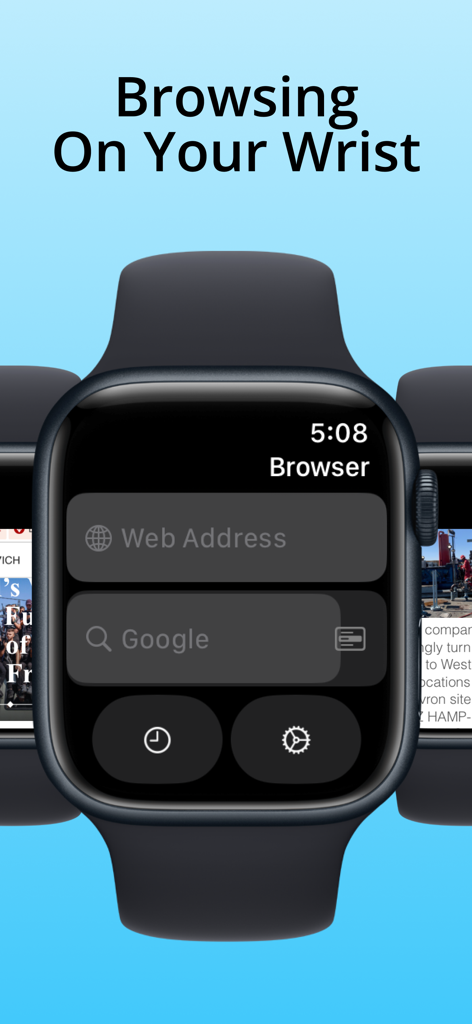
검색 및 URL 입력 필드가 있는 웹 브라우저 앱의 기본 인터페이스를 표시하는 Apple Watch
검색 및 URL 입력 필드가 있는 웹 브라우저 앱의 기본 인터페이스를 표시하는 Apple Watch

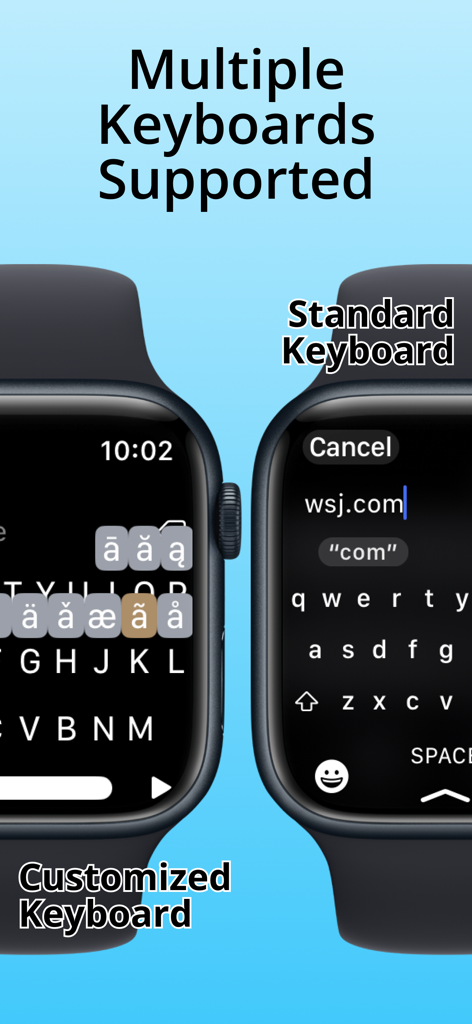
Apple Watch에서 웹 브라우징을 위한 표준 및 사용자 정의 키보드 비교
Apple Watch에서 웹 브라우징을 위한 표준 및 사용자 정의 키보드 비교

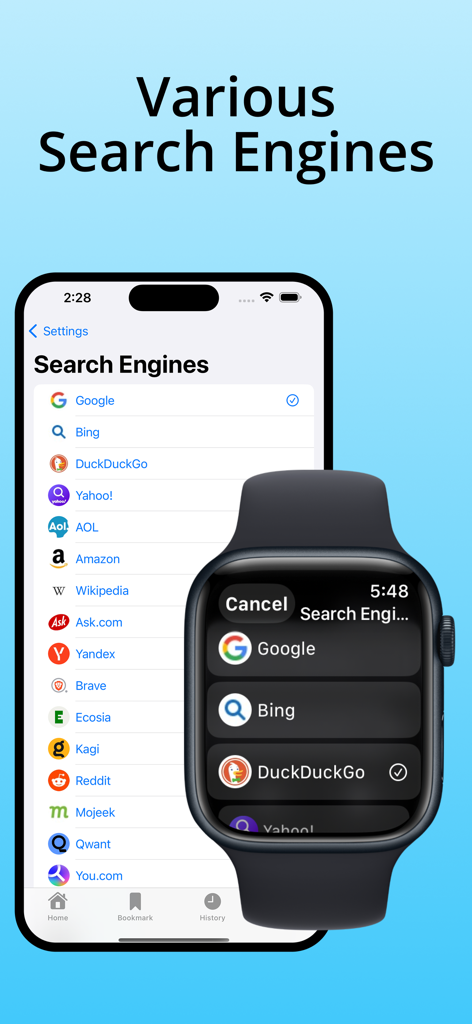
Watch Browser 앱에서 다양한 검색 엔진 옵션 목록을 보여주는 iPhone 및 Apple Watch
Watch Browser 앱에서 다양한 검색 엔진 옵션 목록을 보여주는 iPhone 및 Apple Watch

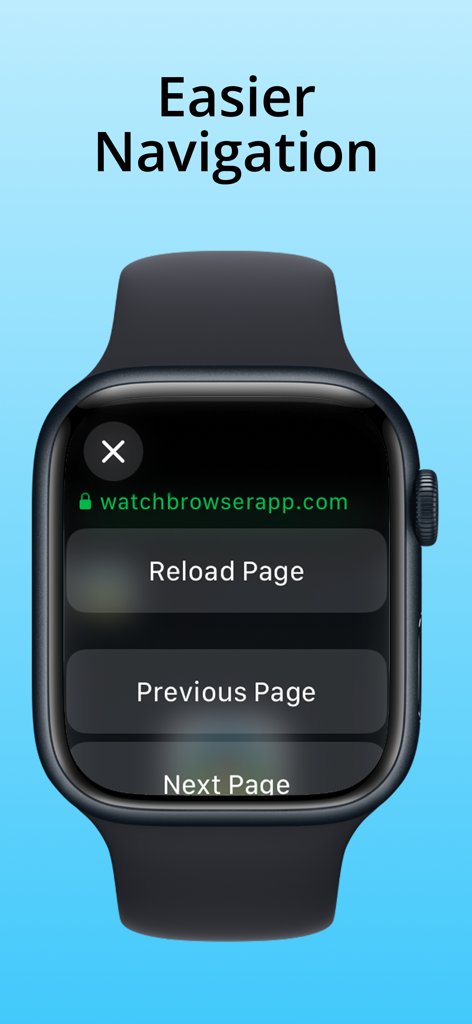
다시 로드 및 페이지 버튼을 보여주는 Apple Watch 브라우저 탐색 화면
다시 로드 및 페이지 버튼을 보여주는 Apple Watch 브라우저 탐색 화면

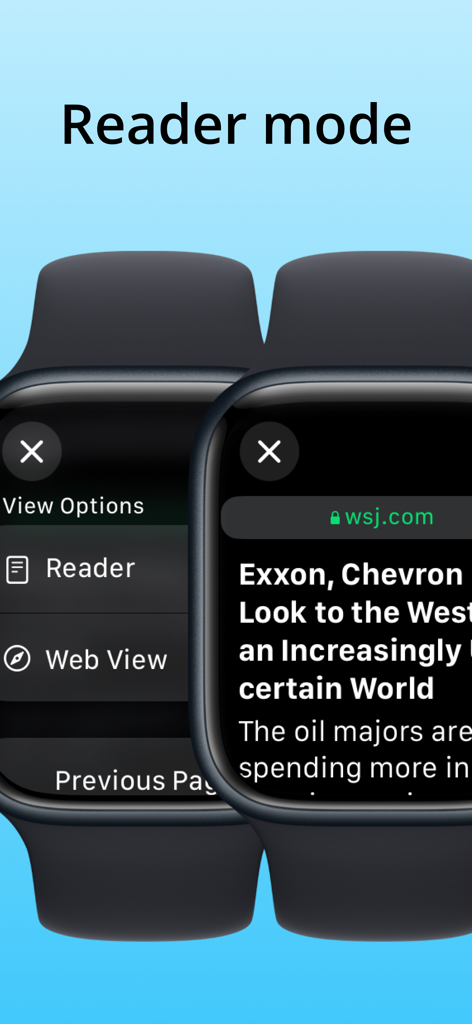
뉴스 기사가 있는 리더 모드 인터페이스를 보여주는 Apple Watch 브라우저
뉴스 기사가 있는 리더 모드 인터페이스를 보여주는 Apple Watch 브라우저

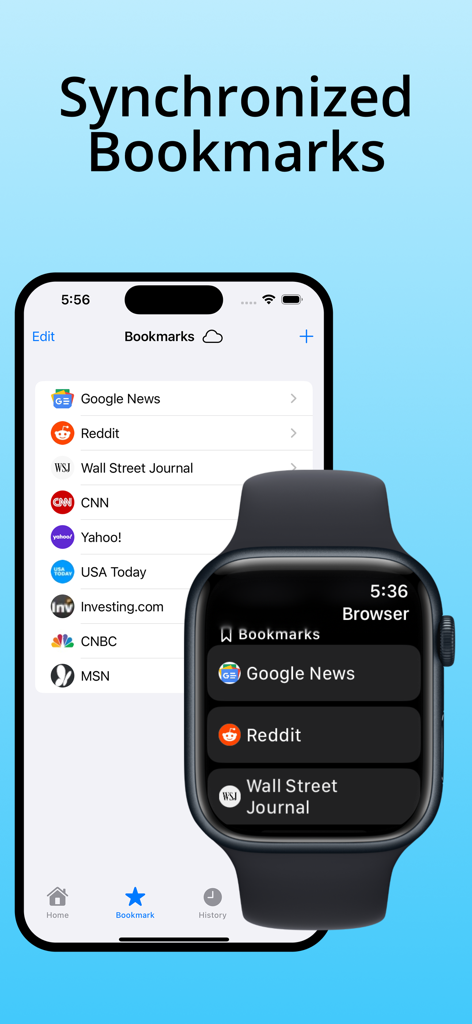
iCloud를 통해 동기화된 웹 북마크를 보여주는 iPhone 및 Apple Watch
iCloud를 통해 동기화된 웹 북마크를 보여주는 iPhone 및 Apple Watch

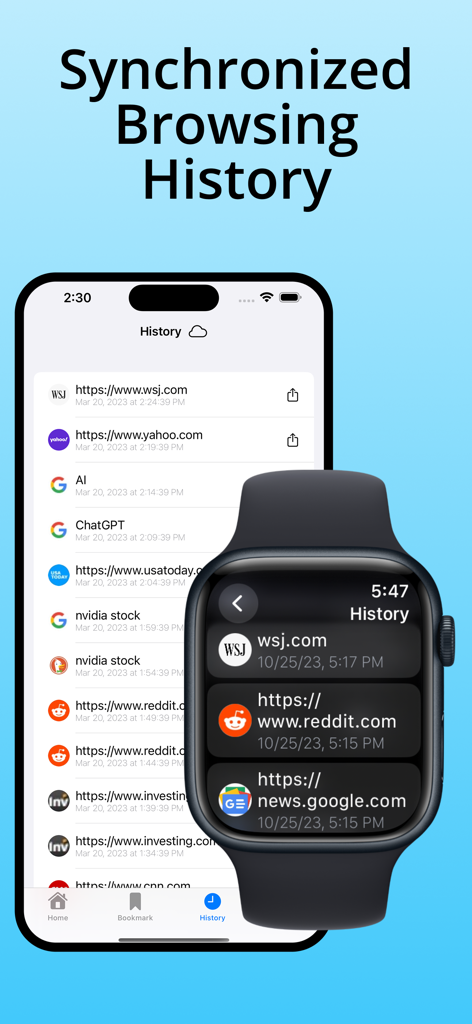
iPhone과 Apple Watch 간에 동기화된 브라우징 기록
iPhone과 Apple Watch 간에 동기화된 브라우징 기록

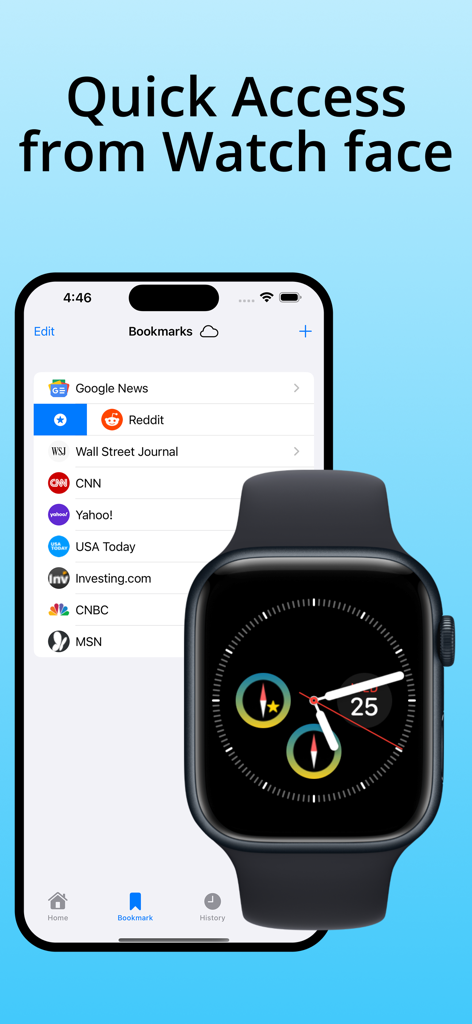
빠른 액세스를 위한 브라우저 컴피케이션이 있는 Apple Watch 옆에 북마크 목록을 표시하는 iPhone 화면
빠른 액세스를 위한 브라우저 컴피케이션이 있는 Apple Watch 옆에 북마크 목록을 표시하는 iPhone 화면

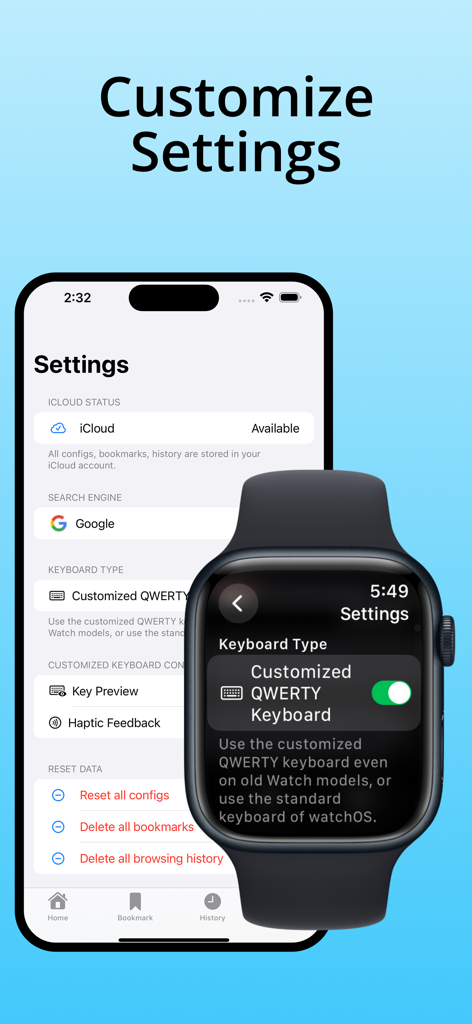
iPhone 및 Apple Watch 사용자 정의 옵션을 보여주는 키보드 설정 메뉴가 있는 워치 브라우저

iPhone 및 Apple Watch 사용자 정의 옵션을 보여주는 키보드 설정 메뉴가 있는 워치 브라우저

이제 손이 닿는 곳에 있는 전체 웹

이 앱을 돋보이게 하는 도구, 11K+ 명의 사용자가 선택.

⌨️

손목 위의 실제 키보드

사용자 정의 QWERTY 키보드로 URL과 검색어를 입력하세요. 오래된 Apple Watch 모델에 완벽하며, 스크리블의 좌절감 없이 프리미엄 입력 속도를 제공합니다.

🔍

프로 수준의 검색 유연성

Google을 넘어서세요. Reddit, GitHub, DuckDuckGo를 포함한 20개 이상의 전문 검색 엔진에 액세스하여 어떤 상황에서도 필요한 정확한 정보를 얻으세요.

☁️

원활한 iCloud 통합

iPhone과 Watch 간에 북마크와 기록을 자동으로 동기화하세요. 휴대폰에서 사이트를 저장하고 한 번의 탭으로 컴피케이션에서 실행하세요.

전 세계 사용자들에게 사랑받는 앱

Trusted by 11K+ 명이 이 앱을 사랑합니다.

"

"저는 여전히 Series 6을 사용하고 있어서 네이티브 키보드를 사용해 본 적이 없습니다. 이 앱은 제가 시계를 사용하는 방식을 완전히 바꾸어 놓았습니다. 사용자 정의 QWERTY 키보드는 놀랍도록 반응성이 뛰어나며, 회의 중에 휴대폰을 꺼내지 않고도 손목에서 바로 Reddit이나 Wikipedia를 검색할 수 있다는 점은 정말 대단합니다. 올해 다운로드한 유틸리티 중에서 가장 유용합니다."

Michael S., 소프트웨어 엔지니어
"

"저는 산책을 나갈 때 iPhone을 집에 두고 가는 것을 좋아하지만, 무언가를 빨리 찾아봐야 할 때는 항상 단절된 느낌이 들었습니다. 이 브라우저가 그 문제를 해결했습니다. 북마크에 대한 iCloud 동기화는 원활하며, 컴피케이션을 통해 한 번의 탭으로 즐겨찾는 사이트를 실행할 수 있습니다. 휴대폰에서 보내는 시간을 줄이면서도 웹 액세스를 잃지 않으려는 모든 사람에게 완벽한 도구입니다."

Sarah L., 디지털 미니멀리스트

앱 소개

에 대해 알아야 할 모든 것 Watch Browser with Keyboard.

설명

Watch Browser with Keyboard is a tiny browser with its own customized QWERTY keyboard for your Apple Watch. It's the #1 browser on your wrist when you don't have any other devices and want to browse the web. Multiple keyboards supported. Use the standard qwerty keyboard in watchOS if you use Series 7 or 8. But, there is no qwerty keyboard in older models, and there is only a scribble keyboard. But don't be disappointed! This app includes a customized QWERTY keyboard for typing web addresses or search keyboards. The customized QWERTY keyboard supports English and other Latin characters. # Features - Browse with any web address URL. - Multiple keyboards supported. The standard keyboard of watchOS or the customized QWERTY keyboard. - Search with your keyword with 20+ search engines. The supported search engines are Google, Microsoft Bing, DuckDuckGo, Amazon, Wikipedia, Baidu, AOL, Ask.com, Yandex, Brave, Ecosia, Kagi, Reddit, Mojeek, Qwant, You.com, Presearch, Swisscows, GitHub, Naver, Yahoo! Japan, and Dictionary.com. - The customized QWERTY keyboard on the watch is included for typing URLs or searching keywords. Or, you can use the standard keyboard if you want. - The customized QWERTY keyboard supports 162 extended Latin characters, including the following: à, á, â, ä, å, æ, ç, è, é, ê, ë, ì, í, î, ï, ð, ñ, ò, ..., for English, French, German, Spanish, Italian, Portuguese, Dutch, Swedish, Danish, Norwegian, Finnish, Icelandic, Polish, Czech, Slovak, Hungarian, Romanian, Croatian, Slovenian, Estonian, Latvian, Lithuanian, Malay, Indonesian, Turkish, Vietnamese. - Bookmarks are stored on your iCloud account; you can manage them on your watch or iPhone. - Your browsing history is stored on your iCloud account, and you can manage them on your watch or iPhone. - You can save a bookmark from history on your watch or iPhone. - Watch Complications is supported. You can launch this app or your top favorite site with only one tap from your Watch face. - All configurations are stored on your iCloud account. - Favicons are displayed on bookmarks and browsing history. - Support Reload Page, Previous Page, Next Page, Reader mode on watchOS 10 (when tapping the address bar in watchOS). - Double-tapping the spacebar adds a dot(.) to the text. - Long pressing with 2+ seconds backspace deletes all text. - All data are stored only in your device and your iCloud account. # Limitations - The browsing experience is limited, and you can have trouble on many complex sites because of the very small screen size and devices' lower power. - Most login processes do not work because of the limitation. - The session is not stored. You'll start a new session next time when you close the browsing view once. - There is no back or forward button, but you can go back or forward by swiping left or right.

최신 버전

1.7

크기

12.7 MB

출시일

2023년 3월 1일

손목 위의 모든 웹.

완벽한 브라우징 자율성을 확보한 11,000명 이상의 파워 유저와 함께하세요. 모든 Apple Watch 모델에서 QWERTY 키보드로 자연스럽게 입력하고, 전화기는 주머니에 넣어두세요.

다운로드: App Store