Watch Wayfinder
Watch Wayfinder
다운로드: App Store

이 페이지는 앱이나 개발자의 공식 페이지가 아니며, 정보 제공 및 논평을 목적으로 작성된 독립 편집 간행물입니다. 명시적으로 달리 언급되지 않는 한, 해당 앱이나 개발자는 MWM, Apple, Google Play, 앱 퍼블리셔 또는 앱 개발자와 제휴, 보증, 후원, 승인 또는 공식적으로 연결되어 있지 않으며, 이 페이지의 어떤 내용도 해당 앱이 MWM의 서비스를 사용하여 개발되었음을 의미하지 않습니다. 모든 상표, 로고, 스크린샷 및 기타 콘텐츠는 해당 소유자의 자산입니다.

로고: Watch Wayfinder
다운로드: App Store

Watch Wayfinder

손목 위에서 즐기는 정밀 내비게이션. 오프라인 NOAA 차트, 실시간 VMG 데이터, 사용자 지정 GPX 통합을 통해 수면과 트레일을 마스터하세요. 기술에 정통한 아웃도어 프로슈머를 위해 설계되었습니다.

주요 수치

다운로드

14K+

사용자 평점

1.0/5

총 평가 수

0

개발사

Evan Hallein

카테고리

Navigation

지원 언어

1

최신 버전

1.7.5

크기

5.8 MB

출시일

2023년 8월 10일
기능

손목 위에서 즐기는 전문가급 내비게이션

부피가 큰 차트 플로터를 세련되고 데이터 중심적인 도구로 교체하세요. 기술적 아웃도어 프로슈머를 위해 설계된 전문가용 해양 차트, 실시간 성능 지표, 오프라인 지도에 액세스하세요.

오프라인 해양 및 트레일 지도

NOAA 차트와 OpenStreetMap 데이터를 사용하여 안전하고 정확한 경로를 유지하세요. 셀룰러 서비스가 없는 외딴 지역에서도 신뢰성을 보장하기 위해 출발 전에 고화질 지도 영역을 수동으로 다운로드하세요.

실시간 성능 분석

기술 지표를 사용하여 라인을 최적화하세요. Velocity Made Good(VMG), 최대 속도, 정확한 헤딩을 한눈에 모니터링하세요. 윈드서핑, 카이트보딩, 경쟁 세일링에 완벽합니다.

다음 스크린샷과 설명은 앱의 공식 스토어 목록에서 직접 가져온 것이며 앱 개발자의 자산입니다.

앱 스토어

스크린샷
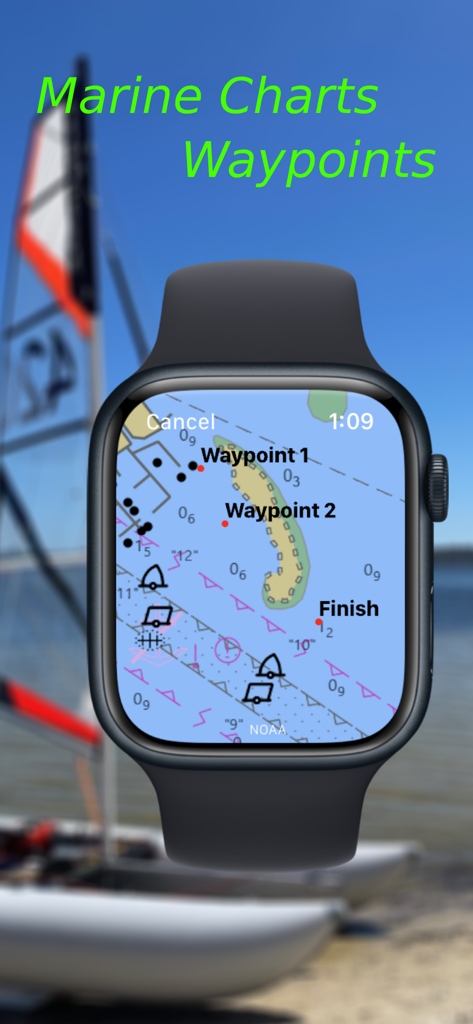
Watch Wayfinder - Apple Watch에서 상세한 해양 차트와 내비게이션 웨이포인트를 보여주는 Watch Wayfinder 앱
Apple Watch에서 상세한 해양 차트와 내비게이션 웨이포인트를 보여주는 Watch Wayfinder 앱

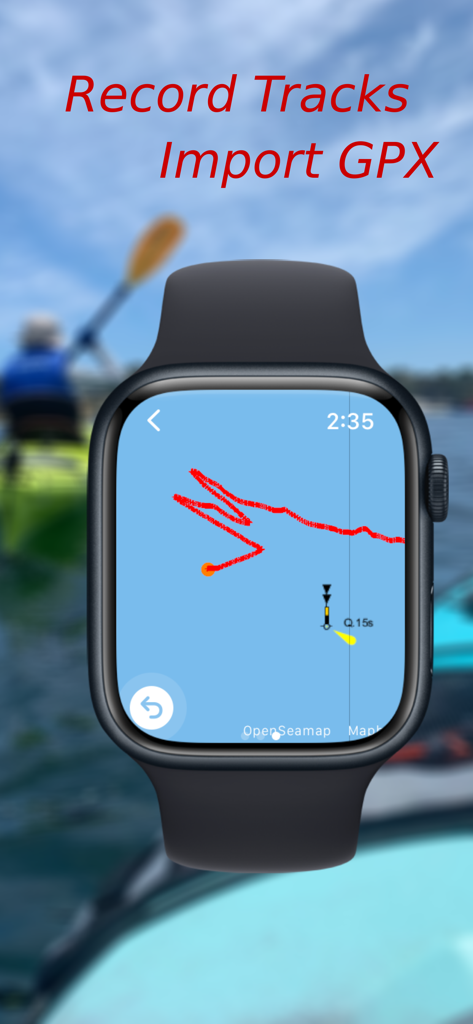
Watch Wayfinder - 해양 지도에서 내비게이션 트랙을 기록하는 Watch Wayfinder 앱을 표시하는 Apple Watch
해양 지도에서 내비게이션 트랙을 기록하는 Watch Wayfinder 앱을 표시하는 Apple Watch

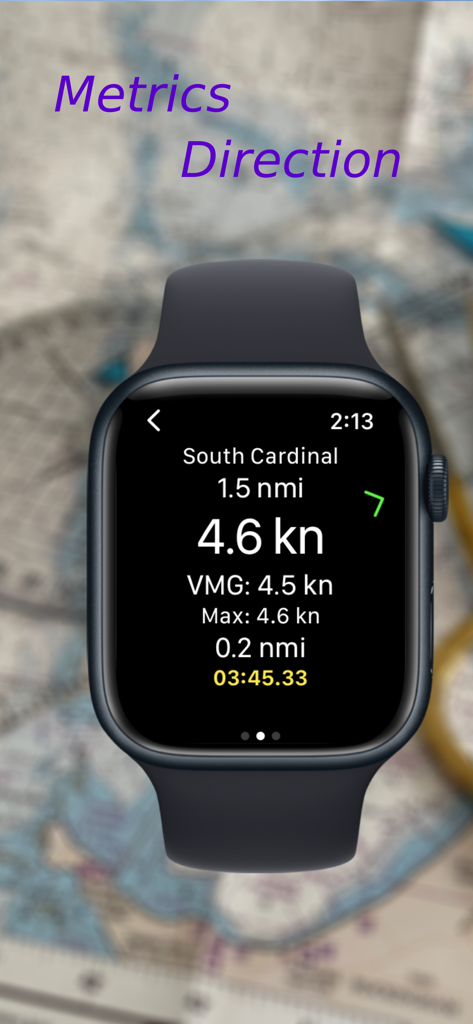
Watch Wayfinder - Apple Watch 화면에 속도, VMG, 남쪽 카디널 웨이포인트까지의 거리를 포함한 내비게이션 데이터 표시
Apple Watch 화면에 속도, VMG, 남쪽 카디널 웨이포인트까지의 거리를 포함한 내비게이션 데이터 표시

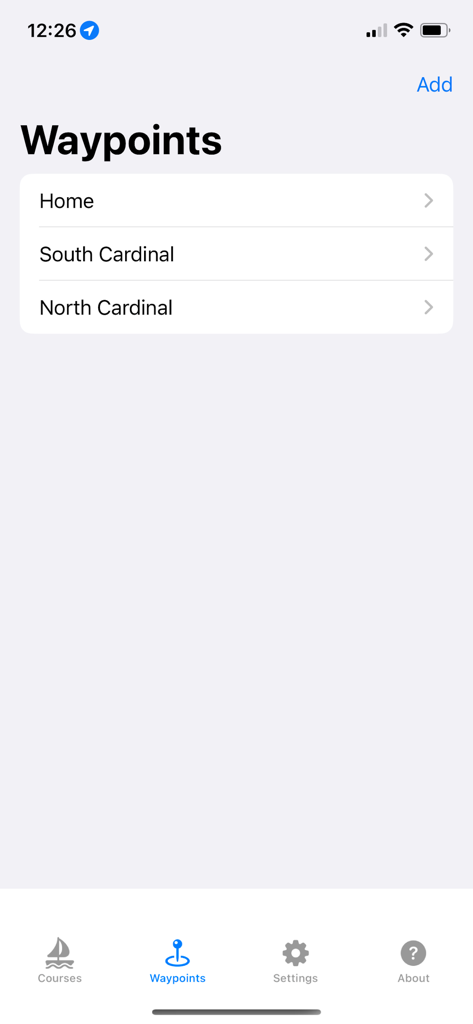
Watch Wayfinder - Watch Wayfinder iPhone 앱의 인터페이스에서 저장된 내비게이션 웨이포인트 목록 표시
Watch Wayfinder iPhone 앱의 인터페이스에서 저장된 내비게이션 웨이포인트 목록 표시

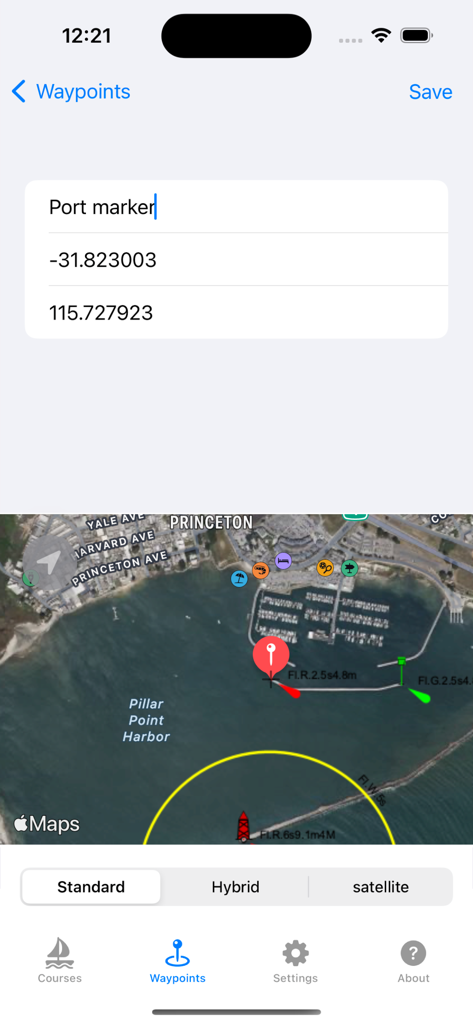
Watch Wayfinder - GPS 좌표 및 위성 지도를 사용하여 웨이포인트 생성을 보여주는 Watch Wayfinder 앱의 iPhone 인터페이스
GPS 좌표 및 위성 지도를 사용하여 웨이포인트 생성을 보여주는 Watch Wayfinder 앱의 iPhone 인터페이스

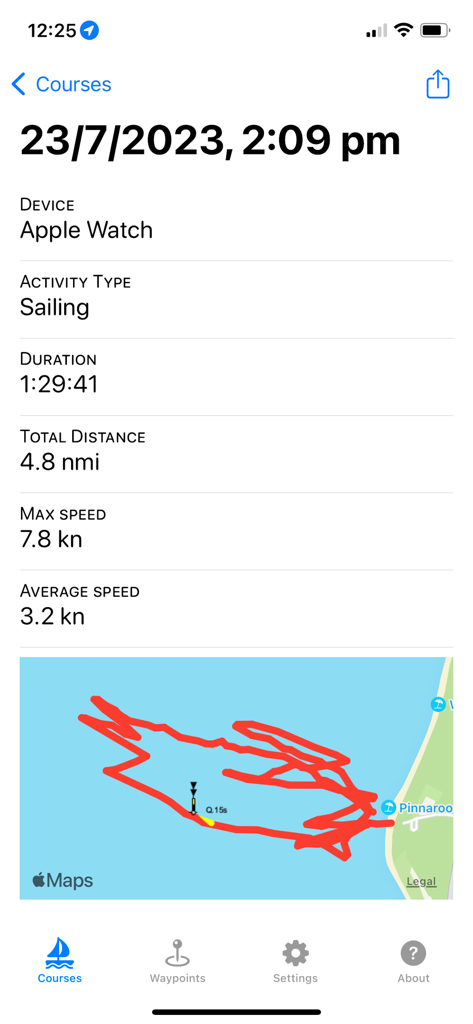
Watch Wayfinder - Apple Watch의 GPS 트랙 지도 및 해양 통계와 함께 세일링 활동 요약을 보여주는 iPhone 화면

Apple Watch의 GPS 트랙 지도 및 해양 통계와 함께 세일링 활동 요약을 보여주는 iPhone 화면

설명

Use marine charts and trail maps offline, see your speed and get the direction to waypoints, import and export waypoints using GPX, record your course and share it. Add your own tiled XYZ and WMS map servers allowing third party maps to be used such as google, custom Mapbox or ESRI maps. Watch Wayfinder is a mini chart plotter and activity tracker for your Apple Watch. Designed to provide quick information, such as speed, direction, and distance traveled, with just a glance at your wrist. This app integrates with the Health App, recording your on-water and terrestrial activities, helping you monitor your performance. The companion iPhone app enables you to create or import waypoints from GPX files and sync them with your watch before heading out, and also view your previously recorded activities. You can also export the waypoints to a GPX file for backup and sharing. To start recording a water sport activity on your Apple Watch, either press start activity, do a long press on the map to create a waypoint, or select a previously created waypoint from the list. Compatible with any GPS and compass-enabled Apple Watch. Perfect for small boats, windsurfing, kiteboarding, hiking or cycling, whether you're relaxing or racing. Features: - NOAA marine charts for U.S mapped waters. - OpenSeaMap marine charts for the rest of the world. - OpenStreetMap, Thunderforest or Mapbox basemaps for hiking, walking and cycling. - Add your own tiled XYZ and WMS map servers allowing adding unlimited map types. (see instructions for help) - Map tiles are automatically cached to speed up loading. - Offline maps: manually download map areas of interest before you go out. - Set waypoints directly on your Apple Watch or iPhone, and sync between them. - Import and export GPX files with points for your waypoints either within the iPhone app or using share in external apps such Files or Mail. - Displays speed, max speed and average speed. - Display direction and distance to the next waypoint, and velocity made good (VMG) to the waypoint. - Automatic transition to the next waypoint based on a custom distance to it. - Records your activity as a HealthKit Workout, logging energy burned, heart rate, speed, distance traveled, and the course taken. - Share your activity and stats on Social Media. - Choose units to display as miles, nautical miles or kilometers. This app integrates with the Health app and requires both Location and Health access to be enabled for optimal functionality. Map display initially requires internet access to download offline maps. Note: Not to be relied upon for navigation. Map and chart data copyright: NOAA, OpenStreetMap, Thunderforest and Mapbox.

Download

다운로드: App Store

이 페이지는 앱이나 개발자의 공식 페이지가 아니며, 정보 제공 및 논평을 목적으로 작성된 독립 편집 간행물입니다. 명시적으로 달리 언급되지 않는 한, 해당 앱이나 개발자는 MWM, Apple, Google Play, 앱 퍼블리셔 또는 앱 개발자와 제휴, 보증, 후원, 승인 또는 공식적으로 연결되어 있지 않으며, 이 페이지의 어떤 내용도 해당 앱이 MWM의 서비스를 사용하여 개발되었음을 의미하지 않습니다. 모든 상표, 로고, 스크린샷 및 기타 콘텐츠는 해당 소유자의 자산입니다.








