Waypoint Creator
Waypoint Creator
다운로드: App Store

이 페이지는 앱이나 개발자의 공식 페이지가 아니며, 정보 제공 및 논평을 목적으로 작성된 독립 편집 간행물입니다. 명시적으로 달리 언급되지 않는 한, 해당 앱이나 개발자는 MWM, Apple, Google Play, 앱 퍼블리셔 또는 앱 개발자와 제휴, 보증, 후원, 승인 또는 공식적으로 연결되어 있지 않으며, 이 페이지의 어떤 내용도 해당 앱이 MWM의 서비스를 사용하여 개발되었음을 의미하지 않습니다. 모든 상표, 로고, 스크린샷 및 기타 콘텐츠는 해당 소유자의 자산입니다.


로고: Waypoint Creator
다운로드: App Store

Waypoint Creator

기본 좌표를 넘어선 비행. 주파수, 방위각 및 메모와 함께 사용자 지정 착륙 지점을 구성하세요. 궁극의 비행 계획 경험을 위해 ForeFlight 및 Google Earth로 KMZ 파일을 원활하게 내보내세요.

주요 수치

다운로드

1K+

사용자 평점

1.0/5

총 평가 수

0

개발사

Robin Schrama

카테고리

Navigation

지원 언어

1

최신 버전

1.4

크기

6.5 MB

출시일

2024년 8월 31일
기능

현대 항공 조종사를 위한 정밀 계획

기본 항법을 넘어선 비행. Waypoint Creator는 조종사와 항해사에게 사용자 지정 착륙 지점 및 임무에 중요한 데이터를 구성, 상세화 및 공유할 수 있는 도구를 제공합니다.

고해상도 경유지

지도상의 점으로 만족하지 마세요. 발견한 각 착륙 지점에 방위각, 주파수 및 사용자 지정 메모를 포함한 필수 정보를 첨부하세요.

임무 기반 구성

비행 데이터를 범주 또는 임무별로 정리하세요. 다양한 지역, 비행 학교 또는 수색 및 구조 작전을 위한 여러 목록을 만드세요.

다음 스크린샷과 설명은 앱의 공식 스토어 목록에서 직접 가져온 것이며 앱 개발자의 자산입니다.

앱 스토어

스크린샷

Waypoint Creator - Waypoint Creator 시작 화면, 지구본 위에 비행기가 표시되고 경유지 관리 및 ForeFlight 통합에 대한 텍스트가 포함됨
Waypoint Creator 시작 화면, 지구본 위에 비행기가 표시되고 경유지 관리 및 ForeFlight 통합에 대한 텍스트가 포함됨

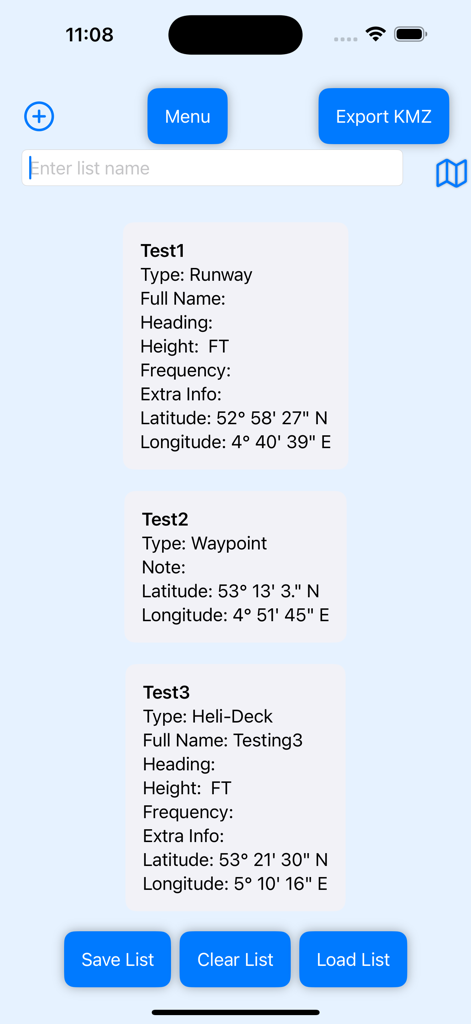
Waypoint Creator - Waypoint Creator 앱의 사용자 지정 비행 경유지 목록, 활주로 및 헬리콥터 착륙장의 좌표 및 기술 데이터 표시
Waypoint Creator 앱의 사용자 지정 비행 경유지 목록, 활주로 및 헬리콥터 착륙장의 좌표 및 기술 데이터 표시

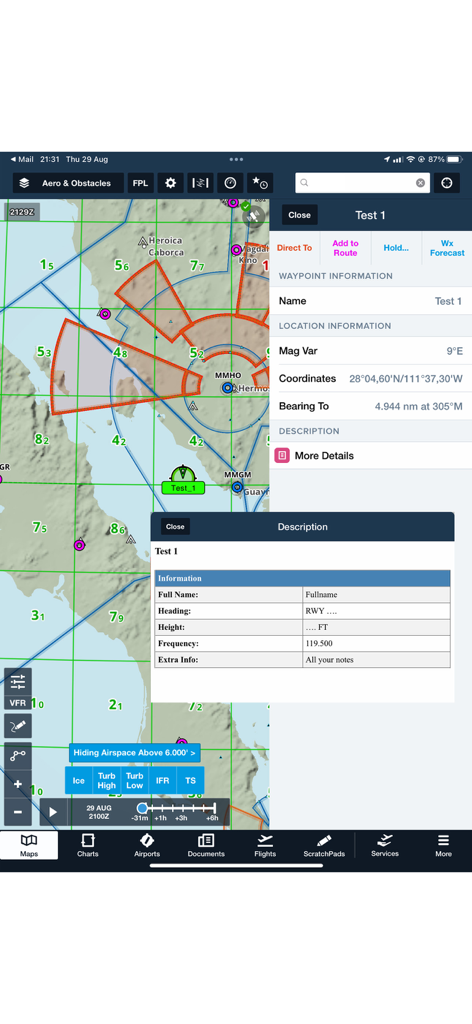
Waypoint Creator - Waypoint Creator 인터페이스, 사용자 지정 경유지 세부 정보 및 비행 항법 정보 표시
Waypoint Creator 인터페이스, 사용자 지정 경유지 세부 정보 및 비행 항법 정보 표시

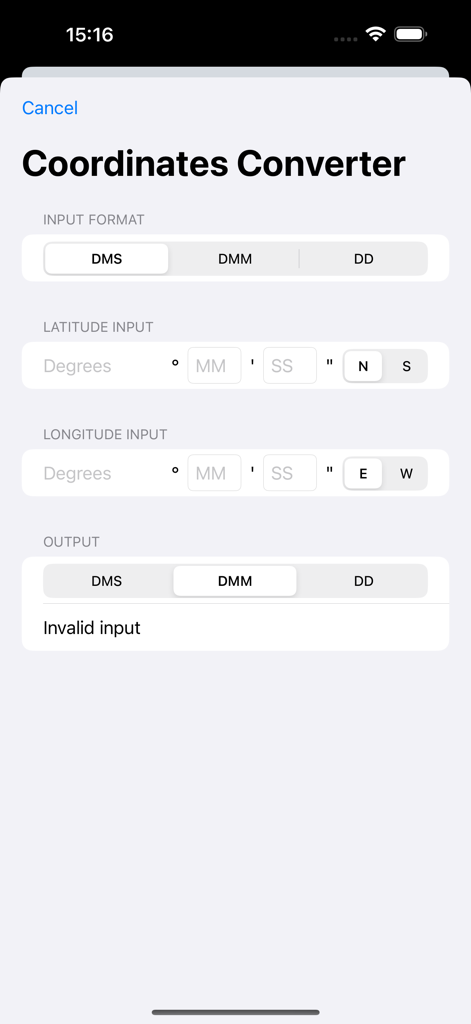
Waypoint Creator - Waypoint Creator 앱에서 DMS, DMM 및 DD 형식 간 GPS 좌표를 변환하는 인터페이스
Waypoint Creator 앱에서 DMS, DMM 및 DD 형식 간 GPS 좌표를 변환하는 인터페이스

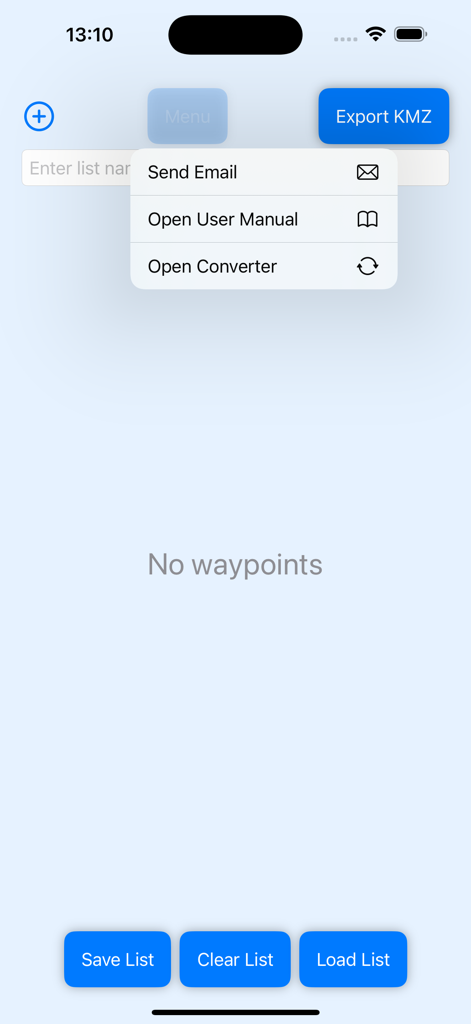
Waypoint Creator - Waypoint Creator 앱의 메인 메뉴 인터페이스, KMZ 내보내기 및 목록 관리 옵션 포함
Waypoint Creator 앱의 메인 메뉴 인터페이스, KMZ 내보내기 및 목록 관리 옵션 포함

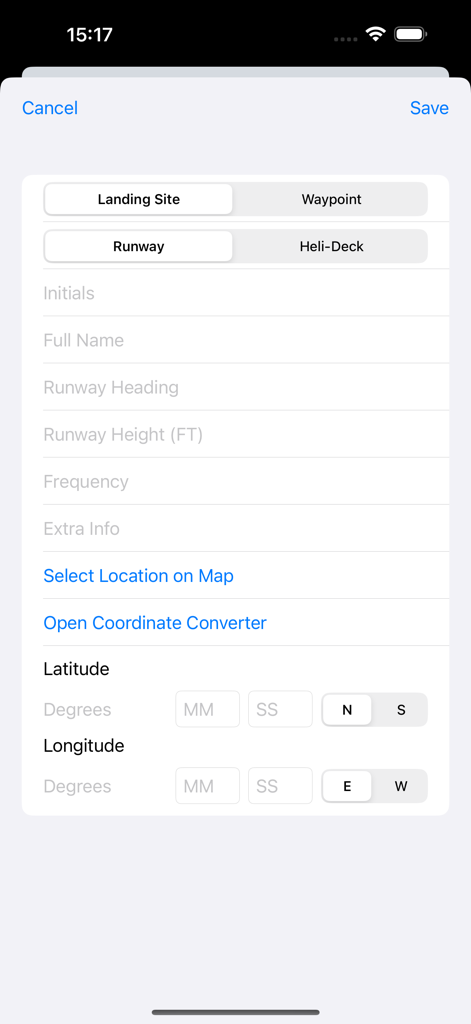
Waypoint Creator - Waypoint Creator에서 좌표 및 활주로 세부 정보가 포함된 사용자 지정 착륙 지점 생성 양식
Waypoint Creator에서 좌표 및 활주로 세부 정보가 포함된 사용자 지정 착륙 지점 생성 양식

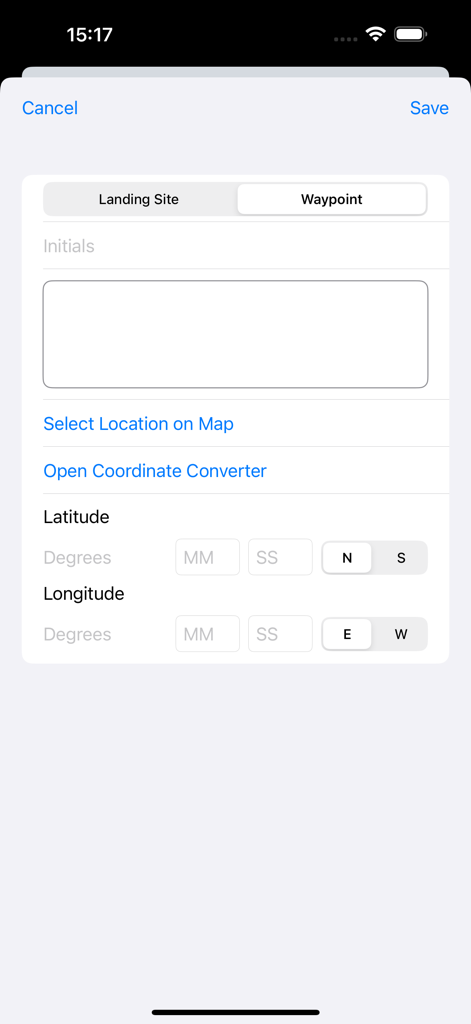
Waypoint Creator - Waypoint Creator의 모바일 인터페이스, 새 항법 경유지의 위도 및 경도 좌표 입력용

Waypoint Creator의 모바일 인터페이스, 새 항법 경유지의 위도 및 경도 좌표 입력용

설명

In apps like ForeFlight, you can create waypoints, but you’re limited when it comes to adding detailed information. Waypoint Creator changes that by allowing you to input comprehensive information for each waypoint or landing site, whether you manually enter coordinates or use the integrated map to find them. Organize Your Waypoints: Save your waypoints in personalized lists for different flights, categories, or purposes, and access them anytime. You can even create multiple lists for different missions or organize them into categories for quick reference. Share & Export with Ease: Export your waypoints as KMZ files and share them with others, or import them into ForeFlight and other apps. Seamless KMZ integration means your data is always accessible, whether you’re sharing with a team or preparing for your next flight. Key Features: • Create Custom Waypoints: Add detailed information to your waypoints or landing sites, including coordinates, headings, frequencies, extra notes, and more. • Save & Organize: Store your waypoints in multiple lists for different flights or categories, ensuring you’re always ready with the information you need. • Export & Share: Export your waypoints as KMZ files, compatible with ForeFlight, Google Earth, and other mapping tools, making it easy to share with others or use in different • GPS Coordinates Converter (DMS-DMM-DD) applications. • Map Integration: Look up coordinates directly using the map or input them manually to create precise waypoints. • User-Friendly Design: Simple, intuitive interface for users of all levels, whether you’re a pilot or a navigator. Take full control of your navigation with Waypoint Creator, the essential tool for planning, managing, and sharing your waypoints. Download now and enhance your flight planning experience. What’s Changed:

Download

다운로드: App Store

이 페이지는 앱이나 개발자의 공식 페이지가 아니며, 정보 제공 및 논평을 목적으로 작성된 독립 편집 간행물입니다. 명시적으로 달리 언급되지 않는 한, 해당 앱이나 개발자는 MWM, Apple, Google Play, 앱 퍼블리셔 또는 앱 개발자와 제휴, 보증, 후원, 승인 또는 공식적으로 연결되어 있지 않으며, 이 페이지의 어떤 내용도 해당 앱이 MWM의 서비스를 사용하여 개발되었음을 의미하지 않습니다. 모든 상표, 로고, 스크린샷 및 기타 콘텐츠는 해당 소유자의 자산입니다.








