Weave Chat AAC
Weave Chat AAC
다운로드: App Store

이 페이지는 앱이나 개발자의 공식 페이지가 아니며, 정보 제공 및 논평을 목적으로 작성된 독립 편집 간행물입니다. 명시적으로 달리 언급되지 않는 한, 해당 앱이나 개발자는 MWM, Apple, Google Play, 앱 퍼블리셔 또는 앱 개발자와 제휴, 보증, 후원, 승인 또는 공식적으로 연결되어 있지 않으며, 이 페이지의 어떤 내용도 해당 앱이 MWM의 서비스를 사용하여 개발되었음을 의미하지 않습니다. 모든 상표, 로고, 스크린샷 및 기타 콘텐츠는 해당 소유자의 자산입니다.


로고: Weave Chat AAC
다운로드: App Store

Weave Chat AAC

부모와 SLP를 위해 설계된 완벽하게 맞춤 설정 가능한 AAC 앱입니다. 색상으로 구분된 보드, 맞춤 이미지, 고유한 AAC-AAC 문자 메시지 기능을 통해 자녀에게 말과 사회적 연결의 선물을 0원으로 선물하세요.

주요 수치

다운로드

5K+

사용자 평점

4.7/5

총 평가 수

500

개발사

Weave Chat, LLC

카테고리

Education

지원 언어

1

최신 버전

1.19.3

크기

105.3 MB

출시일

2021년 9월 23일
기능

장벽 없는 커뮤니케이션을 열어보세요

말 없는 개인이 자신을 표현하고, 사회적으로 연결하고, 번창하도록 돕기 위해 전문가가 설계한 전문적인 AAC 도구를 완전히 무료로 제공합니다.

전문적인 맞춤 설정

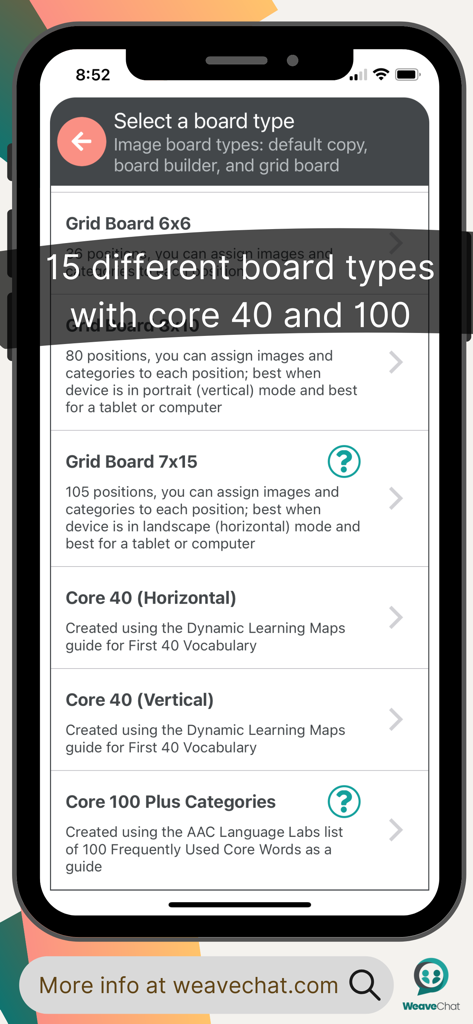
Fitzgerald Key 색상 코딩 및 1x2부터 7x15까지 유연한 그리드 크기를 사용하여 학습자의 요구에 따라 성장할 수 있도록 교육 표준에 맞추세요.

소셜 AAC 문자 메시지

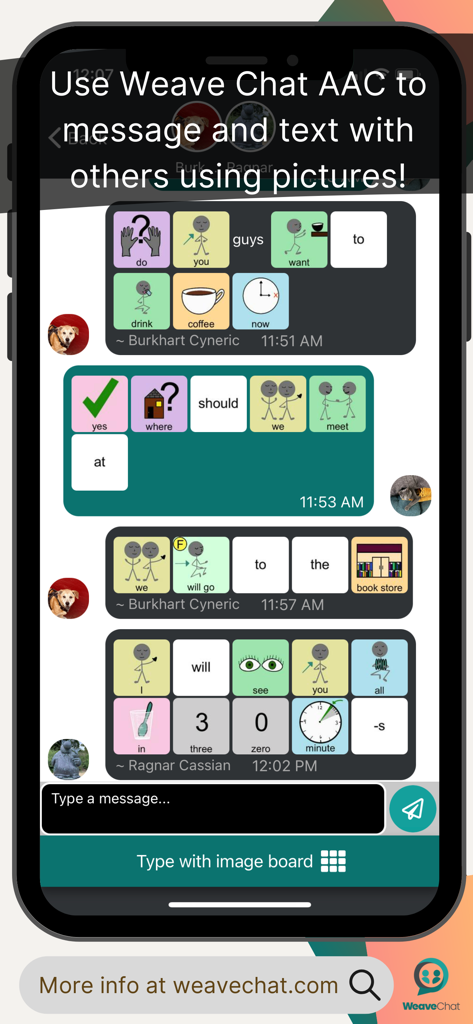
사용자가 AAC 그림 아이콘을 사용하여 다른 사람에게 '문자'를 보낼 수 있는 혁신적인 기능으로 고립을 해소하고 디지털 포용과 사회적 자율성을 증진하세요.

다음 스크린샷과 설명은 앱의 공식 스토어 목록에서 직접 가져온 것이며 앱 개발자의 자산입니다.

앱 스토어

스크린샷
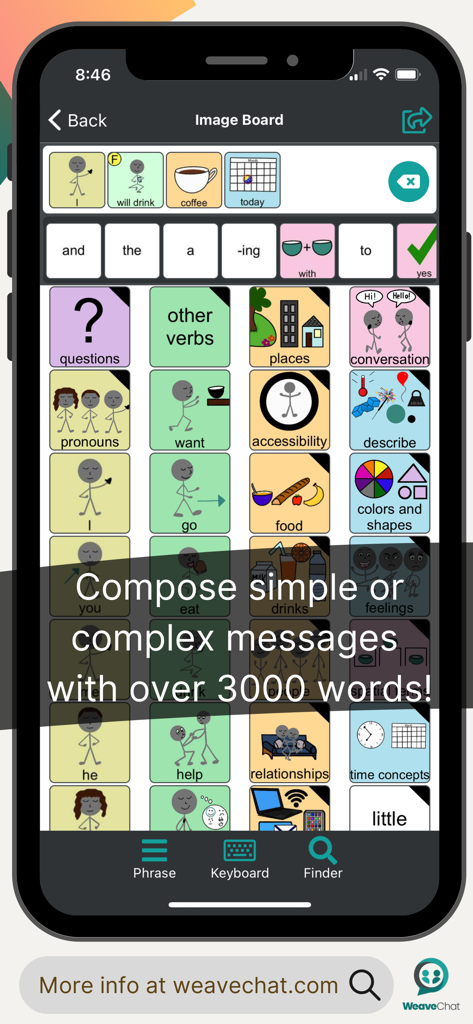
Weave Chat AAC - 스마트폰 화면에 색상으로 구분된 커뮤니케이션 그리드와 작성된 문장이 있는 Weave Chat AAC 앱 인터페이스가 표시됩니다.
스마트폰 화면에 색상으로 구분된 커뮤니케이션 그리드와 작성된 문장이 있는 Weave Chat AAC 앱 인터페이스가 표시됩니다.

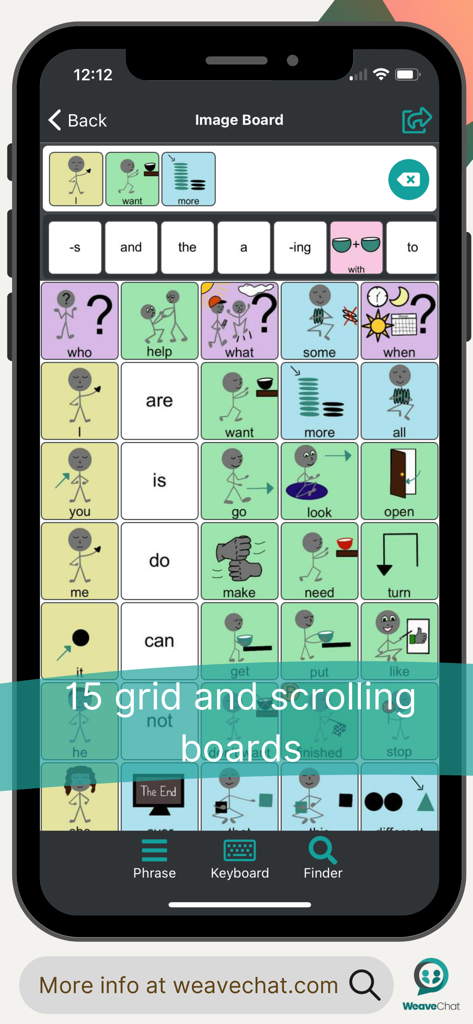
Weave Chat AAC - Weave Chat AAC 모바일 앱 인터페이스에 색상으로 구분된 음성 아이콘이 있는 15 그리드 커뮤니케이션 보드가 표시됩니다.
Weave Chat AAC 모바일 앱 인터페이스에 색상으로 구분된 음성 아이콘이 있는 15 그리드 커뮤니케이션 보드가 표시됩니다.

Weave Chat AAC - AAC 그림 아이콘과 색상으로 구분된 기호를 사용하여 채팅 대화가 표시되는 휴대폰 화면.
AAC 그림 아이콘과 색상으로 구분된 기호를 사용하여 채팅 대화가 표시되는 휴대폰 화면.

Weave Chat AAC - Weave Chat AAC 화면에 그리드 옵션 및 핵심 어휘 세트를 포함한 다양한 커뮤니케이션 보드 레이아웃이 표시됩니다.
Weave Chat AAC 화면에 그리드 옵션 및 핵심 어휘 세트를 포함한 다양한 커뮤니케이션 보드 레이아웃이 표시됩니다.

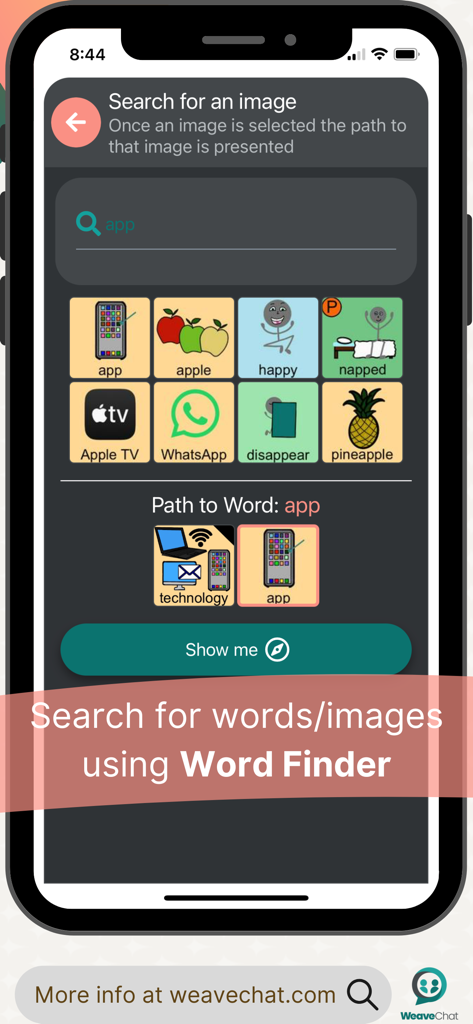
Weave Chat AAC - Weave Chat AAC 앱에 '앱'이라는 단어에 대한 이미지 검색과 해당 탐색 경로가 표시되는 단어 찾기 기능이 표시됩니다.
Weave Chat AAC 앱에 '앱'이라는 단어에 대한 이미지 검색과 해당 탐색 경로가 표시되는 단어 찾기 기능이 표시됩니다.

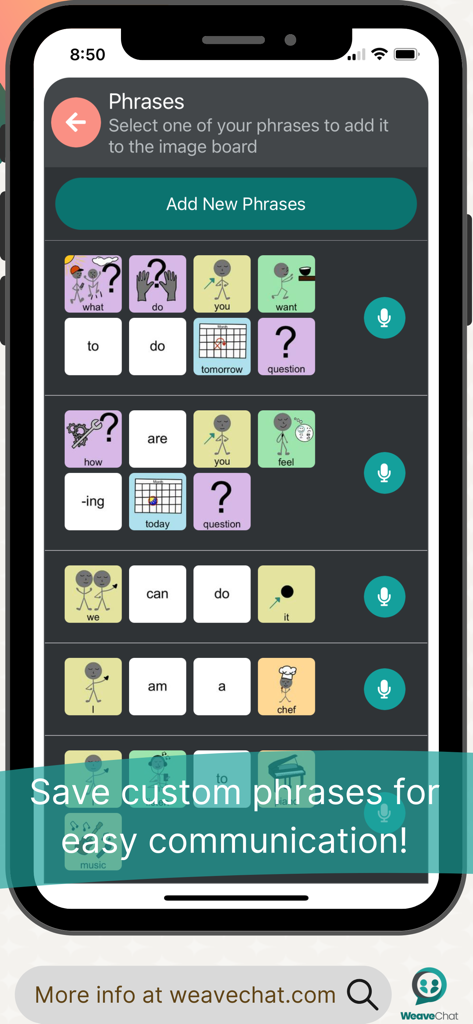
Weave Chat AAC - Weave Chat AAC 앱 화면에 아이콘이 있는 저장된 맞춤 커뮤니케이션 문구 목록이 표시됩니다.
Weave Chat AAC 앱 화면에 아이콘이 있는 저장된 맞춤 커뮤니케이션 문구 목록이 표시됩니다.

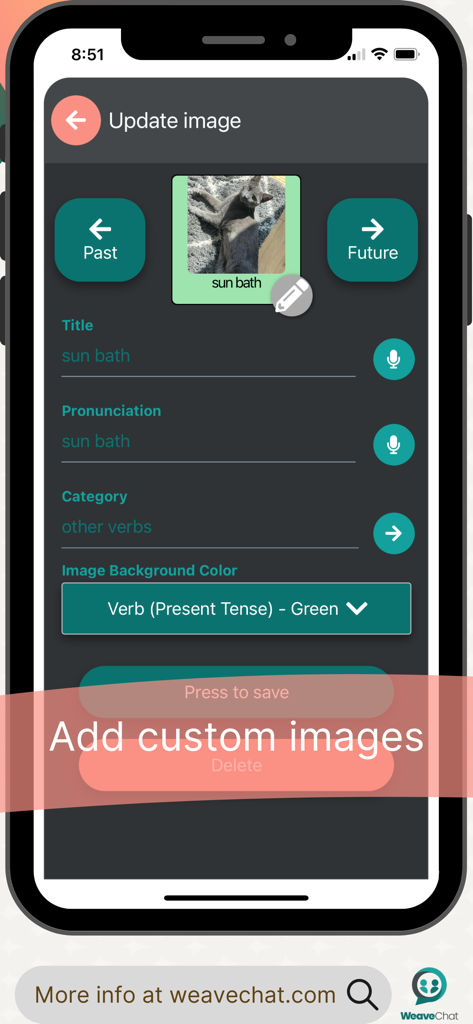
Weave Chat AAC - Weave Chat AAC 앱의 인터페이스에 개인 이미지를 추가하고 해당 범주 및 발음을 설정하는 사용자 지정 프로세스가 표시됩니다.
Weave Chat AAC 앱의 인터페이스에 개인 이미지를 추가하고 해당 범주 및 발음을 설정하는 사용자 지정 프로세스가 표시됩니다.

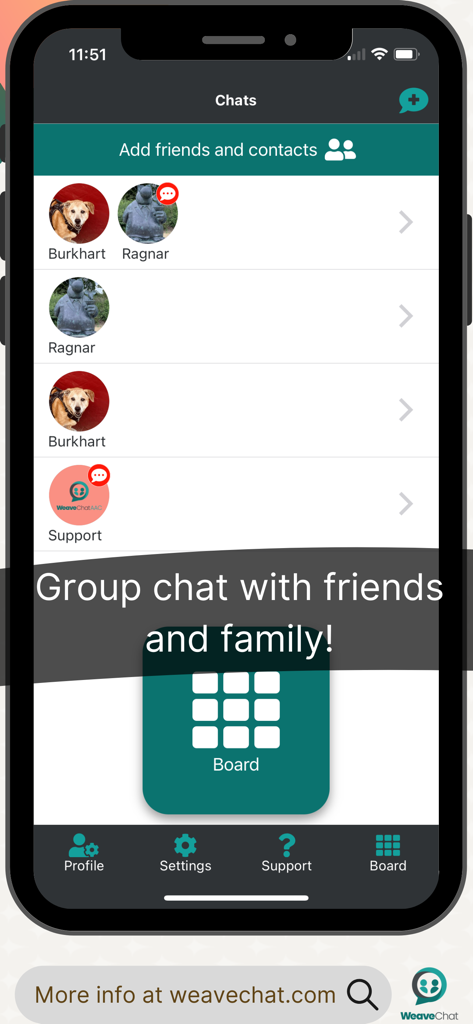
Weave Chat AAC - Weave Chat AAC 앱 스크린샷에 친구 및 가족에게 메시지를 보내기 위한 그룹 채팅 화면이 표시됩니다.
Weave Chat AAC 앱 스크린샷에 친구 및 가족에게 메시지를 보내기 위한 그룹 채팅 화면이 표시됩니다.

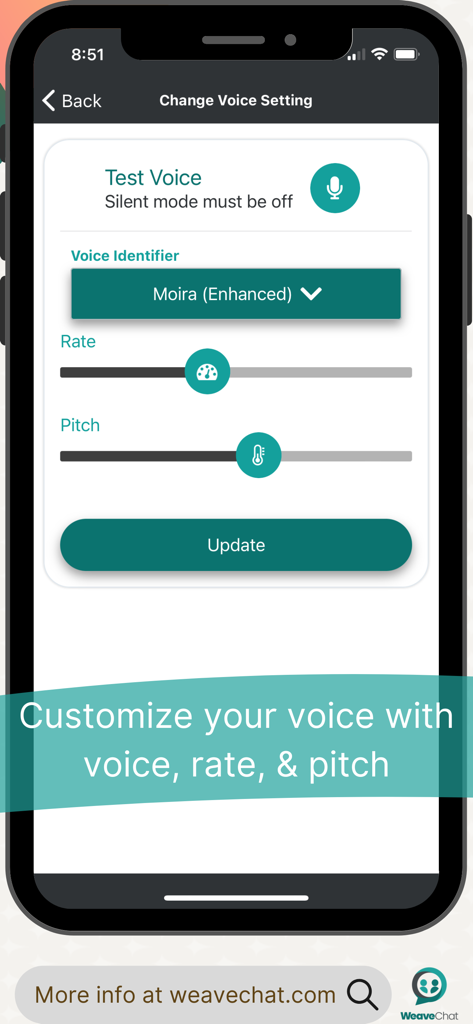
Weave Chat AAC - Weave Chat AAC 앱의 음성 식별자, 음성 속도 및 음성 피치 사용자 지정 화면
Weave Chat AAC 앱의 음성 식별자, 음성 속도 및 음성 피치 사용자 지정 화면

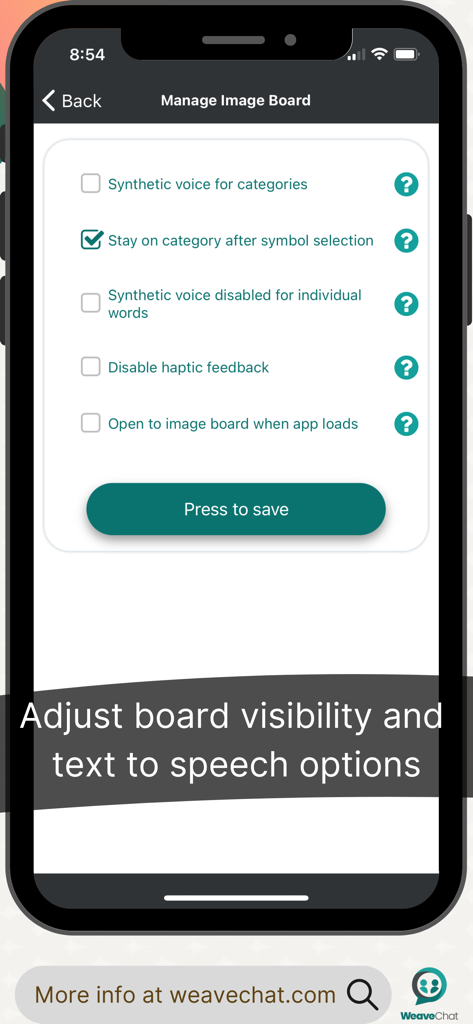
Weave Chat AAC - Weave Chat AAC 이미지 보드 가시성 및 텍스트 음성 변환 설정 화면

Weave Chat AAC 이미지 보드 가시성 및 텍스트 음성 변환 설정 화면

설명

Weave Chat AAC is a free, dynamic, and completely customizable AAC app that is available to a variety of devices. Weave Chat AAC offers a large variety of verbs (green), pronouns (yellow), questions (purple), nouns (tan/orange), adjectives (blue), and conversational words (pink). All color choices were made based on the Fitzgerald Key and new vocabulary is added weekly. Users can add their own custom images and categories in Settings —> Manage Custom Images. In addition, users can add their own custom phrases that can easily be accessed from their board; to add phrases, go to Settings —> Manage Phrases. Users can select a synthetic voice (dependent on their device settings) from Settings —> Change Voice Settings - here you can select your voice, vocal pitch, and rate of speech. Image and text size can be personalized from Settings —> Change Image & Text Size (select from default - small, medium, and large). Settings —> Configure Image Keyboard allows the user to turn on/off features that allow for the category text to be read aloud (synthetic voice for categories), to keep the user in the category after a image has been selected (stay on category after image selection), and disable the speech output for individual words so that it only reads aloud when the white text screen is touched (synthetic voice disabled for individual words). The AAC board can be modified in Settings —> Manage Board Builder. Here, the user can select from the default board (you must make a copy to edit it - to do this select “Add new keyboard” and then select “Hide Images” for Type of Keyboard); grid position boards (ranging in size from 1x2 - 7x15 rows/columns); and Board Builder (gives you the option to build a board from scratch). All boards are completely editable and all custom images and categories can be used from all boards. Lastly, Manage Pin Configuration allows the user to set a pin over all (or just some) aspects of customization to lock down features as needed. Feature List: - Dynamic, customizable, AAC boards - Large variety of verbs, nouns, and adjectives with additional vocabulary added weekly - Add custom images and custom categories - Create and save phrases - Select a synthetic voice (as available per your device settings) - Copy & Paste AAC picture icon messages via “share” - Create and/or modify AAC boards via 3 options: grid position boards (ranging from 1x2 - 7x15), hide images, and/or create a new board from scratch - “Text” others who have the app using AAC picture icons - Set a passcode to lock down features as needed - Weave Chat AAC currently only has English buttons/images

Download

다운로드: App Store

이 페이지는 앱이나 개발자의 공식 페이지가 아니며, 정보 제공 및 논평을 목적으로 작성된 독립 편집 간행물입니다. 명시적으로 달리 언급되지 않는 한, 해당 앱이나 개발자는 MWM, Apple, Google Play, 앱 퍼블리셔 또는 앱 개발자와 제휴, 보증, 후원, 승인 또는 공식적으로 연결되어 있지 않으며, 이 페이지의 어떤 내용도 해당 앱이 MWM의 서비스를 사용하여 개발되었음을 의미하지 않습니다. 모든 상표, 로고, 스크린샷 및 기타 콘텐츠는 해당 소유자의 자산입니다.








