WeDraw: Trace & Create
다운로드: App Store

이 페이지는 앱이나 개발자의 공식 페이지가 아니며, 정보 제공 및 논평을 목적으로 작성된 독립 편집 간행물입니다. 명시적으로 달리 언급되지 않는 한, 해당 앱이나 개발자는 MWM, Apple, Google Play, 앱 퍼블리셔 또는 앱 개발자와 제휴, 보증, 후원, 승인 또는 공식적으로 연결되어 있지 않으며, 이 페이지의 어떤 내용도 해당 앱이 MWM의 서비스를 사용하여 개발되었음을 의미하지 않습니다. 모든 상표, 로고, 스크린샷 및 기타 콘텐츠는 해당 소유자의 자산입니다.

로고: WeDraw: Trace & Create
다운로드: App Store

WeDraw: Trace & Create

증강 현실 오버레이와 나란히 있는 참고 자료를 사용하여 비율을 마스터하고 예술 기술을 연마하세요. 광고, 가입, 방해 없이 오직 창의적인 사람들을 위해 상상력과 페이지 사이의 간극을 좁히도록 설계된 미니멀한 도구입니다.

주요 수치

다운로드

400

사용자 평점

1.0/5

총 평가 수

0

개발사

Ali An Nuur

카테고리

Graphics & Design

지원 언어

1

최신 버전

1.1

크기

157.3 MB

출시일

2025년 7월 28일
기능

정밀하게 기술을 마스터하세요

완전 초보자부터 디지털 노마드까지, WeDraw는 스마트 AR 기술과 방해 없는 작업 공간을 통해 영감과 완성된 걸작 사이의 완벽한 다리를 제공합니다.

스마트 AR 트레이싱

증강 현실을 사용하여 모든 참고 자료를 종이나 캔버스에 직접 투사하여 완벽한 비율을 포착하고 근육 기억을 쉽게 구축하세요.

순수한 창의적 집중

구독과 계정 설정을 중단하세요. 예술에만 집중할 수 있도록 설계된 미니멀하고 광고 없는 인터페이스를 즐기세요.

다음 스크린샷과 설명은 앱의 공식 스토어 목록에서 직접 가져온 것이며 앱 개발자의 자산입니다.

앱 스토어

스크린샷
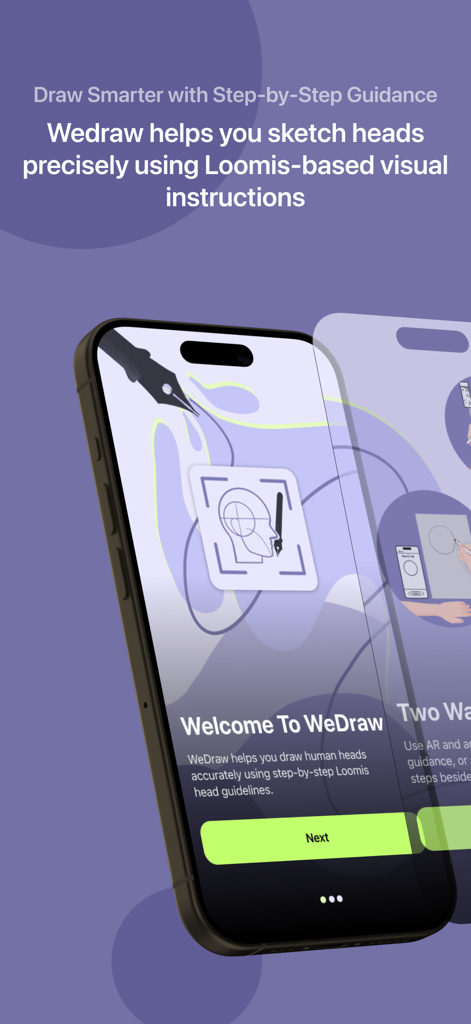
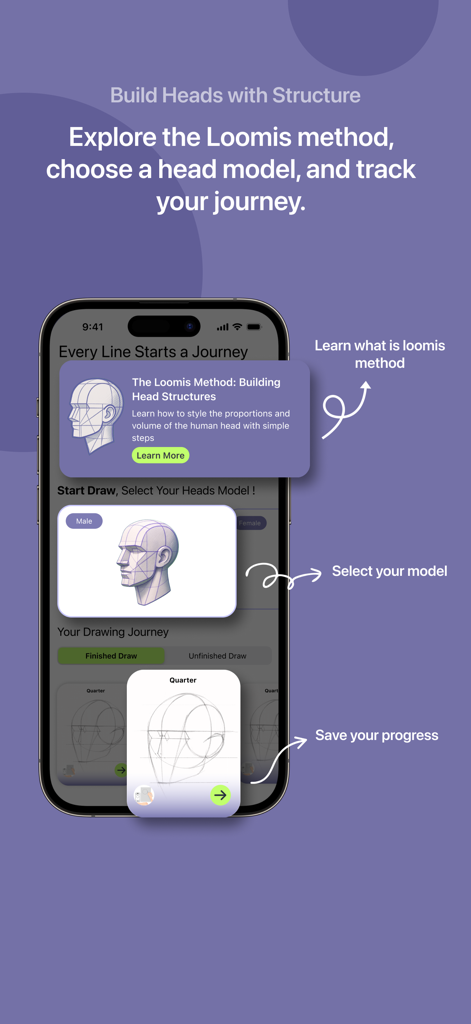
WeDraw: Trace & Create - WeDraw 앱 온보딩 화면으로, 인간의 머리를 그리기 위한 루미스 방법의 단계별 안내를 보여줍니다.
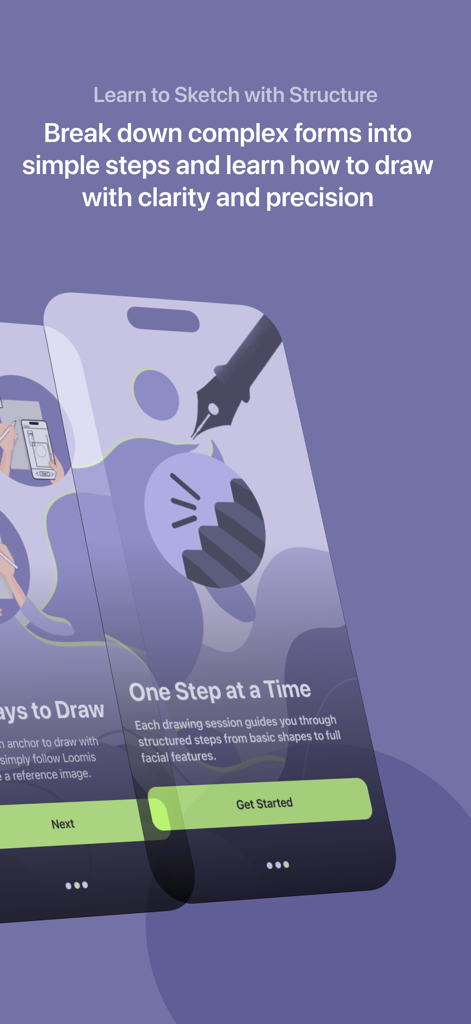
WeDraw 앱 온보딩 화면으로, 인간의 머리를 그리기 위한 루미스 방법의 단계별 안내를 보여줍니다.

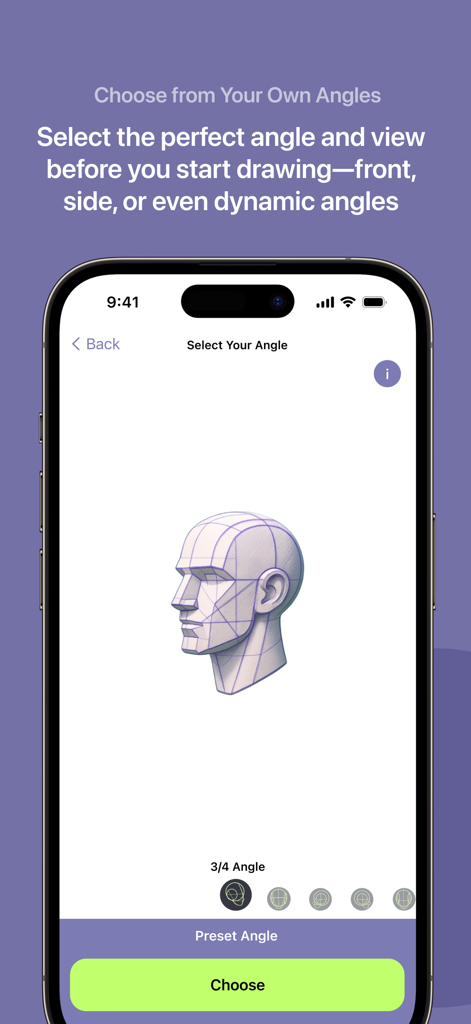
WeDraw: Trace & Create - WeDraw 앱 인터페이스에서 간단한 단계로 스케치 구조를 배우는 방법에 대한 안내를 보여줍니다.
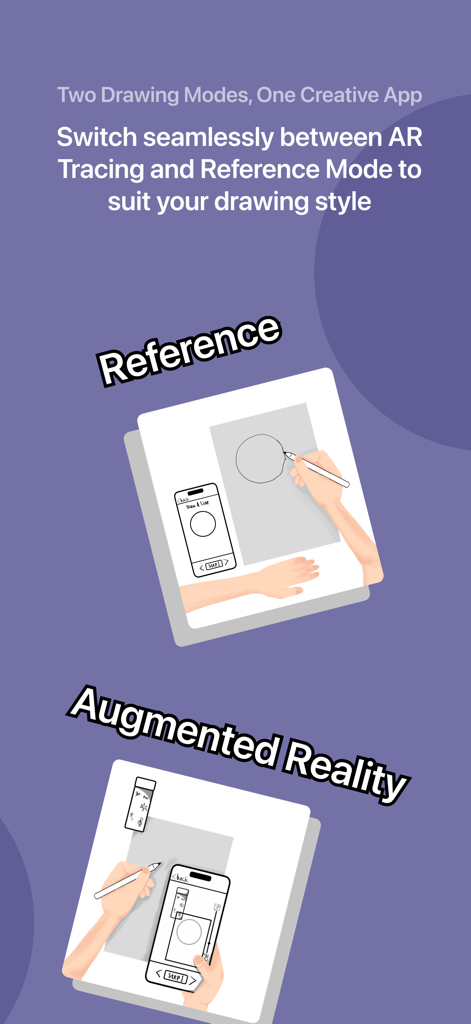
WeDraw 앱 인터페이스에서 간단한 단계로 스케치 구조를 배우는 방법에 대한 안내를 보여줍니다.

WeDraw: Trace & Create - 참고 자료 및 증강 현실 그리기 모드를 갖춘 WeDraw 앱 기능에 대한 인포그래픽
참고 자료 및 증강 현실 그리기 모드를 갖춘 WeDraw 앱 기능에 대한 인포그래픽

WeDraw: Trace & Create - WeDraw 앱 인터페이스에서 3D 모델을 사용하여 인간 머리 비율을 그리는 루미스 방법을 설명합니다.
WeDraw 앱 인터페이스에서 3D 모델을 사용하여 인간 머리 비율을 그리는 루미스 방법을 설명합니다.

WeDraw: Trace & Create - WeDraw 앱 인터페이스에서 스케치 및 트레이싱을 위해 3/4 각도로 된 3D 머리 모델 참고 자료를 보여줍니다.
WeDraw 앱 인터페이스에서 스케치 및 트레이싱을 위해 3/4 각도로 된 3D 머리 모델 참고 자료를 보여줍니다.

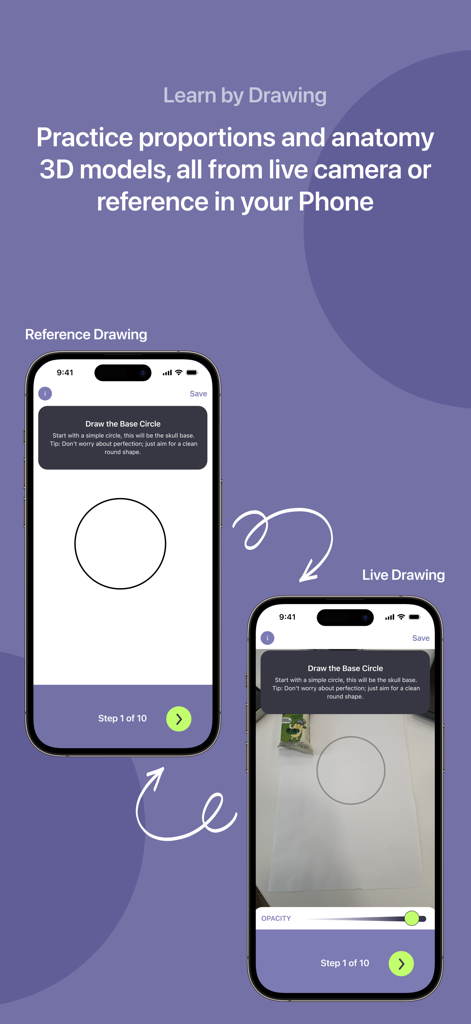
WeDraw: Trace & Create - WeDraw 앱에서 참고 자료 그리기 모드와 실시간 AR 트레이싱 모드의 비교

WeDraw 앱에서 참고 자료 그리기 모드와 실시간 AR 트레이싱 모드의 비교

설명


Bring your imagination into the real world — one trace at a time. Wedraw is an intuitive Augmented Reality (AR) tracing app that helps you learn, practice, and express your creativity by overlaying real-world reference images directly onto your environment. Whether you're an aspiring artist, student, or just someone who loves to draw, Wedraw transforms your device into a smart digital projector that helps you trace and sketch with ease. And it doesn’t stop at AR. You can also draw with reference images right inside the app without AR mode. Use our focused drawing space to sketch from references in a distraction-free interface, perfect for when you want to practice anatomy, still life, or characters in a more traditional digital setup. How It Works 1. Open the App — Launch Wedraw and dive straight into a curated collection of drawing models. 2. Choose a Model to Draw — Select from a range of reference images designed to support your practice and creativity. 3. Pick Your Angle — Decide which perspective or pose of the model best suits your drawing intent. 4. Select a Mode — Choose between: - Draw with Reference (side-by-side view, no AR), or - Draw with AR (overlay image on real-world surface) 5. (For AR Mode) Take a photo of your anchor — a flat, real-world surface that the app will use to place your image. 6. Crop & Adjust the Image — Refine the area you want to draw and position it exactly as needed. 7. Start Drawing — Trace over the AR projection or sketch directly from the reference. Create at your own pace, your way. Features You'll Love - Smart AR Tracing: Overlay images onto real surfaces and trace with accuracy. - Draw with Reference: Prefer classic reference drawing? Use side-by-side mode to sketch without AR. - Flexible Anchoring: Image stays even if AR tracking is temporarily lost. - Gesture Controls: Move, scale, and rotate images intuitively. - Minimal Interface: A clean design that stays out of your way and lets your art take the spotlight. Perfect For: - Art Students & Teachers — Practice fundamentals and structure. - Hobbyists & Creators — Recreate your favorite characters, logos, or scenery. - Beginners & Kids — Build drawing confidence at your own pace. - Digital Nomads — Sketch anywhere, anytime, with nothing but your phone. Whether you’re tracing over an anchor or free-sketching from a reference image, Wedraw is your creative companion. It’s not just a tool, it’s a bridge between your ideas and the page. No sign-up. No ads. Just you and your art. Download Wedraw and start creating today. Meet the Wedraw Squad Crafted with passion by Ali An Nuur M. Evan Cendekia Suryandaru Rudi Juandi Butarbutar Rizky Dwi Putra Widia Sania

Download

다운로드: App Store

이 페이지는 앱이나 개발자의 공식 페이지가 아니며, 정보 제공 및 논평을 목적으로 작성된 독립 편집 간행물입니다. 명시적으로 달리 언급되지 않는 한, 해당 앱이나 개발자는 MWM, Apple, Google Play, 앱 퍼블리셔 또는 앱 개발자와 제휴, 보증, 후원, 승인 또는 공식적으로 연결되어 있지 않으며, 이 페이지의 어떤 내용도 해당 앱이 MWM의 서비스를 사용하여 개발되었음을 의미하지 않습니다. 모든 상표, 로고, 스크린샷 및 기타 콘텐츠는 해당 소유자의 자산입니다.







