WIFI analyzer. Network scanner

WIFI analyzer. Network scanner

다운로드: App Store
로고: WIFI analyzer. Network scanner

WIFI 분석기. 네트워크 스캐너: 홈 네트워크 최적화를 위한 전문가용 솔루션

연결을 완벽하게 제어하세요. 직관적이고 고성능의 도구를 사용하여 침입자를 식별하고, 간섭을 스캔하고, 실시간 지연 시간을 모니터링하여 현대적인 원격 전문가를 위해 설계되었습니다.

개발사

Tommy Ward

카테고리

Utilities

다운로드

117K+

사용자 평점

4.3/5

총 평가 수

1K+

지원 언어

1

귀하의 네트워크, 시각화됨

이 인터페이스를 사용하는 117K+ 명의 사용자.

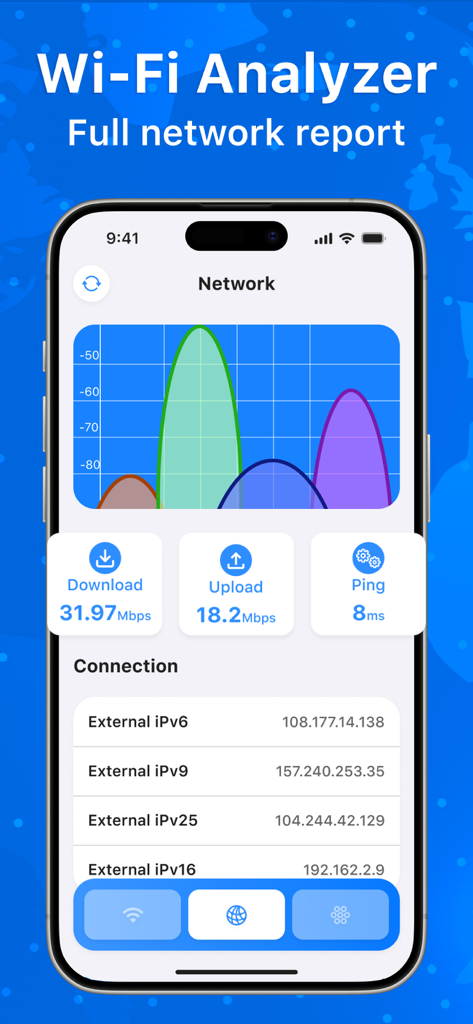
Wi-Fi 신호 강도 그래프와 네트워크 속도 지표를 보여주는 모바일 앱 인터페이스
Wi-Fi 신호 강도 그래프와 네트워크 속도 지표를 보여주는 모바일 앱 인터페이스

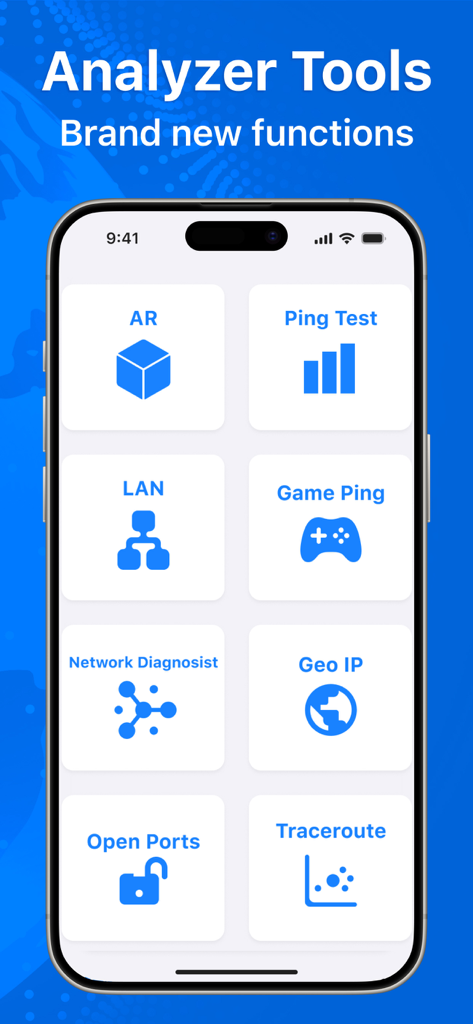
Ping 테스트, LAN 스캐너, 게임 Ping과 같은 다양한 네트워크 진단 도구를 보여주는 Wi-Fi Analyzer 앱 인터페이스
Ping 테스트, LAN 스캐너, 게임 Ping과 같은 다양한 네트워크 진단 도구를 보여주는 Wi-Fi Analyzer 앱 인터페이스

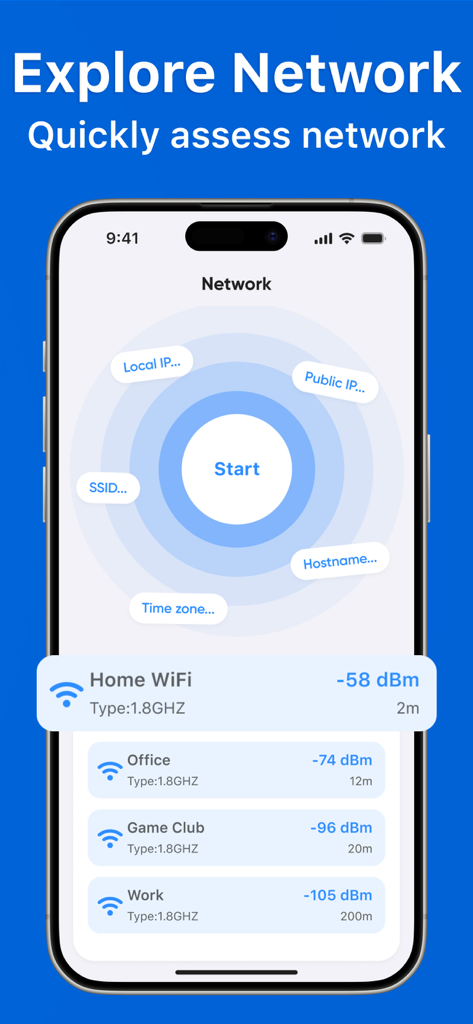
근처 네트워크 목록과 dBm 단위의 신호 강도를 보여주는 Wi-Fi 분석기 앱이 있는 스마트폰 화면
근처 네트워크 목록과 dBm 단위의 신호 강도를 보여주는 Wi-Fi 분석기 앱이 있는 스마트폰 화면

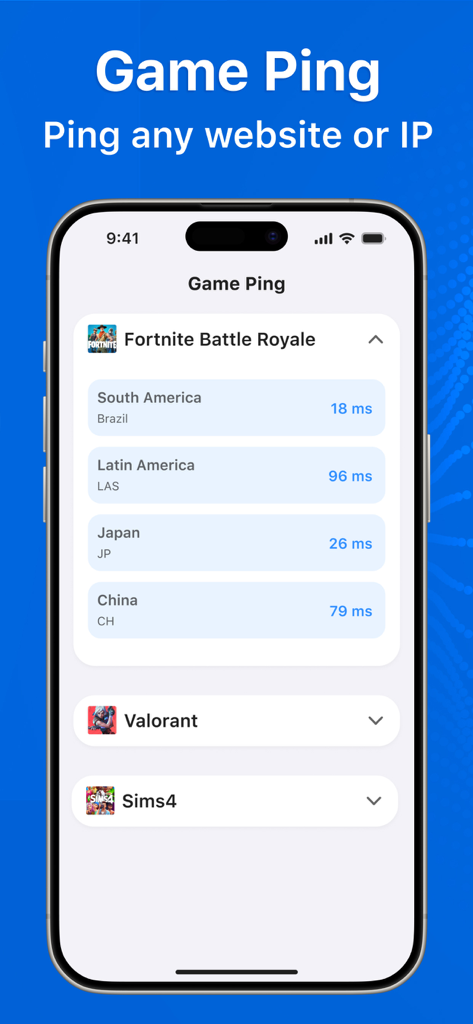
전 세계 여러 지역 서버의 Fortnite와 같은 인기 비디오 게임에 대한 실시간 ping 지연 시간을 보여주는 모바일 앱 인터페이스
전 세계 여러 지역 서버의 Fortnite와 같은 인기 비디오 게임에 대한 실시간 ping 지연 시간을 보여주는 모바일 앱 인터페이스

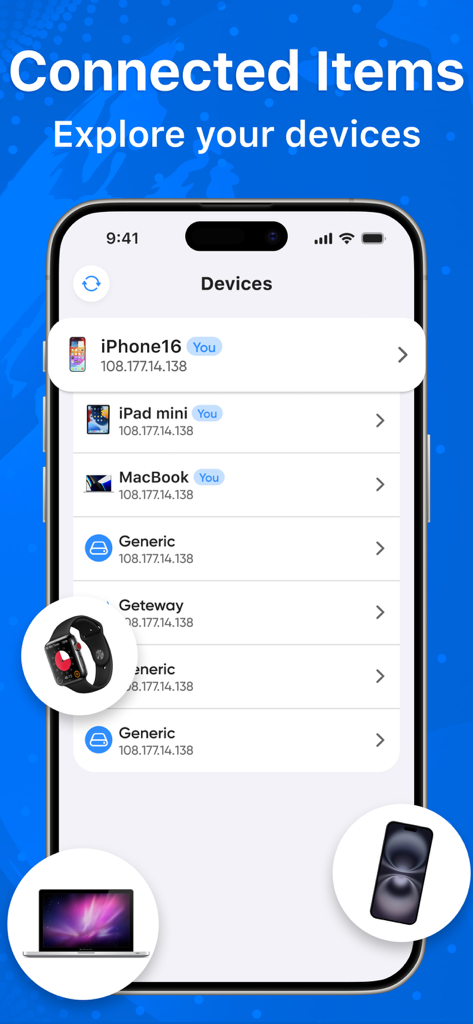
iPhone, iPad, MacBook을 포함하여 네트워크에 연결된 장치 목록을 보여주는 WIFI 분석기 앱 인터페이스
iPhone, iPad, MacBook을 포함하여 네트워크에 연결된 장치 목록을 보여주는 WIFI 분석기 앱 인터페이스

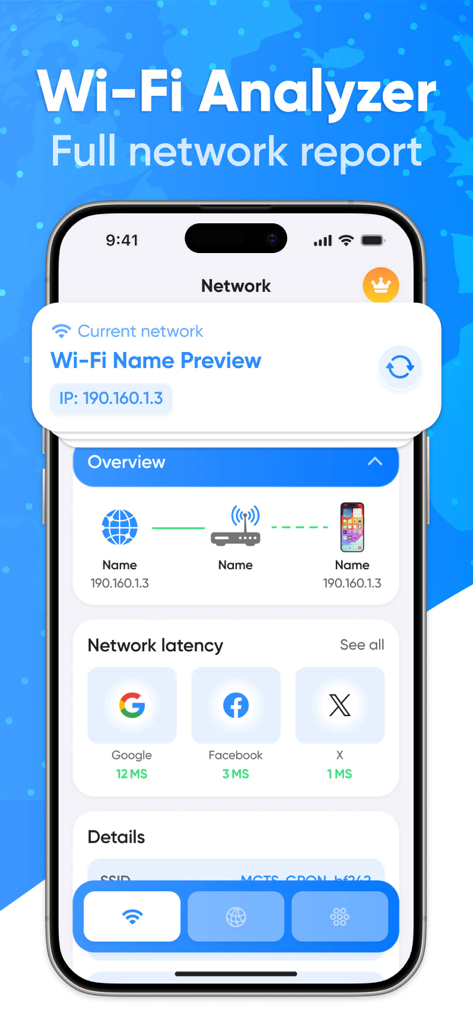
연결 경로와 웹사이트 지연 시간 테스트가 포함된 전체 네트워크 보고서를 표시하는 모바일 앱 인터페이스
연결 경로와 웹사이트 지연 시간 테스트가 포함된 전체 네트워크 보고서를 표시하는 모바일 앱 인터페이스

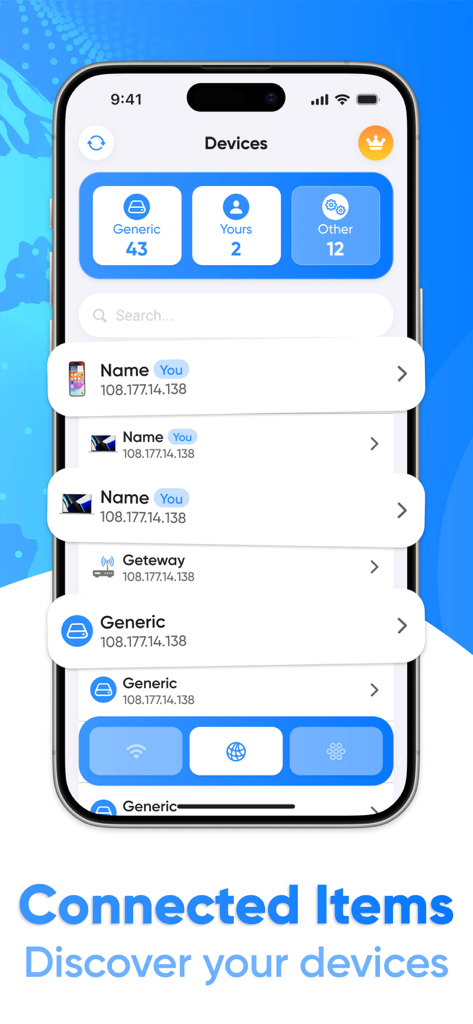
IP 주소가 있는 네트워크에 연결된 장치 목록을 보여주는 WIFI 분석기 앱의 스크린샷
IP 주소가 있는 네트워크에 연결된 장치 목록을 보여주는 WIFI 분석기 앱의 스크린샷

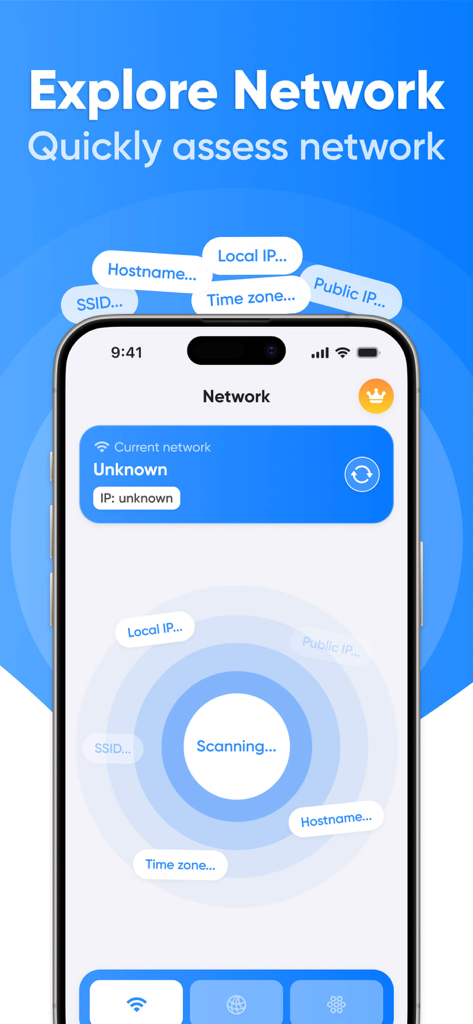
네트워크를 스캔하는 Wi-Fi 분석기 앱 인터페이스
네트워크를 스캔하는 Wi-Fi 분석기 앱 인터페이스

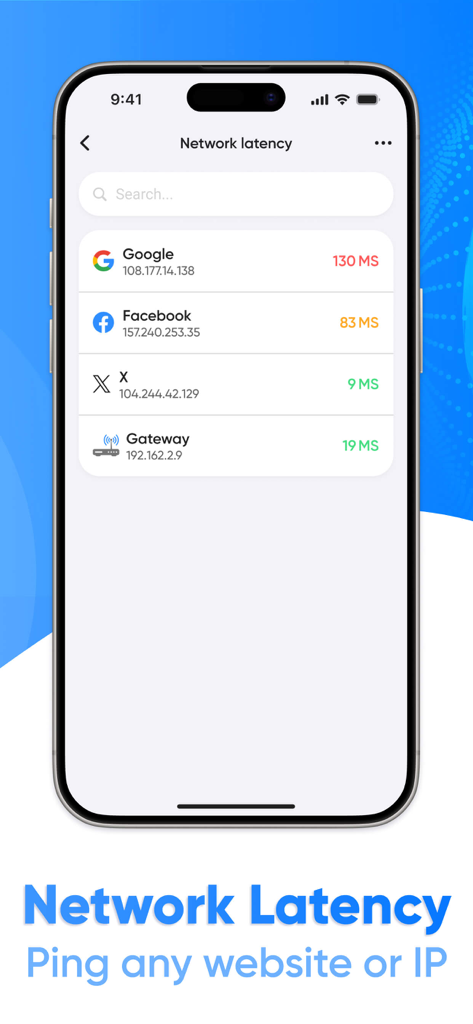
Google 및 Facebook과 같은 웹사이트에 대한 네트워크 지연 시간 및 ping 결과를 보여주는 WIFI 분석기 앱 인터페이스
Google 및 Facebook과 같은 웹사이트에 대한 네트워크 지연 시간 및 ping 결과를 보여주는 WIFI 분석기 앱 인터페이스

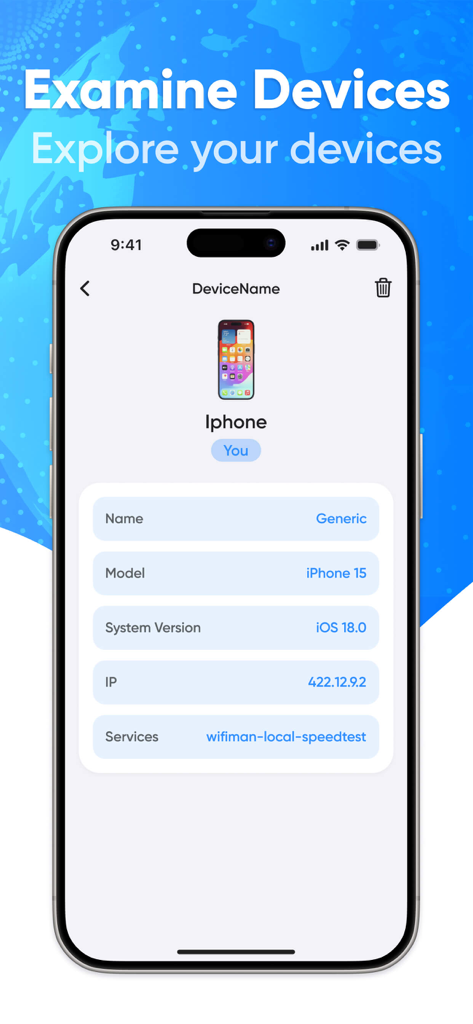
네트워크 정보를 보여주는 Wifi Analyzer 앱 내 연결된 iPhone의 상세 보기

네트워크 정보를 보여주는 Wifi Analyzer 앱 내 연결된 iPhone의 상세 보기

네트워크 환경 마스터하기

이 앱을 돋보이게 하는 도구, 117K+ 명의 사용자가 선택.

📶

데드 존 제거

고정밀 신호 스캔을 사용하여 간섭을 식별하고 라우터의 최적 배치를 찾아 범위를 최대화하세요.

🛡️

모든 장치 투명성

네트워크에 연결된 모든 장치를 모니터링하고 즉시 분류하여 무단 침입자 또는 대역폭 도둑을 감지하세요.

정밀 성능 테스트

실시간 지연 시간 및 ping 테스트를 실행하여 고부하 화상 통화 및 원활한 스트리밍에 충분히 안정적인 연결인지 확인하세요.

앱 소개

에 대해 알아야 할 모든 것 WIFI analyzer. Network scanner.

설명

Wi-Fi Analyzer is a powerful and intuitive Wi-Fi network analysis and monitoring app designed for users who want to get the most out of their internet connection. With Wi-Fi Analyzer, you can easily manage your network, identify potential issues, and optimize your connection. Key Features: Wi-Fi Network Scan: Quickly and efficiently scan available Wi-Fi networks in your area, displaying their parameters such as signal strength, encryption type, and channels. Scan Results Update: Easily access up-to-date network information with the real-time scan results update feature. Connection Path View: Track the path your device takes to Wi-Fi to understand how data flows through the network. Detailed Network Overview: Get a complete picture of your network with information about your router, connected devices, and their activity. Website and IP Latency Test: Measure the response time of any website or IP address to evaluate the performance of your internet connection. Connected Devices Overview: See which devices are connected to your network, with the ability to divide them into categories (e.g. smartphones, computers, IoT devices). Detailed View of Connected Device: View information about each connected device, including its IP address, MAC address, and current activity. Device Search Function: Easily find the devices you need on your network with the built-in search function. Wi-Fi Analyzer is your reliable assistant in managing your Wi-Fi network. Optimize your Internet connection, monitor security, and get the most out of your connection! This application contains auto-renewable subscriptions and In-App Purchases: For 1 week - $4.99 For 1 month - $12.99 For 1 year - $39.99 Lifetime - $59.99 Privacy Policy Link: https://docs.google.com/document/d/1x6n6W0GPSiKoQVXlFTsb2-6y9Z8O6fXK2FaM4CWVzw0/edit Terms of Use Link: https://www.apple.com/legal/internet-services/itunes/dev/stdeula/

최신 버전

1.3.4

크기

29.6 MB

출시일

2024년 11월 1일

지금 바로 네트워크를 완벽하게 제어하세요

117,000명 이상의 전문가들이 데드 존을 제거하고, 침입자를 식별하고, 지불한 고속 연결을 보장하기 위해 당사 분석기를 신뢰하고 있습니다.

다운로드: App Store

App information, icons, screenshots, and descriptions displayed on this page are sourced from the Apple App Store and are the property of their respective developers. Download estimates and rankings are based on MWM's proprietary models and may not reflect actual figures. This page is provided for informational and analytical purposes only.

Believe this page infringes your intellectual property? File a dispute