
이 페이지는 앱이나 개발자의 공식 페이지가 아니며, 정보 제공 및 논평을 목적으로 작성된 독립 편집 간행물입니다. 명시적으로 달리 언급되지 않는 한, 해당 앱이나 개발자는 MWM, Apple, Google Play, 앱 퍼블리셔 또는 앱 개발자와 제휴, 보증, 후원, 승인 또는 공식적으로 연결되어 있지 않으며, 이 페이지의 어떤 내용도 해당 앱이 MWM의 서비스를 사용하여 개발되었음을 의미하지 않습니다. 모든 상표, 로고, 스크린샷 및 기타 콘텐츠는 해당 소유자의 자산입니다.


WiFi Finder + Map
속도 등급이 매겨진 핫스팟을 갖춘 세계 유일의 데이터베이스로 연결 불안을 해소하세요. 오프라인 지도를 다운로드하여 로밍 요금 없이 지구상의 어디에서나 고속 WiFi를 찾으세요.
다운로드
1M+사용자 평점
총 평가 수
6K+개발사
카테고리
Travel지원 언어
12최신 버전
2.1.3크기
42.5 MB출시일
2015년 3월 10일전 세계 어디서든 생산성을 유지하세요
실제 속도로 핫스팟 순위를 매기고 완벽하게 오프라인으로 작동하는 유일한 WiFi 파인더이므로 이동 중에 마감일을 놓치지 않습니다.
검증된 속도 등급
'죽은 WiFi'에 시간을 낭비하지 마세요. 실제 속도로 각 핫스팟의 등급이 매겨진 크라우드소싱 데이터베이스에 액세스하여 화상 통화 및 대용량 업로드를 지원하는 연결을 찾으세요.
100% 오프라인 액세스
비싼 로밍 요금을 피하세요. 다음 목적지의 지도를 미리 다운로드하고 셀룰러 데이터나 신호가 전혀 없을 때도 고속 인터넷을 찾으세요.
자주 묻는 질문
에 대해 알아야 할 모든 것 WiFi Finder + Map
What is the WiFi Finder + Map app?
The WiFi Finder + Map app helps users locate fast WiFi hotspots worldwide using a crowdsourced database. It also offers offline map downloads for use without an internet connection.
How does WiFi Finder + Map identify fast WiFi connections?
The WiFi Finder + Map app utilizes a crowdsourced database containing hundreds of thousands of global WiFi Hotspots. It provides unique data, showing WiFi rated by actual Hotspot Speed.
Can I use the WiFi Finder + Map app offline?
Yes, WiFi Finder + Map supports offline use. Users can download maps for areas they are traveling to, enabling them to find WiFi hotspots without requiring an active internet connection.
What is the cost of offline maps in WiFi Finder + Map?
Offline Maps in WiFi Finder + Map costs $4.49 for three months or $7.99 per year. These subscriptions are managed through your iTunes account and renew automatically.
How do I cancel my WiFi Finder + Map subscription?
To cancel your WiFi Finder + Map subscription, turn off auto-renewal through your iTunes Account Settings. This must occur at least 24 hours before the current subscription period ends.
Does WiFi Finder + Map show actual WiFi hotspot speeds?
Yes, the WiFi Finder + Map app displays detailed hotspot speeds, including both download and upload rates. It also indicates the suitability of the connection for activities like streaming.
Can I filter WiFi hotspots by type in WiFi Finder + Map?
Yes, WiFi Finder + Map allows users to filter WiFi hotspots by venue type. Options include Hotel, Cafe, Restaurant, Bar, and Store, making it easy to find suitable locations.
Where can I view the privacy policy for WiFi Finder + Map?
The WiFi Finder + Map app's privacy policy is available on speedcheck.org. Users can access the full details directly via the link provided in the app's store description.
Does WiFi Finder + Map collect user data?
WiFi Finder + Map collects anonymous usage data to improve OpenStreetMap and Mapbox maps. Users can disable this Mapbox Telemetry option within the app's Settings menu.
How do I update the WiFi Hotspot Database in WiFi Finder + Map?
Users can update the WiFi Hotspot Database within the WiFi Finder + Map app. Navigate to the Settings menu and locate the "UPDATE" button under the DATA section.
다음 스크린샷과 설명은 앱의 공식 스토어 목록에서 직접 가져온 것이며 앱 개발자의 자산입니다.
앱 스토어
스크린샷
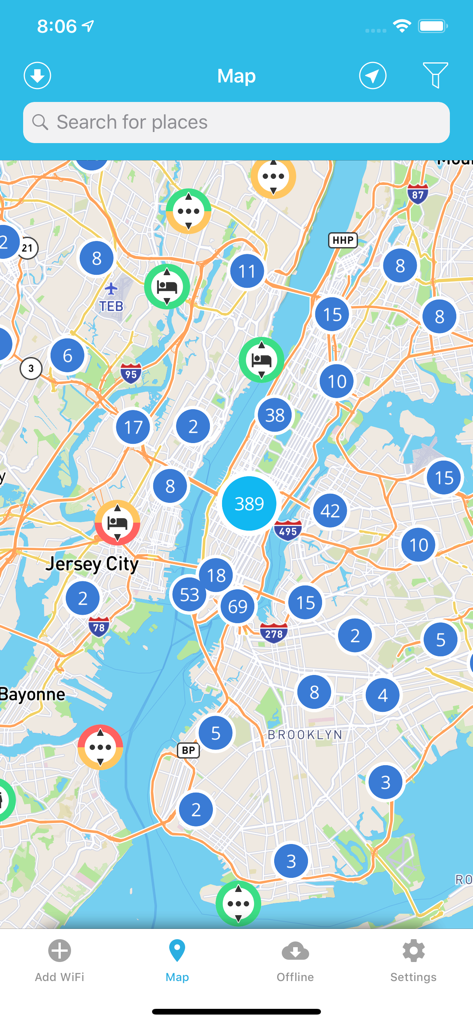
WiFi Finder 앱에서 사용 가능한 WiFi 핫스팟을 보여주는 뉴욕시 지도
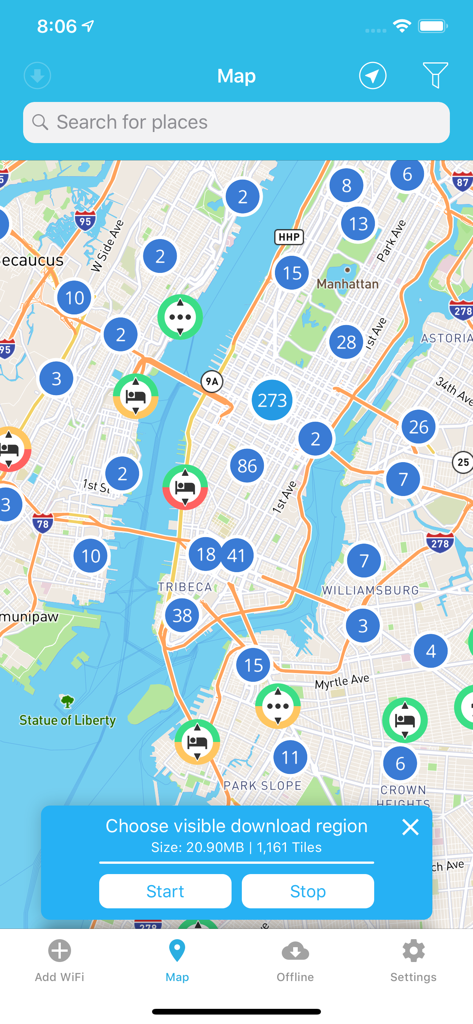
핫스팟 위치와 오프라인 지도 다운로드 프롬프트가 있는 뉴욕 지도인 WiFi Finder 앱 인터페이스.
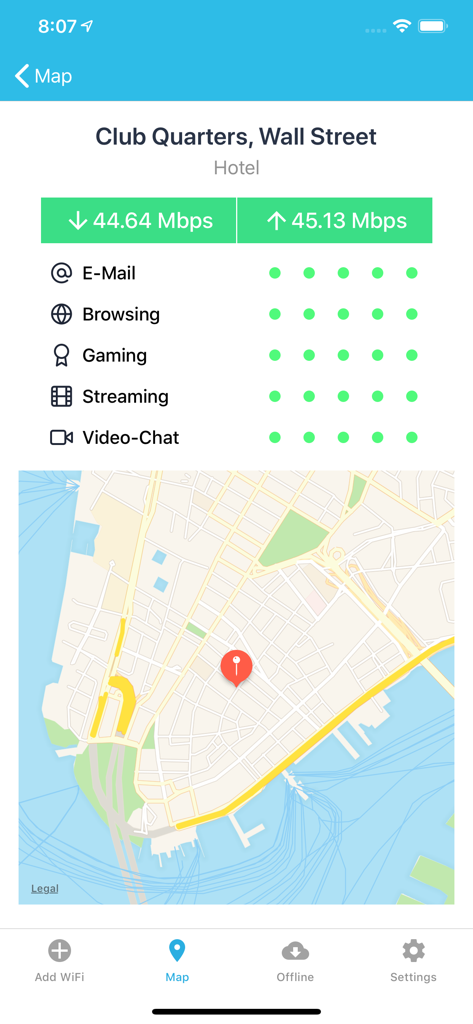
호텔의 고속 인터넷 세부 정보와 지도 위치를 보여주는 WiFi Finder 앱 화면
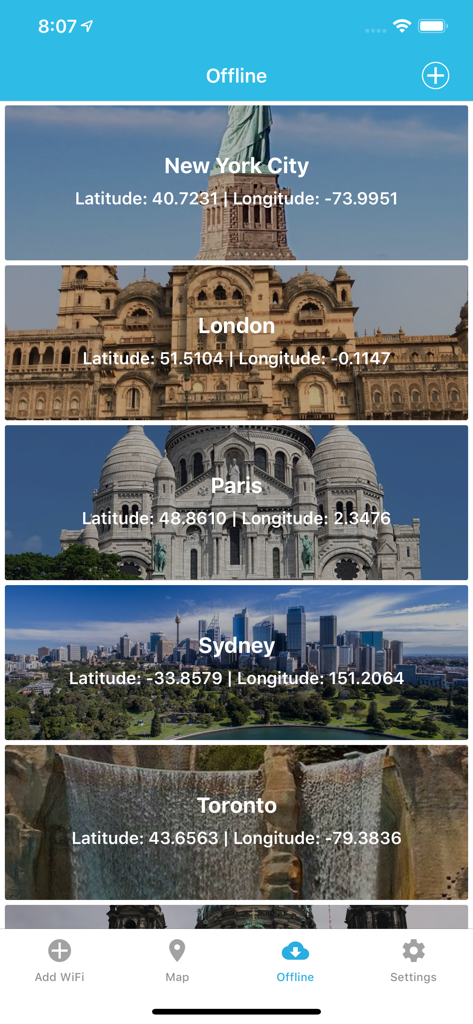
WiFi Finder 앱에서 오프라인 지도 다운로드를 위한 좌표가 있는 도시 목록
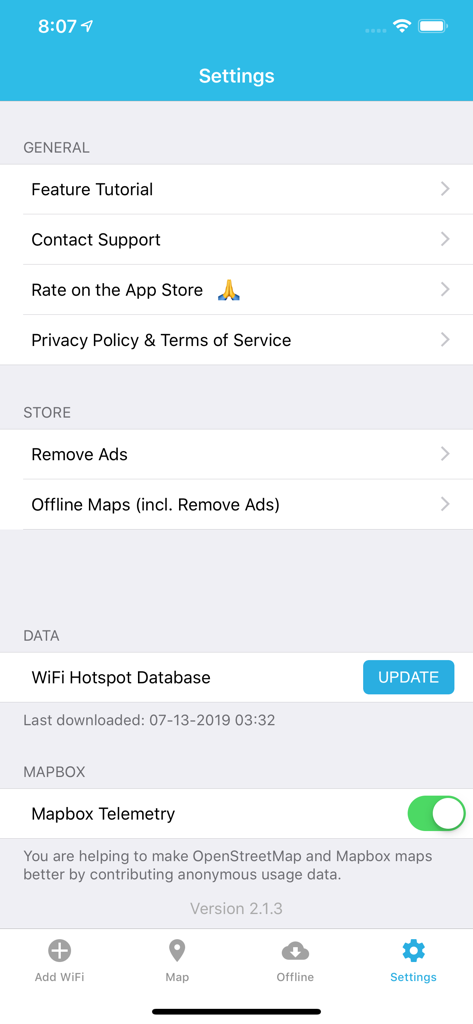
오프라인 지도, 핫스팟 데이터베이스 업데이트 및 지원 옵션을 보여주는 WiFi Finder 앱의 설정 화면.
설명
Download
비슷한 앱
유사한 기능과 사용자 경험을 가진 앱

WiFi Chùa
APPOTA INC PTE LTD

WiFi Map: Internet + eSIM
WIFI MAP LLC
Wifi Password on Map Wifi View
Drashtang Chovatiya

WiFinder: Wifi Location Map
ANDROID VIETNAM TECHNOLOGY CORPORATION

TownWiFi byGMO
TownWiFi Inc.

WiFi Around - Nearby Hotspots
Chengdu Meiji Tuwen Co. LTD

WiFi Connect: Internet & Speed
Yurii Kobets

WiFi密码查看器-WiFi热点一键链接查看
Jiaxing Lingyue Trade Co.,Ltd.

Wifi password connect
zaai developer
이 페이지는 앱이나 개발자의 공식 페이지가 아니며, 정보 제공 및 논평을 목적으로 작성된 독립 편집 간행물입니다. 명시적으로 달리 언급되지 않는 한, 해당 앱이나 개발자는 MWM, Apple, Google Play, 앱 퍼블리셔 또는 앱 개발자와 제휴, 보증, 후원, 승인 또는 공식적으로 연결되어 있지 않으며, 이 페이지의 어떤 내용도 해당 앱이 MWM의 서비스를 사용하여 개발되었음을 의미하지 않습니다. 모든 상표, 로고, 스크린샷 및 기타 콘텐츠는 해당 소유자의 자산입니다.