Wifi Internet Speed Test Meter
다운로드: App Store

이 페이지는 앱이나 개발자의 공식 페이지가 아니며, 정보 제공 및 논평을 목적으로 작성된 독립 편집 간행물입니다. 명시적으로 달리 언급되지 않는 한, 해당 앱이나 개발자는 MWM, Apple, Google Play, 앱 퍼블리셔 또는 앱 개발자와 제휴, 보증, 후원, 승인 또는 공식적으로 연결되어 있지 않으며, 이 페이지의 어떤 내용도 해당 앱이 MWM의 서비스를 사용하여 개발되었음을 의미하지 않습니다. 모든 상표, 로고, 스크린샷 및 기타 콘텐츠는 해당 소유자의 자산입니다.

로고: Wifi Internet Speed Test Meter
다운로드: App Store

Wifi Internet Speed Test Meter

버퍼링을 멈추고 공급업체에 책임을 물으세요. 실시간 다운로드, 업로드 및 핑 데이터를 얻어 홈 오피스를 최적화하고 지불하는 속도를 얻고 있는지 확인하세요.

주요 수치

다운로드

1000

사용자 평점

4.8/5

총 평가 수

0

개발사

Sadgun Infotech

카테고리

Utilities

지원 언어

1

최신 버전

1.0.4

크기

23.3 MB

출시일

2023년 6월 20일
기능

연결을 제어하세요

인터넷이 느린 이유를 추측하지 마세요. 전문적인 진단 도구를 사용하여 업무, 게임 또는 스트리밍 중인지에 관계없이 지불하는 성능을 홈 네트워크가 제공하는지 확인하세요.

ISP의 약속을 확인하세요

다운로드 및 업로드 속도를 즉시 측정하여 공급업체에 책임을 묻고 매달 지불하는 대역폭을 얻고 있는지 확인하세요.

홈 오피스를 최적화하세요

중요한 Zoom 통화 또는 게임 세션 전에 스마트 핑 테스트를 실행하여 지연을 제거하고 안정적이고 고성능 연결을 보장하세요.

다음 스크린샷과 설명은 앱의 공식 스토어 목록에서 직접 가져온 것이며 앱 개발자의 자산입니다.

앱 스토어

스크린샷
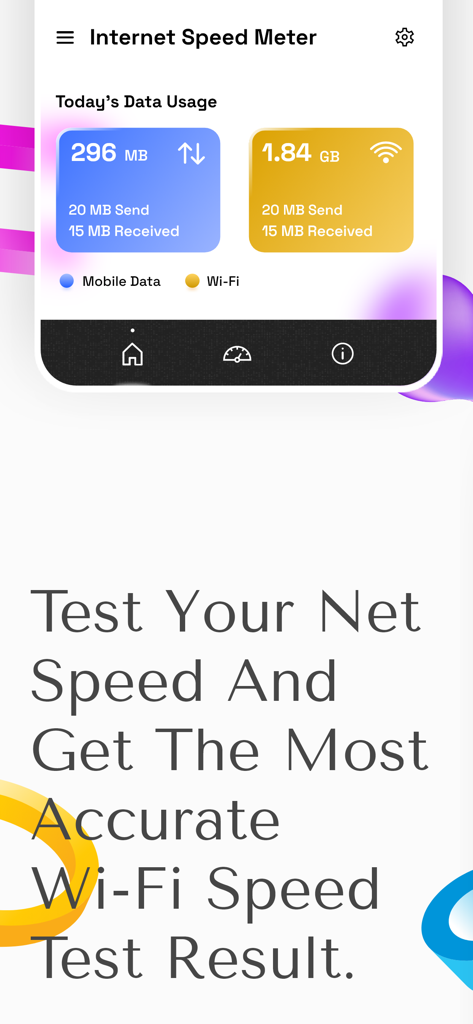
Wifi Internet Speed Test Meter - WiFi 인터넷 속도 테스트 측정기 앱 인터페이스에 일일 모바일 및 WiFi 데이터 사용량 통계가 표시됨
WiFi 인터넷 속도 테스트 측정기 앱 인터페이스에 일일 모바일 및 WiFi 데이터 사용량 통계가 표시됨

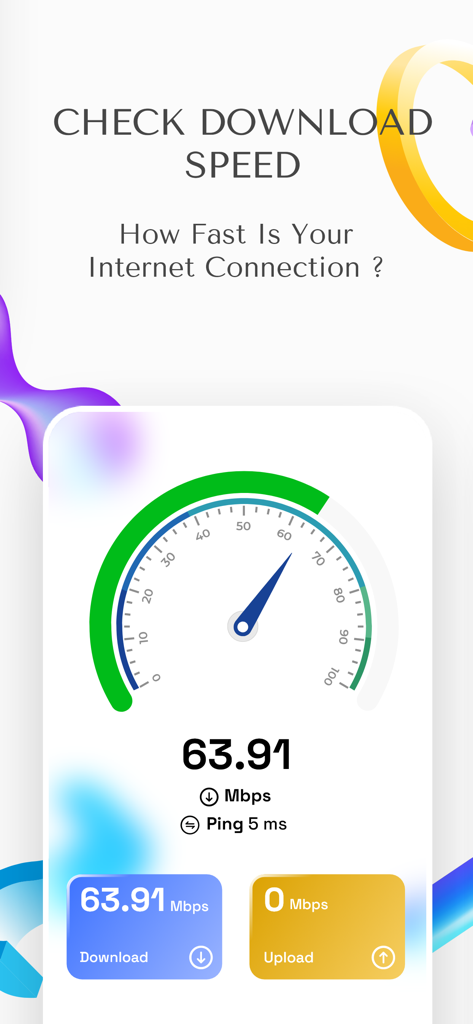
Wifi Internet Speed Test Meter - WiFi 인터넷 속도 테스트 측정기 인터페이스에 63.91Mbps의 다운로드 속도 결과가 표시됨
WiFi 인터넷 속도 테스트 측정기 인터페이스에 63.91Mbps의 다운로드 속도 결과가 표시됨

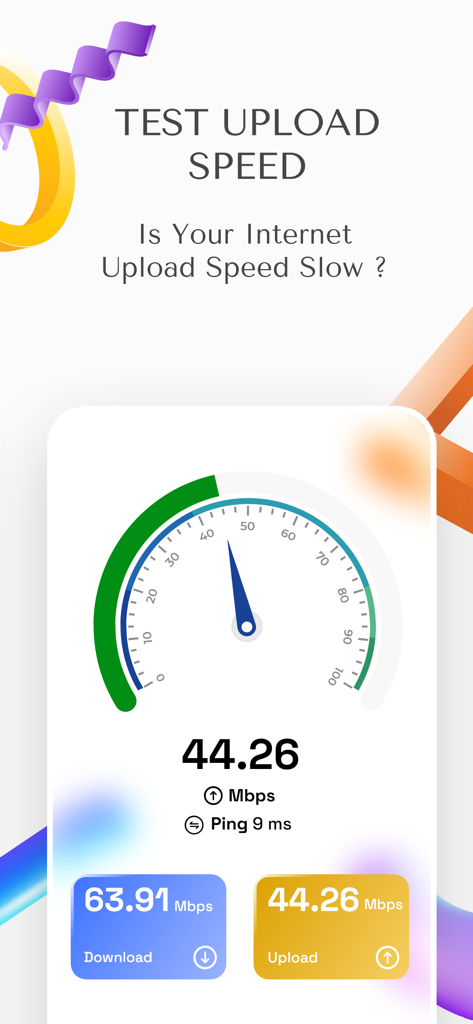
Wifi Internet Speed Test Meter - WiFi 인터넷 속도 테스트 측정기 앱의 스크린샷으로 속도계 인터페이스에 업로드 및 다운로드 속도 결과가 표시됨
WiFi 인터넷 속도 테스트 측정기 앱의 스크린샷으로 속도계 인터페이스에 업로드 및 다운로드 속도 결과가 표시됨

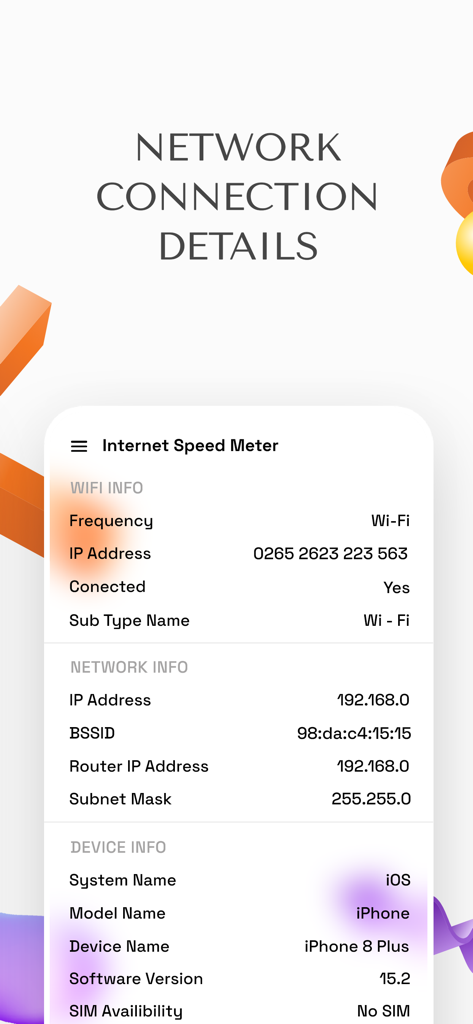
Wifi Internet Speed Test Meter - 인터넷 진단을 위한 Wi-Fi, 네트워크 및 장치 세부 정보를 표시하는 앱 인터페이스
인터넷 진단을 위한 Wi-Fi, 네트워크 및 장치 세부 정보를 표시하는 앱 인터페이스

Wifi Internet Speed Test Meter - 5G 4G LTE 및 Wi-Fi용 인터넷 신호 모니터 및 속도 테스터

5G 4G LTE 및 Wi-Fi용 인터넷 신호 모니터 및 속도 테스터

설명

Are you experiencing slow internet speeds or inconsistent performance? Worry no more, just get this net analyzer to measure the speed of your internet connection, diagnose issues with slow connection speeds and optimize your online activities. Net & Wifi Speed Test Master app is a tool to measure the speed of your internet connection. Calculate the speed at which data is transferred from your device to the internet and vice versa with this smart wifi tester. The broadband speed test works by measuring the time it takes for data to travel between your device and a server on the internet. # Vivid Features of the Internet Speed App: ⇒ The simple and easy to use interface of the network speed test app allows you to quickly run a speed test and view the results in a clear and easy-to-understand format. ⇒ The main feature of the net speed meter is its download and upload speed ​​test. Measure how fast you can download or upload data from/to the internet and determine your internet connection speed. ⇒ Measure the responsiveness of your internet connection with this smart ping test app. Take a ping test to measure the time taken to transmit data from your device to an internet server and vice versa. ⇒ Store and compare speed test results over time to track changes in your connection speed and spot patterns or trends, with the speedtest monitoring. The various features of the test my speed app can help you measure your connection speed, diagnose problems and optimize your browsing experience for work, entertainment or study. Whether you are a home user or a business owner, it can be a valuable resource for you. # Advantages of using the wifi analyser tool: ⇒ Diagnose connection problems: If your internet speed is slow, this internet speed ​​meter can help you determine the cause of the problem. You can use this tool to determine if you are getting the speeds you are paying for from your Internet Service Provider, and if the problem is with your device or your ISP's network. ⇒ Consistent performance guaranteed: Internet speed may vary depending on many factors, including network congestion and the time of the day. Testing your internet connection speed regularly with this wifi tester can help you determine when your connection is slow and take steps to improve it, such as updating your internet plan to suit your requirements. ⇒ Compare service providers: If you are considering switching your internet service provider, you can use the internet connection speed app to compare the speeds and prices of different plans. Use this tool to check the speeds of different providers in your area and choose the one that offers the best value for your needs. ⇒ Optimizing performance: This speedtestnet ​​monitor also helps you optimize your internet connection performance. For example, if your download speed is slow, you can use this tool to test several download locations and find the one that provides the best download speed. All in all, using this cellular bandwidth analyzer can help you make sure you're getting the speed you need for your online activities and help diagnose and fix internet connection problems. Download the Net & Wifi Speed Test Master now and start measuring your connection speed to optimize and get a smoother browsing experience.

Download

다운로드: App Store

이 페이지는 앱이나 개발자의 공식 페이지가 아니며, 정보 제공 및 논평을 목적으로 작성된 독립 편집 간행물입니다. 명시적으로 달리 언급되지 않는 한, 해당 앱이나 개발자는 MWM, Apple, Google Play, 앱 퍼블리셔 또는 앱 개발자와 제휴, 보증, 후원, 승인 또는 공식적으로 연결되어 있지 않으며, 이 페이지의 어떤 내용도 해당 앱이 MWM의 서비스를 사용하여 개발되었음을 의미하지 않습니다. 모든 상표, 로고, 스크린샷 및 기타 콘텐츠는 해당 소유자의 자산입니다.








