WMDPlayer
WMDPlayer
다운로드: App Store

이 페이지는 앱이나 개발자의 공식 페이지가 아니며, 정보 제공 및 논평을 목적으로 작성된 독립 편집 간행물입니다. 명시적으로 달리 언급되지 않는 한, 해당 앱이나 개발자는 MWM, Apple, Google Play, 앱 퍼블리셔 또는 앱 개발자와 제휴, 보증, 후원, 승인 또는 공식적으로 연결되어 있지 않으며, 이 페이지의 어떤 내용도 해당 앱이 MWM의 서비스를 사용하여 개발되었음을 의미하지 않습니다. 모든 상표, 로고, 스크린샷 및 기타 콘텐츠는 해당 소유자의 자산입니다.


로고: WMDPlayer
다운로드: App Store

WMDPlayer

형식 제한에서 벗어나세요. A-B 반복, 백그라운드 재생, 비밀번호로 보호되는 폴더와 같은 고급 도구로 MKV, FLAC 및 360° 비디오를 재생하세요.

주요 수치

다운로드

14K+

사용자 평점

4.2/5

총 평가 수

300

개발사

Last,Inc.

카테고리

Photo & Video

지원 언어

3

최신 버전

1.9.76

크기

65.9 MB

출시일

2020년 9월 15일
기능

미디어 라이브러리를 완벽하게 제어하세요

파일 형식이나 저장 공간 제한에 대한 걱정은 잊으세요. WMDPlayer는 모바일 미디어 경험에서 더 많은 것을 요구하는 파워 유저를 위해 설계된 고성능 파워하우스입니다.

변환 없이 모든 것을 재생하세요

MKV, AVI, FLAC 및 50개 이상의 다른 형식을 지원합니다. 파일만 있다면 변환의 번거로움 없이 놀라운 품질로 재생할 수 있습니다.

안전한 개인 폴더

개인 미디어를 진정으로 비공개로 유지하세요. 모든 폴더에 개별 비밀번호 잠금을 설정하여 메인 카메라 롤에서 민감한 콘텐츠를 보호하세요.

다음 스크린샷과 설명은 앱의 공식 스토어 목록에서 직접 가져온 것이며 앱 개발자의 자산입니다.

앱 스토어

스크린샷
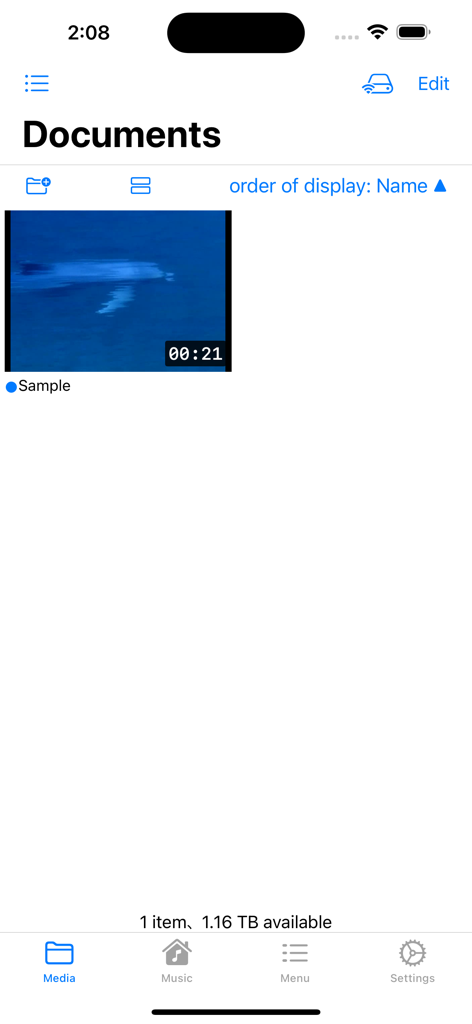
WMDPlayer - WMDPlayer 앱이 샘플 비디오와 함께 문서 미디어 라이브러리를 보여주고 있습니다.
WMDPlayer 앱이 샘플 비디오와 함께 문서 미디어 라이브러리를 보여주고 있습니다.

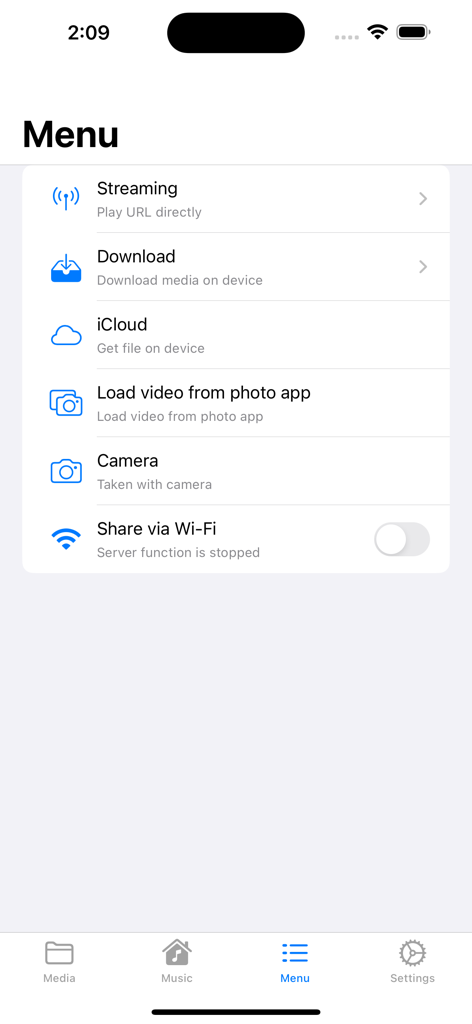
WMDPlayer - WMDPlayer 앱 메뉴에 iCloud 또는 사진 라이브러리에서 스트리밍, 다운로드 및 파일 가져오기 옵션이 표시됩니다.
WMDPlayer 앱 메뉴에 iCloud 또는 사진 라이브러리에서 스트리밍, 다운로드 및 파일 가져오기 옵션이 표시됩니다.

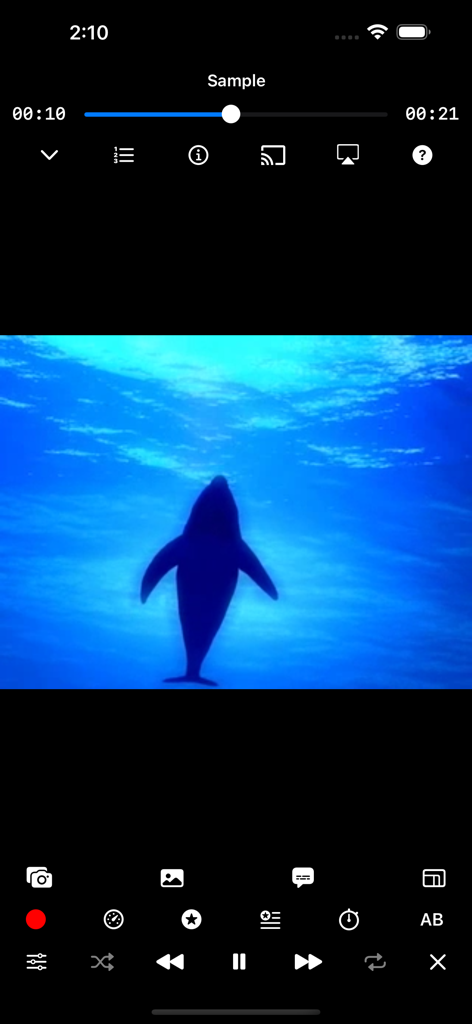
WMDPlayer - WMDPlayer 비디오 재생 화면에 돌고래 실루엣과 고급 미디어 컨트롤이 표시됩니다.
WMDPlayer 비디오 재생 화면에 돌고래 실루엣과 고급 미디어 컨트롤이 표시됩니다.

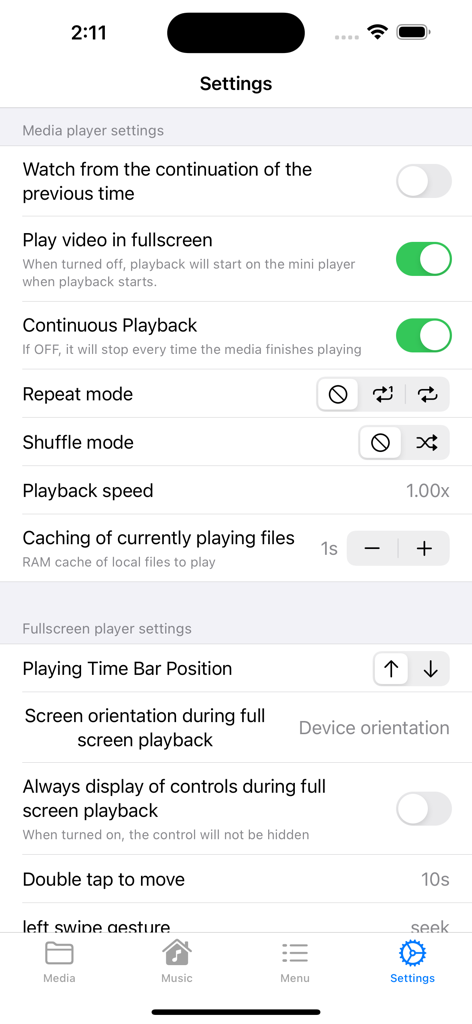
WMDPlayer - WMDPlayer 앱 설정 인터페이스에 미디어 플레이어 구성 및 재생 제어 옵션이 표시됩니다.
WMDPlayer 앱 설정 인터페이스에 미디어 플레이어 구성 및 재생 제어 옵션이 표시됩니다.

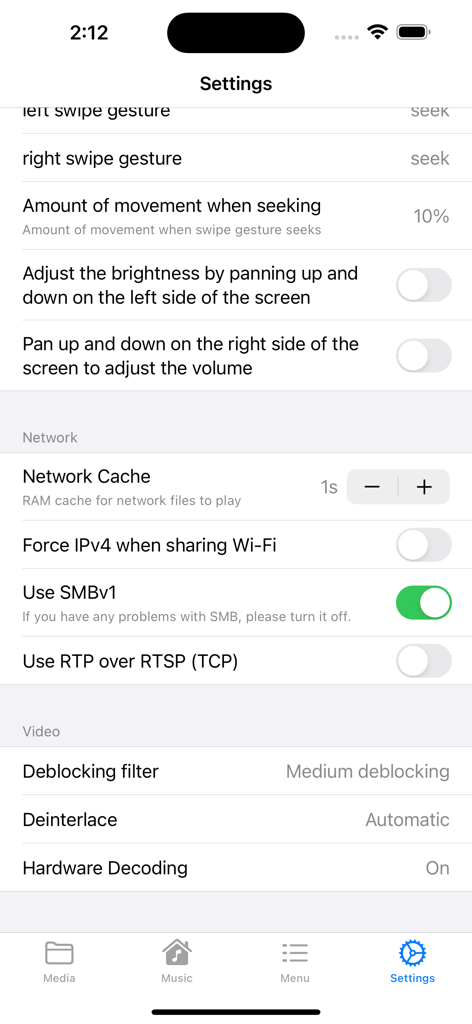
WMDPlayer - WMDPlayer의 설정 화면에는 고급 비디오 및 네트워크 재생 제어가 표시됩니다.
WMDPlayer의 설정 화면에는 고급 비디오 및 네트워크 재생 제어가 표시됩니다.

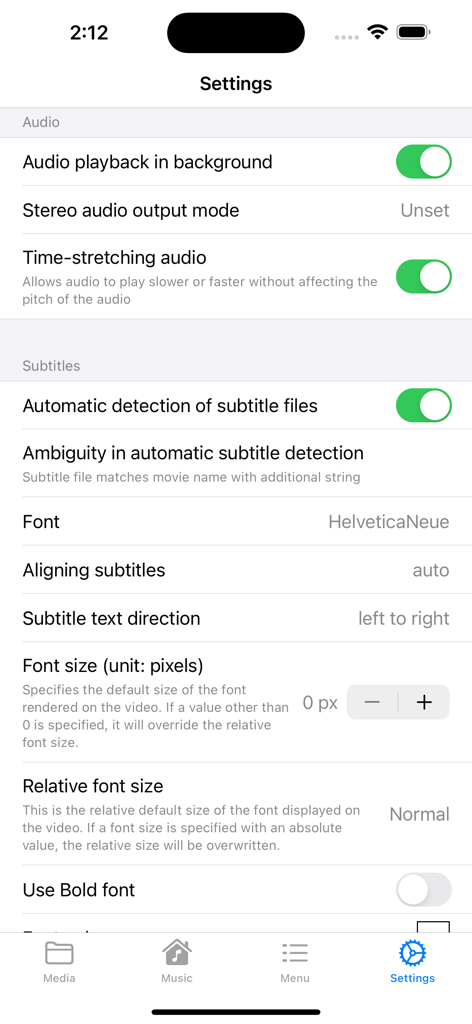
WMDPlayer - WMDPlayer 앱 설정 화면으로 오디오 재생 및 자막 사용자 정의를 위한 것입니다.
WMDPlayer 앱 설정 화면으로 오디오 재생 및 자막 사용자 정의를 위한 것입니다.

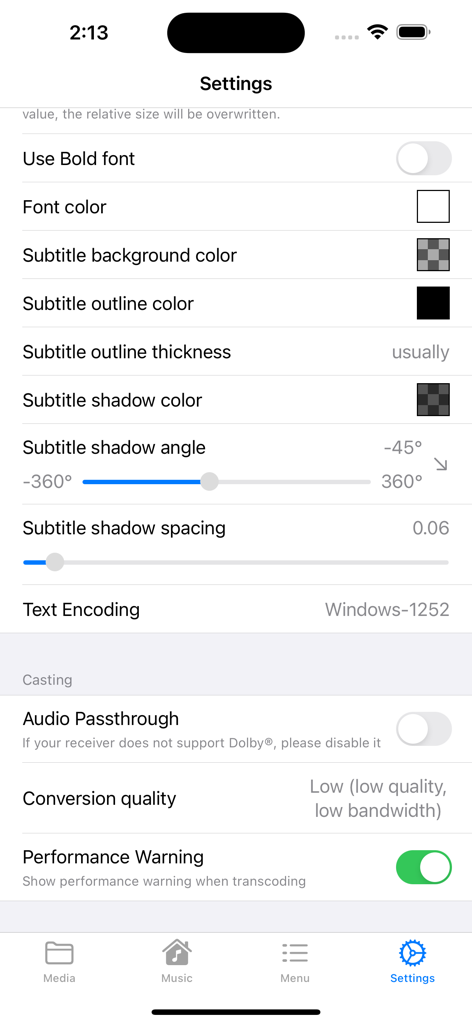
WMDPlayer - WMDPlayer 설정 화면에는 자막 스타일 사용자 정의 및 미디어 캐스팅 옵션이 표시됩니다.

WMDPlayer 설정 화면에는 자막 스타일 사용자 정의 및 미디어 캐스팅 옵션이 표시됩니다.

설명

WMDPlayer is a multimedia player packed with various functions. ・High-performance player - Compatible with almost all media formats, see below - background play - Section repeat (A-B) - shuffle, repeat - sleep timer - Change playback speed - Bookmark video times - Subtitle support - Equalizer - Video filter function - External display support - mini player - Control music on lock screen - 360° video support - Manage play queue - Save video screenshots - Chromecast casting - external keyboard ・Media library - Manage files in easy-to-use folders - Move files with drag and drop - Long press on file to display menu - Search for files - Passcode lock for each folder - Playlist function ・File sharing - Browser transfer via Wi-Fi - Finder transfer via USB - Video transfer from camera roll - Video transfer from iCloud - Video transfer from SMB and UPnP ·others - Create MP3 - Dark mode compatible - CarPlay ・Supported media formats - Video: 3g2, 3gp, 3gp2, 3gpp, amv, asf, avi, bik, bin, crf, divx, drc, dv, evo, f4v, flv, gvi, gxf, hevc, iso, m1v, m2v, m2t, m2ts , m4v, mkv, mov, mp2, mp2v, mp4, mp4v, mpe, mpeg, mpeg1, mpeg2, mpeg4, mpg, mpv2, mts, mtv, mxf, mxg, nsv, nuv, ogg, ogm, ogv, ogx, ps , rec, rm, rmvb, rpl, thp, tod, ts, tts, txd, vob, vro, webm, wm, wmv, wtv, xesc - Audio: 3ga, 669, a52, aac, ac3, adt, adts, aif, aifc, aiff, amb, amr, aob, ape, au, awb, caf, dts, flac, it, kar, m4a, m4b, m4p , m5p, mid, mka, mlp, mod, mpa, mp1, mp2, mp3, mpc, mpga, mus, oga, ogg, oma, opus, qcp, ra, rmi, s3m, sid, spx, tak, thd, tta , voc, vqf, w64, wav, wma, wv, xa, xm - Subtitle files: cdg, idx, srt, sub, utf, ass, ssa, aqt, jss, psb, rt, smi, txt, smil, stl, usf, dks, pjs, mpl2, mks, vtt, ttml, dfxp ■■■ About the paid version ■■■ Ads are displayed in the free version. Please use the free version first, and if you like it, consider the paid version. ● Restoration when changing models When changing models, you can restore the previously purchased paid version for free. (From Settings -> Paid version) Log in to iTunes on your iPhone/iPad device with the same AppleID as when you purchased. ●Confirmation and Cancellation Select “Recommended” at the bottom of the AppStore app —> Select your Apple ID —> Select “View Apple ID” —> Select WMDPlayer from “Manage” in your subscription. From this screen, you can check the next automatic update timing and cancel/set automatic update. ● About automatic recurring billing If the automatic renewal is not canceled at least 24 hours before the end of the period, the contract period will be automatically renewed. Automatic renewal charges will be made within 24 hours after the end of the contract period. ●Notes ・ Those who have been charged within the app cannot cancel by any method other than the above. ・We do not accept cancellations for the current month. ・You will be charged through your iTunes account. ●Terms of use https://superzeus.xsrv.jp/test/info/privacypolicy.html [note] This app uses the YouTube Data API and only the videos published on YouTube are posted. If you find music that has been uploaded illegally, please report the violation from YouTube. In addition, we have set and operated so that such music will not be posted in this application, but if you find it, please understand and cooperate so that it will not be played. YouTube trademarks and logos are registered trademarks of Google, Inc.

Download

다운로드: App Store

이 페이지는 앱이나 개발자의 공식 페이지가 아니며, 정보 제공 및 논평을 목적으로 작성된 독립 편집 간행물입니다. 명시적으로 달리 언급되지 않는 한, 해당 앱이나 개발자는 MWM, Apple, Google Play, 앱 퍼블리셔 또는 앱 개발자와 제휴, 보증, 후원, 승인 또는 공식적으로 연결되어 있지 않으며, 이 페이지의 어떤 내용도 해당 앱이 MWM의 서비스를 사용하여 개발되었음을 의미하지 않습니다. 모든 상표, 로고, 스크린샷 및 기타 콘텐츠는 해당 소유자의 자산입니다.