
이 페이지는 앱이나 개발자의 공식 페이지가 아니며, 정보 제공 및 논평을 목적으로 작성된 독립 편집 간행물입니다. 명시적으로 달리 언급되지 않는 한, 해당 앱이나 개발자는 MWM, Apple, Google Play, 앱 퍼블리셔 또는 앱 개발자와 제휴, 보증, 후원, 승인 또는 공식적으로 연결되어 있지 않으며, 이 페이지의 어떤 내용도 해당 앱이 MWM의 서비스를 사용하여 개발되었음을 의미하지 않습니다. 모든 상표, 로고, 스크린샷 및 기타 콘텐츠는 해당 소유자의 자산입니다.

Work Log -Time sheet-
원터치 출퇴근 기록, 각 직무별 맞춤 프로필, 그리고 현대 전문가를 위해 설계된 자동 급여 계산으로 업무일을 강화하세요.
다운로드
280K+사용자 평점
총 평가 수
6K+개발사
카테고리
Business지원 언어
30최신 버전
2.86.160크기
37.3 MB출시일
2014년 2월 12일시간과 수입을 직접 관리하세요
교대 근무자부터 독립 계약자까지, 현대 미국 노동자를 위해 설계된 최고의 개인 시간 추적 허브입니다.
원터치 효율성
단 한 번의 탭으로 출퇴근 기록을 하세요. 이동 중에 마찰 없는 추적이 필요한 바쁜 전문가를 위해 설계되었습니다.
모든 부업 관리
무제한 맞춤 프로필을 만들어 하나의 앱에서 여러 직무, 다른 시급, 복잡한 근무 시간표를 추적하세요.
자주 묻는 질문
에 대해 알아야 할 모든 것 Work Log -Time sheet-
What is 'Work Log -Time sheet-' app?
'Work Log -Time sheet-'은 직무에 소요된 시간을 추적하기 위해 설계된 강력하고 사용자 정의 가능한 앱입니다. 출퇴근, 일시 중지/재개, 상세한 타임시트 보고서와 같은 기능을 제공합니다.
How do I track my work hours using the Work Log app?
예, 간단한 원터치 "출근", "퇴근", "일시 중지/재개" 버튼 인터페이스를 사용하여 근무 시간을 추적합니다. 이를 통해 이동 중에도 시간을 추적할 수 있습니다.
Does Work Log -Time sheet- offer different work profiles?
예, Work Log 앱은 무제한의 사용자 정의 가능한 "프로필"을 제공합니다. 이 프로필은 필요에 맞게 조정할 수 있으며 월별, 교대, 연간, 유연 근무, 파트타임 등 다양한 근무 형태를 포함합니다.
Can Work Log -Time sheet- calculate payroll?
예, Work Log 앱에는 선택 가능한 급여 계산 방법이 포함되어 있습니다. 그러나 파트타임 프로필은 급여 계산에 시간제 임금 시스템만 사용할 수 있습니다.
What reporting features does the Work Log app provide?
Work Log 앱은 월별 및 연간 타임시트를 제공합니다. 1, 2, 또는 4주, 반달, 전체 달과 같은 보고 기간을 지정하여 집계된 시간 및 급여 결과를 표시할 수 있습니다.
Can I export my time sheets from Work Log -Time sheet-?
예, 타임시트 보고서를 이메일로 보낼 수 있습니다. 일반 텍스트 또는 쉼표로 구분된 (CSV) 형식으로 제공되어 Excel 또는 Numbers와 같은 응용 프로그램으로 쉽게 가져올 수 있습니다.
Does Work Log -Time sheet- support data backup?
예, Work Log -Time sheet-에는 Dropbox 백업/복원 기능이 포함되어 있습니다. 이를 통해 사용자는 시간 추적 데이터를 안전하게 보관하고 검색할 수 있습니다.
Is Work Log -Time sheet- free to use indefinitely?
아니요, Work Log 앱은 초기 40일 동안 기록을 유지할 수 있습니다. 이 기간 이후에도 계속 사용하려면 기록 수 제한을 해제하기 위해 요금이 부과됩니다.
What types of work forms can I track with Work Log -Time sheet-?
Work Log 앱은 월급제(표준, 단일 교대근무), 교대근무(다중 교대근무), 연봉제, 유연근무, 파트타임 등 다양한 근무 형태를 지원합니다.
Can Work Log -Time sheet- display time in different formats?
예, Work Log 앱에서는 시간/분 형식 또는 소수점 형식으로 시간을 표시하도록 선택할 수 있어 사용자 환경 설정에 맞게 사용할 수 있습니다.
Does the Work Log app round clock-in/out times?
예, Work Log 앱은 출퇴근 시간 반올림 설정을 제공합니다. 사용자는 이전 시간 단위, 다음 시간 단위 또는 이전/다음으로 반올림하는 옵션을 선택할 수 있습니다.
다음 스크린샷과 설명은 앱의 공식 스토어 목록에서 직접 가져온 것이며 앱 개발자의 자산입니다.
앱 스토어
스크린샷
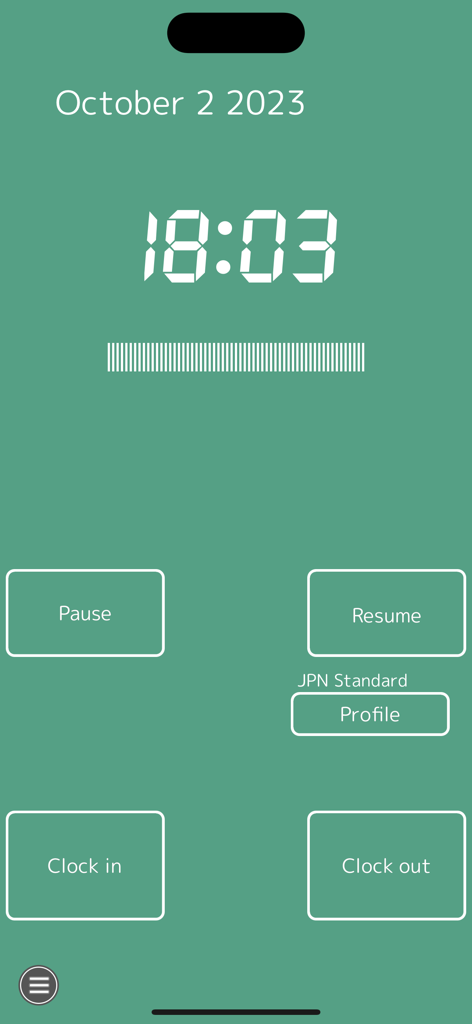
Work Log 앱의 메인 인터페이스는 디지털 시계 표시와 출근, 퇴근, 일시 중지, 재개 버튼이 있는 간단한 버튼을 보여줍니다.
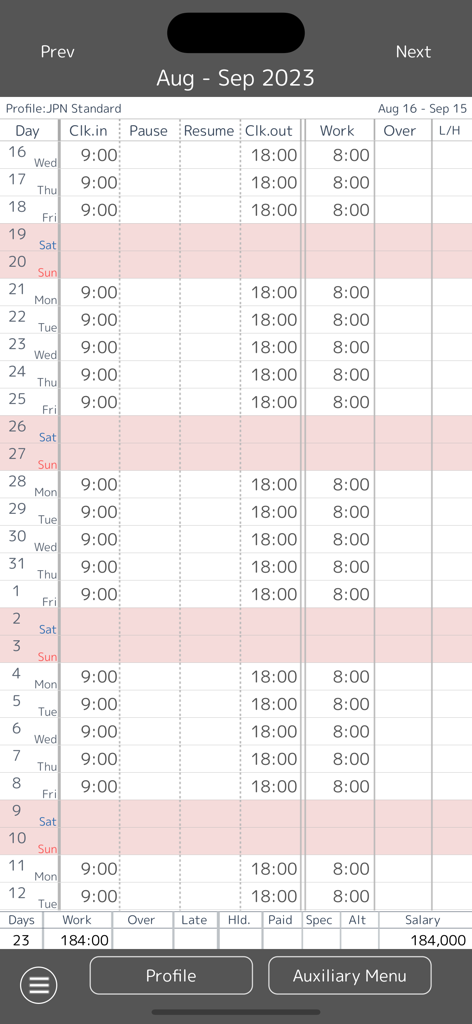
Work Log 앱의 월별 타임시트 보기에는 일별 출퇴근 시간과 총 급여 요약이 표시됩니다.
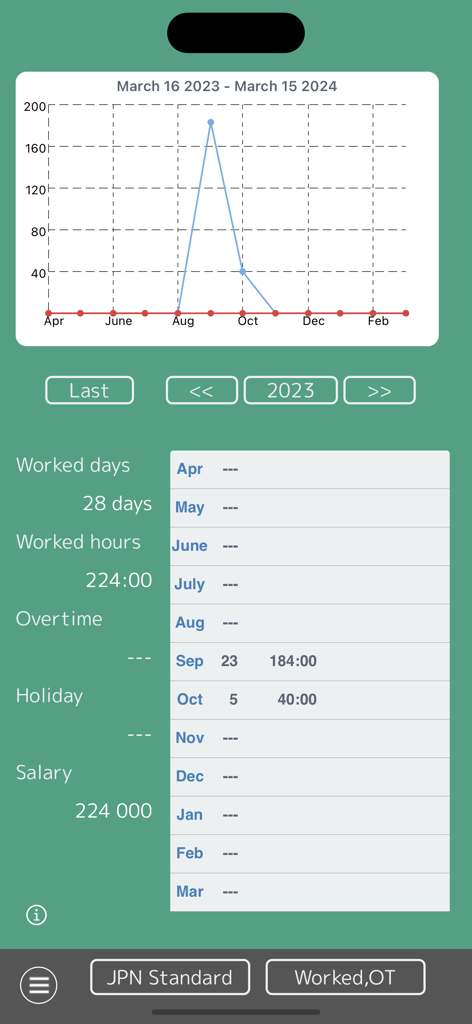
Work Log 앱 연간 타임시트 요약은 근무일, 시간, 급여와 함께 선 그래프를 보여줍니다.
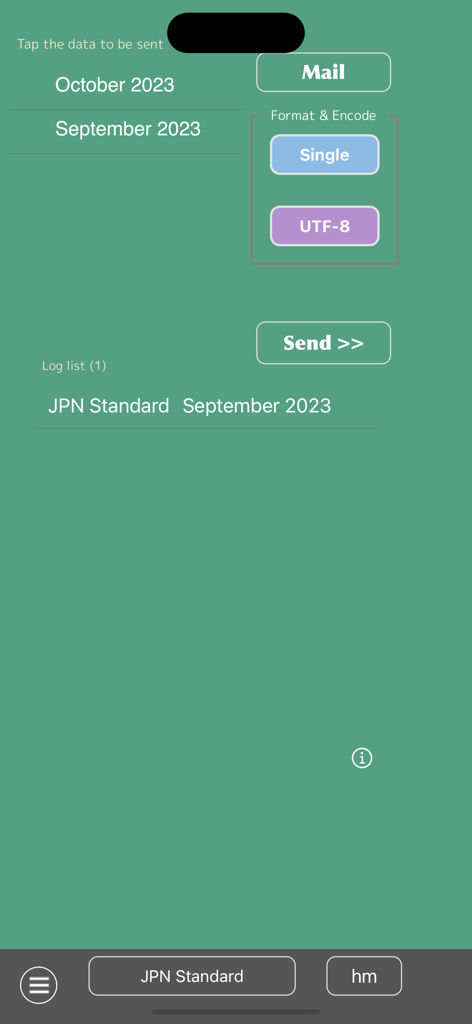
Work Log 앱 화면에서 월별 타임시트 데이터를 이메일로 내보내고 보내는 기능.
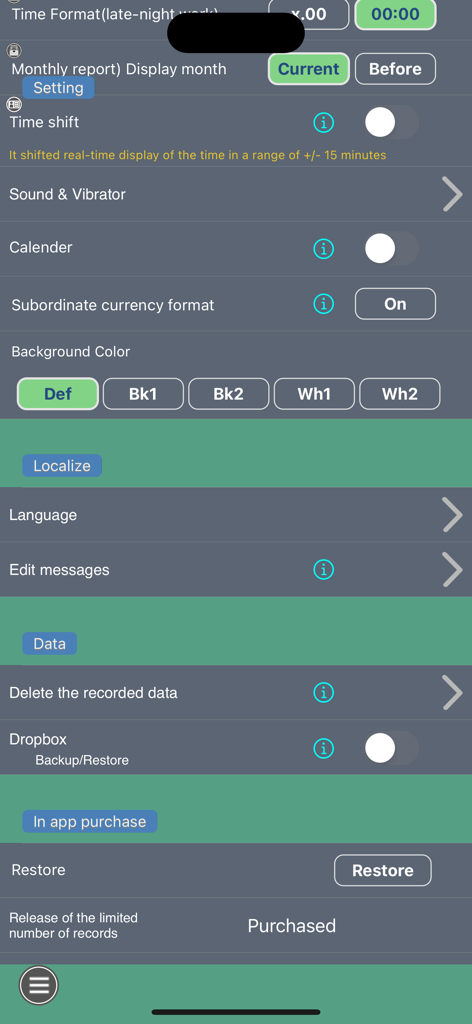
Work Log 앱 설정 화면은 시간 추적 및 데이터 백업을 위한 사용자 지정 옵션을 보여줍니다.
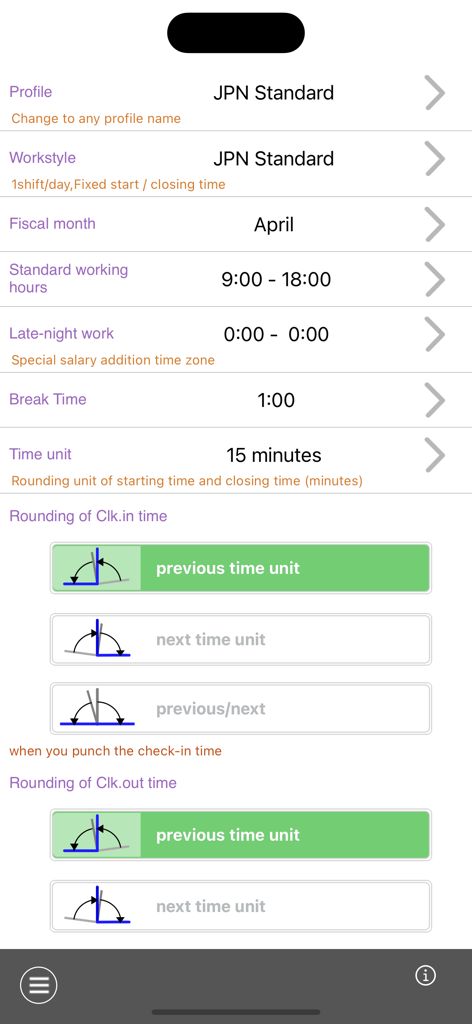
Work Log 앱 프로필 설정 화면은 근무 시간 및 출퇴근 반올림 규칙에 대한 구성을 보여줍니다.
설명
Download
비슷한 앱
같은 카테고리의 상위 앱

Microsoft Teams
Microsoft Corporation

Zoom Workplace
Zoom Communications, Inc.

WhatsApp Business
WhatsApp Inc.

Indeed Job Search
Indeed Inc.

LinkedIn: Network & Job Finder
LinkedIn Corporation

Adobe Acrobat Reader: Sign PDF
Adobe Inc.

WeCom-Work Communication&Tools
Tencent Technology (Shenzhen) Company Limited

BOSS直聘-招聘求职找工作神器
Beijing China Product Bo Farce Network Technology Co., Ltd.

DingDing - Redefine Work in AI
DingTalk Technology Co., Ltd.
이 페이지는 앱이나 개발자의 공식 페이지가 아니며, 정보 제공 및 논평을 목적으로 작성된 독립 편집 간행물입니다. 명시적으로 달리 언급되지 않는 한, 해당 앱이나 개발자는 MWM, Apple, Google Play, 앱 퍼블리셔 또는 앱 개발자와 제휴, 보증, 후원, 승인 또는 공식적으로 연결되어 있지 않으며, 이 페이지의 어떤 내용도 해당 앱이 MWM의 서비스를 사용하여 개발되었음을 의미하지 않습니다. 모든 상표, 로고, 스크린샷 및 기타 콘텐츠는 해당 소유자의 자산입니다.