이 페이지는 앱이나 개발자의 공식 페이지가 아니며, 정보 제공 및 논평을 목적으로 작성된 독립 편집 간행물입니다. 명시적으로 달리 언급되지 않는 한, 해당 앱이나 개발자는 MWM, Apple, Google Play, 앱 퍼블리셔 또는 앱 개발자와 제휴, 보증, 후원, 승인 또는 공식적으로 연결되어 있지 않으며, 이 페이지의 어떤 내용도 해당 앱이 MWM의 서비스를 사용하여 개발되었음을 의미하지 않습니다. 모든 상표, 로고, 스크린샷 및 기타 콘텐츠는 해당 소유자의 자산입니다.
ZArchiver - Zip UnZip
전문가급 도구로 손쉽게 압축, 추출 및 아카이브를 안전하게 보호하세요. ZIP, RAR 및 7Z 형식을 쉽게 처리하고 이동 중에도 민감한 데이터를 안전하게 보호하세요.
주요 수치
다운로드
19K+
사용자 평점
4.3/5
총 평가 수
900
개발사
Liam Sammy
카테고리
Utilities
지원 언어
17
최신 버전
1.5
크기
30.9 MB
출시일
2024년 10월 16일
기능
주머니 속 데스크톱급 파일 파워
ZArchiver는 iOS와 전문 파일 관리의 격차를 해소하여 이동 중에 모든 아카이브 형식을 열고, 보호하고, 정리할 수 있는 도구를 제공합니다.
범용 아카이브 지원
표준 ZIP 파일을 넘어선 기능을 제공합니다. 기본 iOS 파일 앱이 처리할 수 없는 RAR, 7Z, TAR 및 ISO 형식을 원활하게 추출하여 전문적인 자산 및 창의적인 프로젝트에 적합합니다.
안전한 암호화
산업 등급 암호 보호로 개인 정보를 보호하세요. iCloud, Google Drive 또는 Dropbox에 업로드하기 전에 민감한 법률 또는 재무 문서를 안전하게 보호하세요.
다음 스크린샷과 설명은 앱의 공식 스토어 목록에서 직접 가져온 것이며 앱 개발자의 자산입니다.
앱 스토어
스크린샷
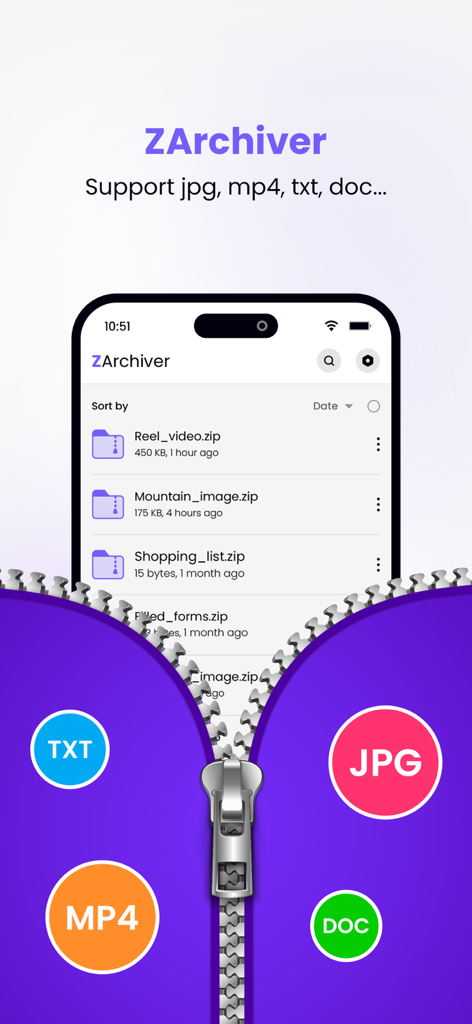
TXT MP4 JPG 및 DOC와 같은 지원 형식의 아이콘 및 압축 파일 목록을 표시하는 ZArchiver 앱 인터페이스
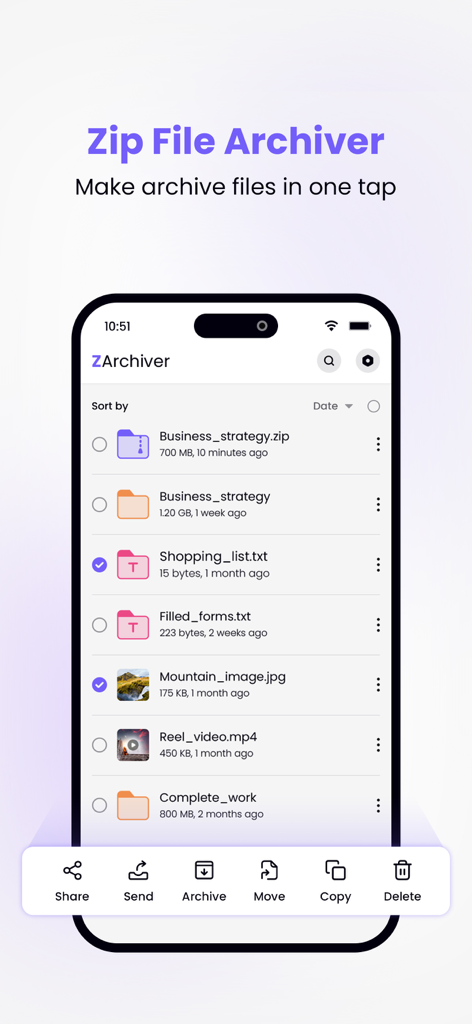
아카이브 및 압축 관리 옵션이 있는 파일 목록을 보여주는 iPhone의 ZArchiver 앱 인터페이스.
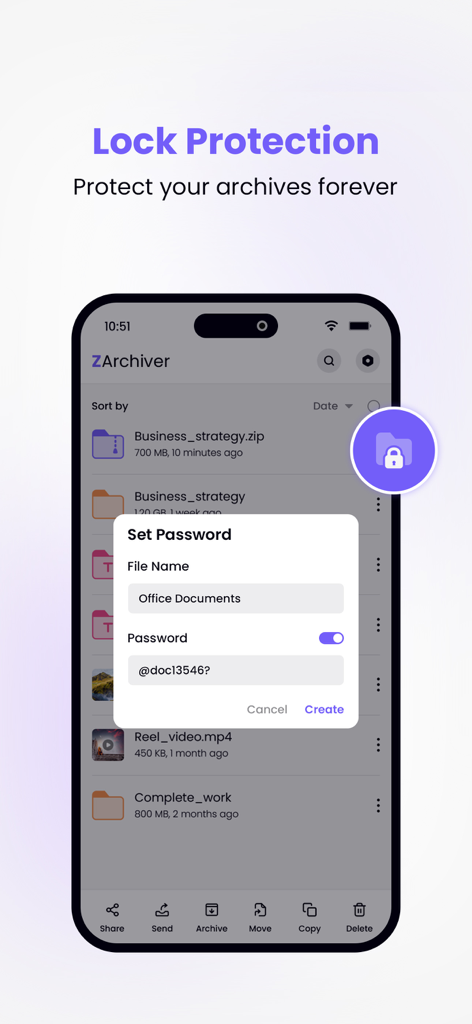
보안 파일 아카이브를 위한 암호 설정을 보여주는 ZArchiver 모바일 앱
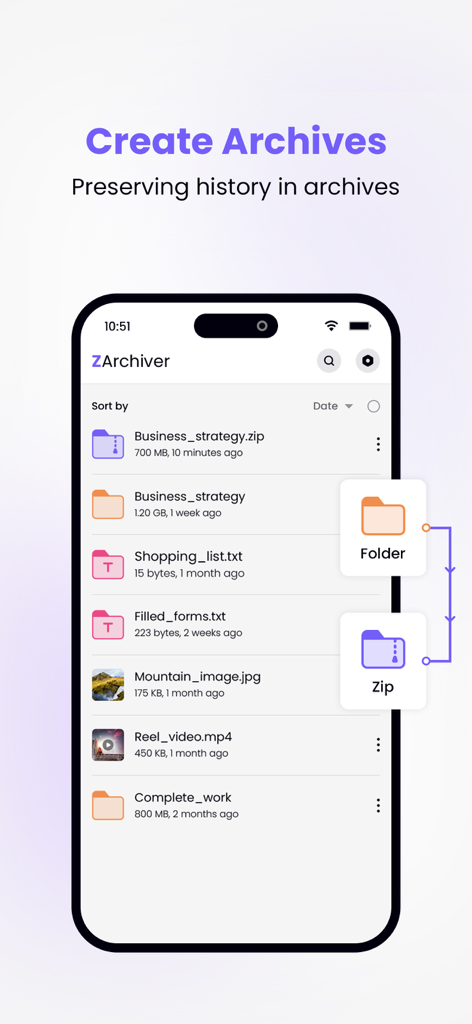
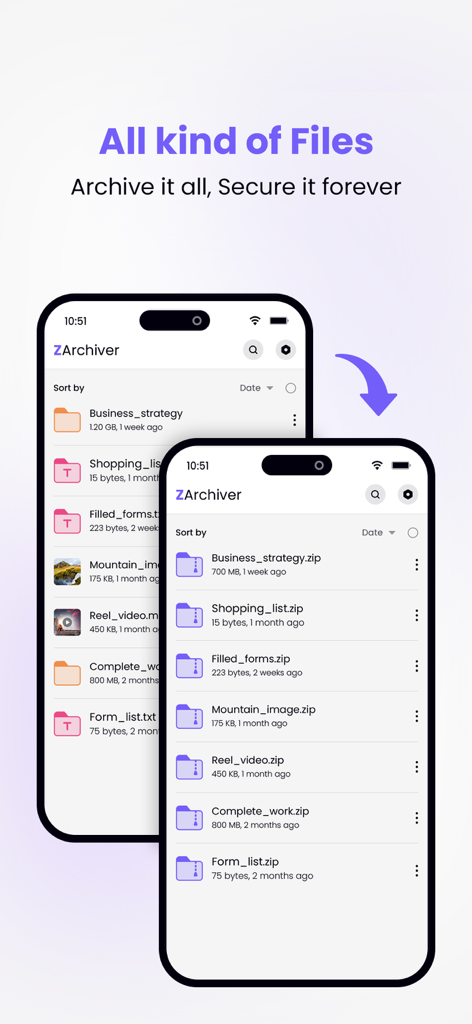
파일 목록과 폴더를 zip 아카이브로 변환하는 과정을 보여주는 ZArchiver 모바일 앱 인터페이스
파일 목록과 압축된 zip 아카이브로의 변환을 표시하는 ZArchiver 앱 인터페이스.
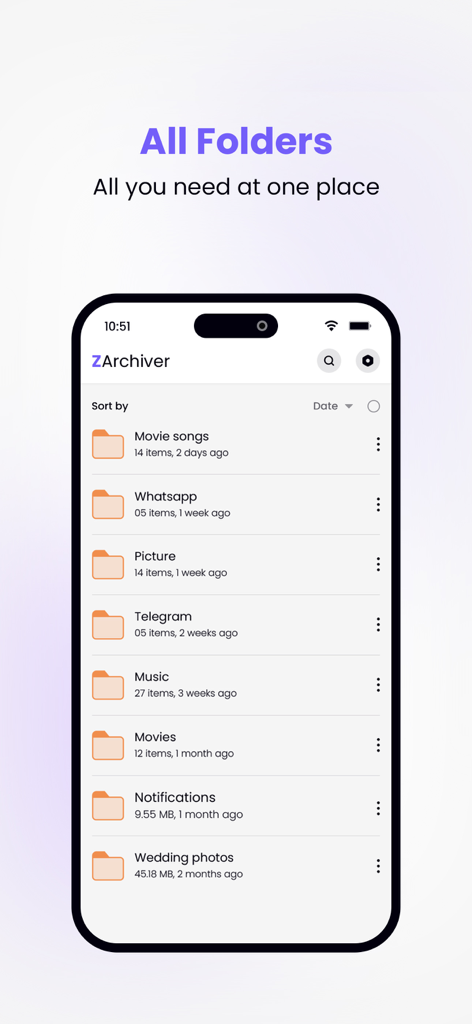
iPhone 화면에서 정리된 폴더 목록을 표시하는 ZArchiver 앱 인터페이스.
설명
Zip Archiver is a powerful and easy-to-use file management tool for phone, designed to compress, decompress, and organize your files quickly. Whether you're handling large archives, sharing multiple files, or simply managing storage, Zip Archiver gives you complete control over your data in just a few taps. It's the ideal solution for anyone who needs to zip or unzip files while on the go, supporting all major archive formats like ZIP, RAR, 7Z, TAR, and more.
◆ Key Features ◆
• Compress Files:
- Easily compress large files or multiple files into a single archive.
- Create ZIP files to save storage space or for fast sharing via email, cloud storage, or messaging apps.
- Supports advanced compression options for customisation.
- Password-protect your ZIP files for enhanced security.
• Decompress Archives:
- Open and extract contents from a variety of compressed file formats, including ZIP, RAR, 7Z, TAR, GZIP, and more.
- Supports multi-part RAR files and encrypted archives.
- Browse, preview, and extract individual files from an archive without decompressing the entire package.
• File Management:
- Manage files within the app with a built-in file browser.
- Organize your documents, images, videos, and archives into folders.
- Perform basic file operations like rename, delete, move, and copy.
• File Preview and Sharing:
- Preview the contents of your archives before extraction, including documents, images, videos, and more.
- Share individual files or entire archives via email, AirDrop, or supported apps like Dropbox, Google Drive, or OneDrive.
- Export files to other apps for further editing or sharing.
• Batch Compression/Decompression:
- Handle multiple files at once with batch compression and decompression.
- Create multi-file archives with ease, perfect for organizing large sets of documents, photos, or videos.
• Advanced Security:
- Add a password to your ZIP files to keep sensitive data secure.
- Decrypt password-protected archives quickly and easily.
- Store sensitive information safely, with the ability to encrypt and share protected files.
• User-Friendly Interface:
- Clean, intuitive design that makes compressing and decompressing files simple for users of all skill levels.
- Easy-to-navigate file structure with support for multiple views and sorting options.
- Quick access to recently opened or created files for easy file management.
• File Formats Supported:
- Compression: ZIP, RAR, 7Z, TAR, GZIP
- Decompression: ZIP, RAR, 7Z, TAR, GZIP, ISO, BZ2, XZ, LZH, and more.
• Offline Mode:
- Work with files and archives even when you’re offline. No internet connection required for zipping/unzipping local files.
◆ Use Cases:
- Organize your work files by compressing multiple documents into a single ZIP file for easy sharing.
- Unzip compressed files received through email or messaging apps to preview and extract contents directly on your device.
- Secure sensitive files by creating password-protected ZIP files.
- Manage and extract compressed files from cloud services without downloading them entirely.
Whether you’re compressing files for storage, sending large attachments via email, or unzipping archives you’ve downloaded, Zip Archiver simplifies file management. With its powerful features, easy-to-use interface, and full support for cloud services and encryption, Zip Archiver is your all-in-one solution for handling compressed files on phone.
This app include Subscribe ZArchiver Pro Monthly at $1.99 and ZArchiver Pro Yearly at $9.99 to use ads free versions of the app for a Month and user can cancel it anytime.
– Privacy Policy: https://sites.google.com/view/liam-sammy-pp
– Terms of Use: https://sites.google.com/view/liam-sammy-tos
Download it today and take control of your files!
이 페이지는 앱이나 개발자의 공식 페이지가 아니며, 정보 제공 및 논평을 목적으로 작성된 독립 편집 간행물입니다. 명시적으로 달리 언급되지 않는 한, 해당 앱이나 개발자는 MWM, Apple, Google Play, 앱 퍼블리셔 또는 앱 개발자와 제휴, 보증, 후원, 승인 또는 공식적으로 연결되어 있지 않으며, 이 페이지의 어떤 내용도 해당 앱이 MWM의 서비스를 사용하여 개발되었음을 의미하지 않습니다. 모든 상표, 로고, 스크린샷 및 기타 콘텐츠는 해당 소유자의 자산입니다.