Zen Brush 2
Zen Brush 2
다운로드: App Store

이 페이지는 앱이나 개발자의 공식 페이지가 아니며, 정보 제공 및 논평을 목적으로 작성된 독립 편집 간행물입니다. 명시적으로 달리 언급되지 않는 한, 해당 앱이나 개발자는 MWM, Apple, Google Play, 앱 퍼블리셔 또는 앱 개발자와 제휴, 보증, 후원, 승인 또는 공식적으로 연결되어 있지 않으며, 이 페이지의 어떤 내용도 해당 앱이 MWM의 서비스를 사용하여 개발되었음을 의미하지 않습니다. 모든 상표, 로고, 스크린샷 및 기타 콘텐츠는 해당 소유자의 자산입니다.

로고: Zen Brush 2
다운로드: App Store

Zen Brush 2

iPad에서 전통 서예의 부드럽고 유려한 감각을 경험해 보세요. 아티스트와 마음 챙김을 추구하는 분들을 위해 설계된 미니멀한 안식처에서 모든 획마다 몰입의 즐거움을 느껴보세요.

주요 수치

다운로드

520K+

사용자 평점

4.1/5

총 평가 수

1K+

개발사

P SOFTHOUSE Co., Ltd.

카테고리

Entertainment

지원 언어

2

최신 버전

1.33

크기

71.9 MB

출시일

2015년 9월 3일
기능

젠(Zen)의 정신으로 창작하세요

집중, 몰입, 그리고 예술적 표현을 위해 설계된 미니멀한 인터페이스를 통해 동양 수묵화의 유려한 아름다움을 경험해 보세요.

정통 먹 번짐 효과

정교한 드로잉 엔진이 구현하는 현실적인 깊이감과 섬세한 붓 터치로 종이 위에 번지는 부드러운 먹의 움직임을 느껴보세요.

마음을 담은 심플함

불필요한 요소가 없는 작업 공간에서 즉시 드로잉을 시작하여 창작의 장벽을 없애보세요. 짧은 명상이나 집중력 있는 예술 작업에 완벽합니다.

다음 스크린샷과 설명은 앱의 공식 스토어 목록에서 직접 가져온 것이며 앱 개발자의 자산입니다.

앱 스토어

스크린샷
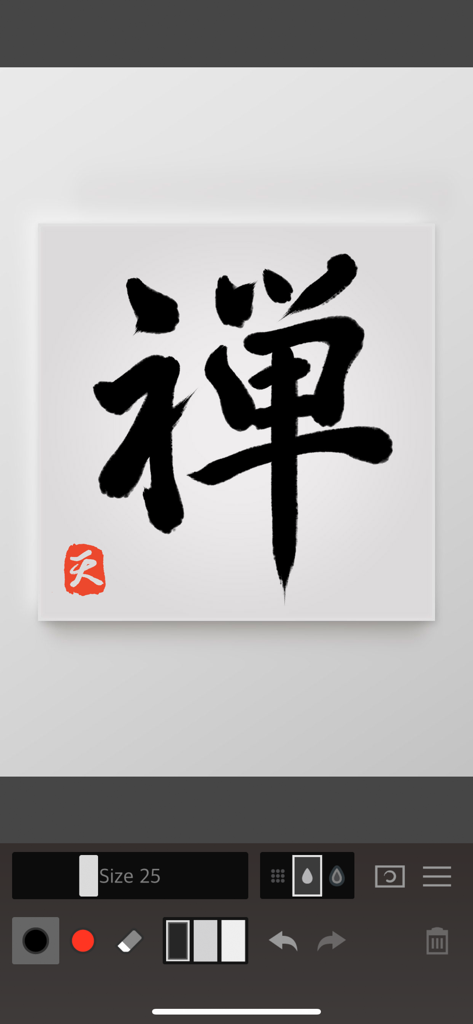
Zen Brush 2 - Zen Brush 2 앱 인터페이스의 디지털 캔버스 위에 그려진 붉은 낙관이 있는 검은 먹 서예
Zen Brush 2 앱 인터페이스의 디지털 캔버스 위에 그려진 붉은 낙관이 있는 검은 먹 서예

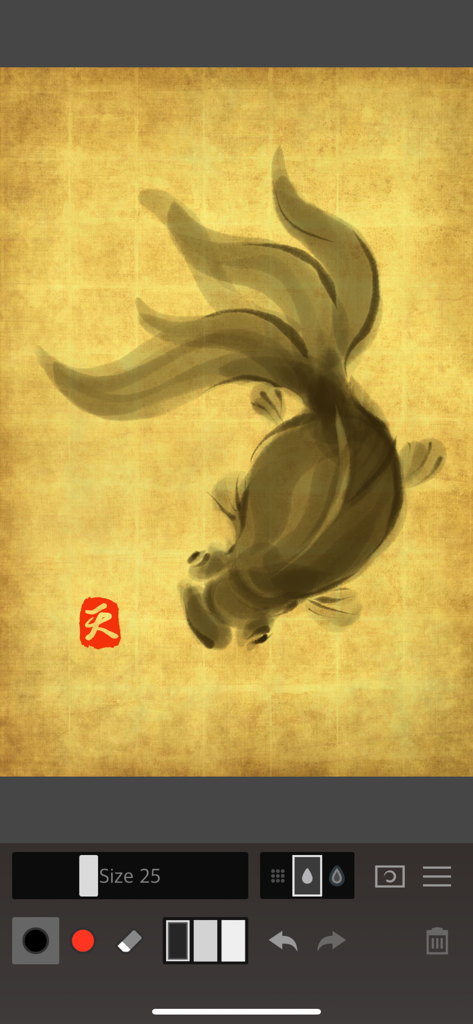
Zen Brush 2 - Zen Brush 2 앱 내 금색 질감의 캔버스 위에 그려진 금붕어 디지털 수묵화.
Zen Brush 2 앱 내 금색 질감의 캔버스 위에 그려진 금붕어 디지털 수묵화.

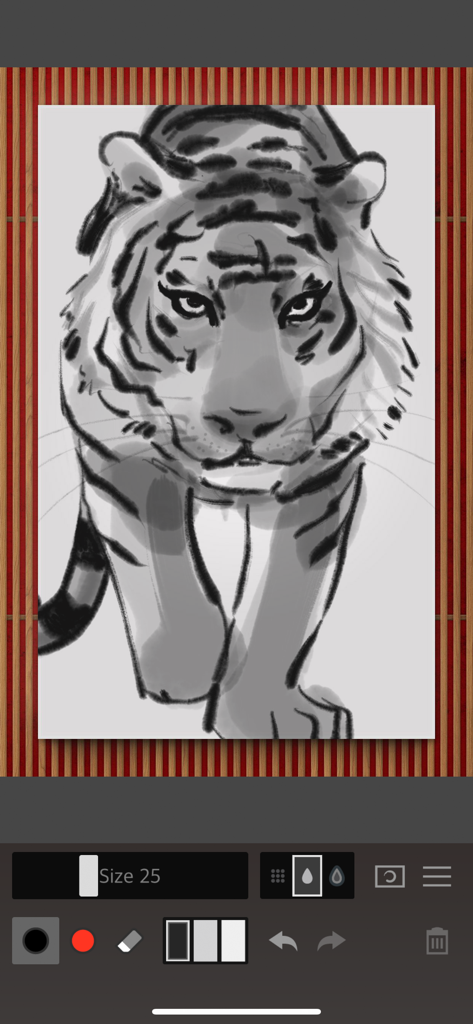
Zen Brush 2 - Zen Brush 2 앱 인터페이스로 제작된 호랑이 디지털 수묵 일러스트레이션
Zen Brush 2 앱 인터페이스로 제작된 호랑이 디지털 수묵 일러스트레이션

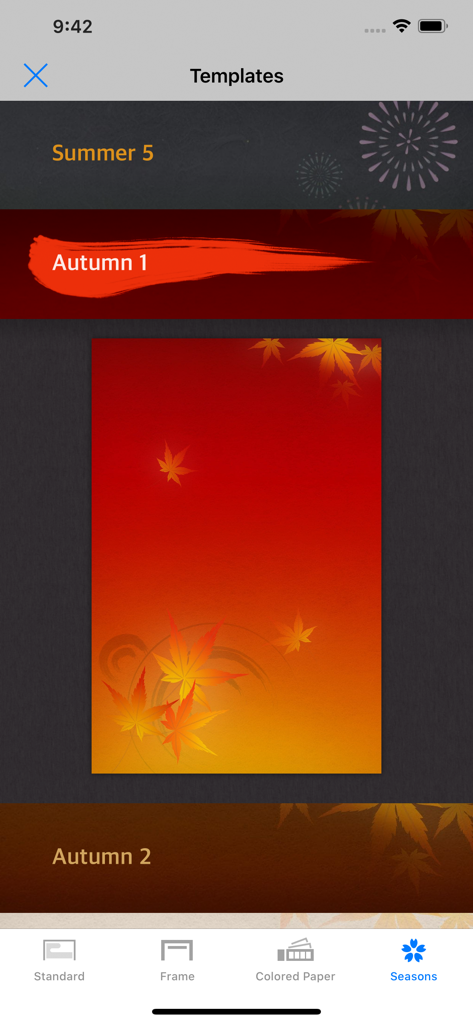
Zen Brush 2 - 가을 단풍 테마가 선택된 계절 배경 템플릿을 보여주는 Zen Brush 2 인터페이스.
가을 단풍 테마가 선택된 계절 배경 템플릿을 보여주는 Zen Brush 2 인터페이스.

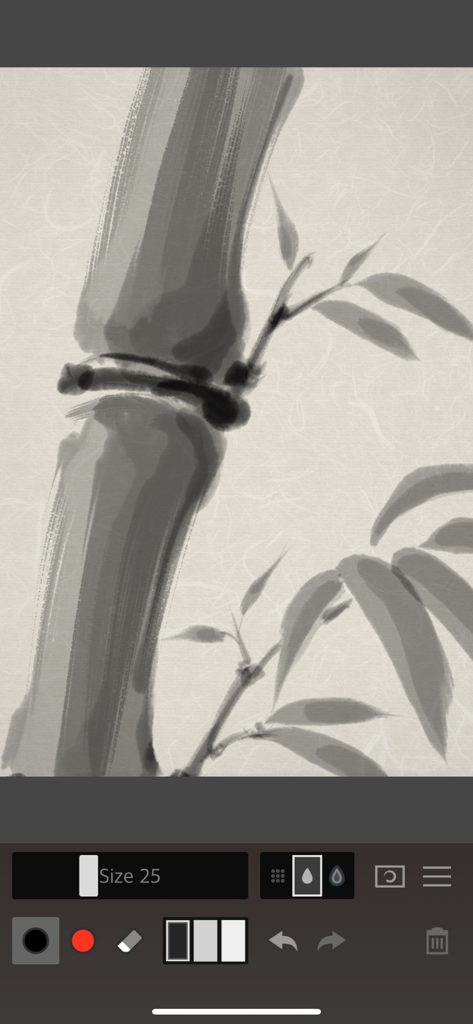
Zen Brush 2 - Zen Brush 2 앱으로 그린 대나무 줄기와 잎의 디지털 수묵화
Zen Brush 2 앱으로 그린 대나무 줄기와 잎의 디지털 수묵화

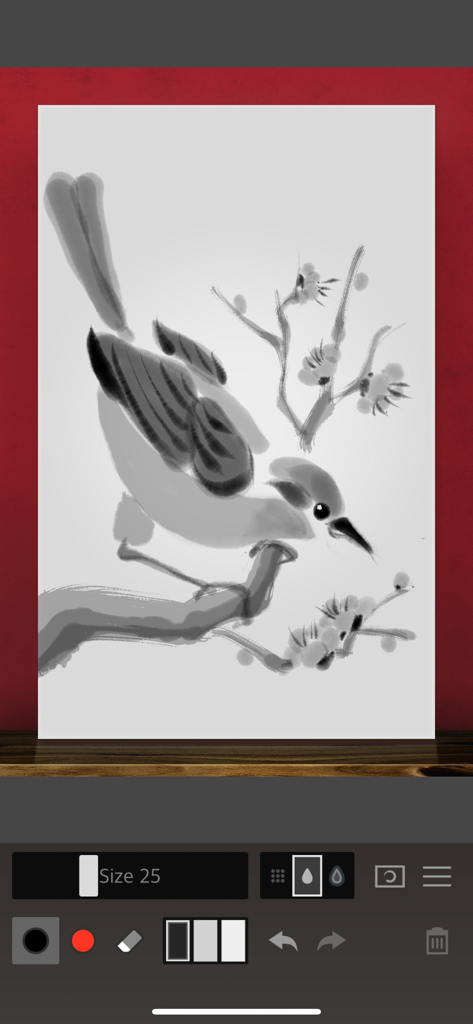
Zen Brush 2 - 꽃이 핀 나뭇가지 위의 새를 묘사한 일본 화풍의 수묵화가 표시된 Zen Brush 2 앱 인터페이스.

꽃이 핀 나뭇가지 위의 새를 묘사한 일본 화풍의 수묵화가 표시된 Zen Brush 2 앱 인터페이스.

설명

Zen Brush 2 is a drawing app focused on the strong yet beautiful feel of the East Asian ink brush. With a new drawing engine that brings to life a feeling of silky fluent painting and the delicacy of an ink brush, providing a simple and intuitive user interface imbued with the Zen spirit, this app is designed to be optimal for performing Zen art. Simply start the app and you are immediately ready to draw. Anyone can create superb Zen art anywhere and at any time with this app’s uniquely rich expressiveness. You can publish your work to Facebook and Twitter with the "Share" and "Open in" functions. You can also share or edit your images by opening them in other apps such as Instagram, WhatsApp, LINE, Photoshop Mix, etc. - The next step in the evolution of the Zen Brush app which achieved more than 1.5 million downloads on all platforms combined. - Includes a new brush engine providing an even stronger, beautiful expressiveness. - Includes a gallery feature that makes it possible to save your work in progress. - Includes red ink in addition to the black ink (*). - Ink dispersion effect enables a three-dimensional feeling of depth. * Actual colors vary depending on the template. Features: - 92 background style templates. - Simple brush size adjustment with slider. - Simple main tools: Ink brush, red brush, eraser brush. - 3 levels of ink dispersion. - 3 levels of ink tone. - Canvas zoom (zoom in and out with pinch gestures). - Guide lines (9 types). - Undo / redo (5 levels). - Save your work to the photo library. - Open in other apps (Formats: JPEG, PNG, transparent PNG (no background)). - Share artwork (Facebook, Twitter, etc.). - Simulated finger pressure. - Support for pressure sensitive styluses. * Apple Pencil / Wacom Bamboo Stylus / Adonit / Scriba / SonarPen - Support for iPad Pro. - Support for 3D Touch. - Adjustable brush pressure sensitivity (5 levels). - Adjustable tilt sensitivity (5 levels). * Requires a pen that supports tilt. - Supports multitasking (Slide Over / Split View). - Support for iMessage App.

Download

다운로드: App Store

이 페이지는 앱이나 개발자의 공식 페이지가 아니며, 정보 제공 및 논평을 목적으로 작성된 독립 편집 간행물입니다. 명시적으로 달리 언급되지 않는 한, 해당 앱이나 개발자는 MWM, Apple, Google Play, 앱 퍼블리셔 또는 앱 개발자와 제휴, 보증, 후원, 승인 또는 공식적으로 연결되어 있지 않으며, 이 페이지의 어떤 내용도 해당 앱이 MWM의 서비스를 사용하여 개발되었음을 의미하지 않습니다. 모든 상표, 로고, 스크린샷 및 기타 콘텐츠는 해당 소유자의 자산입니다.