Zen Brush 3
Zen Brush 3
다운로드: App Store

이 페이지는 앱이나 개발자의 공식 페이지가 아니며, 정보 제공 및 논평을 목적으로 작성된 독립 편집 간행물입니다. 명시적으로 달리 언급되지 않는 한, 해당 앱이나 개발자는 MWM, Apple, Google Play, 앱 퍼블리셔 또는 앱 개발자와 제휴, 보증, 후원, 승인 또는 공식적으로 연결되어 있지 않으며, 이 페이지의 어떤 내용도 해당 앱이 MWM의 서비스를 사용하여 개발되었음을 의미하지 않습니다. 모든 상표, 로고, 스크린샷 및 기타 콘텐츠는 해당 소유자의 자산입니다.

로고: Zen Brush 3
다운로드: App Store

Zen Brush 3

iPad에서 동아시아 먹물 그림의 영혼을 경험하세요. 명상과 예술적 우아함을 위해 디자인된 사실적인 3D 붓 시뮬레이션으로 서예와 생생한 수채화 기술을 익히세요.

주요 수치

다운로드

199K+

사용자 평점

4.0/5

총 평가 수

300

개발사

P SOFTHOUSE Co., Ltd.

카테고리

Graphics & Design

지원 언어

5

최신 버전

1.18

크기

226.0 MB

출시일

2020년 9월 29일
기능

모든 획에서 당신의 젠을 찾으세요

전통 붓놀림의 영혼을 재현하는 3D 드로잉 시스템으로 동아시아 서예와 먹물 그림의 명상적인 힘을 경험하세요.

사실적인 3D 붓놀림

Apple Pencil의 압력과 기울기에 정확하게 반응하는 붓 시뮬레이션으로 전통 서예의 영혼을 느껴보세요.

유려함의 마법

조절 가능한 수량과 30가지 전통 일본 색상으로 '니지미'(번짐) 및 '보카시'(흐림) 기법을 마스터하세요.

다음 스크린샷과 설명은 앱의 공식 스토어 목록에서 직접 가져온 것이며 앱 개발자의 자산입니다.

앱 스토어

스크린샷
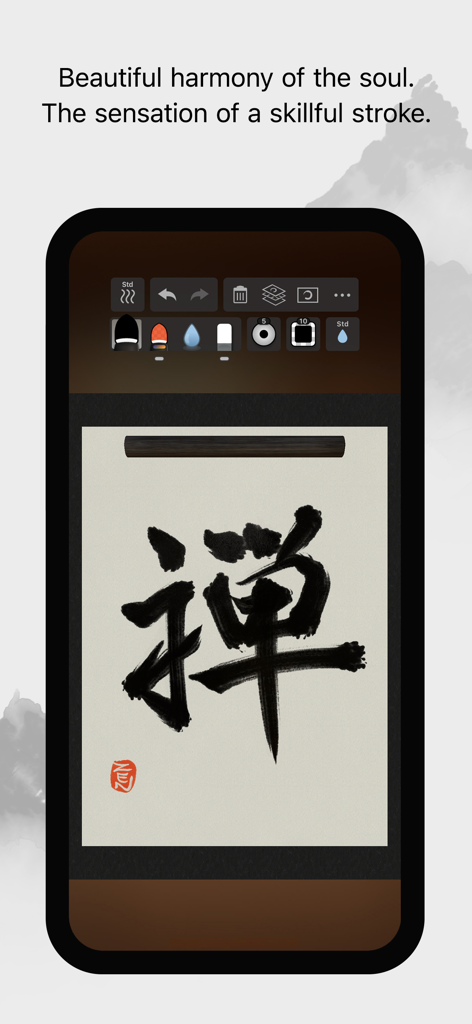
Zen Brush 3 - Zen Brush 3 모바일 앱 인터페이스에 스크롤 배경에 검은색 먹물 서예 문자가 표시됨
Zen Brush 3 모바일 앱 인터페이스에 스크롤 배경에 검은색 먹물 서예 문자가 표시됨

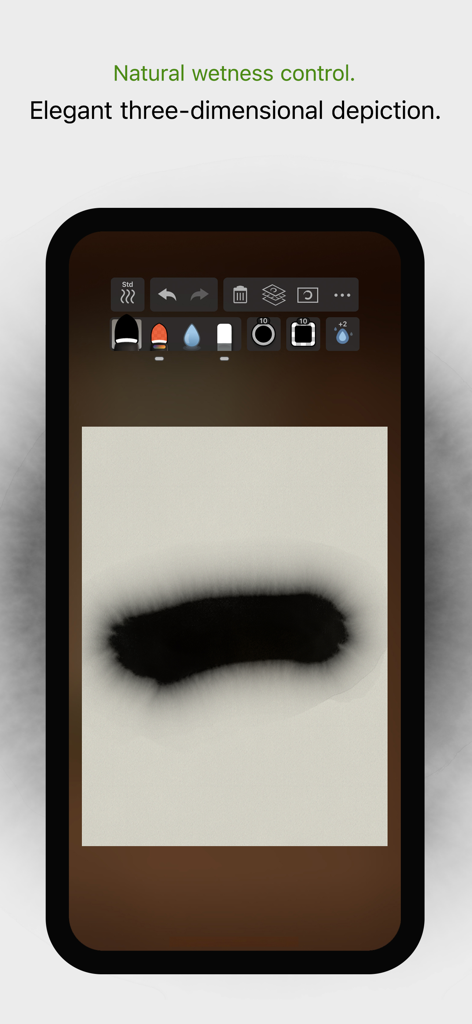
Zen Brush 3 - Zen Brush 3에서 사실적인 번짐 및 습도 제어를 보여주는 디지털 먹물 획
Zen Brush 3에서 사실적인 번짐 및 습도 제어를 보여주는 디지털 먹물 획

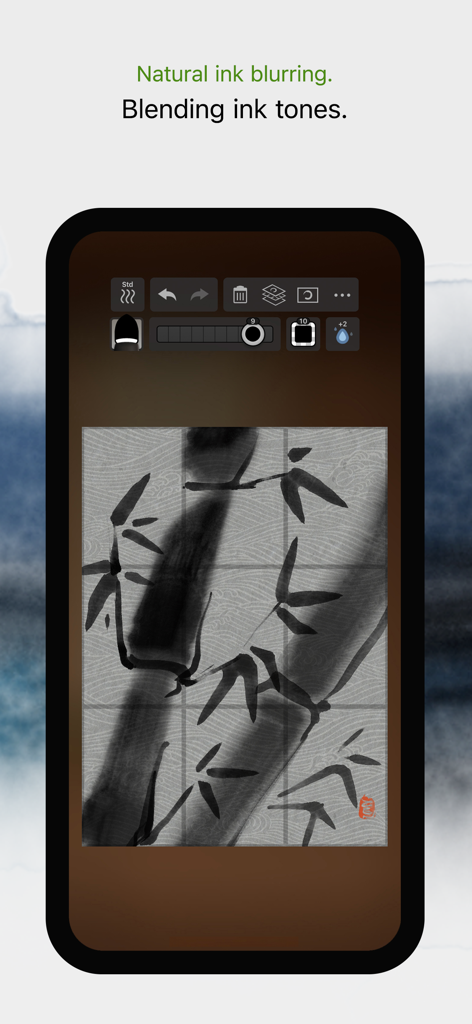
Zen Brush 3 - Zen Brush 3의 대나무 먹물 수채화 그림으로 자연스러운 먹물 번짐 및 혼합 효과를 보여줌
Zen Brush 3의 대나무 먹물 수채화 그림으로 자연스러운 먹물 번짐 및 혼합 효과를 보여줌

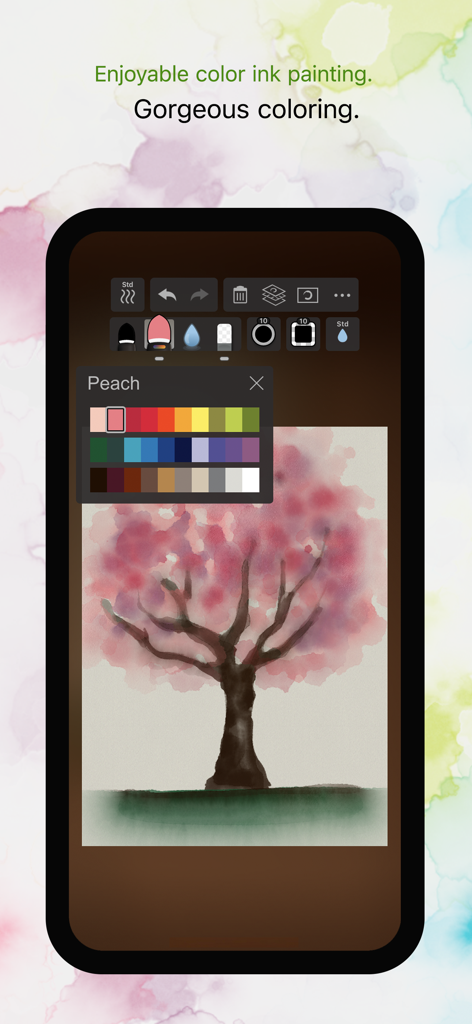
Zen Brush 3 - Zen Brush 3 앱 인터페이스에 색상 팔레트와 벚꽃 디지털 먹물 그림이 표시됨
Zen Brush 3 앱 인터페이스에 색상 팔레트와 벚꽃 디지털 먹물 그림이 표시됨

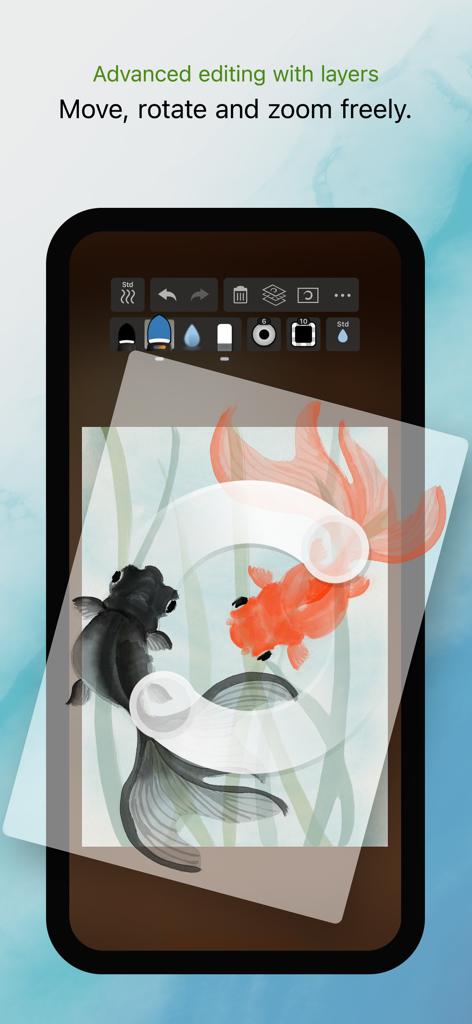
Zen Brush 3 - Zen Brush 3 앱 인터페이스에 두 마리 금붕어 디지털 먹물 그림으로 레이어 편집 기능 시연
Zen Brush 3 앱 인터페이스에 두 마리 금붕어 디지털 먹물 그림으로 레이어 편집 기능 시연

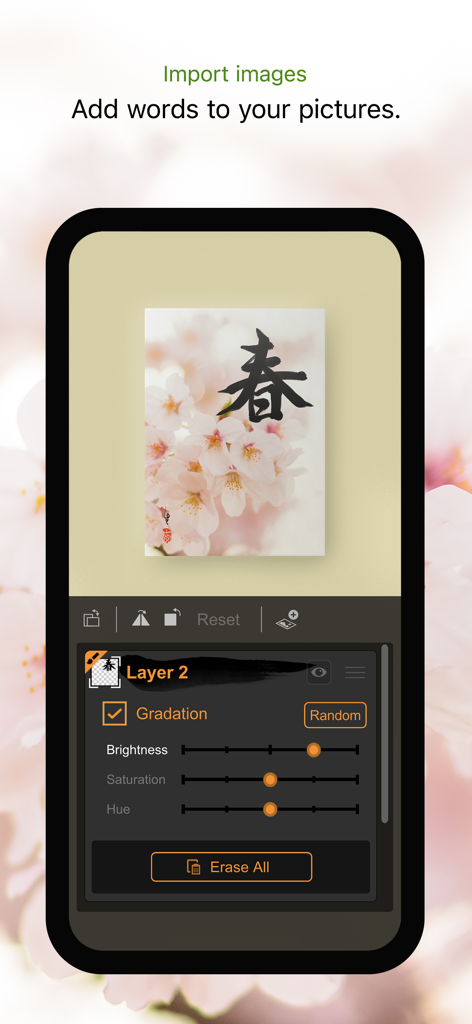
Zen Brush 3 - Zen Brush 3 앱 인터페이스에 밝기 및 채도 레이어 조정 설정으로 가져온 사진에 서예 표시
Zen Brush 3 앱 인터페이스에 밝기 및 채도 레이어 조정 설정으로 가져온 사진에 서예 표시

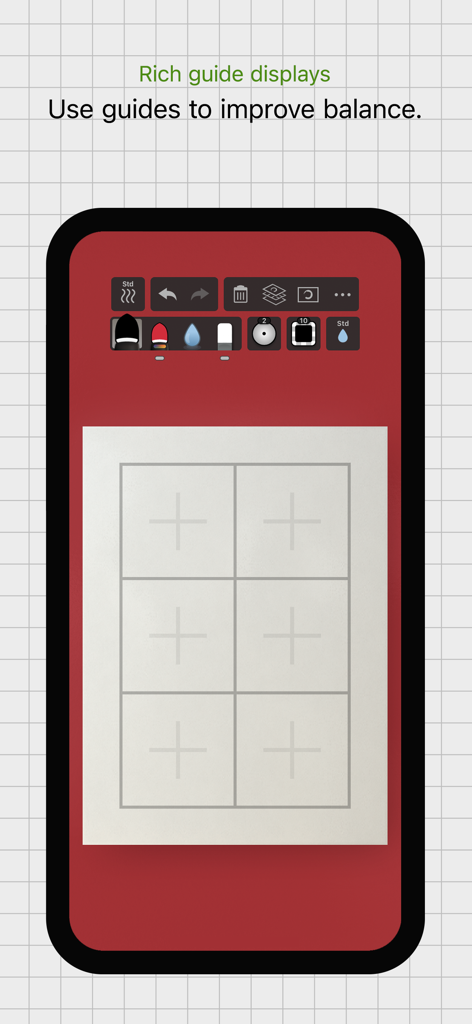
Zen Brush 3 - Zen Brush 3 앱 인터페이스가 흰색 캔버스에 격자 안내가 표시되어 구성 및 균형 개선을 돕는 스마트폰
Zen Brush 3 앱 인터페이스가 흰색 캔버스에 격자 안내가 표시되어 구성 및 균형 개선을 돕는 스마트폰

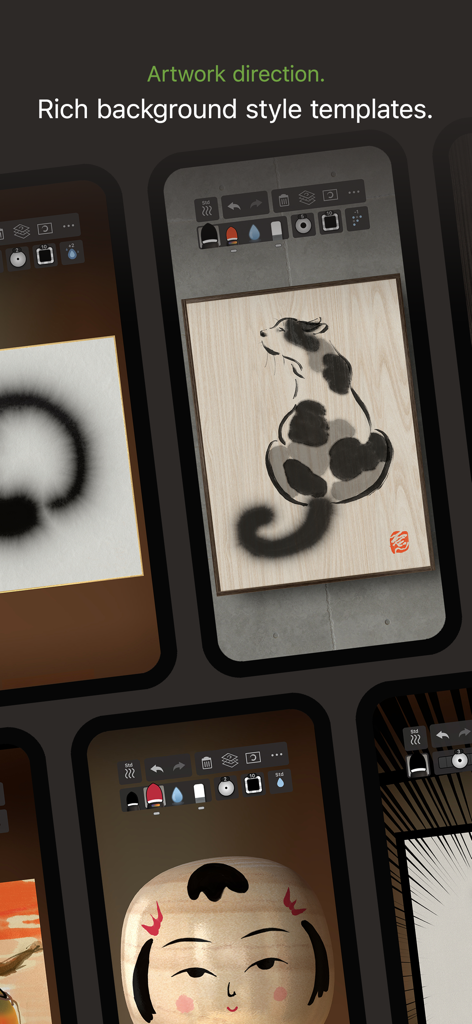
Zen Brush 3 - Zen Brush 3의 먹물 그림에 대한 다양한 배경 스타일 템플릿을 보여주는 화면 모음
Zen Brush 3의 먹물 그림에 대한 다양한 배경 스타일 템플릿을 보여주는 화면 모음

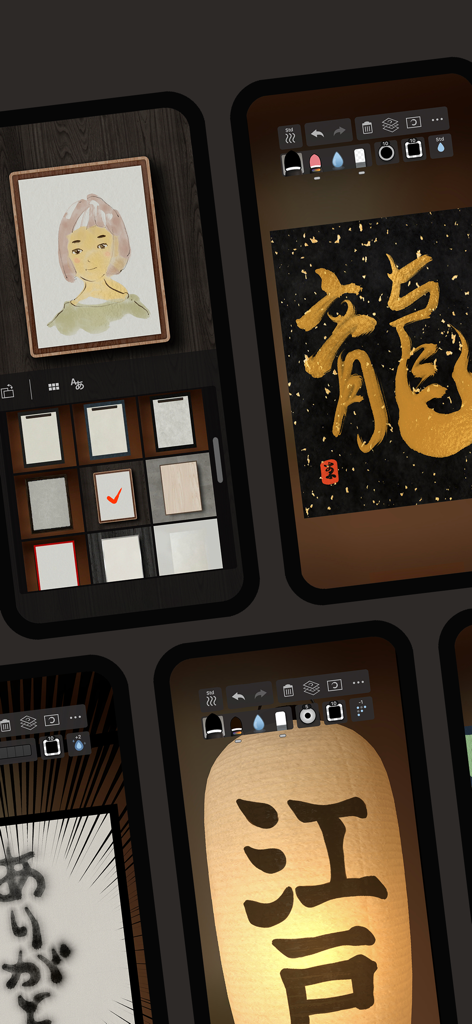
Zen Brush 3 - Zen Brush 3 앱 스크린샷으로 디지털 먹물 그림 및 서예 기능 표시
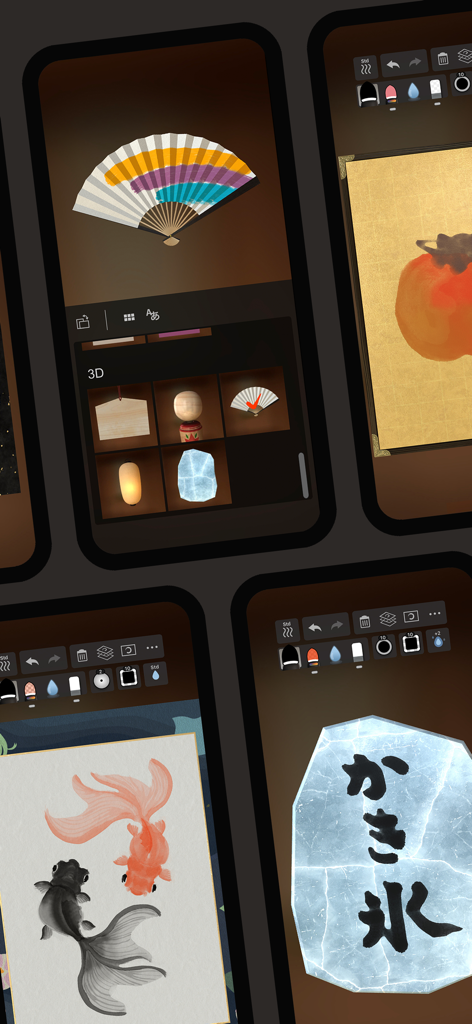
Zen Brush 3 앱 스크린샷으로 디지털 먹물 그림 및 서예 기능 표시

Zen Brush 3 - Zen Brush 3 앱 스크린샷으로 디지털 서예 및 수묵화 기능 표시

Zen Brush 3 앱 스크린샷으로 디지털 서예 및 수묵화 기능 표시

설명

Zen Brush 3 is a drawing app focused on the strong yet beautiful feel of the East Asian ink brush which can be used to perform calligraphy, ink painting and more. The drawing system that brings to life a feeling of silky fluent and delicate painting now allows an even wider range of expression thanks to the addition of "water" and "color". Providing a new simple and intuitive user interface, this app is designed to be optimal for performing Zen art. Simply start the app and you are immediately ready to draw. Anyone, anywhere, can create superb Zen art with this app’s uniquely rich expressiveness. You can also easily share and edit your calligraphy and images with other apps using the Export functionality. Skillfully use the rich background style templates to create and share atmospheric artwork. - The drawing system simulates a 3D model of an East Asian ink brush to enable varied and natural styles of brush handling. - The adjustable amount of water makes it possible to create expressions ranging from powerful edge effects to "nijimi" (bleeding) and "bokashi" (blurring) where colors mix. - You can also enjoy creating colored-ink paintings as well as watercolor paintings by making use of 30 selected traditional Japanese colors. - The layer functionality allows more flexible editing. - Import photos to add text to them or use them as background images for tracing. - Create fascinating artwork with a rich assortment of background style templates. - Traditional Japanese paper templates provide an authentic feel. Features: - 5 main tools (ink brush, color brush, water brush, eraser, blotting paper). - 10 levels of thickness. - 5 levels of water (not applicable to blotting paper). - 10 levels of ink tone (not applicable to water brush and blotting paper). - Color palette with 30 colors. - 89 background style templates. - Drying functionality (fast dry, instant dry, adjustable natural dry). - Layers functionality (import image / color adjustment / move / rotate / scale / reverse left and right / white transparency / gradation effect). - Guide display (character guides / partition guides / grid guides). - Movable toolbar (top / bottom / left / right). - Canvas zoom (zoom in and out with pinch gestures). - Undo / redo (5 levels). - Export functionality (formats: JPEG, PNG, transparent PNG (no background)). - Support for Apple Pencil (1st and 2nd generation). - Support for 3D Touch (where available: iPhone 6S - XS). - Drawing tool selection (finger and stylus / stylus only). - Adjustable brush pressure sensitivity (5 levels, with supported stylus only). - Adjustable tilt sensitivity (5 levels, with supported stylus only). - Gesture functionality (pinch zoom and drag, zoom toggle with 2-finger tap). - 3D brush display (enable / disable). - Pointer display (enable / disable). - 5 levels of canvas resolution with a maximum of 3072 x 4096 pixels (the higher resolutions do not work on devices with lower specs).

Download

다운로드: App Store

이 페이지는 앱이나 개발자의 공식 페이지가 아니며, 정보 제공 및 논평을 목적으로 작성된 독립 편집 간행물입니다. 명시적으로 달리 언급되지 않는 한, 해당 앱이나 개발자는 MWM, Apple, Google Play, 앱 퍼블리셔 또는 앱 개발자와 제휴, 보증, 후원, 승인 또는 공식적으로 연결되어 있지 않으며, 이 페이지의 어떤 내용도 해당 앱이 MWM의 서비스를 사용하여 개발되었음을 의미하지 않습니다. 모든 상표, 로고, 스크린샷 및 기타 콘텐츠는 해당 소유자의 자산입니다.