Zentab - Clone App Multi Login
다운로드: App Store

이 페이지는 앱이나 개발자의 공식 페이지가 아니며, 정보 제공 및 논평을 목적으로 작성된 독립 편집 간행물입니다. 명시적으로 달리 언급되지 않는 한, 해당 앱이나 개발자는 MWM, Apple, Google Play, 앱 퍼블리셔 또는 앱 개발자와 제휴, 보증, 후원, 승인 또는 공식적으로 연결되어 있지 않으며, 이 페이지의 어떤 내용도 해당 앱이 MWM의 서비스를 사용하여 개발되었음을 의미하지 않습니다. 모든 상표, 로고, 스크린샷 및 기타 콘텐츠는 해당 소유자의 자산입니다.

로고: Zentab - Clone App Multi Login
다운로드: App Store

Zentab - Clone App Multi Login

로그아웃 피로에서 벗어나세요. 고성능 사용자 및 부업가를 위해 제작된 안전하고 격리된 공간에서 소셜 미디어, 업무 및 AI 도구를 위한 병렬 세션을 원활하게 실행하세요.

주요 수치

다운로드

8K+

사용자 평점

4.5/5

총 평가 수

100

개발사

Duong Bui Dai

카테고리

Social Networking

지원 언어

1

최신 버전

1.28

크기

95.0 MB

출시일

2025년 3월 26일
기능

한 기기, 무한한 가능성

계정 전환의 번거로움을 제거하세요. Zentab은 모든 소셜, 전문 및 AI 프로필을 하나의 능률적인 대시보드에서 관리할 수 있는 강력한 병렬 공간을 제공합니다.

소셜 프로필 두 배로 늘리기

WhatsApp, Instagram 및 TikTok에 대한 이중 계정을 실행하세요. 로그아웃 없이 개인 생활과 브랜드 아이덴티티를 완벽하게 분리하세요.

업무 워크플로에 힘을 실어주세요

여러 클라이언트를 관리하시나요? Slack, Gmail 또는 AI 도구를 복제하여 여러 프로젝트 환경을 동시에 관리하고 효율성을 높이세요.

다음 스크린샷과 설명은 앱의 공식 스토어 목록에서 직접 가져온 것이며 앱 개발자의 자산입니다.

앱 스토어

스크린샷
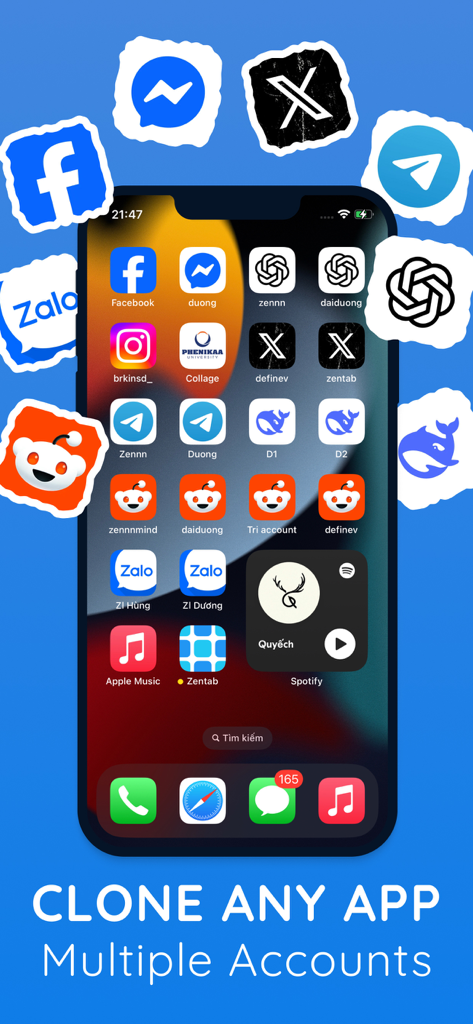
Zentab - Clone App Multi Login - 인기 소셜 미디어 및 AI 앱의 여러 복제 인스턴스가 Zentab을 사용하여 표시되는 iPhone 화면
인기 소셜 미디어 및 AI 앱의 여러 복제 인스턴스가 Zentab을 사용하여 표시되는 iPhone 화면

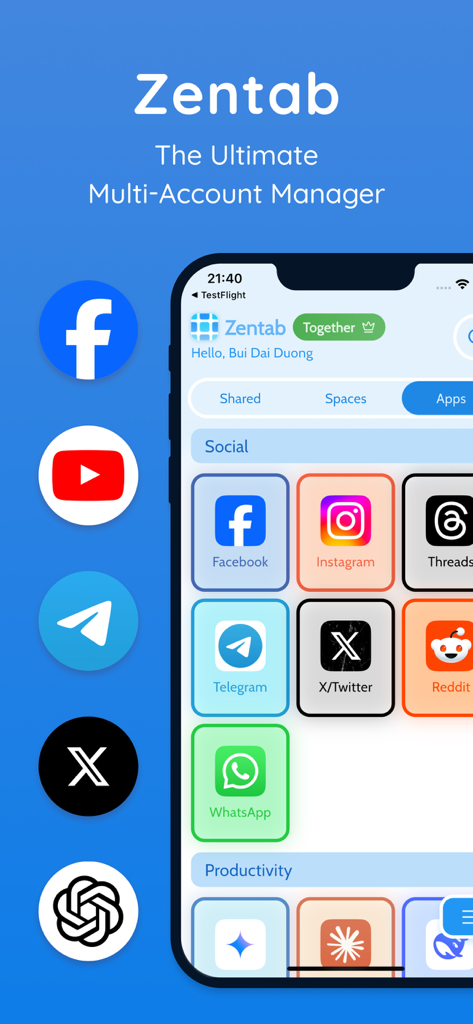
Zentab - Clone App Multi Login - 다중 계정 관리를 위한 다양한 소셜 미디어 및 생산성 아이콘을 보여주는 iPhone의 Zentab 앱 대시보드
다중 계정 관리를 위한 다양한 소셜 미디어 및 생산성 아이콘을 보여주는 iPhone의 Zentab 앱 대시보드

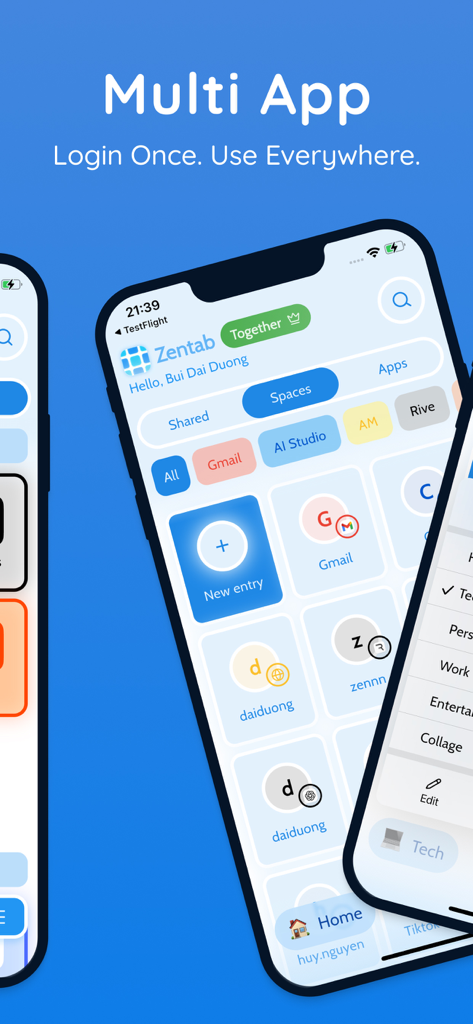
Zentab - Clone App Multi Login - 다중 계정 로그인 및 병렬 앱 공간 관리를 위한 대시보드를 보여주는 Zentab 앱 인터페이스
다중 계정 로그인 및 병렬 앱 공간 관리를 위한 대시보드를 보여주는 Zentab 앱 인터페이스

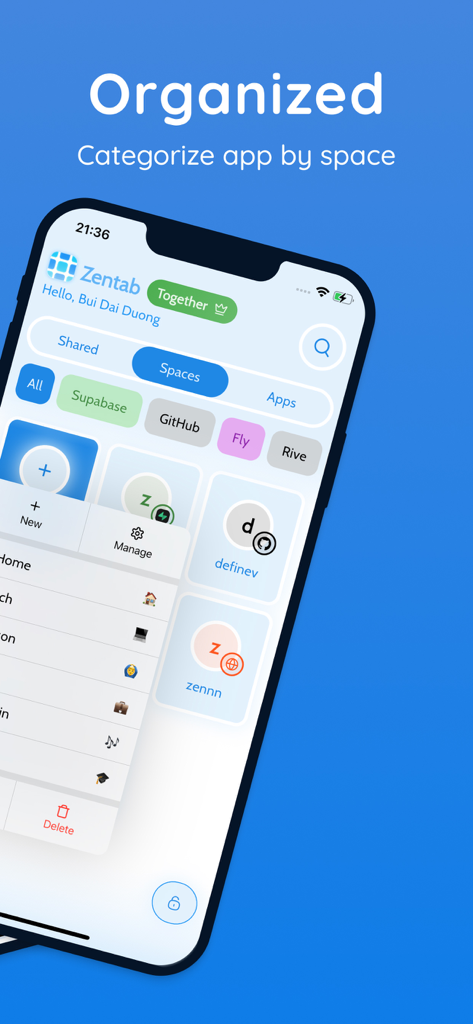
Zentab - Clone App Multi Login - 다중 계정 관리를 위한 정리된 앱 공간을 보여주는 Zentab 대시보드
다중 계정 관리를 위한 정리된 앱 공간을 보여주는 Zentab 대시보드

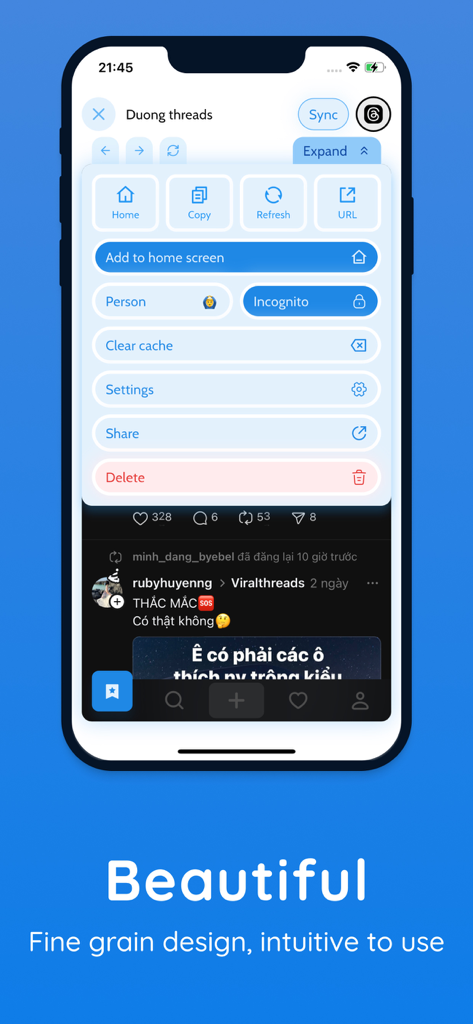
Zentab - Clone App Multi Login - 스마트폰 화면에서 복제된 소셜 미디어 프로필에 대한 계정 관리 설정을 보여주는 Zentab 앱 사용자 인터페이스.
스마트폰 화면에서 복제된 소셜 미디어 프로필에 대한 계정 관리 설정을 보여주는 Zentab 앱 사용자 인터페이스.

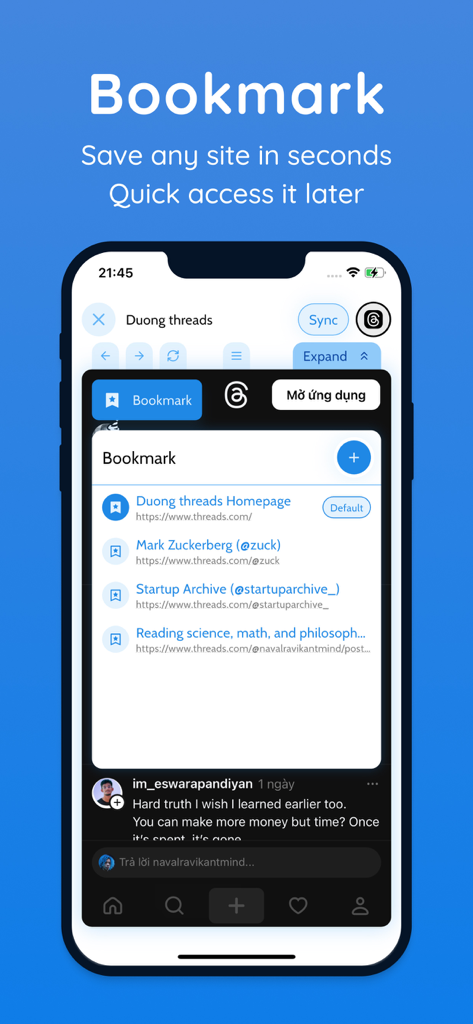
Zentab - Clone App Multi Login - 다중 로그인 대시보드 내에서 웹사이트를 저장하고 액세스하기 위한 북마크 기능을 보여주는 Zentab 앱 인터페이스 스크린샷.
다중 로그인 대시보드 내에서 웹사이트를 저장하고 액세스하기 위한 북마크 기능을 보여주는 Zentab 앱 인터페이스 스크린샷.

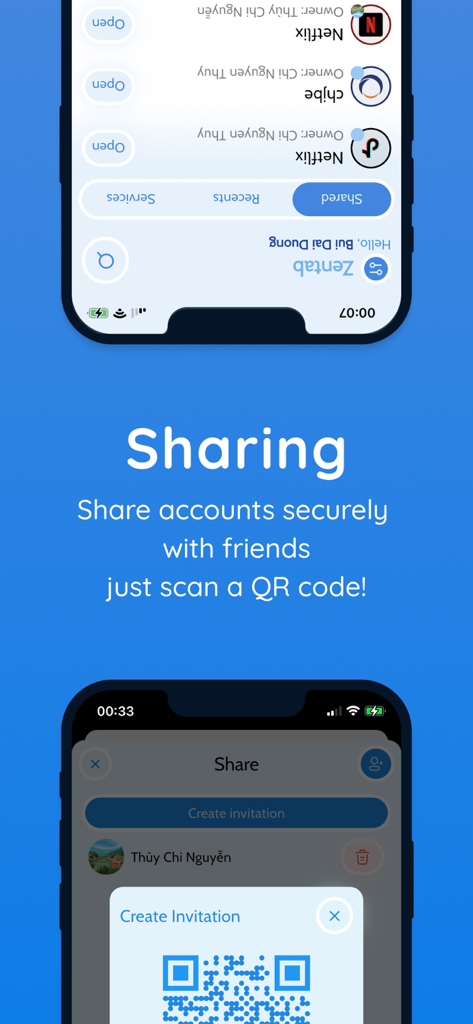
Zentab - Clone App Multi Login - QR 코드 초대를 사용하여 계정을 안전하게 공유하는 방법을 보여주는 Zentab 앱 인터페이스.
QR 코드 초대를 사용하여 계정을 안전하게 공유하는 방법을 보여주는 Zentab 앱 인터페이스.

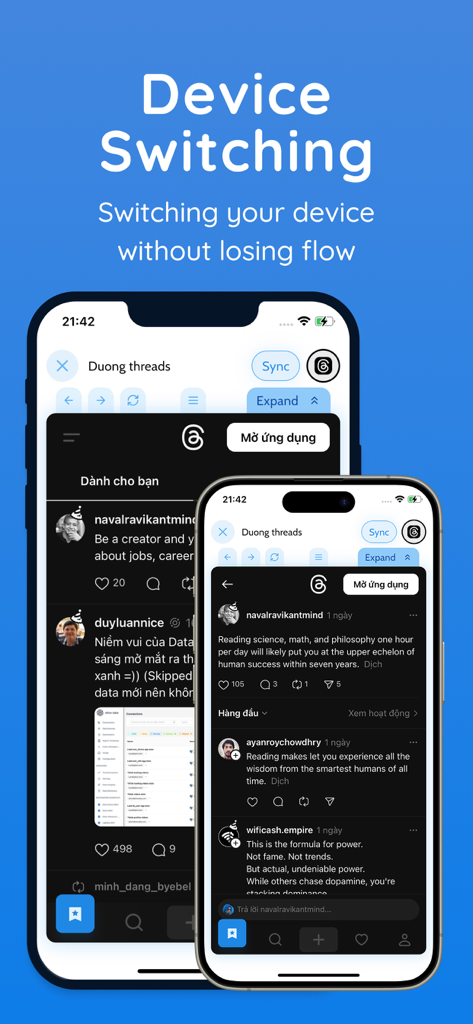
Zentab - Clone App Multi Login - 다른 화면에서 워크플로를 유지하기 위해 Zentab 앱의 기기 전환 기능을 보여주는 두 개의 스마트폰
다른 화면에서 워크플로를 유지하기 위해 Zentab 앱의 기기 전환 기능을 보여주는 두 개의 스마트폰

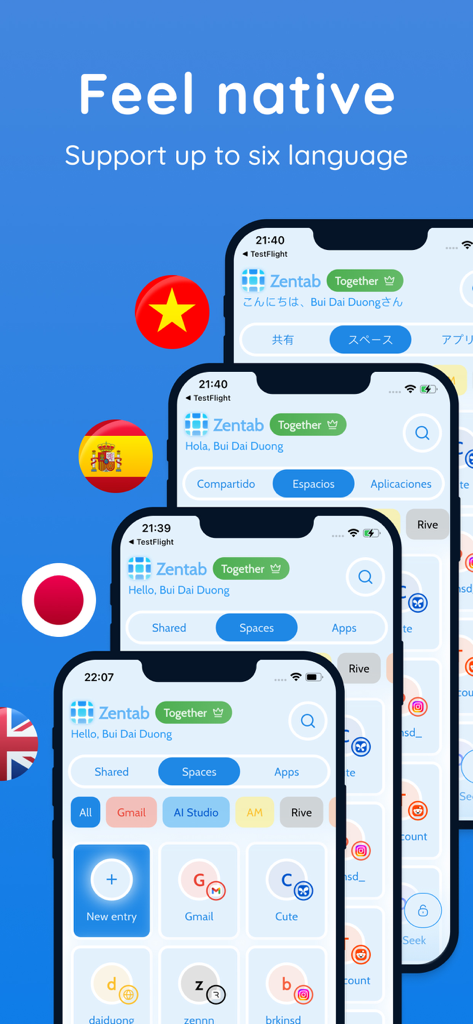
Zentab - Clone App Multi Login - 여러 iPhone 디스플레이에서 다국어 지원을 보여주는 Zentab 앱 인터페이스

여러 iPhone 디스플레이에서 다국어 지원을 보여주는 Zentab 앱 인터페이스

설명

Zentab – Multi App Cloner & Dual Login Unlock True Multi-Account Freedom Clone an app and manage multiple accounts on one device. Whether you need dual login for work and personal, multiple social profiles, or separate AI app sessions, Zentab’s parallel space creates isolated app instances so each profile runs independently. Enjoy full privacy and dedicated sessions without interfering with your original apps. Key Benefits & Features: * App Cloner & Multi-Account Manager – Clone any app to run multiple accounts simultaneously: WhatsApp, Instagram, Gmail, Facebook, TikTok, AI tools, and more. * Seamless Dual Login – Balance work and personal life with dual login for messaging, social, and productivity apps—no more constant sign-outs. * Dedicated Parallel Space – Each cloned app instance lives in its own secure, isolated environment. Keep chats, feeds, and settings separate without interference. * Instant Account Switching – Jump between multiple profiles in a tap—stay signed in across all sessions without re-authentication. * Optimized Performance – Lightweight design keeps it fast and smooth, even when running several parallel spaces. * Centralized Session Organizer – View and manage all app sessions in one dashboard. Group by social, work, or hobby categories for quick access. * Smart Google Sign-In – Your Google account is remembered across cloned apps, so you can add new instances without repeated logins. * Multiple Social & Work Profiles – Perfect for managing multiple social media, business, and AI accounts in one place. Who Needs Zentab? * Power Users & Multi-Account Enthusiasts: Run multiple social profiles or test apps with no limits. * Freelancers & Business Owners: Keep client, team, and personal communications separate. * Social Media Managers & Marketers: Manage various brand accounts and campaigns concurrently. * Gamers & AI Developers: Use separate game or tool accounts without conflicts. * Anyone with App-Level Dual Login Needs: Ideal for anyone juggling more than one account per app. Why Zentab Is Unique: * True Parallel Spaces: Unlike other app cloners, Zentab maintains full session isolation to prevent data overlap and ensure privacy. * Broad App Compatibility: Clone social networks, email clients, AI apps, and more with no restrictions. * User-Friendly Interface: Intuitive dashboard and one-tap account switching keep you efficient. * Secure & Reliable: Fast app loading and top-notch security mean you can trust your sessions to stay private. How It Works: 1. Install Zentab and select create new App Instance. 2. Select any app you want to clone and create a new app instance. 3. Log in to your second (or third, fourth) account within the cloned app. 4. Switch accounts instantly via the Zentab dashboard—no more logging out. Real-World Use Cases: * Switch between personal and work WhatsApp easily. * Manage multiple Instagram or Facebook pages without juggling devices. * Run separate Gmail accounts for personal, business, and marketing campaigns. * Test AI app features with different accounts in parallel. * Keep private and public social profiles isolated for maximum privacy. Download Zentab Today! Say goodbye to the hassle of logging out just to switch accounts. Zentab is your ultimate tool for dual login, multi-account management, and easy app switching. Whether you’re managing multiple work profiles, social accounts, or AI tool sessions, Zentab keeps everything organized in one secure parallel space. Your digital life is now under full control. Loved by thousands of users for seamless multiple account management. Please leave a 5-star review to help us grow and improve! Support: support@zentab.app Terms: https://zentab.app/terms Privacy: https://zentab.app/privacy

Download

다운로드: App Store

이 페이지는 앱이나 개발자의 공식 페이지가 아니며, 정보 제공 및 논평을 목적으로 작성된 독립 편집 간행물입니다. 명시적으로 달리 언급되지 않는 한, 해당 앱이나 개발자는 MWM, Apple, Google Play, 앱 퍼블리셔 또는 앱 개발자와 제휴, 보증, 후원, 승인 또는 공식적으로 연결되어 있지 않으며, 이 페이지의 어떤 내용도 해당 앱이 MWM의 서비스를 사용하여 개발되었음을 의미하지 않습니다. 모든 상표, 로고, 스크린샷 및 기타 콘텐츠는 해당 소유자의 자산입니다.









