
이 페이지는 앱이나 개발자의 공식 페이지가 아니며, 정보 제공 및 논평을 목적으로 작성된 독립 편집 간행물입니다. 명시적으로 달리 언급되지 않는 한, 해당 앱이나 개발자는 MWM, Apple, Google Play, 앱 퍼블리셔 또는 앱 개발자와 제휴, 보증, 후원, 승인 또는 공식적으로 연결되어 있지 않으며, 이 페이지의 어떤 내용도 해당 앱이 MWM의 서비스를 사용하여 개발되었음을 의미하지 않습니다. 모든 상표, 로고, 스크린샷 및 기타 콘텐츠는 해당 소유자의 자산입니다.


Zimbra Email & Collaboration
통합된 영상, 채팅, 파일 공유로 팀의 워크플로우를 간소화하세요. 동급 최저 비용으로 100% 데이터 주권과 최고 수준의 생산성을 경험하세요.
다운로드
466K+사용자 평점
총 평가 수
100개발사
카테고리
Business지원 언어
1최신 버전
1.0.4크기
1.9 MB출시일
2021년 4월 25일비즈니스 협업 강화
데이터 주권, 비용 효율성 및 원활한 워크플로우 통합을 위해 설계된 완벽한 생산성 도구 제품군.
완전한 데이터 주권
민감한 조직 데이터에 대한 100% 제어를 유지하기 위해 안전한 클라우드 호스팅 또는 온프레미스 배포 중에서 선택하세요.
통합된 통일 워크플로우
앱 전환을 중지하세요. 받은 편지함에서 바로 Zoom 통화, Slack 메시지 및 클라우드 파일을 실행하여 흐름을 유지하세요.
자주 묻는 질문
에 대해 알아야 할 모든 것 Zimbra Email & Collaboration
Zimbra 이메일 및 협업이란 무엇인가요?
Zimbra 이메일 및 협업은 이메일, 협업, 화상 회의, 파일 공유, 클라우드 스토리지, 채팅 및 캘린더를 제공하는 생산성 제품군입니다. 비즈니스, 정부 기관 및 교육 기관을 위해 설계되었습니다.
Zimbra에서 무료 체험판을 제공하나요?
예, Zimbra는 의무 없이 신용카드 없이 무료 체험판을 제공합니다. 사용자는 제공된 체험판 링크를 방문하여 오늘 서비스를 체험할 수 있습니다.
Zimbra에는 어떤 협업 기능이 포함되어 있나요?
Zimbra는 협업을 위해 이메일, 캘린더, 채팅, 화상 회의 및 파일 공유를 포함합니다. Slack, Zoom, Dropbox, Google Drive와 같은 도구와 통합되어 이메일에서 직접 앱을 실행할 수 있습니다.
사용자는 Zimbra로 파일을 저장하고 공유할 수 있나요?
예, Zimbra는 Briefcase 기능을 통해 파일 저장 및 공유 기능을 제공합니다. 사용자는 애플리케이션 내에서 문서, 프레젠테이션, 미디어 파일을 포함한 다양한 파일 유형을 관리할 수 있습니다.
Zimbra에 사용할 수 있는 배포 옵션은 무엇인가요?
Zimbra는 호스팅/클라우드 서비스 및 온프레미스 라이선스 소프트웨어 배포 옵션을 모두 제공합니다. 클라우드 솔루션은 자동 업그레이드를 제공하며, 온프레미스는 데이터 주권 및 사용자 정의 통합을 보장합니다.
Zimbra는 다른 인기 있는 애플리케이션과 통합되나요?
예, Zimbra는 Slack, Zoom, Dropbox, Webex, Google Drive, OneDrive와 같은 인기 있는 애플리케이션과 완전히 통합됩니다. 사용자는 이메일 인터페이스에서 직접 이러한 애플리케이션을 실행할 수 있습니다.
Zimbra는 데이터 주권을 어떻게 지원하나요?
Zimbra는 온프레미스 라이선스 소프트웨어 배포를 통해 100% 데이터 주권을 지원합니다. 이를 통해 사용자는 자체 데이터를 호스팅하고 관리하여 향상된 보안 및 개인 정보 보호를 보장할 수 있습니다.
Zimbra 생산성 제품군의 비용 효율성은 어느 정도인가요?
Zimbra의 생산성 제품군은 해당 등급에서 가장 저렴한 비용을 제공하며, 상당한 가치를 가진 포괄적인 이메일 및 애플리케이션을 제공합니다. 이는 비즈니스에 경제적인 선택이 됩니다.
Zimbra에 캘린더 기능이 포함되어 있나요?
예, Zimbra에는 포괄적인 캘린더 기능이 포함되어 있습니다. 사용자는 이벤트를 예약하고, 일별, 월별 또는 연별 일정을 확인하고, 약속을 효율적으로 관리할 수 있습니다.
Zimbra를 Slack에 연결할 수 있나요?
예, Zimbra는 Slack에 연결할 수 있습니다. 사용자는 Zimbra 애플리케이션 내에서 직접 Slack 작업 공간을 관리하고, Slack 알림을 활성화하고, 기존 연결을 해제할 수 있습니다.
다음 스크린샷과 설명은 앱의 공식 스토어 목록에서 직접 가져온 것이며 앱 개발자의 자산입니다.
앱 스토어
스크린샷
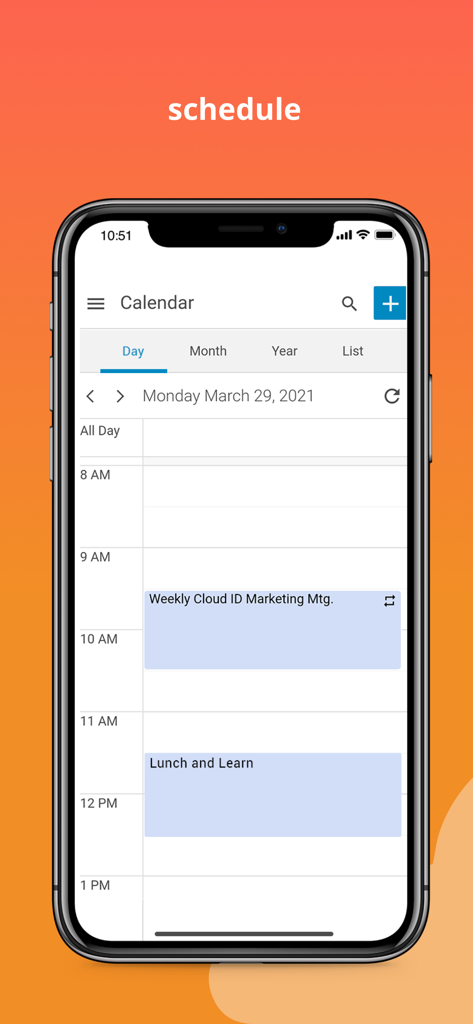
일정 일정을 보여주는 Zimbra 이메일 및 협업 앱의 모바일 캘린더 인터페이스.
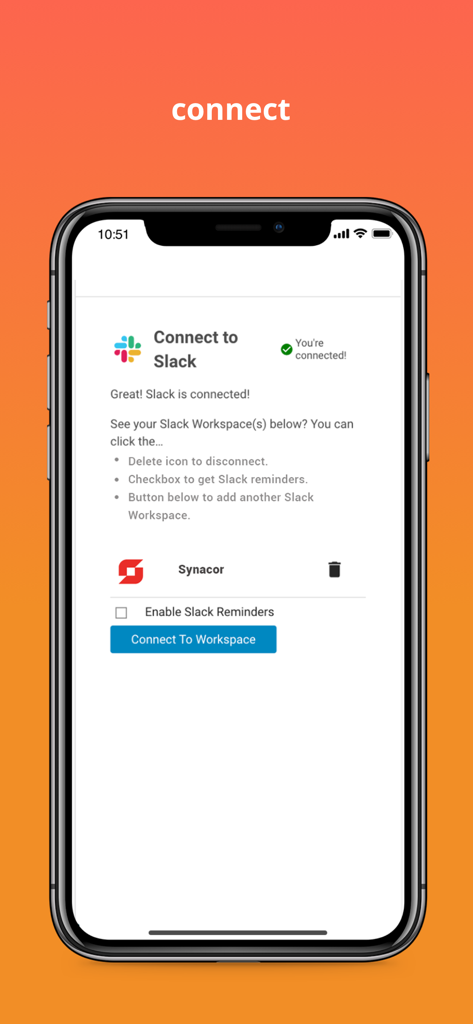
Slack 워크스페이스 연결을 위한 Zimbra 앱 화면
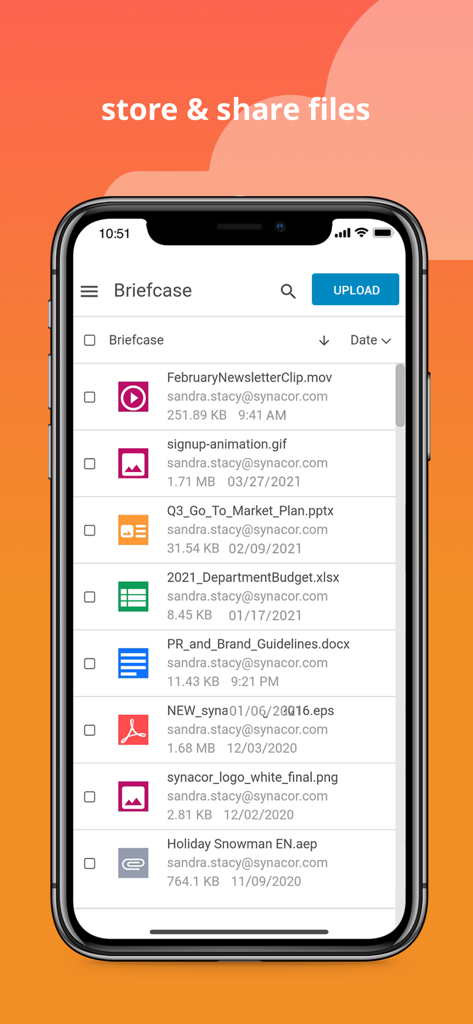
비즈니스 협업을 위한 저장된 문서 및 미디어 파일 목록을 보여주는 Zimbra 앱 브리프케이스의 모바일 인터페이스.
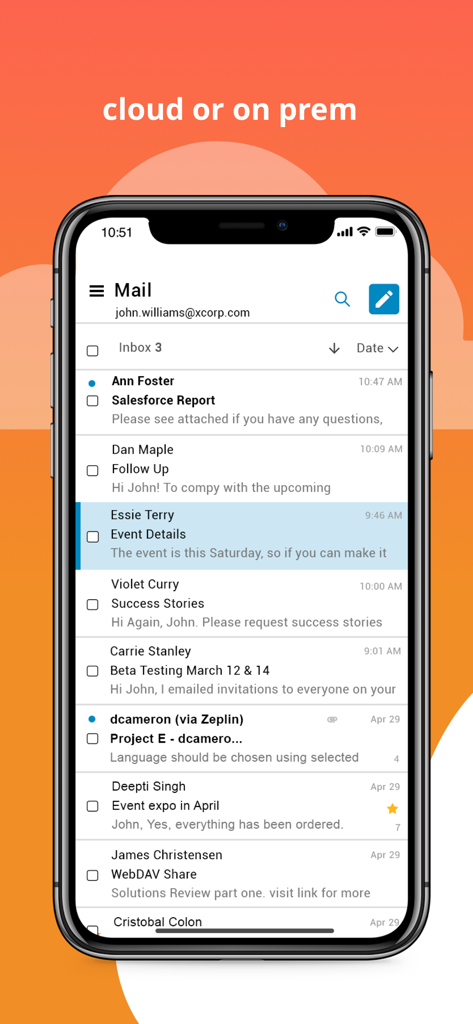
이메일 목록이 있는 Zimbra 이메일 및 협업 앱 받은 편지함을 보여주는 스마트폰 화면.
설명
Download
비슷한 앱
유사한 기능과 사용자 경험을 가진 앱
MEGA
Mega Limited
Microsoft SharePoint
Microsoft Corporation
Box: The power of Content + AI
Box, Inc.
Zoho WorkDrive
Zoho Corporation

阿里邮箱
Alibaba Cloud Computing Ltd.
Dropbox EMM
Dropbox, Inc.

Syncer
ARCTERA AM, LLC

SeaTalk
SEATALK PRIVATE LIMITED

Signet
SIGNET TECHNOLOGY PLATFORM COMPANY LIMITED
이 페이지는 앱이나 개발자의 공식 페이지가 아니며, 정보 제공 및 논평을 목적으로 작성된 독립 편집 간행물입니다. 명시적으로 달리 언급되지 않는 한, 해당 앱이나 개발자는 MWM, Apple, Google Play, 앱 퍼블리셔 또는 앱 개발자와 제휴, 보증, 후원, 승인 또는 공식적으로 연결되어 있지 않으며, 이 페이지의 어떤 내용도 해당 앱이 MWM의 서비스를 사용하여 개발되었음을 의미하지 않습니다. 모든 상표, 로고, 스크린샷 및 기타 콘텐츠는 해당 소유자의 자산입니다.