Zoho Calendar

Zoho Calendar

다운로드: App Store
로고: Zoho Calendar

Zoho Calendar: 현대 전문가를 위한 안전한 협업

하이브리드 업무를 위해 설계된 개인 정보 보호 우선 캘린더로 일정을 완벽하게 관리하세요. 좋아하는 도구와 원활하게 동기화하고, 즉석에서 회의실을 예약하고, 언제 어디서든 생산성을 극대화하세요.

개발사

Zoho Corporation

카테고리

Productivity

다운로드

21K+

사용자 평점

4.0/5

총 평가 수

100

지원 언어

1

당신의 하루, 시각화

이 인터페이스를 사용하는 21K+ 명의 사용자.

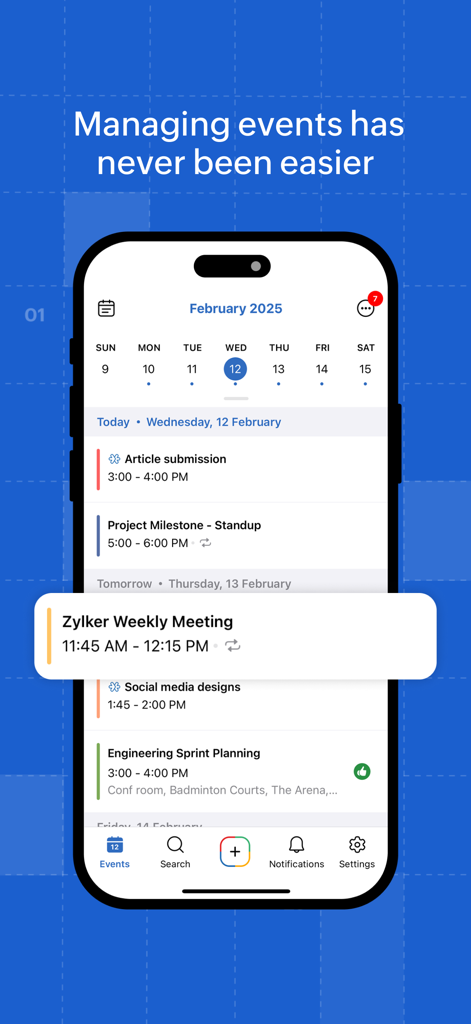
Zoho Calendar 앱 인터페이스에 일일 전문 이벤트 일정이 표시됨

Zoho Calendar 앱 인터페이스에 일일 전문 이벤트 일정이 표시됨

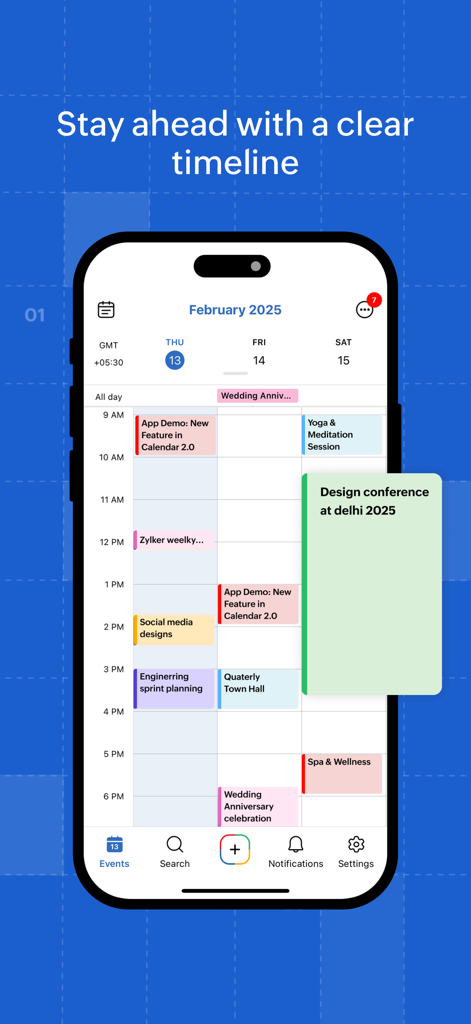
iPhone의 Zoho Calendar 앱 인터페이스에 명확한 타임라인 보기와 함께 색상으로 구분된 일일 일정이 표시됨.

iPhone의 Zoho Calendar 앱 인터페이스에 명확한 타임라인 보기와 함께 색상으로 구분된 일일 일정이 표시됨.

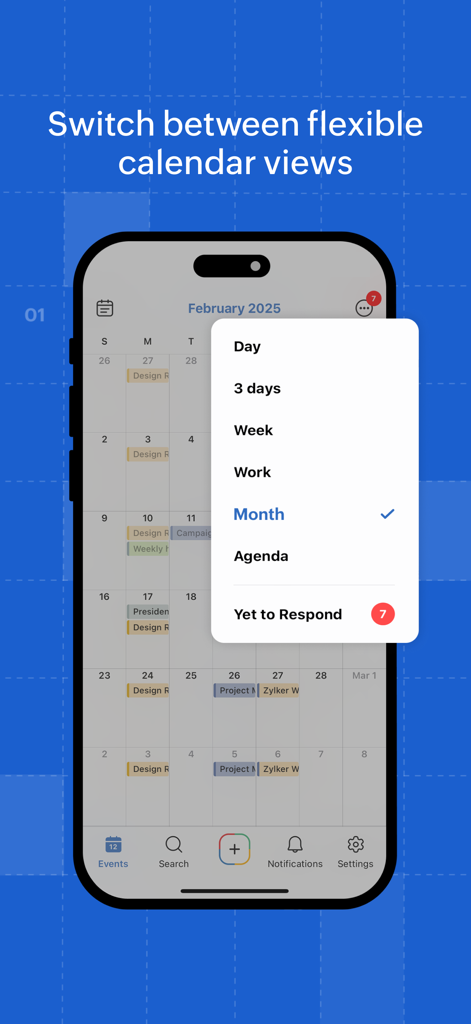
Zoho Calendar 모바일 앱 인터페이스에 일, 주, 월을 포함한 다양한 캘린더 보기 목록 표시

Zoho Calendar 모바일 앱 인터페이스에 일, 주, 월을 포함한 다양한 캘린더 보기 목록 표시

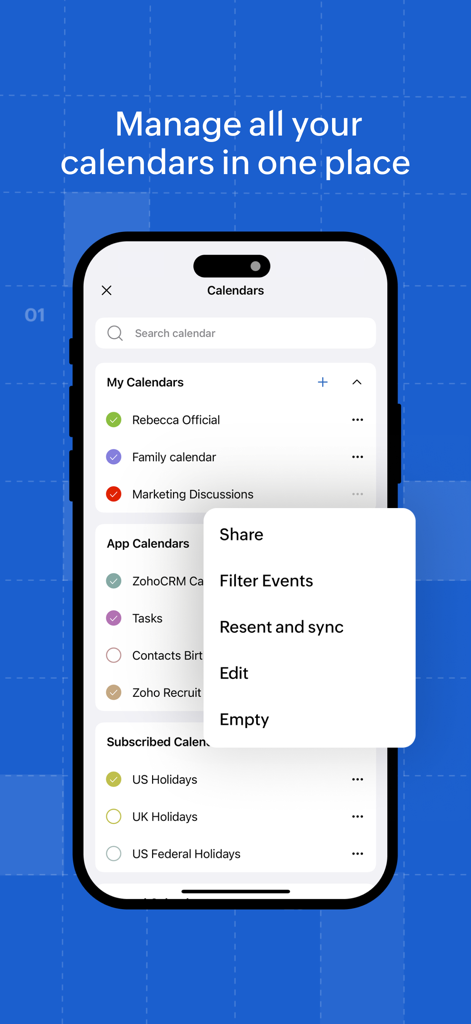
Zoho Calendar 앱 인터페이스에 개인, 업무, 휴일 캘린더를 한곳에서 관리하는 모습 표시

Zoho Calendar 앱 인터페이스에 개인, 업무, 휴일 캘린더를 한곳에서 관리하는 모습 표시

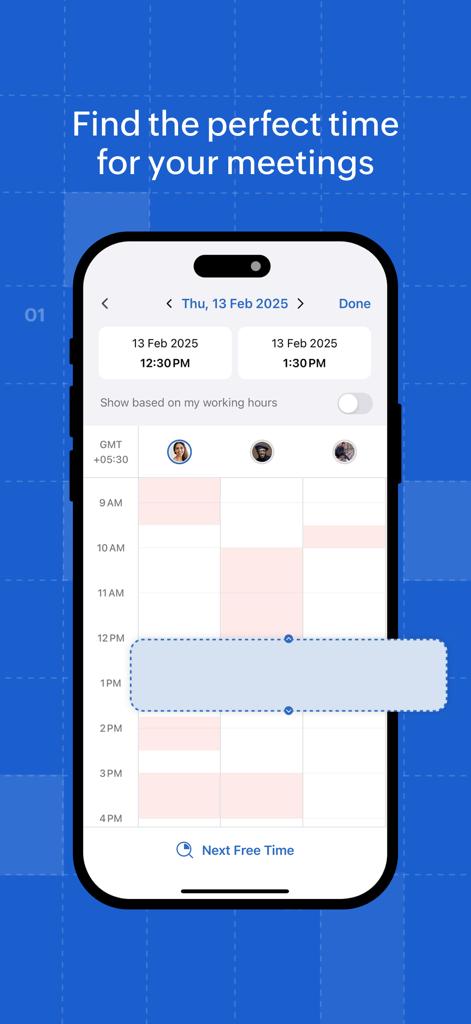
여러 참가자의 일정을 고려하여 최적의 회의 시간을 찾는 Zoho Calendar 인터페이스.

여러 참가자의 일정을 고려하여 최적의 회의 시간을 찾는 Zoho Calendar 인터페이스.

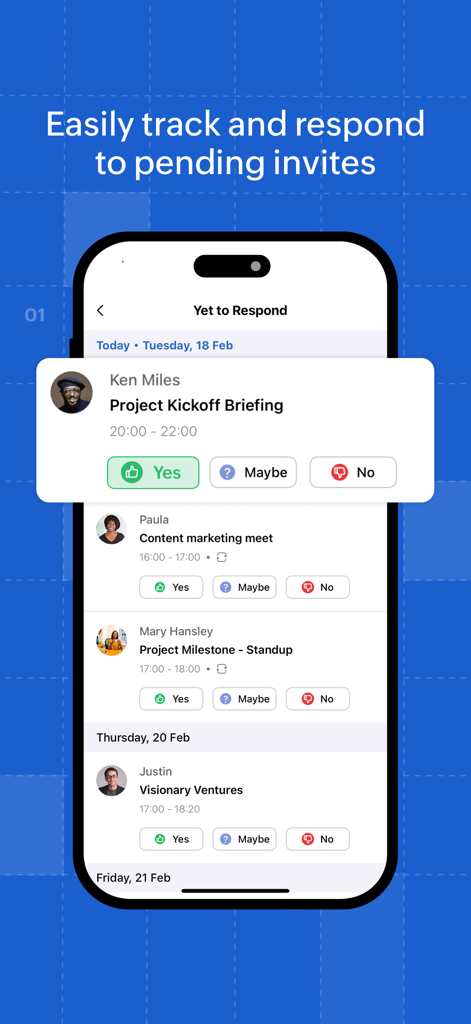
응답 옵션이 포함된 보류 중인 회의 초대 목록을 보여주는 Zoho Calendar 화면

응답 옵션이 포함된 보류 중인 회의 초대 목록을 보여주는 Zoho Calendar 화면

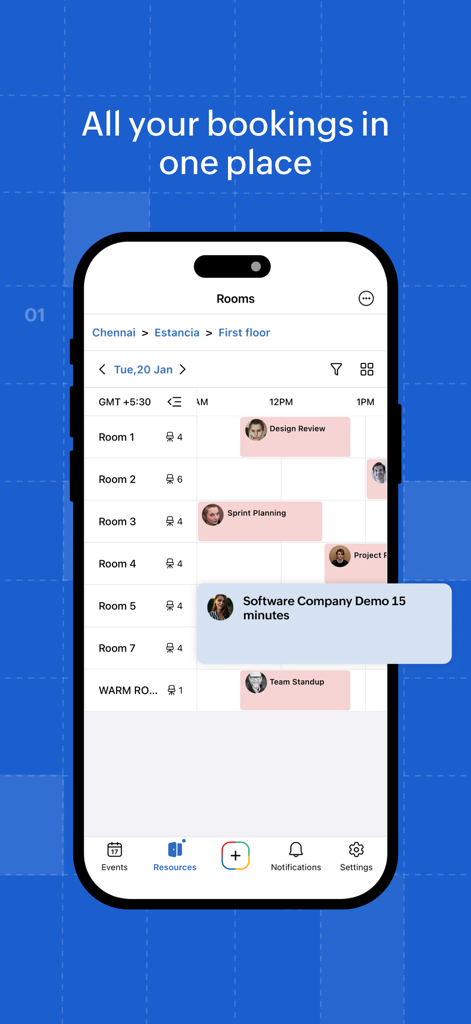
하이브리드 오피스 환경의 회의실 예약 일정을 보여주는 Zoho Calendar 모바일 앱 인터페이스

하이브리드 오피스 환경의 회의실 예약 일정을 보여주는 Zoho Calendar 모바일 앱 인터페이스

나만의 방식으로 일정 관리

이 앱을 돋보이게 하는 도구, 21K+ 명의 사용자가 선택.

🏢

하이브리드 오피스 관리

QR 코드 스캔을 통해 팀 가용성을 조정하고 즉시 회의실을 예약하세요. 현대적이고 민첩한 업무 환경을 위해 특별히 제작되었습니다.

🔄

통합 워크플로 동기화

Zoom, Google, Outlook과의 기본 통합으로 전문적인 세계를 연결하여 고객 간에 이중 예약이 발생하지 않도록 하세요.

🛡️

개인 정보 보호 우선 생산성

민감한 데이터가 비공개로 유지되는 안전한 광고 없는 환경을 경험하고, 중단 없는 집중을 위한 오프라인 액세스와 결합하세요.

앱 소개

에 대해 알아야 할 모든 것 Zoho Calendar.

설명

Zoho Calendar is a collaborative online calendar that lets you organize your day—both personal and professional—with ease. Create events, invite users, set permissions, add reminders, and see your events through from start to finish. Zoho Calendar prioritizes privacy, ease of use, and collaboration while offering powerful features. • Multiple views, one goal: Easily switch views such as day, 3-day, Week, Work, Month, and Agenda views to customize how you organize and focus. • Big on collaboration: Makes collaboration easy with handy features such as group calendars, checking participants and room availability, managing invitations, and more. • Always in control: Get more control over inviting participants, creating events, and sharing your calendars. • Stay in the know: Get a gist of your events at a glance right from your home screen with multiple widget options. • Well connected: Get a powerful calendar experience with integrations such as Zapier, Zoom, Google Calendar, Outlook, Google Meet, and more. • On the same page: Changes made on other devices sync periodically to ensure you're always up to speed about your priorities. • Never miss a thing: You'll never miss another event invitation, reminder, and updates by getting timely notifications. • Available wherever you are: With the offline mode, you can access your calendar without an internet connection. • Room booking, simplified: Quickly find and book meeting rooms and dorms right from your mobile device. View real-time availability by location, scan QR codes for instant bookings, and manage all your reservations in one place. Ready to take control of your day? Download Zoho Calendar now and streamline your day like a pro! Privacy Policy: https://www.zoho.com/privacy.html Terms of Service: https://www.zoho.com/terms.html

최신 버전

2.2.2

크기

109.5 MB

출시일

2022년 9월 12일

일정 관리를 마스터할 준비가 되셨나요?

업무와 삶을 완벽하게 동기화하도록 설계된 개인 정보 보호 우선 협업 캘린더를 선택한 수천 명의 전문가와 함께하세요.

다운로드: App Store

App information, icons, screenshots, and descriptions displayed on this page are sourced from the Apple App Store and are the property of their respective developers. Download estimates and rankings are based on MWM's proprietary models and may not reflect actual figures. This page is provided for informational and analytical purposes only.

Believe this page infringes your intellectual property? File a dispute