
This page is not an official page of the app or its developer, but an independent editorial publication created for informational and commentary purposes. Unless expressly stated otherwise, neither the app nor its developer is affiliated with, endorsed by, sponsored by, authorized by, or otherwise officially connected with MWM, Apple, Google Play, the app publisher, or the app's developer, and nothing on this page implies that the app was developed using MWM's services. Any trademarks, logos, screenshots, and other content remain the property of their respective owners.


2Convert – Currency Converter
Master your travel budget with instant, offline conversions. From airport coffee to local taxis, get fast exchange rates without worrying about roaming fees or data connections.
Downloads
500User Rating
Total Ratings
0Publisher
Category
TravelLocales
1Latest Version
2.0.4Size
5.1 MBFirst Released
Sep 4, 2022Smart Tools for the Global Traveler
Navigate foreign markets with confidence using a streamlined converter built for speed, offline reliability, and absolute precision.
True Offline Freedom
Convert currencies at airports, on borders, or mid-flight. Avoid expensive roaming charges and never worry about spotty Wi-Fi again.
Real-Time Spending Clarity
Instantly understand the cost of a coffee or a taxi in your home currency. Simple, logical math that eliminates travel budget anxiety.
Frequently Asked Questions
Everything you need to know about 2Convert – Currency Converter
Does 2Convert – Currency Converter work without an internet connection?
Yes, 2Convert – Currency Converter provides offline currency conversion results. Users can perform conversions at locations without stable internet, such as airports or during flights.
How many currencies does 2Convert – Currency Converter support?
2Convert – Currency Converter supports over 150 different currencies. This extensive support ensures users can convert a wide range of global currencies.
What is the primary function of 2Convert – Currency Converter?
2Convert – Currency Converter's primary function is to provide fast, reliable currency conversion for travelers. It helps users quickly understand costs in foreign currencies.
Is 2Convert – Currency Converter a fast application?
Yes, 2Convert – Currency Converter operates with super fast performance. This ensures rapid calculation and display of currency conversion results.
Are there any limits on currency conversions with 2Convert?
No, 2Convert – Currency Converter offers unlimited currency conversions. Users have unrestricted access to perform as many conversions as needed.
The following screenshots and description are sourced directly from the app's official store listing and are the property of the app developer.
App Store
Screenshots
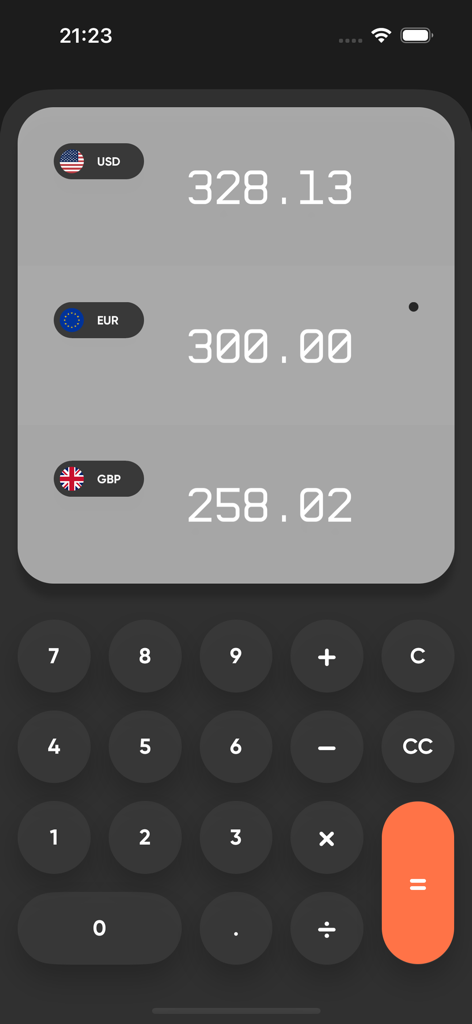
Interface of 2Convert app showing simultaneous conversion between USD EUR and GBP with a numeric keypad
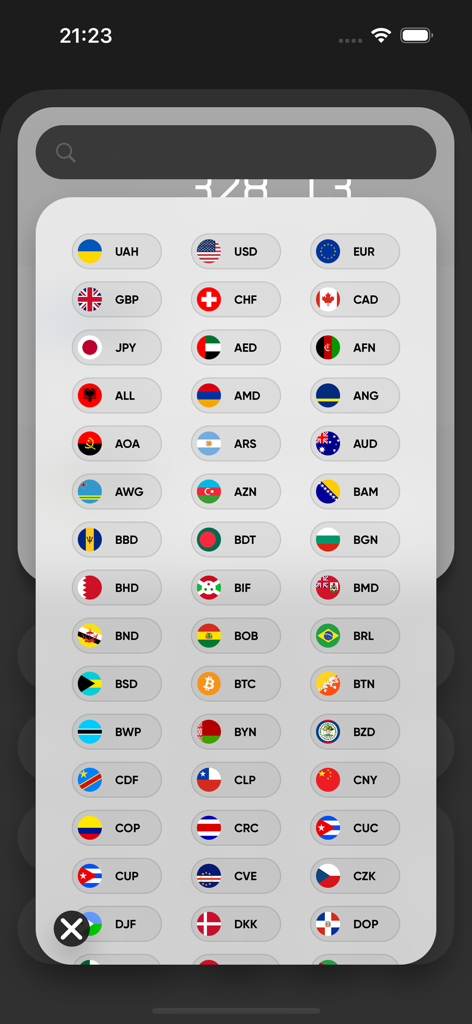
Currency selection menu with country flags and codes

Screenshot showing 2Convert app features including offline work and support for over 150 currencies
Description
Download
More Like This
Top-ranked apps in the same category

Uber - Request a ride
Uber Technologies, Inc.

Airbnb
Airbnb, Inc.

铁路12306
ACADEMY OF RAILWAY SCIENCES CO., ltd.

Booking.com: Hotels & Travel
Booking.com B.V.

Grab: Taxi Ride, Food Delivery
GRABTAXI HOLDINGS PTE. LTD.

DiDi China: Ride Hailing
Didi Chuxing (Beijing) Network Platform Technology Co., Ltd

Bolt: Request a Ride
BOLT TECHNOLOGY OU

Trip.com: Book Flights, Hotels
Trip.com Travel Singapore Pte. Ltd.

去哪儿旅行-订酒店机票火车票
Beijing Qunar Information Technology Company Limit
This page is not an official page of the app or its developer, but an independent editorial publication created for informational and commentary purposes. Unless expressly stated otherwise, neither the app nor its developer is affiliated with, endorsed by, sponsored by, authorized by, or otherwise officially connected with MWM, Apple, Google Play, the app publisher, or the app's developer, and nothing on this page implies that the app was developed using MWM's services. Any trademarks, logos, screenshots, and other content remain the property of their respective owners.