
This page is not an official page of the app or its developer, but an independent editorial publication created for informational and commentary purposes. Unless expressly stated otherwise, neither the app nor its developer is affiliated with, endorsed by, sponsored by, authorized by, or otherwise officially connected with MWM, Apple, Google Play, the app publisher, or the app's developer, and nothing on this page implies that the app was developed using MWM's services. Any trademarks, logos, screenshots, and other content remain the property of their respective owners.


360浏览器-极速版-安全上网-文件扫描PDF工具
延续您习惯的极速体验。无论是跨端同步书签、AI一键转换文档,还是畅享全能视频播放,360浏览器为您在海外的数字办公与生活全面护航。
Downloads
11M+User Rating
Total Ratings
135K+Publisher
Category
UtilitiesLocales
3Latest Version
5.6.4Size
120.6 MBFirst Released
Oct 31, 2014More Than Just a Browser
A powerful productivity suite that combines high-speed browsing, professional PDF tools, and seamless cross-device syncing for your life and studies in the US.
Professional Productivity Hub
Scan documents, convert PDFs, and extract text instantly. Seamlessly import files from WeChat to manage your study materials and work documents in one place.
Unrestricted Media Player
Experience web videos like never before with floating windows, background playback, and speed control. Multitask freely while listening to your favorite content.
Frequently Asked Questions
Everything you need to know about 360浏览器-极速版-安全上网-文件扫描PDF工具
What are the main features of the 360 Browser app?
The 360 Browser offers speedy scanning, PDF tools, AI image processing, a versatile video player, robust privacy protection, dangerous website interception, and incognito browsing, all within a minimalist design.
Does 360 Browser provide security features for safe browsing?
Yes, 360 Browser integrates the latest security and danger interception technologies. It automatically identifies dangerous websites and intercepts attacks, ensuring a secure and reliable internet experience.
What types of documents can the 360 Browser's speedy scan feature process?
The 360 Browser's speedy scan processes files, books, and ID photos. It can also remove handwriting, extract text, record screens, and count items, making it ideal for office tasks.
Can the 360 Browser convert files to and from PDF format?
Yes, 360 Browser's PDF tools support converting images, Word, Excel, and PPT files to PDF, and vice versa. It also facilitates easy import of WeChat documents.
What advanced playback options does the 360 Browser's video player offer?
The 360 Browser's player provides web video with floating window, speed adjustment, background playback, mini-window, and audio-only modes. These options comprehensively meet diverse video consumption needs.
How does 360 Browser protect user privacy during browsing?
360 Browser protects privacy by blocking cross-site trackers, upgrading links to HTTPS, intercepting phishing sites, and blocking JS scripts and cookies. This makes users difficult to track across websites.
Does 360 Browser offer an incognito browsing mode?
Yes, 360 Browser includes an incognito mode. This feature ensures that browsing history, cache, and cookies are not saved, providing a private and secure browsing experience.
Can I sync my bookmarks across devices with 360 Browser?
Yes, 360 Browser supports bookmark synchronization. Users can easily sync their collected bookmarks from the 360 Browser on their laptop to the mobile application.
What is the monthly subscription cost for 360 Browser membership?
A continuous monthly 360 Browser membership costs 32 CNY per month. Alternatively, a single one-month membership is available for 35 CNY.
How much does an annual membership for 360 Browser cost?
A continuous annual 360 Browser membership costs 170 CNY per year. A non-continuous 12-month membership is available for 180 CNY per year.
The following screenshots and description are sourced directly from the app's official store listing and are the property of the app developer.
App Store
Screenshots
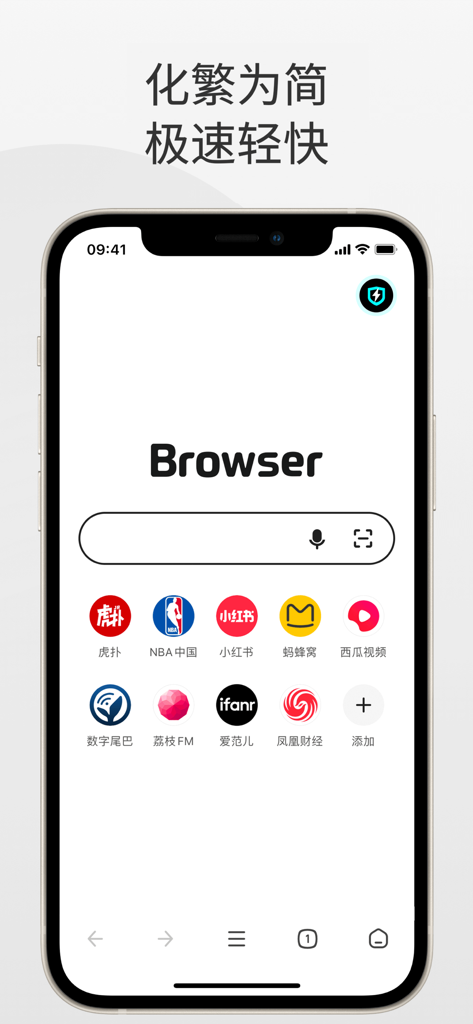
Minimalist home screen of 360 Browser Speed Edition showing search bar and shortcuts to popular Chinese apps
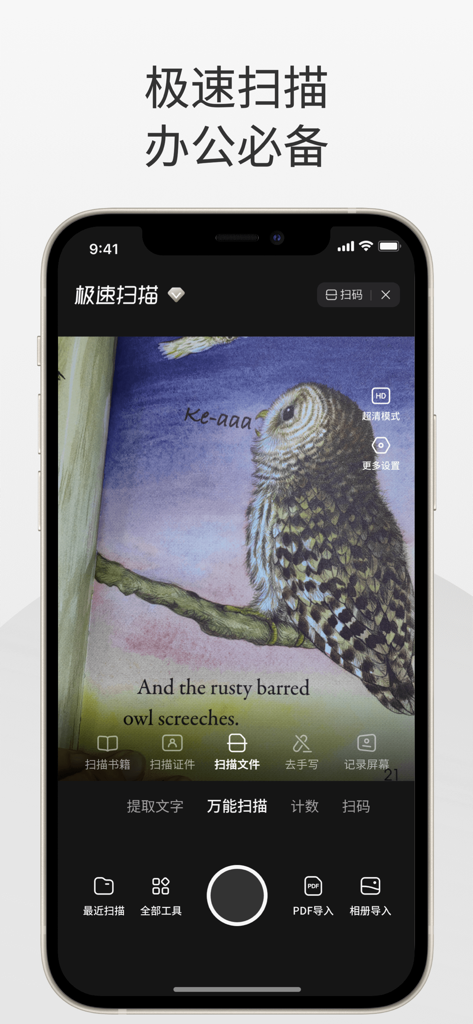
Smartphone screen displaying the 360 Browser's fast scan feature scanning a book illustration of an owl
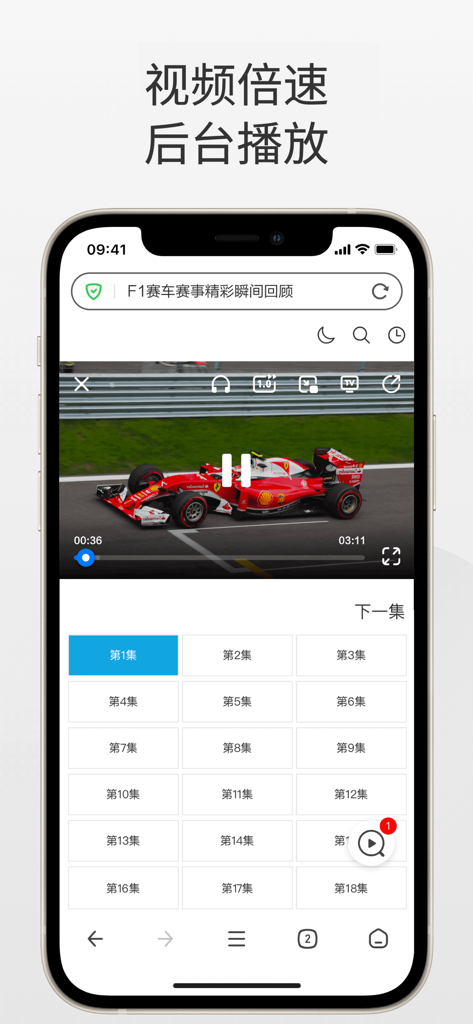
A smartphone screen displaying the 360 Browser video player with options for speed control and background playback while playing an F1 racing video.
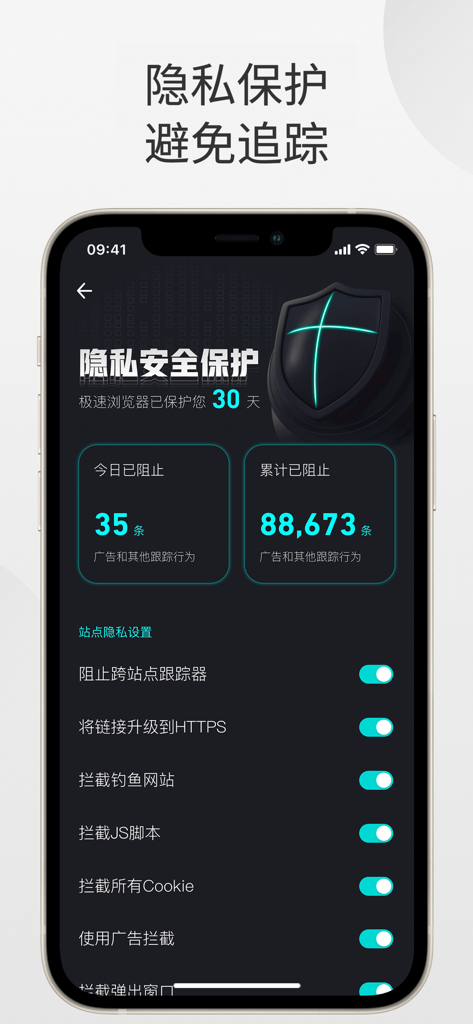
Mobile app interface of 360 Browser displaying privacy protection features and tracker blocking statistics
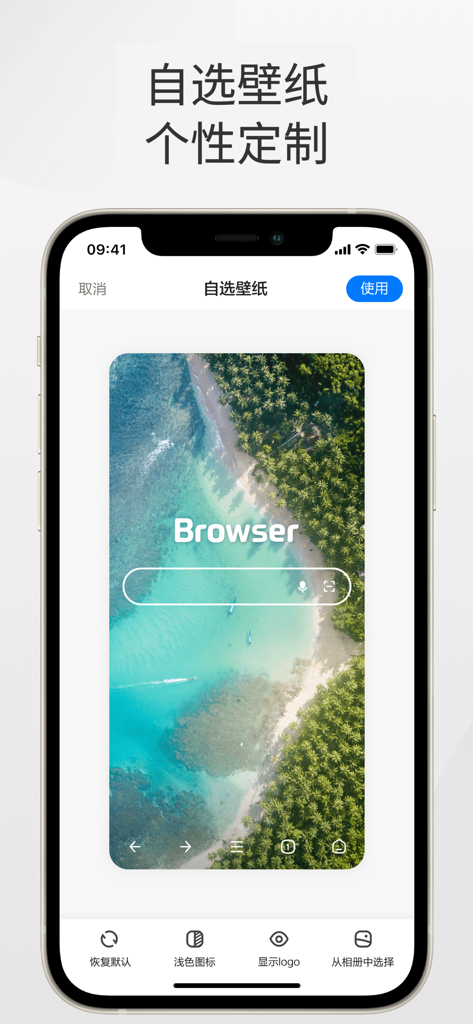
360 Browser mobile app interface for personalizing the home screen wallpaper with a tropical beach image preview
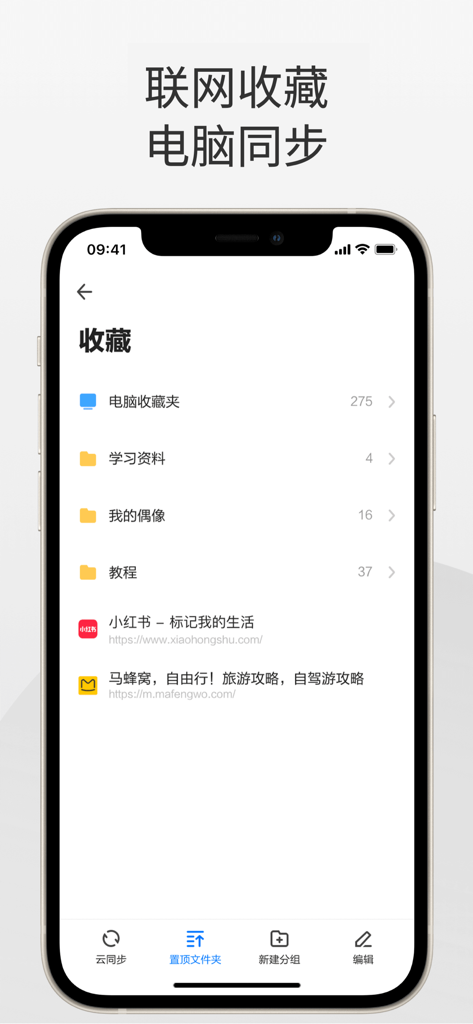
360 Browser mobile app interface showing bookmarks synced from a computer and organized into folders.

iPhone screenshot of 360 Browser incognito mode showing a grid of open web tabs with privacy protection
Description
Download
More Like This
Apps with similar features and user experience

Ulaa Browser
Zoho Corporation

Security from Hacks & Spyware
GRUHERSAN SRL

Google Chrome
Google LLC

Firefox: Private Web Browser
Mozilla Corporation

Opera: AI browser with VPN
Opera Norway AS

Yandex Browser with Alice AI
DIRECT CURSUS COMPUTER SYSTEMS TRADING LLC

Vivaldi Powerful Web Browser
Vivaldi Technologies AS

Whale - Naver Whale Browser
NAVER Corp.

Qwant Private Search
Qwant
This page is not an official page of the app or its developer, but an independent editorial publication created for informational and commentary purposes. Unless expressly stated otherwise, neither the app nor its developer is affiliated with, endorsed by, sponsored by, authorized by, or otherwise officially connected with MWM, Apple, Google Play, the app publisher, or the app's developer, and nothing on this page implies that the app was developed using MWM's services. Any trademarks, logos, screenshots, and other content remain the property of their respective owners.