3pRally - TSD Rally
3pRally - TSD Rally
Download on App Store

This page is not an official page of the app or its developer, but an independent editorial publication created for informational and commentary purposes. Unless expressly stated otherwise, neither the app nor its developer is affiliated with, endorsed by, sponsored by, authorized by, or otherwise officially connected with MWM, Apple, Google Play, the app publisher, or the app's developer, and nothing on this page implies that the app was developed using MWM's services. Any trademarks, logos, screenshots, and other content remain the property of their respective owners.

Logo of 3pRally - TSD Rally
Download on App Store

3pRally - TSD Rally

Master every second with the most complete navigation tool for competitive teams. Replace expensive hardware with sub-second accuracy, GPS calibration, and official time sync designed for the serious enthusiast.

Key Figures

Downloads

0

User Rating

1.0/5

Total Ratings

0

Publisher

stooj s.r.l.

Category

Navigation

Locales

1

Latest Version

4.0

Size

12.1 MB

First Released

Jul 1, 2015
Features

Engineered for Competitive Precision

Transform your device into a professional-grade rally computer with tools designed to help you master every Time-Speed-Distance regularity challenge.

Official Time Synchronization

Align your app clock with the Rally's master time down to the hundredth of a second for flawless checkpoint timing.

Real-Time Pace Guidance

Receive instant voice announcements for speed adjustments and 'Time vs. Ideal' gaps, keeping you on track without taking your eyes off the route.

The following screenshots and description are sourced directly from the app's official store listing and are the property of the app developer.

App Store

Screenshots
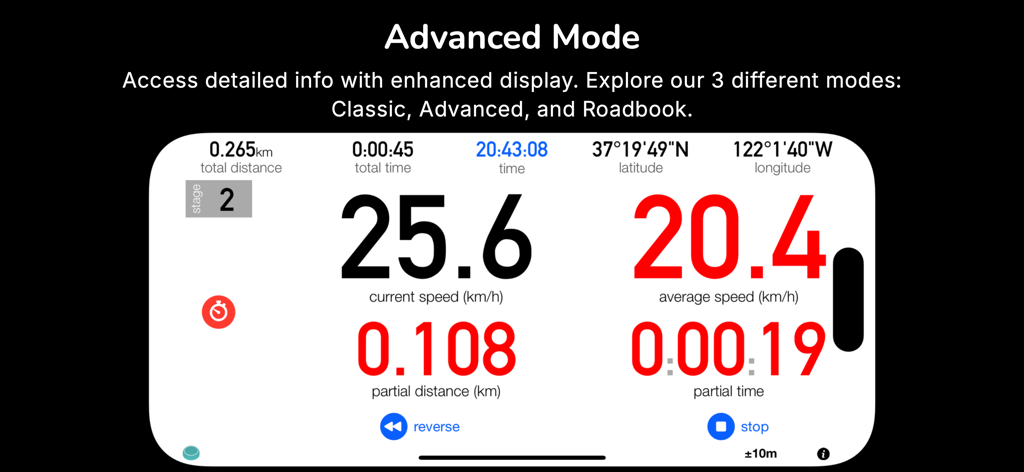
3pRally - TSD Rally - Interface of 3pRally app in Advanced Mode showing real-time speed, distance, and timing for TSD rally navigation.
Interface of 3pRally app in Advanced Mode showing real-time speed, distance, and timing for TSD rally navigation.

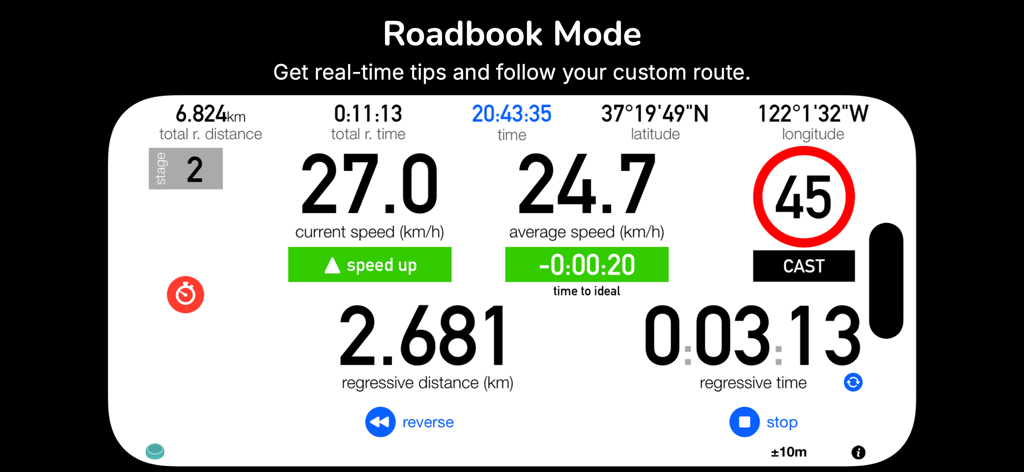
3pRally - TSD Rally - Interface of the 3pRally app in Roadbook Mode showing real-time speed, distance, and time data for TSD rallying.
Interface of the 3pRally app in Roadbook Mode showing real-time speed, distance, and time data for TSD rallying.

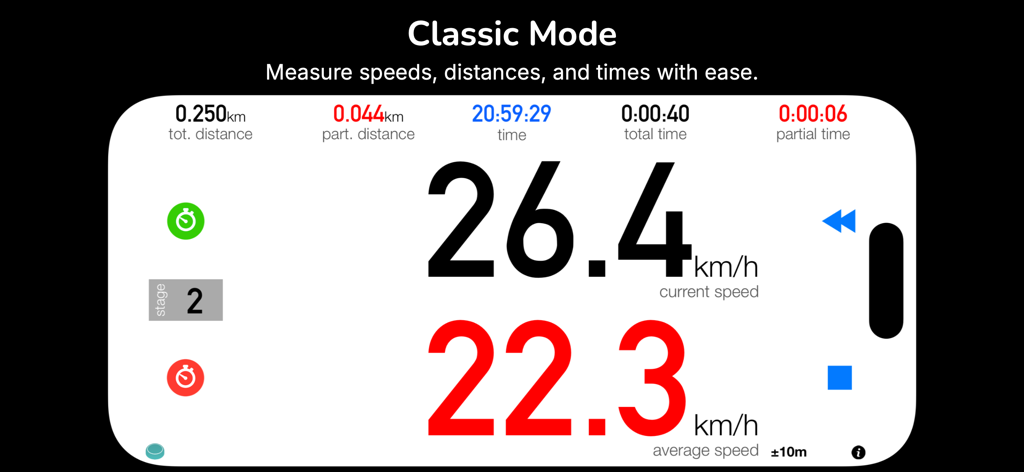
3pRally - TSD Rally - Interface of 3pRally TSD Rally app in Classic Mode showing current speed and average speed
Interface of 3pRally TSD Rally app in Classic Mode showing current speed and average speed

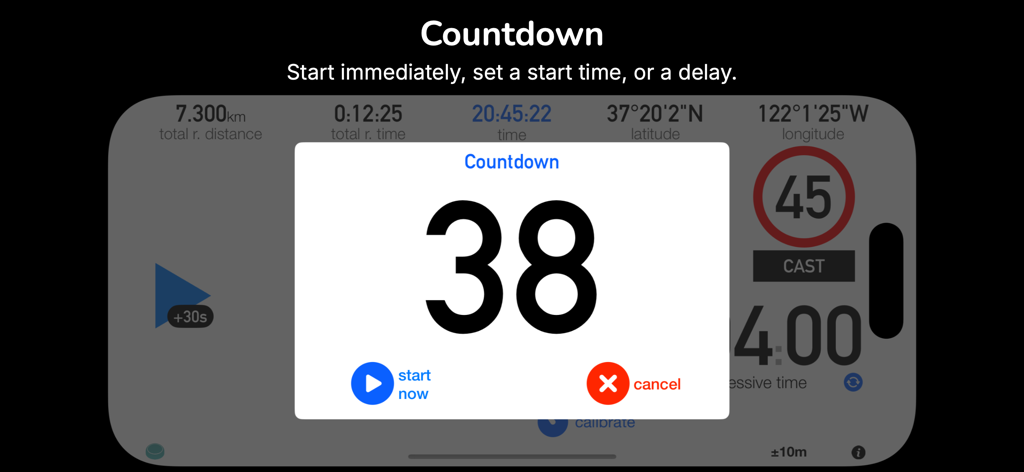
3pRally - TSD Rally - The countdown timer interface of the 3pRally app for TSD rally precision starts.
The countdown timer interface of the 3pRally app for TSD rally precision starts.

3pRally - TSD Rally - Roadbook Design interface in the 3pRally app for creating and customizing TSD rally routes with stages and speed settings
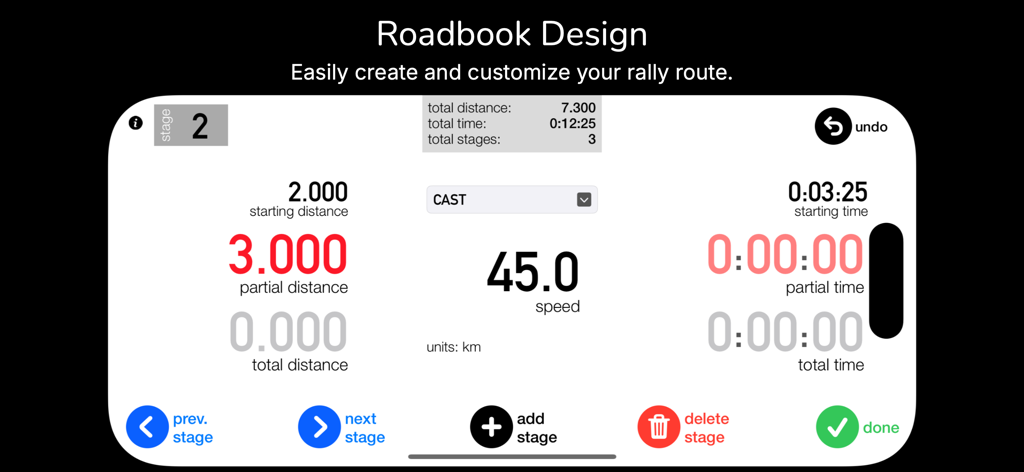
Roadbook Design interface in the 3pRally app for creating and customizing TSD rally routes with stages and speed settings

3pRally - TSD Rally - 3pRally TSD Rally app interface in dark mode showing navigation and speed data
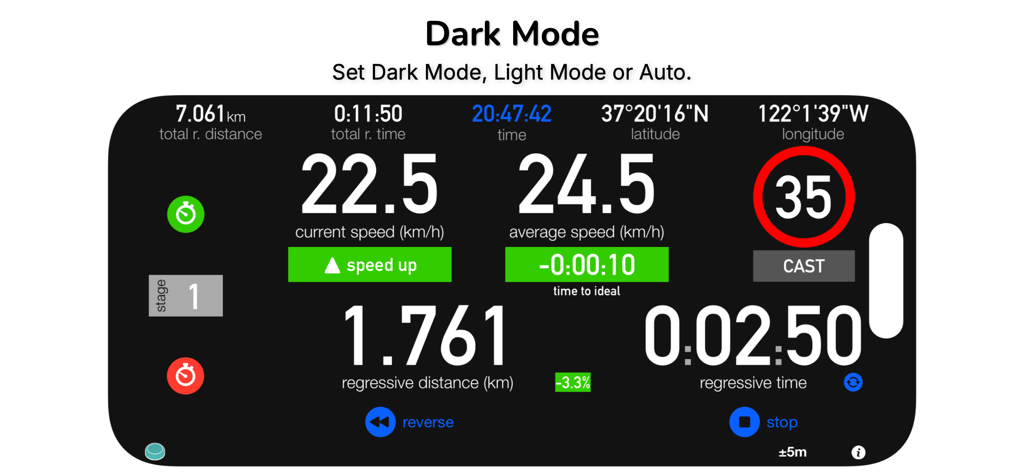
3pRally TSD Rally app interface in dark mode showing navigation and speed data

3pRally - TSD Rally - Odometer calibration interface in 3pRally app with step by step instructions for TSD rally precision
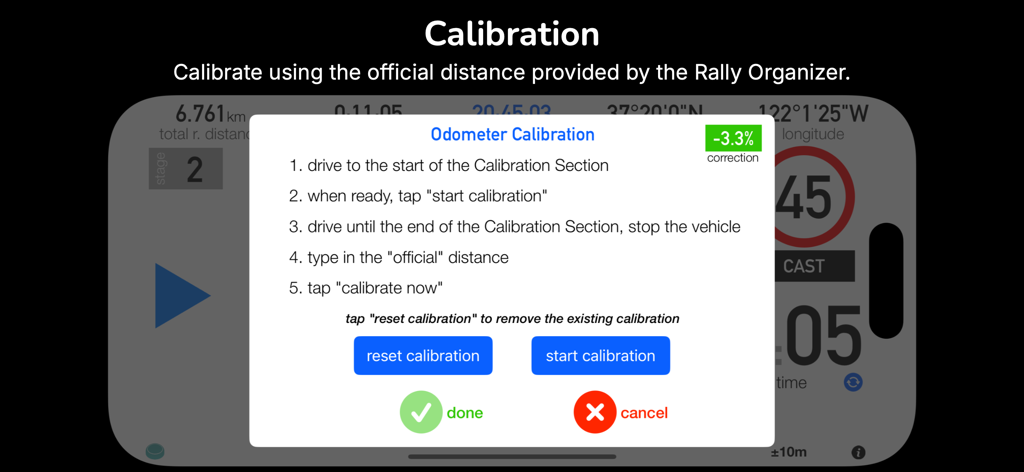
Odometer calibration interface in 3pRally app with step by step instructions for TSD rally precision

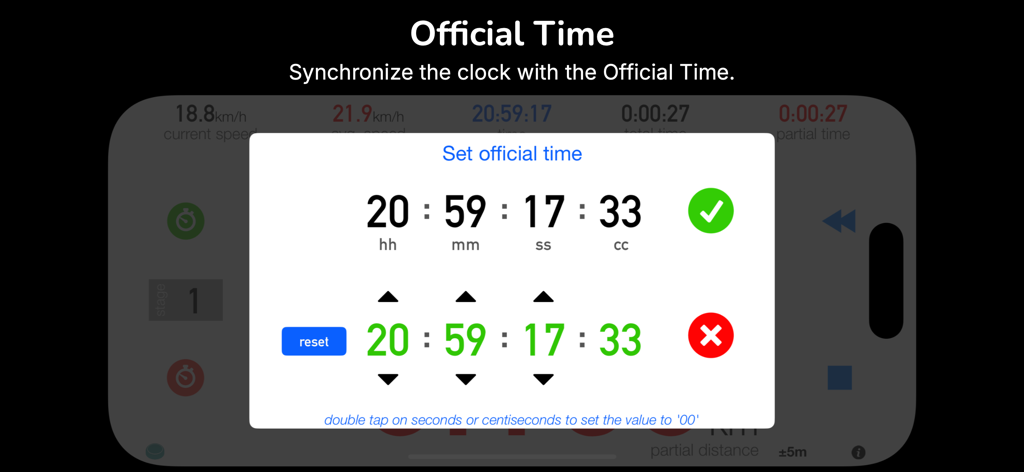
3pRally - TSD Rally - Screenshot of the 3pRally app showing the official time synchronization interface with options to set hours minutes seconds and centiseconds
Screenshot of the 3pRally app showing the official time synchronization interface with options to set hours minutes seconds and centiseconds

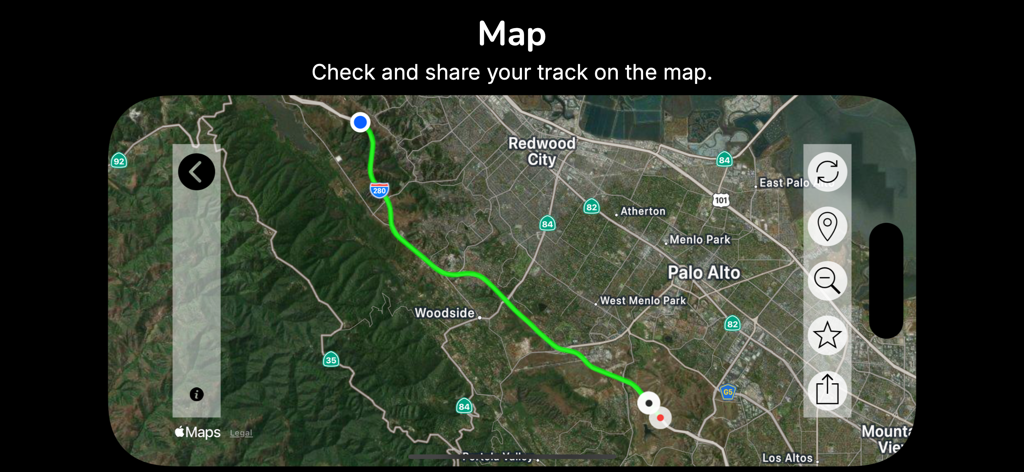
3pRally - TSD Rally - Map interface of the 3pRally app showing a recorded driving route through Northern California
Map interface of the 3pRally app showing a recorded driving route through Northern California

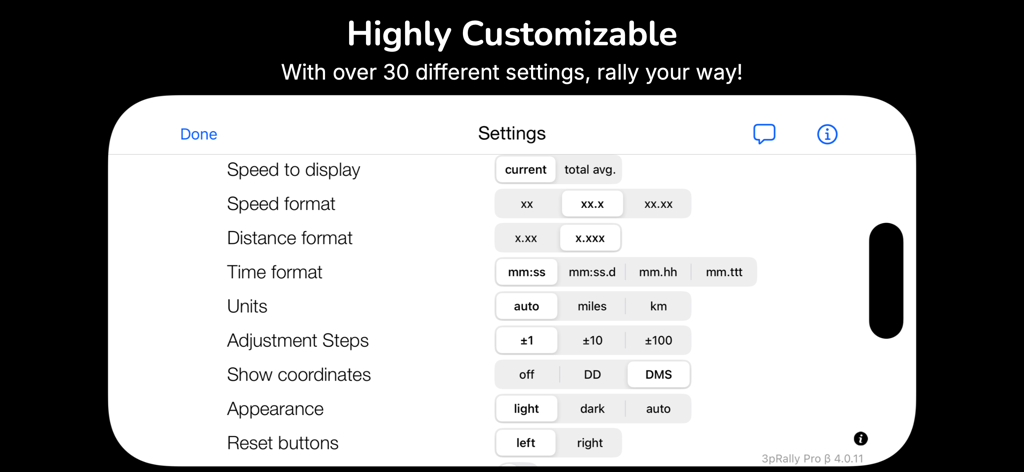
3pRally - TSD Rally - Customization settings screen of the 3pRally app showing options for speed distance and time formats

Customization settings screen of the 3pRally app showing options for speed distance and time formats

Description

3pRally: the most complete tool for TSD Regularity Rally. Note for New Customers: You can use all app functionalities for up to 45 minutes a day, after tapping "start", to test it out. To subscribe, please download 3pRally Pro. 3pRally requires a device with GPS to function. The GPS sensor can be either internal (iPhone and iPad with Cellular) or external (e.g., Garmin GLO 2, Dual XGPS150A, etc.). Main Features: - Three Modes: Classic (focus on one data point at a time), Advanced (all relevant data at a glance), and Roadbook (follow a roadbook configured within the app) - Roadbook Configuration - Tips: get speed adjustments and time vs. ideal time - GPS Calibration: Calibrate the app GPS against the calibration sector - Comprehensive Information: Stage Number, Speeds, Time, and Distance are always available - Voice Announcements: the app can announce Partial Distance, Current Speed, Average Speed and Tips with custom frequency (Settings) - Beep Alerts: Keep track of the distance driven if you prefer not to use voice announcements - Change the main information displayed by tapping the top of the screen (Classic Mode) - Quick Restart: reset all counters and restart with two taps (Classic and Advanced Mode) - Flic Integration: control the app via Flic and Flic 2, the smartest wireless buttons - Unlink the average speed from the partial counters (time and distance) - Show Current or Total Average speed in addition to partial average speed. - Reverse Button: reverse distances if you missed a turn - Pause Button: temporarily stop measurements (can be enabled/disabled in Settings). - Position the Reset Buttons on the left or right - GPS Reception Quality: test GPS reception quality (in Settings or by double-tapping the GPS Accuracy label) - GPS Accuracy Selection: discard measurements that are not accurate enough (Settings) - Manually or automatically save your tracks (enable Auto Save in Settings) - Export saved tracks in GPX or KML format (accessible from the saved tracks list in the Map View) - Works with miles and kilometers - Dark Mode Support - Reduce the risk of accidentally changing the view by enabling "two-finger swipe" and "double-tap buttons" (Settings) - Visualize speeds with 1, 2, or no decimals (Settings). - Visualize distances with 2 or 3 decimals (Settings). - Auto-Start: delay the start by +30 secs, +60 secs, or configure a specific starting time (Settings) - With Auto-start on, the app can count down (beep or voice) from 5 or 10 secs before the starting time (Settings) - Show/hide the current position coordinates - Sync the app's time with the Rally's "Official Time" (double-tap the time on the Main View) - Display Time and Timers using the format/precision you prefer: seconds, tenths (12:59:59.9), hundredths (12:59:99), or thousandths (12:59:999) (Settings) - Option to hide the average speeds (Settings) - Enable audio confirmation for buttons (Settings) - Works with most external GPS devices; tested with Garmin GLO 2 and Dual XGPS150A - Distance Adjustment: Manually adjust distances by double-tapping the labels (when distances are the main information displayed). You can adjust distances by entering a new one, calibrate your GPS with official measures (applying a % calibration), or enter the new distance and let the app calculate it for you! Support: You experienced an issue or want to suggest how to improve 3pRally? Tell us via support (at) 3pmaster.com or directly within the app (from the "Settings"). Note: Mobile Data connection is only required to access the maps. Continued use of GPS running in the background can dramatically decrease battery life. Disclaimer: Please consider that 3pRally relies on the device GPS to measure the distances you travel. Accuracy may vary depending on the GPS satellite reception quality. Thanks to icons8.com for several icons (http://icons8.com). Thanks to Alice & Flavia for their patience and to Quinten for his fantastic support!

Download

Download on App Store

This page is not an official page of the app or its developer, but an independent editorial publication created for informational and commentary purposes. Unless expressly stated otherwise, neither the app nor its developer is affiliated with, endorsed by, sponsored by, authorized by, or otherwise officially connected with MWM, Apple, Google Play, the app publisher, or the app's developer, and nothing on this page implies that the app was developed using MWM's services. Any trademarks, logos, screenshots, and other content remain the property of their respective owners.