Adobe Connect

Adobe Connect

Download on App Store
Logo of Adobe Connect

Adobe Connect: Professional Collaboration Without Limits

Empowering you to lead high-impact virtual classrooms and secure enterprise meetings with full interactivity from your mobile device.

Publisher

Adobe Inc.

Category

Business

Downloads

1M+

User Rating

3.2/5

Total Ratings

300

Locales

3

The Mobile Boardroom

Discover the interface used by 1M+ users.
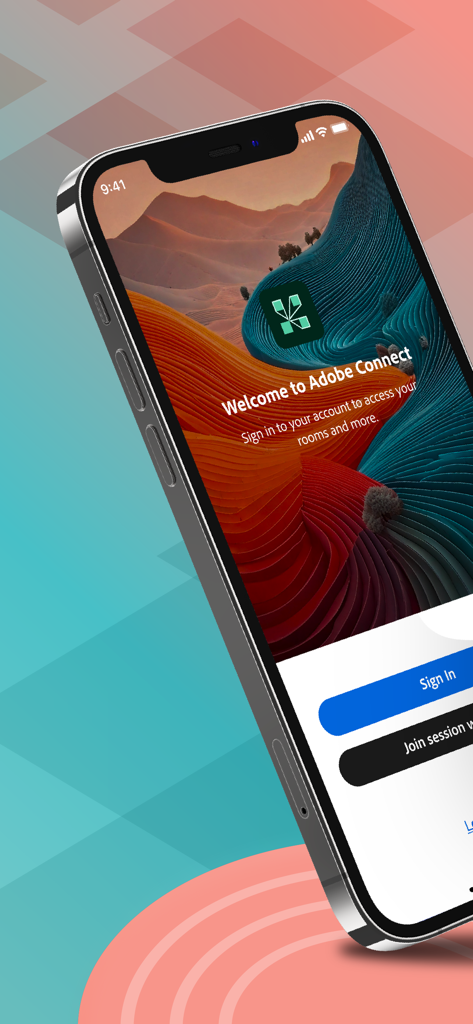
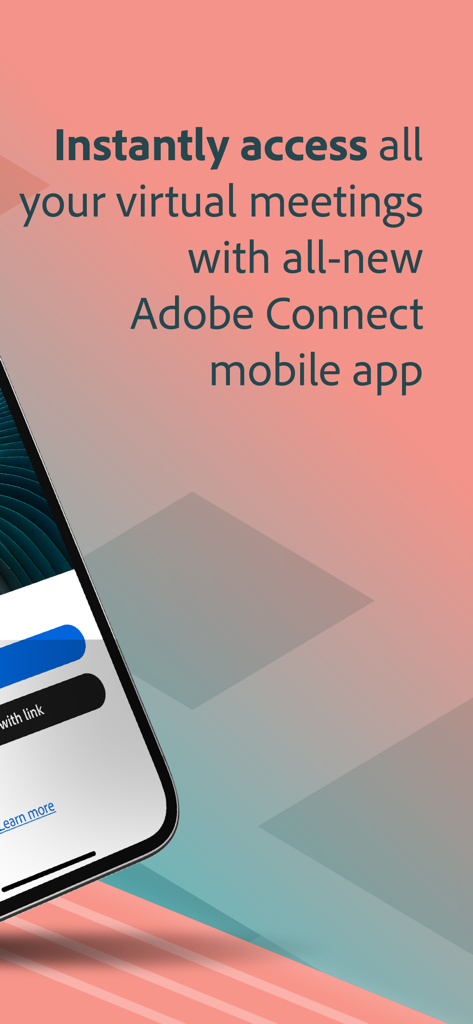
Adobe Connect app welcome screen with sign in and join session buttons

Adobe Connect app welcome screen with sign in and join session buttons

Adobe Connect mobile app screen for accessing virtual meetings and classrooms

Adobe Connect mobile app screen for accessing virtual meetings and classrooms

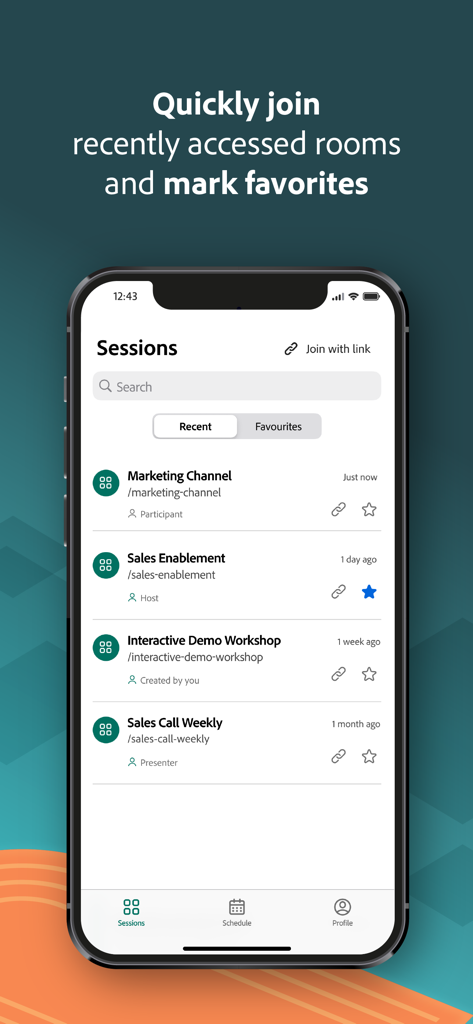
Adobe Connect mobile app interface showing a list of recent and favorite meeting sessions on an iPhone screen

Adobe Connect mobile app interface showing a list of recent and favorite meeting sessions on an iPhone screen

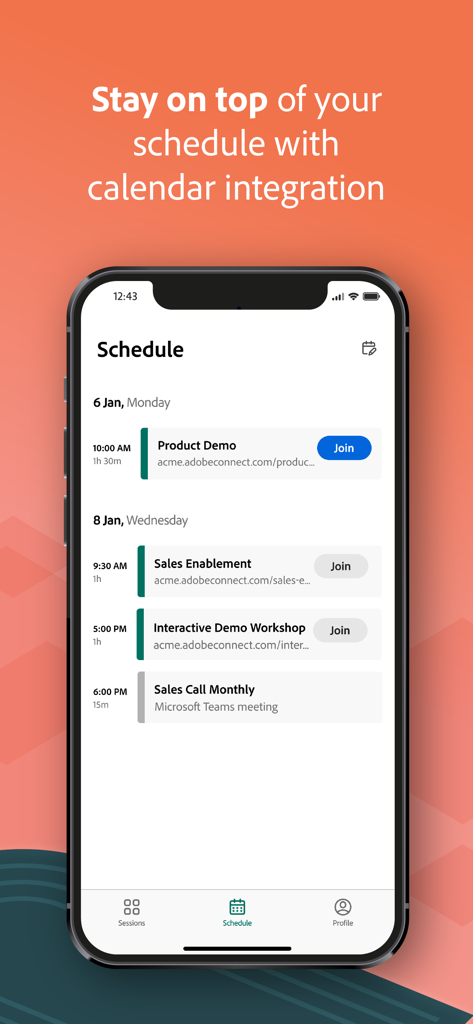
Adobe Connect app schedule screen showing upcoming meetings and calendar integration

Adobe Connect app schedule screen showing upcoming meetings and calendar integration

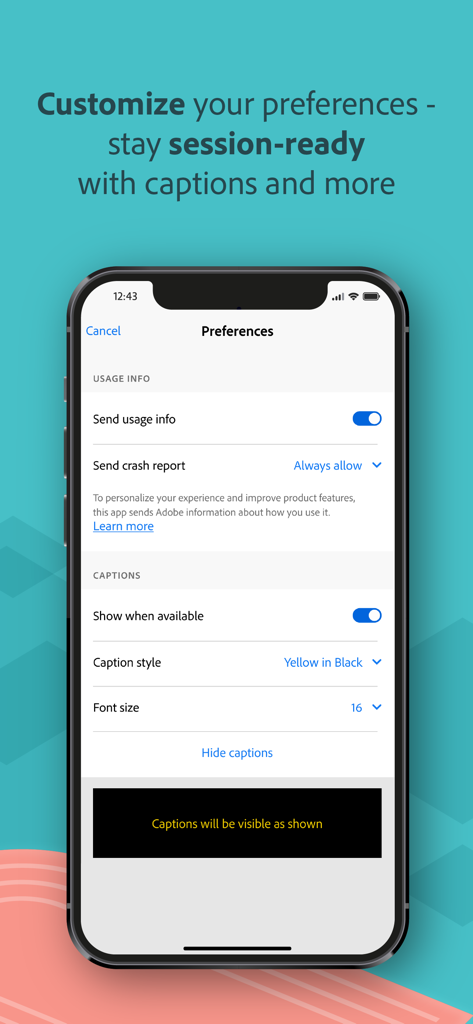
Adobe Connect app preferences screen showing usage info and caption customization settings

Adobe Connect app preferences screen showing usage info and caption customization settings

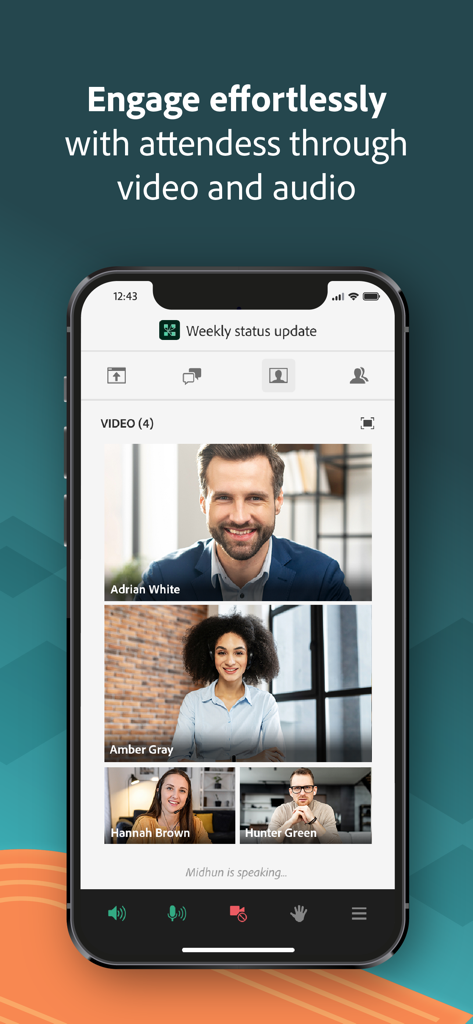
Adobe Connect mobile interface showing a video conference with four participants

Adobe Connect mobile interface showing a video conference with four participants

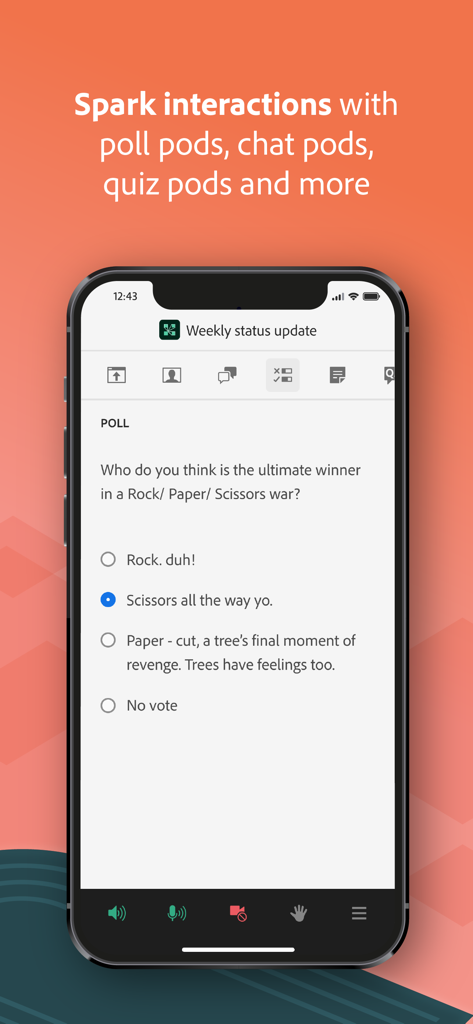
Adobe Connect mobile app showing an interactive poll question during a virtual meeting

Adobe Connect mobile app showing an interactive poll question during a virtual meeting

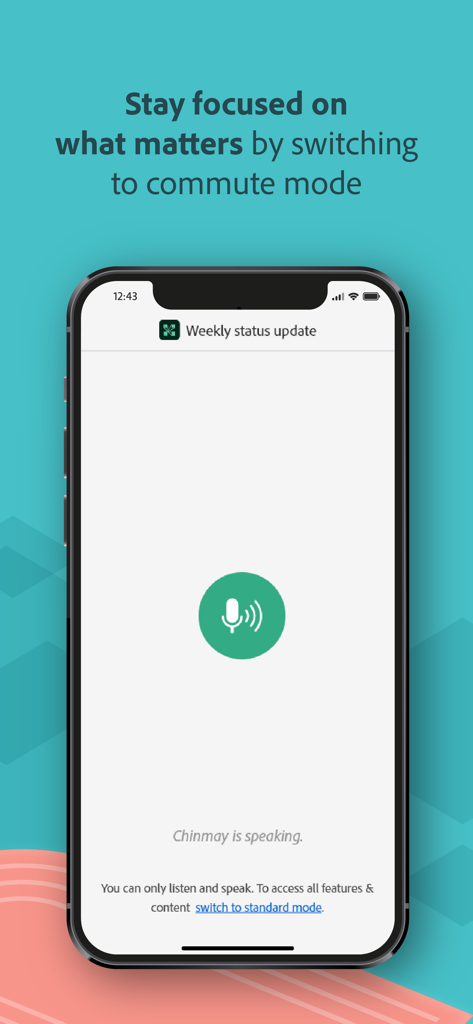
Adobe Connect mobile app displaying commute mode for professional meetings on the go

Adobe Connect mobile app displaying commute mode for professional meetings on the go

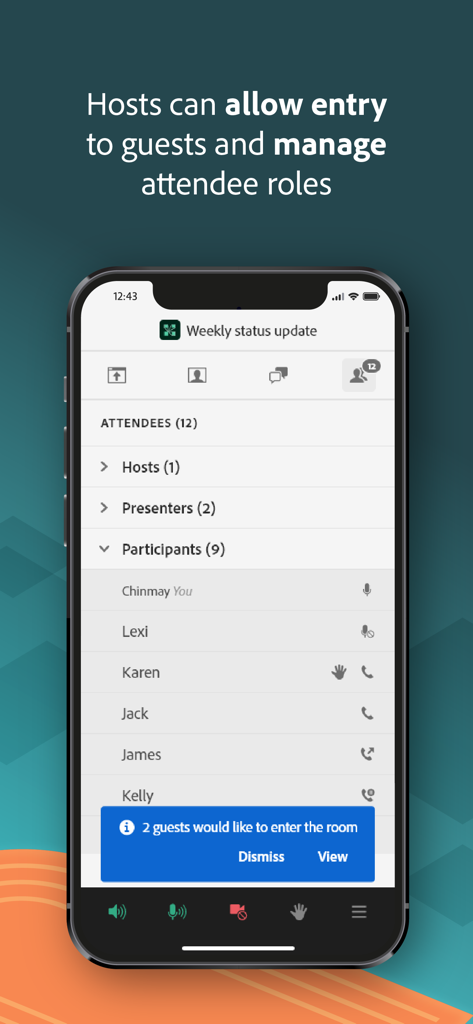
Adobe Connect mobile app interface showing the attendee list and a notification for guest entry

Adobe Connect mobile app interface showing the attendee list and a notification for guest entry

Professional Collaboration, Unbound

The tools that make this app stand out, trusted by 1M+ users.

🤝

True Interactive Engagement

Go beyond passive listening. Participate in breakout rooms, live polls, and multi-choice quizzes to stay productive and earn credit during every session.

📈

High-Definition Content

View every detail with crystal-clear support for PowerPoint slides, high-res PDFs, and live screen sharing optimized for your mobile display.

🛡️

Enterprise-Grade Security

Join sensitive corporate or government meetings with total peace of mind thanks to secure Single Sign-On (SSO) and multi-factor authentication.

Review Analysis

Insights from user reviews.

Sentiment Score

29%
Negative

Summary

The mobile app garners predominantly negative feedback, with users frequently reporting significant functional and stability issues. While a few users appreciate its ease of use, improved performance, and smoother interface compared to previous versions, the overall experience is often frustrating. Major complaints span chronic audio problems, frequent crashes, disconnections, and difficulties viewing shared content such as PDFs and slides, alongside limited host functionality. Version-specific bugs include non-functionality on iOS 26, audio output problems on iPhone 14 Pro, and constant crashing on iOS 16 for iPhone 14 Plus, with iPad users also noting lag and display issues.

Common Themes

User Interface(3)
Ease of Use(2)
Performance(2)
Reliability(1)
Feature Set(1)
General Functionality(1)

About the app

Everything you need to know about Adobe Connect.

Description

Attend meetings, webinars, and virtual classrooms with Adobe Connect. Adobe Connect for iOS brings critical meeting capabilities to your mobile device, enabling you to attend meetings directly from your iPhone or iPad. The Adobe Connect application delivers a modern user interface, supports high resolution camera broadcast, and supports both landscape and portrait viewing. Join any Standard View or Enhanced Audio/Video Experience enabled meetings. Use your built-in microphone and speakers, a connected headset, or a Bluetooth device such as Apple AirPods to join meeting audio. Or join a telephone conference if included with the meeting. Participate in video conferencing using your device’s cameras. View high quality PowerPoint® presentations, videos, PDF documents, images, GIF animations, or desktop computer screens being shared. Participate in chat, vote in polls, read notes, download files, click links, ask questions, raise your hand, agree/disagree, or let the host know you have stepped away. FEATURES: • Talk and listen using your microphone and speakers (VoIP) or another device • View cameras being shared and share your camera if allowed • View PowerPoint slides being shared • View screen sharing being shared • View whiteboards or annotations on content • View MP4 videos, JPG and PNG images, and animated GIFs being shared • View PDF documents being shared • Listen to MP3 audio being shared • View and participate with custom pods • Participate in chat, including selecting colors and private chats in chat pods and chat panel • Participate in polls, including multiple-choice, multiple-answer, and short answer • View notes including formatting and hyperlinks • Ask questions and see other questions and responses in Q&A • Download files directly to your device • Click on links to visit websites with your mobile browser • Change your status: including Raise Hand, Agree / Disagree, and Stepped Away • Participate in breakout rooms with audio, cameras, and chat • Support for Single Sign-On requiring two-factor authentication • As a host, login, accept guests, and promote others • Participant can access and participate in Quiz • Participant can see Closed Captions if enabled by host for the room. Support for additional meeting activities will be coming soon. This application does not yet support drawing on whiteboards, or note taking. These activities can be accessed by joining the meeting using a standard mobile browser. Note: This application is NOT for watching recordings. Adobe Connect recordings can be viewed using a standard mobile browser while online. Requirements: iOS 13.0 or higher. Devices supported: iPhone 6s or higher, iPad 5th generation or higher. Requires WiFi or a standard 4G/5G mobile connection.

Latest Version

4.2

Size

145.3 MB

First Released

Jun 3, 2021

Bring Your Professional Workspace Anywhere

Download Adobe Connect for iOS and join secure, high-stakes meetings and virtual classrooms with full interactive capabilities on your iPhone or iPad.

Download on App Store
FAQ

Frequently Asked Questions

Everything you need to know about Adobe Connect

What is the Adobe Connect app?

The Adobe Connect app allows users to attend meetings, webinars, and virtual classrooms directly from their iPhone or iPad. It offers a modern user interface and supports high-resolution broadcasts.

What are the iOS requirements for the Adobe Connect app?

The Adobe Connect app requires iOS 13.0 or higher to function. It is compatible with iPhone 6s or higher and iPad 5th generation or higher devices.

How can I join meeting audio using the Adobe Connect app?

Yes, users can join meeting audio using their device's built-in microphone and speakers, a connected headset, a Bluetooth device like Apple AirPods, or a telephone conference if included.

Can users share their camera in Adobe Connect meetings on iOS?

Yes, users can participate in video conferencing by sharing their device's camera. They can also view cameras being shared by other participants in the Adobe Connect app if allowed.

What types of content can I view in an Adobe Connect meeting on my mobile?

You can view PowerPoint presentations, videos, PDF documents, images, GIF animations, and shared desktop computer screens. You can also listen to MP3 audio files during Adobe Connect meetings.

What interactive features does the Adobe Connect app offer?

The app offers chat, polls, notes, file downloads, clickable links, Q&A, and status changes like 'Raise Hand' or 'Stepped Away'. Breakout rooms are also supported for interaction.

Can a host manage attendees using the Adobe Connect iOS app?

Yes, a host can log in, accept guests, promote others, and manage attendee roles directly from the Adobe Connect iOS app.

Can I watch Adobe Connect recordings directly in the iOS app?

No, the Adobe Connect application does not support watching recordings. Recordings must be viewed using a standard mobile browser while online.

Does the Adobe Connect app support drawing on whiteboards or note-taking?

No, the Adobe Connect app does not yet support drawing on whiteboards or note-taking. These activities are accessible by joining the meeting via a standard mobile browser.

Does the Adobe Connect app support Single Sign-On?

Yes, the Adobe Connect app supports Single Sign-On (SSO) which may require two-factor authentication for secure access.

Does Adobe Connect for iOS integrate with my calendar?

Yes, the Adobe Connect app offers calendar integration to help users stay on top of their meeting schedule.

Does the Adobe Connect app support closed captions for meetings?

Yes, participants can see closed captions if the host enables them for the meeting room. Users can also customize caption display settings within the app.

Does the Adobe Connect app have a 'commute mode'?

Yes, the Adobe Connect app includes a 'commute mode' to help users stay focused during meetings. In this mode, users can listen and speak.

Can users join an Adobe Connect session using a link?

Yes, users can join an Adobe Connect session directly with a link within the app. This functionality is clearly indicated by a 'Join with link' option.

App information, icons, screenshots, and descriptions displayed on this page are sourced from the Apple App Store and are the property of their respective developers. Download estimates and rankings are based on MWM's proprietary models and may not reflect actual figures. This page is provided for informational and analytical purposes only.

Believe this page infringes your intellectual property? File a dispute