
This page is not an official page of the app or its developer, but an independent editorial publication created for informational and commentary purposes. Unless expressly stated otherwise, neither the app nor its developer is affiliated with, endorsed by, sponsored by, authorized by, or otherwise officially connected with MWM, Apple, Google Play, the app publisher, or the app's developer, and nothing on this page implies that the app was developed using MWM's services. Any trademarks, logos, screenshots, and other content remain the property of their respective owners.


AI Cleaner-Chat to cleanup
Phone storage, an eternal battle. This app puts an AI in your corner, turning photo chaos into pristine order through simple conversation.
Downloads
500k+User Rating
Total Ratings
2.2KPublisher
Category
UtilitiesLocales
11Latest Version
1.1.7Size
95.3 MBFirst Released
May 22, 2025An evaluation of core functionalities designed for effortless photo gallery optimization and storage reclamation.
Key Features Analysis: AI Cleaner-Chat to cleanup
Private On-Device Processing
It ensures maximum privacy by processing all AI analysis locally, guaranteeing that users' photos never leave their device.
AI-Powered Clutter Removal
It allows users to detect and remove screenshots, blurry photos, notes, and other unnecessary images to declutter their gallery rapidly.
Smart Duplicate Detection
The app provides automatic grouping of burst shots, duplicates, and near-identical photos, enabling users to easily keep only the best images.
Storage Optimization Insights
This tool features insights showing how much storage space can be freed up both before and after the cleaning process.
AI Photo Categorization
This tool features organization of photos into 17 categories, facilitating faster browsing, intuitive organization, and targeted cleaning with up to 80% AI classification accuracy.
Streamlined One-Tap Deletion
The app provides a clear overview of items ready for cleaning, enabling users to remove multiple photos across categories with a single, fast, and controlled tap.
Frequently Asked Questions
Everything you need to know about AI Cleaner-Chat to cleanup
How does AI Cleaner-Chat to cleanup work?
AI Cleaner-Chat to cleanup features a conversational interface. Users clean their gallery through a chat-like experience with simple questions and guidance, avoiding complex menus.
Can AI Cleaner-Chat to cleanup find duplicate photos?
Yes, AI Cleaner-Chat to cleanup automatically groups burst shots, duplicates, and near-identical photos. Users select the best ones and delete the rest to optimize gallery space.
How does AI Cleaner-Chat to cleanup categorize photos?
AI Cleaner-Chat to cleanup organizes photos into 17 categories, including Clothing, People, Nature, and Animal. This categorization enables faster browsing and targeted cleaning with up to 80% AI classification accuracy.
What types of clutter does AI Cleaner-Chat to cleanup remove?
AI Cleaner-Chat to cleanup detects and removes screenshots, blurry photos, notes, and other unnecessary images. This feature quickly declutters your gallery by identifying various forms of digital clutter.
Can I delete multiple photos at once with AI Cleaner-Chat to cleanup?
Yes, AI Cleaner-Chat to cleanup allows users to remove multiple photos with a single tap. The app presents all items ready for cleaning and lets you jump to any category for quick deletion.
Does AI Cleaner-Chat to cleanup show space savings?
Yes, AI Cleaner-Chat to cleanup provides space optimization insights. The app displays how much storage space can be freed up both before and after completing the cleaning process.
Is AI Cleaner-Chat to cleanup private?
Yes, AI Cleaner-Chat to cleanup ensures user privacy. Your photos never leave your device, and all AI analysis for cleaning and categorization is performed locally on the device.
How do I cancel my AI Cleaner-Chat to cleanup subscription?
Users manage or cancel their AI Cleaner-Chat to cleanup subscription through their iTunes account settings. Subscriptions automatically renew unless canceled at least 24 hours before the current period ends.
Does AI Cleaner-Chat to cleanup offer a free trial?
Yes, AI Cleaner-Chat to cleanup offers a free trial. Users retain access to trial features even if they cancel the subscription during the trial period. The subscription automatically renews after the trial if not canceled.
The following screenshots and description are sourced directly from the app's official store listing and are the property of the app developer.
App Store
Screenshots
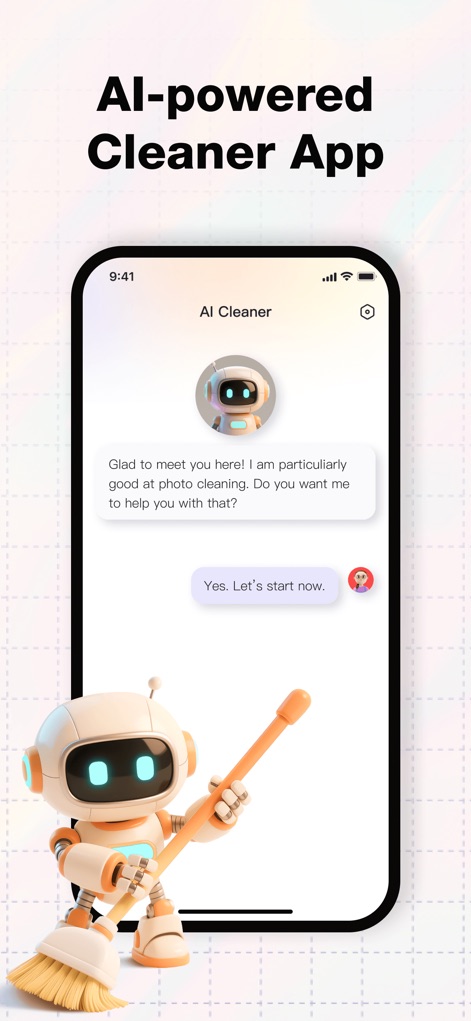
This tool introduces users to an interactive chat interface and a friendly AI assistant to guide them through the photo cleaning process.
Conversational Cleaning
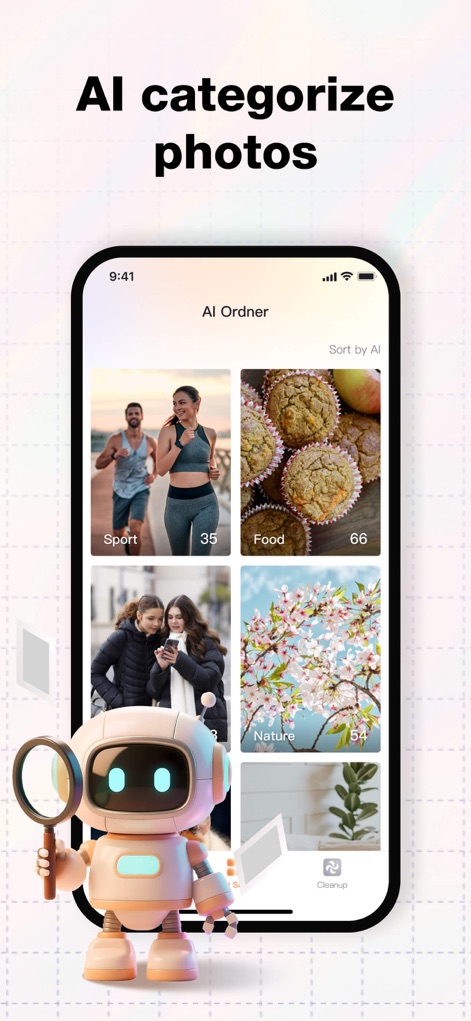
The app demonstrates its ability to organize images into categories like "Sport" and "Food", making gallery navigation and targeted cleaning efficient for users.
Smart Photo Categories
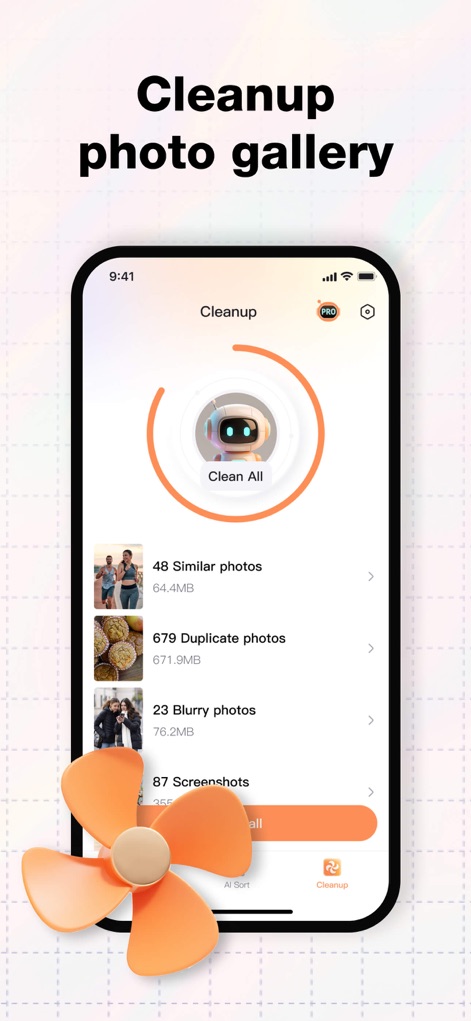
Users can see a comprehensive breakdown of storage-consuming items like "Similar photos" and "Duplicate photos", allowing for swift, organized deletion.
One-Tap Declutter
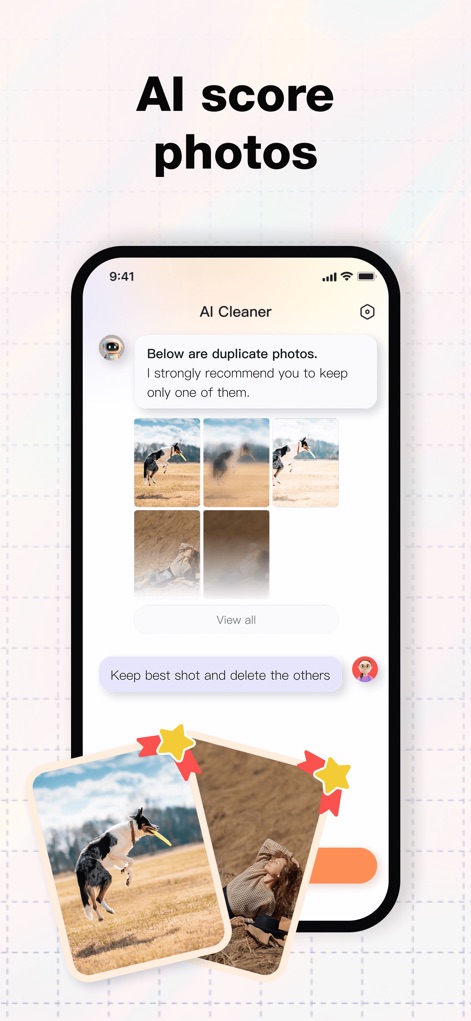
This feature intelligently identifies "duplicate photos" and offers an intuitive way to "Keep best shot and delete the others", streamlining gallery optimization.
Best Shot Selection
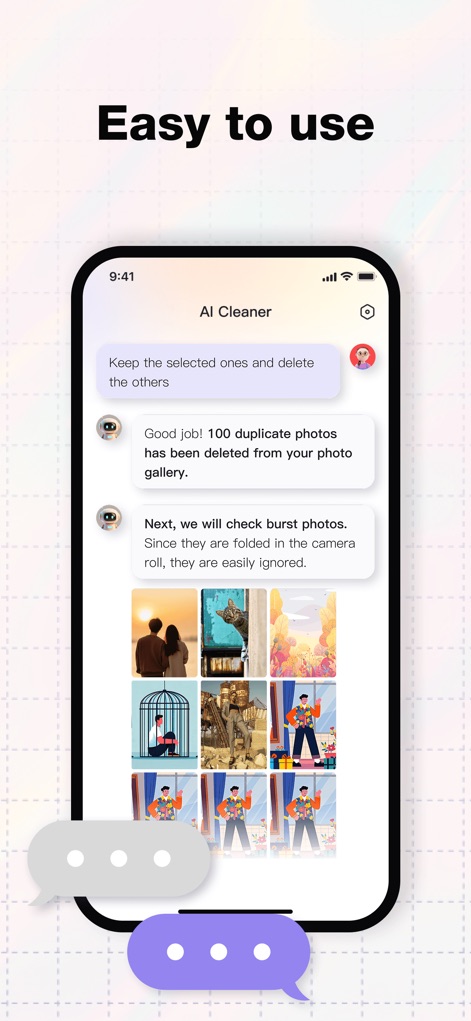
The app confirms successful actions like "100 duplicate photos has been deleted" and proactively suggests cleaning "burst photos" through a guided, conversational flow.
Guided Deletion Workflow
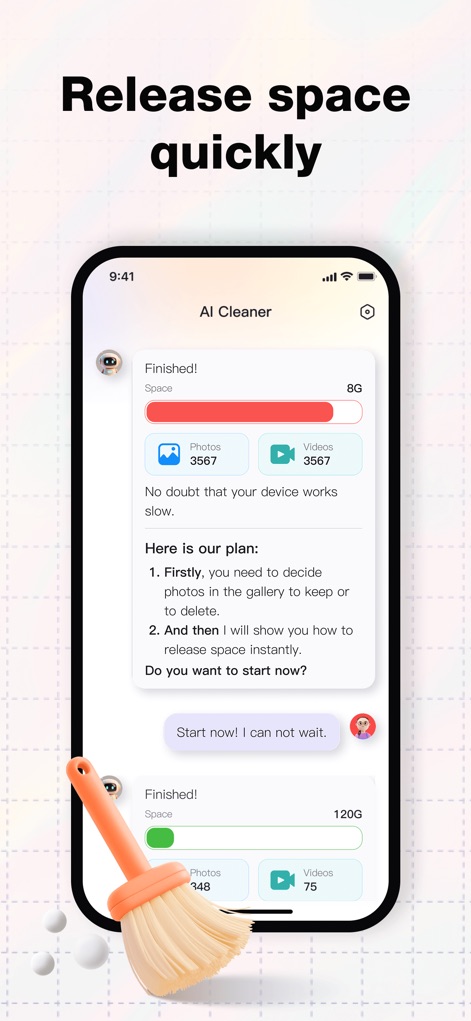
The app provides clear "storage space" insights for "Photos" and "Videos", demonstrating how much digital clutter has been removed and organized.
Storage Optimization Insights
Description
Download
More Like This
Apps with similar features and user experience

Clever Cleaner: AI CleanUp App
CleverFiles Inc.

Slidebox: Photo Cleaner App
Slidebox LLC

Photo Organizer: Picnic
Picnic Ventures Ltd

Super Smart Cleaner
VIBE WITH ME LTD

Boost Cleaner -Clean Up Smart°
AEGIS SOLUTIONS PRIVATE LIMITED

Cleanup: Phone Storage Cleaner
DEEP FLOW SOFTWARE SERVICES - FZCO

Cleaner Guru: Clean Up Storage
GM UniverseApps Limited

AI Cleaner: Clean Up Storage
GRIMLAX TRADE,S.L.

Photo Cleaner: Swipewipe
MWM
This page is not an official page of the app or its developer, but an independent editorial publication created for informational and commentary purposes. Unless expressly stated otherwise, neither the app nor its developer is affiliated with, endorsed by, sponsored by, authorized by, or otherwise officially connected with MWM, Apple, Google Play, the app publisher, or the app's developer, and nothing on this page implies that the app was developed using MWM's services. Any trademarks, logos, screenshots, and other content remain the property of their respective owners.