
This page is not an official page of the app or its developer, but an independent editorial publication created for informational and commentary purposes. Unless expressly stated otherwise, neither the app nor its developer is affiliated with, endorsed by, sponsored by, authorized by, or otherwise officially connected with MWM, Apple, Google Play, the app publisher, or the app's developer, and nothing on this page implies that the app was developed using MWM's services. Any trademarks, logos, screenshots, and other content remain the property of their respective owners.


AI Cleanup Storage - iCleaner
Stop stressing over "Storage Almost Full" alerts. Use smart AI to find duplicates, swipe to organize your memories like a pro, and keep your digital life secure with 100% local processing.
Downloads
68K+User Rating
Total Ratings
100Publisher
Category
UtilitiesLocales
20Latest Version
1.1.2Size
72.3 MBFirst Released
Sep 1, 2025Effortless Storage, More Room for Memories
Reclaim your iPhone’s storage in minutes. From AI-powered photo sorting to instant contact merging, decluttering your digital life has never been this simple or secure.
Smart AI Cleanup
Our AI instantly detects blurred shots, duplicates, and screenshots, highlighting the best version so you can delete the rest with one tap.
Swipe to Declutter
Turn your cleanup into a game. Swipe right to keep your favorite memories and left to toss the clutter, organized by month for faster decision-making.
Frequently Asked Questions
Everything you need to know about AI Cleanup Storage - iCleaner
What is iCleaner for iPhone?
iCleaner is an all-in-one iPhone cleaner that uses AI to scan your photo album, detect unwanted media, and facilitates one-tap cleaning to free up storage.
What types of files can iCleaner clean on my iPhone?
Yes, iCleaner identifies and cleans various media types, including similar photos and videos, blurred photos, screenshots, and duplicate photos and videos to optimize storage.
How does the 'Swipe to Clean Photos' feature work in iCleaner?
Yes, iCleaner features 'Swipe to Clean Photos.' Swipe left to move unwanted photos to a trash folder, and swipe right to keep important ones. Photos organize by month/year.
Does iCleaner compress photos and videos to save space?
Yes, iCleaner compresses photos and videos using an AI compressor. It reduces file sizes while aiming to maintain high quality, freeing up significant space on your device.
Can iCleaner manage my iPhone contacts, including merging duplicates?
Yes, iCleaner includes a Contact Manager. It merges duplicate contacts, backs up contacts with one tap, and allows users to view and clean unwanted entries.
What is iCleaner Pro?
iCleaner Pro is a premium subscription service offering flexible plans, including yearly and weekly options. Subscriptions automatically renew and manage through Apple ID Account Settings.
Does iCleaner offer a free trial?
iCleaner offers free trials exclusively to new users, with one trial per Apple ID. Existing subscribers who reinstall the app use the 'Restore' option to regain access.
What permissions does iCleaner require to function?
iCleaner requires media permissions to identify similar photos and compress media. It needs contacts permissions to manage and merge duplicate contacts effectively.
Is iCleaner safe and private for my personal data?
Yes, iCleaner is safe and operates 100% locally on your device. It does not upload or track your personal data, ensuring your information remains private and secure.
The following screenshots and description are sourced directly from the app's official store listing and are the property of the app developer.
App Store
Screenshots
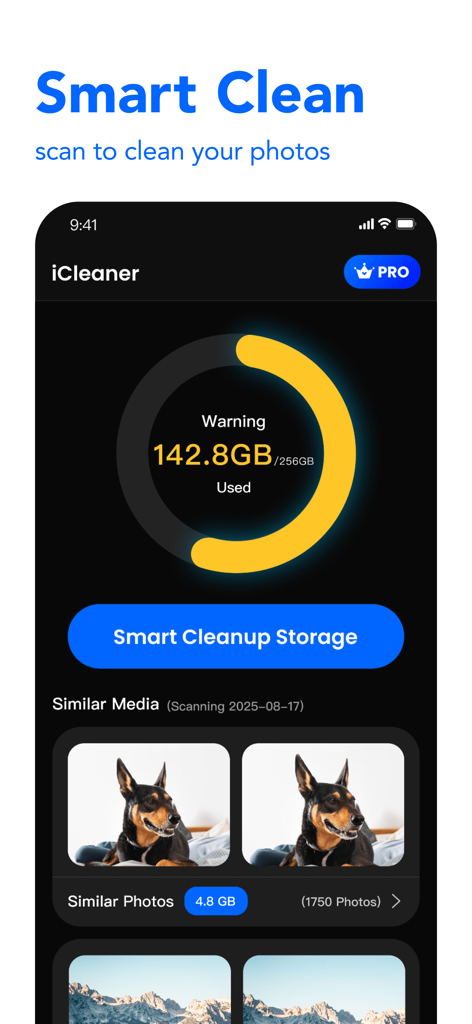
iCleaner app interface showing a storage warning and a button to start smart cleanup of similar photos
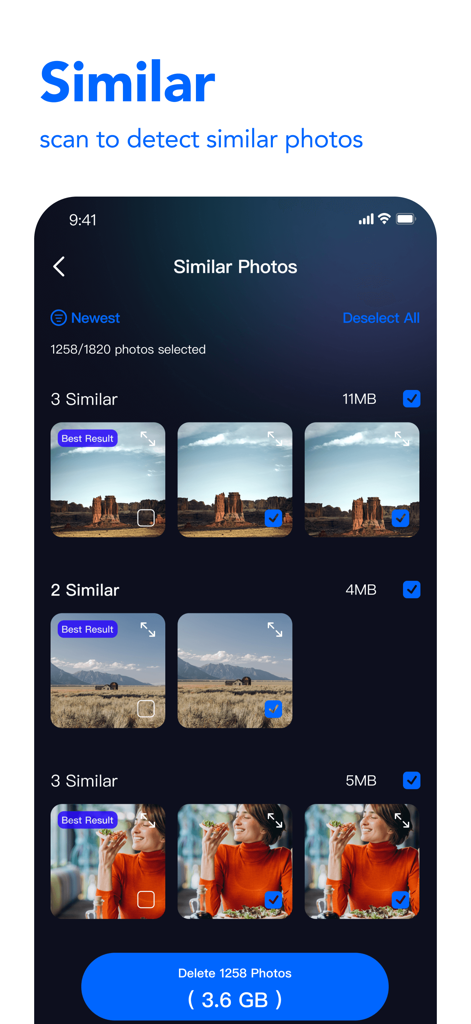
Interface showing how to scan and delete similar photos to free up phone storage with iCleaner
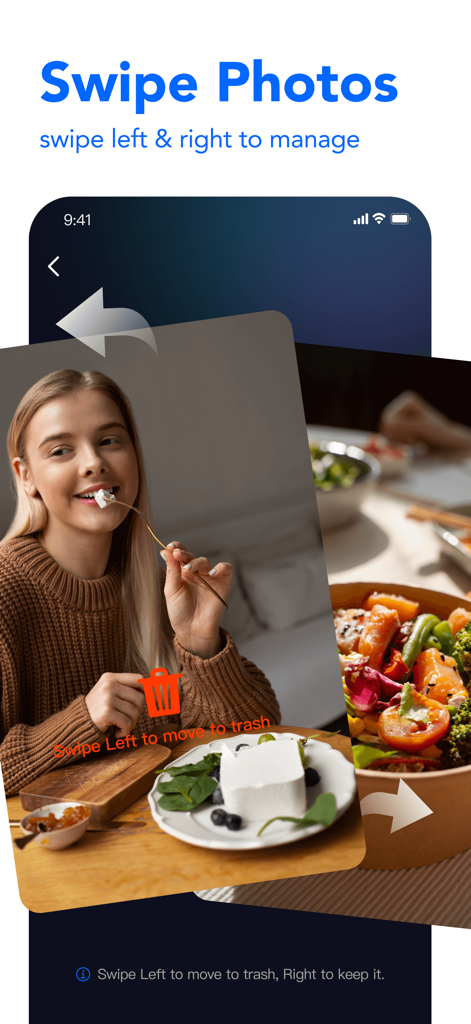
iPhone app interface showing swipe left to delete and swipe right to keep photos.
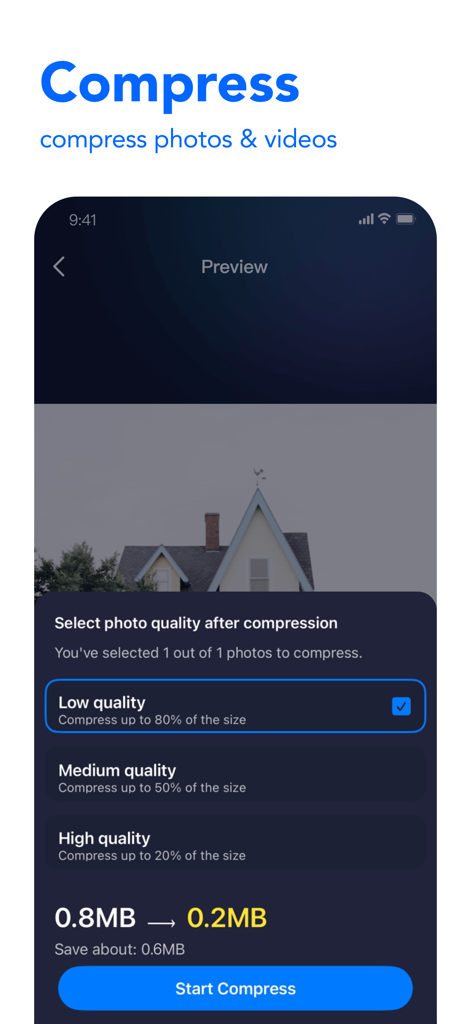
Smartphone screen showing the photo and video compression tool in the iCleaner app
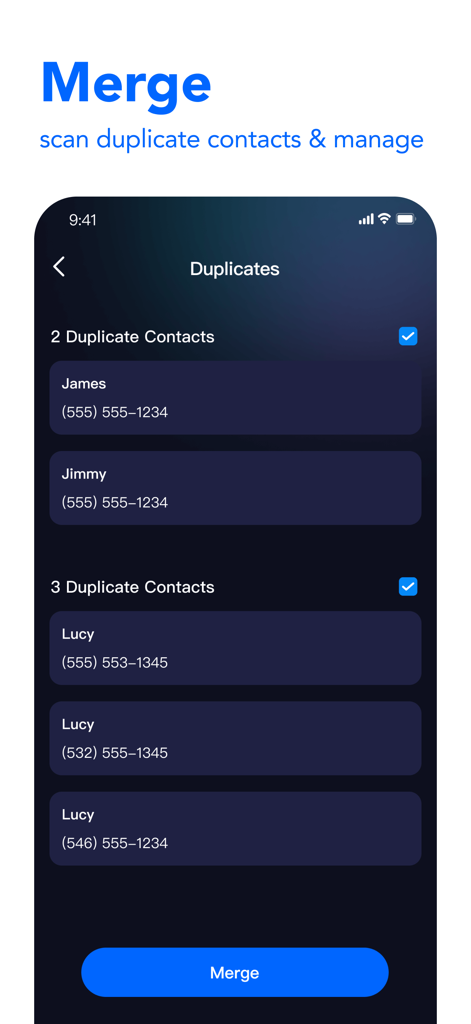
Mobile app interface showing duplicate phone contacts grouped and ready to be merged
Description
Download
More Like This
Apps with similar features and user experience

Photo Cleaner ®
Luca Companjen

Slider - Photo Cleaner
June Ninth LLC

linger - Photo Cleaner
立波 王

相册助手 - 丝滑有趣,无痛整理
Beijing Yunli Network Technology Co., Ltd

Photo Deleter: Photo Sorter
AtEase Technology Co., Ltd

Easy Clean: Photo Cleaner
VVDev LLC

Amor Cleaner:AI Clean Up
FUTURISTIX DIGITAL MARKETING PTE. LTD

Tidyfoto: Clean Up Storage
Unbing Ltd

清理大师-相册空间整理,照片视频清理
丽梅 崔
This page is not an official page of the app or its developer, but an independent editorial publication created for informational and commentary purposes. Unless expressly stated otherwise, neither the app nor its developer is affiliated with, endorsed by, sponsored by, authorized by, or otherwise officially connected with MWM, Apple, Google Play, the app publisher, or the app's developer, and nothing on this page implies that the app was developed using MWM's services. Any trademarks, logos, screenshots, and other content remain the property of their respective owners.