AI Note Taker – VoicePen

AI Note Taker – VoicePen

Download on App Store
Logo of AI Note Taker – VoicePen

AI Note Taker – VoicePen: Your AI-Powered Second Brain for Meetings and Ideas

Record, transcribe, and transform voice into smart summaries and action points instantly. Seamlessly integrated into your Apple ecosystem with privacy-first iCloud sync.

Publisher

Timur Khairullin

Category

Productivity

Downloads

26K+

User Rating

4.7/5

Total Ratings

800

Locales

3

Your Workflow, Visualized

Discover the interface used by 26K+ users.

AI Note Taker VoicePen app interface showing voice to text transcription features on iPhone and Apple Watch
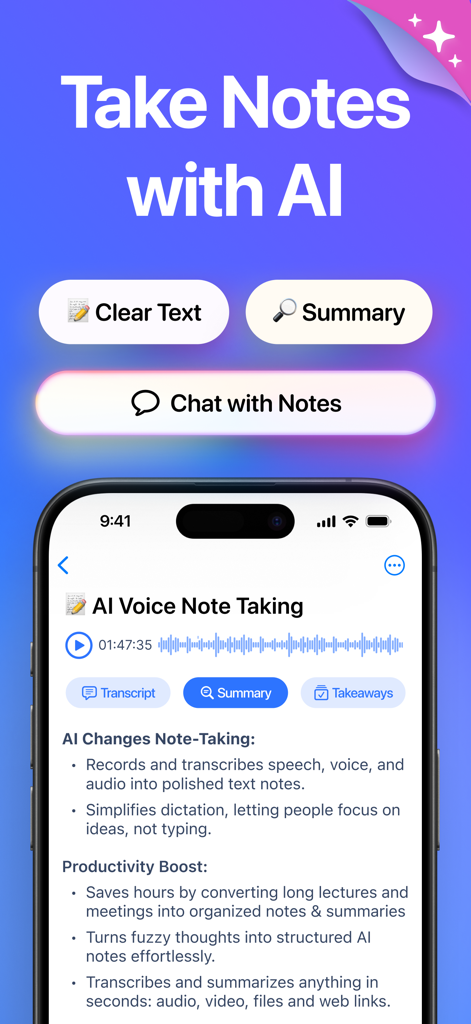
AI Note Taker VoicePen app interface showing voice to text transcription features on iPhone and Apple Watch

VoicePen app screenshot showing AI note taking interface with transcription summary and takeaway features
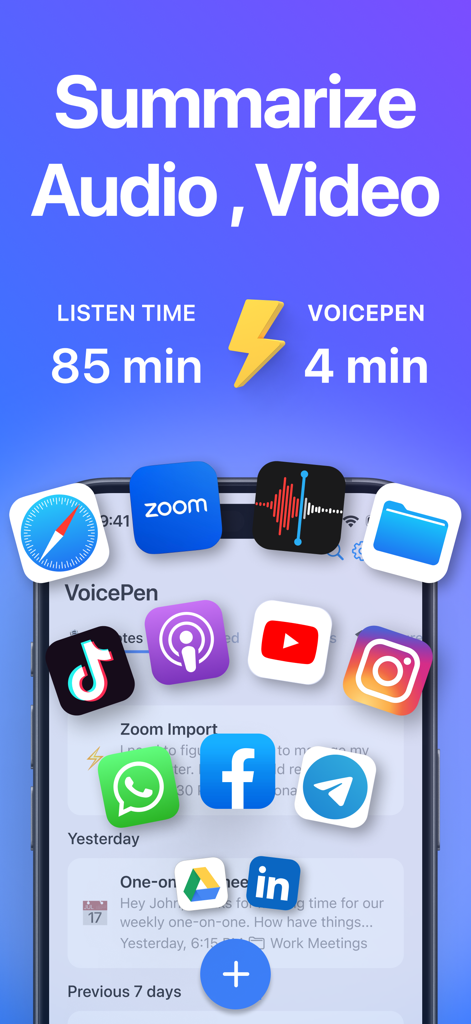
VoicePen app screenshot showing AI note taking interface with transcription summary and takeaway features

VoicePen app interface highlighting the ability to summarize 85 minutes of audio and video into 4 minutes of AI notes from various platforms like Zoom, YouTube, and Podcasts.
VoicePen app interface highlighting the ability to summarize 85 minutes of audio and video into 4 minutes of AI notes from various platforms like Zoom, YouTube, and Podcasts.

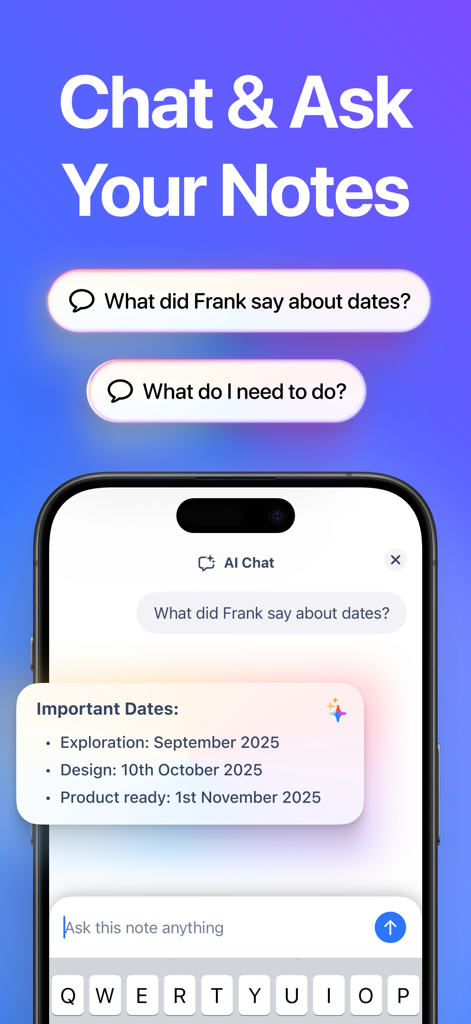
AI Chat interface in the VoicePen app showing a user asking questions and receiving summarized answers from their notes.
AI Chat interface in the VoicePen app showing a user asking questions and receiving summarized answers from their notes.

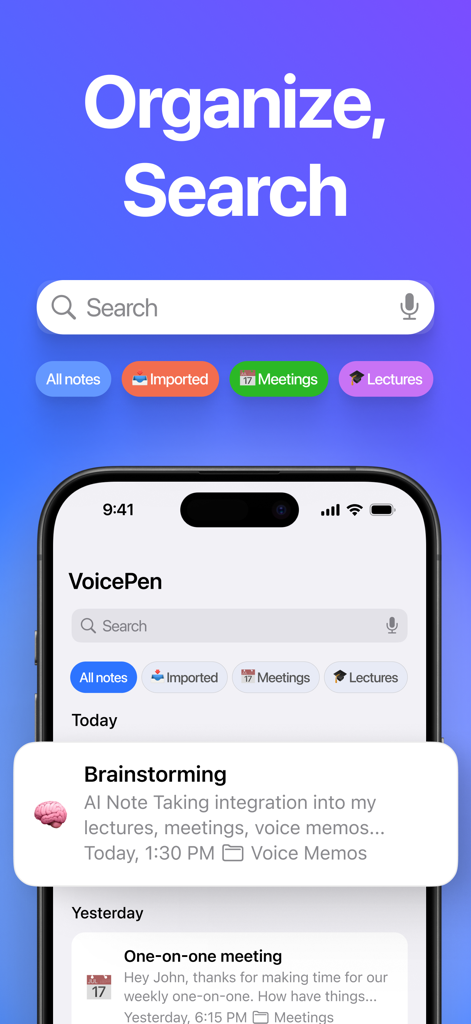
VoicePen app interface showing the organize and search feature with categorized folders for meetings and lectures
VoicePen app interface showing the organize and search feature with categorized folders for meetings and lectures

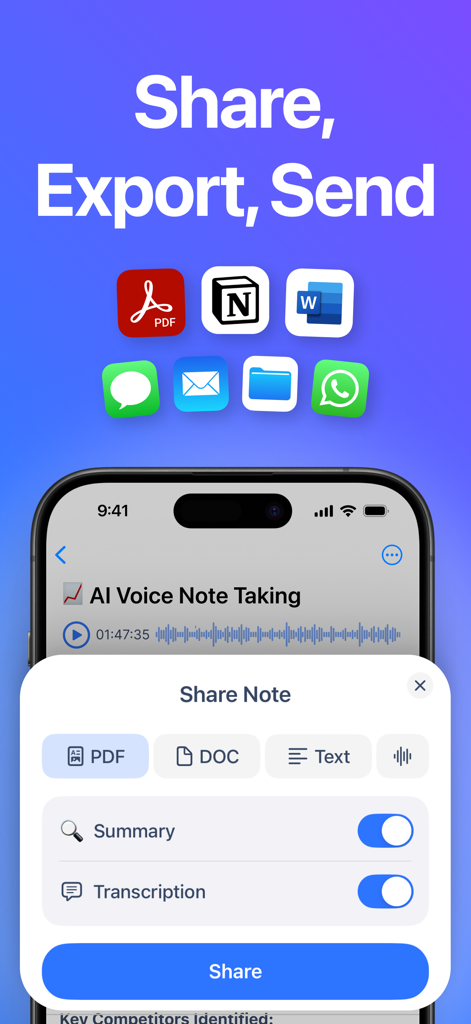
VoicePen app interface showing options to share and export AI notes as PDF or DOC to Notion, Word, and messaging apps.
VoicePen app interface showing options to share and export AI notes as PDF or DOC to Notion, Word, and messaging apps.

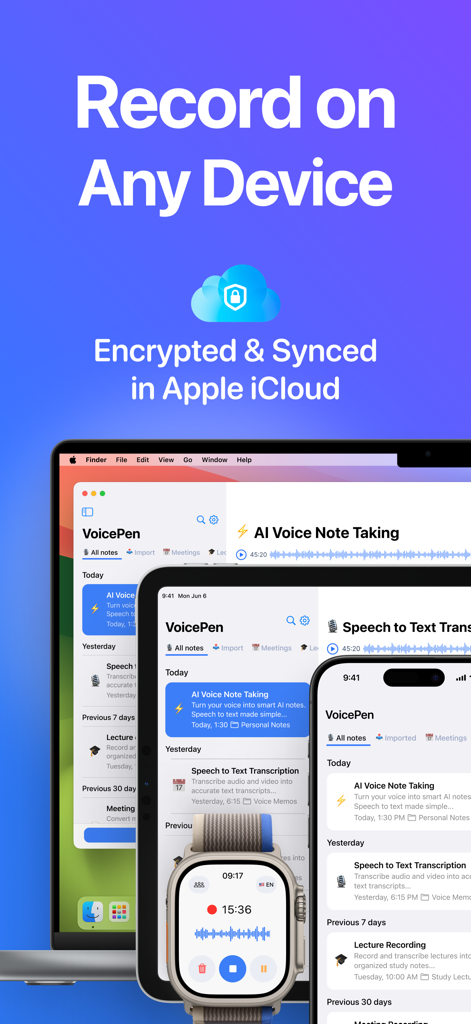
VoicePen app interface displayed on Mac iPad iPhone and Apple Watch showing iCloud sync and encryption
VoicePen app interface displayed on Mac iPad iPhone and Apple Watch showing iCloud sync and encryption

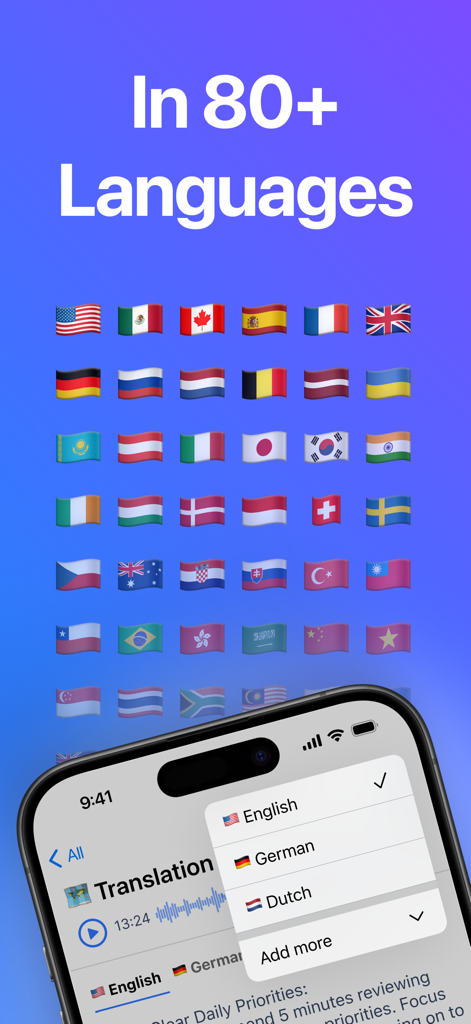
VoicePen app screen showing translation features and support for over eighty languages represented by flags
VoicePen app screen showing translation features and support for over eighty languages represented by flags

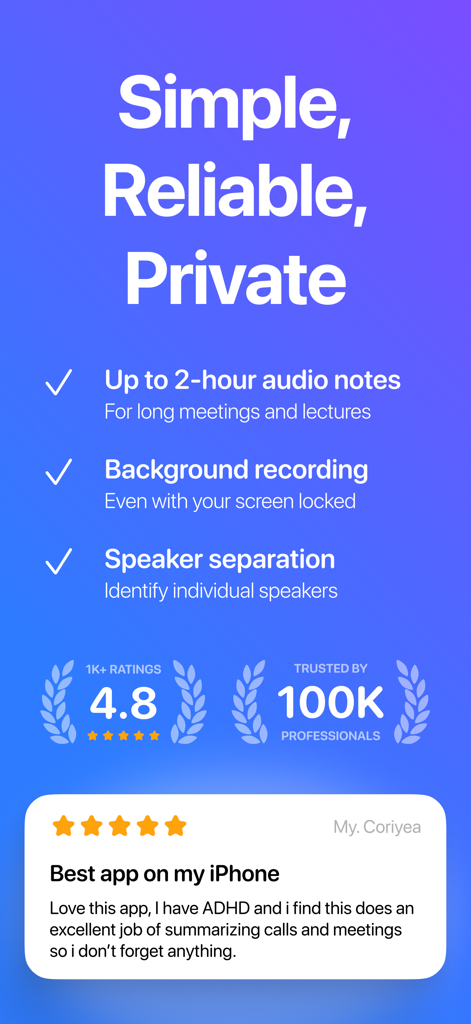
VoicePen app features list showing 2 hour recording and speaker separation alongside a five star user review and high ratings

VoicePen app features list showing 2 hour recording and speaker separation alongside a five star user review and high ratings

Turn Every Conversation into Actionable Insight

The tools that make this app stand out, trusted by 26K+ users.

🧠

Instant AI Summaries & Tasks

Don't just record—distill. Transform hours of audio into concise summaries, key takeaways, and prioritized to-do lists in seconds using OpenAI Whisper.

Deep Apple Ecosystem Integration

Capture ideas on your Watch, review on your iPhone, and export from your Mac. Full support for Siri Shortcuts and Live Activities for a friction-free workflow.

🔒

Privacy-First, Local Security

Your data belongs to you. All recordings and transcripts stay in your private iCloud—never on our servers—ensuring professional-grade confidentiality.

About the app

Everything you need to know about AI Note Taker – VoicePen.

Description

VoicePen is your AI note taker that records and transcribes voice to text, then summarizes it into smart, AI-powered notes. Skip the typing — record meetings, lectures, or voice memos and turn them into accurate speech to text transcriptions, summaries, action points, proofread texts and more. Transcribe and summarize any imported audio or video — from local files to YouTube videos, podcasts, and Zoom recordings. Works seamlessly on your iPhone, Watch, iPad, Mac, Vision Pro. # AI Note Taker for Lectures and Meetings: - Record unlimited meetings, lectures, interviews — up to 2 hours each - Record in the background and offline with Live Activities - Get fast, accurate transcriptions with speaker labels and timecodes powered by OpenAI Whisper - Get AI notes in multiple formats: Summary, Takeaway, Action Points, Study Note, Definitions, Quiz and more - Export notes and recordings to PDF or DOC and share via any app - Organize notes into folders and quickly search through them to recall anything # AI Note Taker for Personal Notes: - Skip typing - record quick notes and voice memos on the go and turn them into clear text - Capture ideas fast with recording widgets and Siri voice commands - Convert to accurate transcripts instantly with OpenAI Whisper - Rewrite using AI styles like Clear Text, Proofread, Journaling, and more - Organize your notes into folders like in any note-taking app - Automate your workflow with integrations to Notion, Zapier, and Make # Voice Typing for Emails and Messages: - Dictate messages instead of typing, then refine with AI to your preferred style - Start dictating with widgets or by saying “Siri, Dictate in VoicePen” - Enhance text with AI styles: Proofread, Professional, Casual, Short, Elaborated - Instantly translate dictations to any language - Copy, paste, send, or share final output in any app # Transcription and Summaries for any Audio and Video Files, YouTube, Podcasts, Zoom: - Upload any audio or video file, or paste a link - Get accurate transcriptions, AI summaries and key points in seconds - Build your second brain — store and organize all audio / video content from the internet ---- ** Multiplatform Access - Works on iPhone, Watch, iPad, Mac, and Vision Pro - Sync between devices securely with your private iCloud - One subscription covers all your Apple devices ** Features - Long recordings up to 2 hours each - Speaker separation and transcript time codes - Off-screen and Offline recordings with Live Activities - Widget and Siri commands for quick recordings - Files, Audios, Videos, Web Links, YouTube, Podcasts support - Over 25 built-in ai rewrite options - Personal rewrites with custom prompts - Over 80 languages, translations, multi-language notes - Folders and Search through all notes - Share and export to other Apps, Pdf, Doc - Zapier, Notion, Make, n8n integrations via webhooks ** Accessibility Built In - Voice typing for motor difficulties - Live transcription for hearing difficulties ** Privacy First: - No audio or transcripts are stored on our servers - Your recordings stay in your private iCloud - We only collect anonymous usage analytics (like button taps) ** Supported languages: Afrikaans, Arabic, Armenian, Azerbaijani, Belarusian, Bosnian, Bulgarian, Catalan, Chinese, Croatian, Czech, Danish, Dutch, English, Estonian, Finnish, French, Galician, German, Greek, Hebrew, Hindi, Hungarian, Icelandic, Indonesian, Italian, Japanese, Kannada, Kazakh, Korean, Latvian, Lithuanian, Macedonian, Malay, Marathi, Maori, Nepali, Norwegian, Persian, Polish, Portuguese, Romanian, Russian, Serbian, Slovak, Slovenian, Spanish, Swahili, Swedish, Tagalog, Tamil, Thai, Turkish, Ukrainian, Urdu, Vietnamese, and Welsh. ** Up to 2-hour recordings and imports available with a Premium subscription ** Terms of Use https://www.apple.com/legal/internet-services/itunes/dev/stdeula/

Latest Version

2.09

Size

85.9 MB

First Released

Sep 14, 2023

Stop Typing. Start Thinking.

Join 26k+ high-achievers using AI to turn meetings, lectures, and ideas into actionable notes. Securely synced across your entire Apple ecosystem.

Download on App Store

App information, icons, screenshots, and descriptions displayed on this page are sourced from the Apple App Store and are the property of their respective developers. Download estimates and rankings are based on MWM's proprietary models and may not reflect actual figures. This page is provided for informational and analytical purposes only.

Believe this page infringes your intellectual property? File a dispute