
This page is not an official page of the app or its developer, but an independent editorial publication created for informational and commentary purposes. Unless expressly stated otherwise, neither the app nor its developer is affiliated with, endorsed by, sponsored by, authorized by, or otherwise officially connected with MWM, Apple, Google Play, the app publisher, or the app's developer, and nothing on this page implies that the app was developed using MWM's services. Any trademarks, logos, screenshots, and other content remain the property of their respective owners.


AI Notebook: Smart Note Taker
Mind reading for your data: The app turns chaotic input into structured brilliance, on demand.
Downloads
100k+User Rating
Total Ratings
3.1KPublisher
Category
ProductivityLocales
12Latest Version
2.1.3Size
118.1 MBFirst Released
Feb 18, 2025An Analytical Overview for Professionals, Students, and Researchers
Key AI Notebook Features for Enhanced Productivity
LLM-Powered Summarization
It condenses extensive lectures, textbooks, and research papers into clear, actionable insights, making it ideal for exam preparation, project follow-ups, and easy content export, significantly reducing information overload.
Interactive Content Chat
It allows users to ask questions directly about their meeting minutes, study PDFs, or recordings, receiving instant and intelligent answers powered by LLM technology, facilitating deeper understanding and quick information retrieval.
AI-Powered Study Tools
The app automatically generates flashcards and quizzes from notes, significantly boosting information retention and active learning, while also allowing for seamless export to other productivity platforms.
Professional Meeting Transcription
The app provides accurate speech-to-text transcription for meetings, interviews, and calls, generating instant searchable text to ensure critical decisions and action items are never missed, supporting efficient record-keeping.
Multi-Modal Content Processing
This tool handles diverse content formats including text, images, audio, and video within a single application, allowing users to adapt their workflow to various sources without needing multiple tools.
Smart Note Organization & Sync
This tool automatically categorizes notes by project or subject and provides seamless synchronization across all devices, fostering a complete, accessible, and organized note-taking ecosystem.
Frequently Asked Questions
Everything you need to know about AI Notebook: Smart Note Taker
What is AI Notebook: Smart Note Taker?
AI Notebook is an LLM-powered tool for meeting transcription, lecture summaries, and voice note organization. It processes various inputs like PDFs, audio, and videos to provide precise summaries and searchable transcripts.
What types of content can AI Notebook summarize?
AI Notebook can summarize diverse content formats including PDFs, audio recordings, images, YouTube videos, and web pages. It also processes general text-based inputs for summarization.
Does AI Notebook support multiple languages for notes?
Yes, AI Notebook supports over 100 languages. Users can create and organize notes in various international languages directly within the application.
Can I transcribe meetings using AI Notebook?
Yes, AI Notebook provides accurate speech-to-text transcription for meetings, interviews, and calls. It instantly generates searchable text, ensuring no critical decisions or action items are missed.
What are the AI features in AI Notebook for studying?
AI Notebook generates quizzes and study guides from content to boost retention. It also condenses lectures, textbooks, and research papers into clear, actionable insights for exam preparation and project follow-ups.
Can AI Notebook create an AI Podcast from my content?
Yes, AI Notebook can transform content into an AI Podcast. Users select audio language, length, dialogue style, and speaker voice to generate the personalized podcast.
How does AI Notebook help with note organization?
AI Notebook auto-categorizes meeting notes by project and study notes by subject. It also provides seamless synchronization across devices, facilitating a complete note-taking ecosystem.
Can I chat with my documents and notes in AI Notebook?
Yes, AI Notebook allows users to chat with their content. This feature provides instant, intelligent answers to questions about meeting minutes, study PDFs, or recordings using LLM technology.
Who is the target audience for AI Notebook: Smart Note Taker?
AI Notebook is designed for professionals managing busy schedules, students tackling coursework, researchers synthesizing sources, and creators organizing ideas.
Does AI Notebook allow exporting and sharing notes?
Yes, AI Notebook supports exporting and sharing notes seamlessly. Users can share notes to platforms like WhatsApp, Notion, and Email, streamlining daily tasks.
Are AI Notebook's outputs for informational purposes only?
Yes, all outputs generated by AI Notebook's LLM technology are for informational purposes only. They are designed to complement user workflows and provide supportive insights.
Is AI Notebook suitable for users with ADHD?
Yes, AI Notebook explicitly states it is "GREAT FOR ADHD". Its organizational and summarization features may assist individuals with ADHD in managing information and tasks effectively.
The following screenshots and description are sourced directly from the app's official store listing and are the property of the app developer.
App Store
Screenshots

See how the app's clean interface, featuring a prominent '5,000,000+ Users' Choice' badge, effortlessly organizes diverse note types like meeting minutes and study summaries.
Organized Note Hub
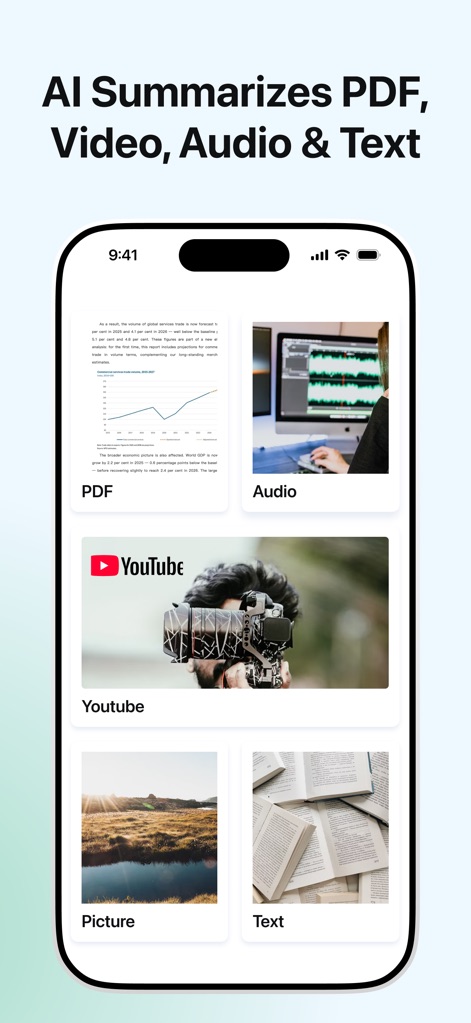
Discover how the app processes multi-modal inputs, from detailed PDF documents to dynamic YouTube videos, for comprehensive AI summarization.
Multi-Modal Input
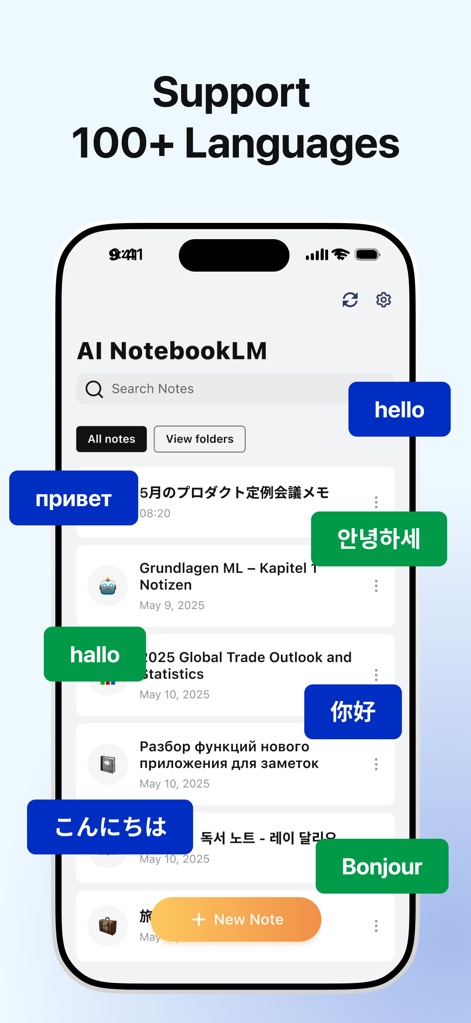
Explore the app's extensive international reach, highlighted by support for over 100 languages and diverse linguistic note examples.
Global Language Support

Witness how the app leverages AI to generate valuable study materials, from interactive Quizzes to comprehensive Study Guides, directly from your content.
Smart Template Generation
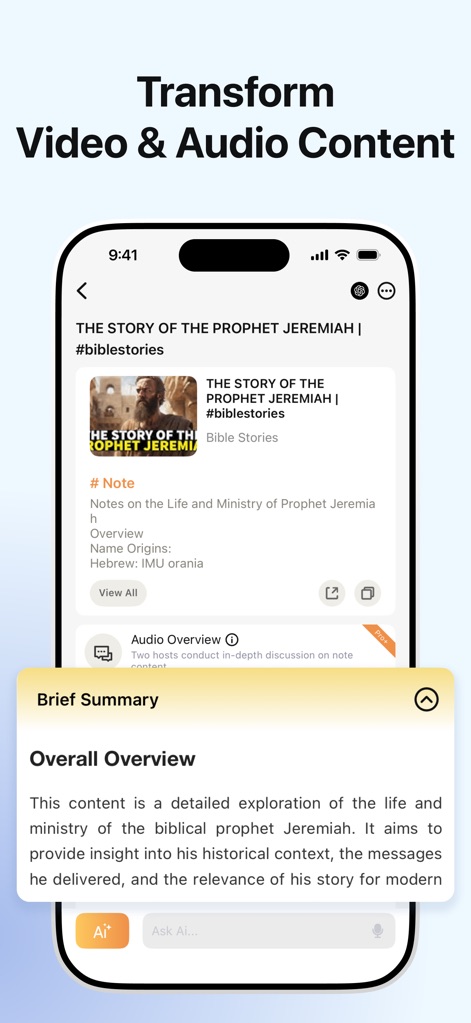
Observe the app's capability to transform complex video and audio into digestible formats, providing a 'Brief Summary' and a clear content overview.
Content Transformation

Learn how the tool transforms content into engaging AI podcasts, offering customizable dialogue styles and diverse speaker voice options.
AI Podcast Creation
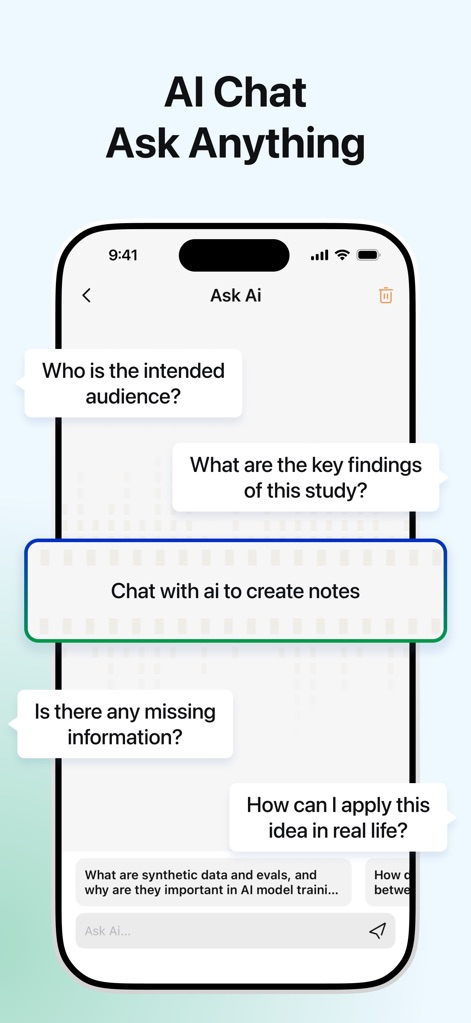
Engage with the app's interactive AI chat feature, allowing users to ask context-specific questions and receive instant, intelligent answers.
Interactive AI Chat
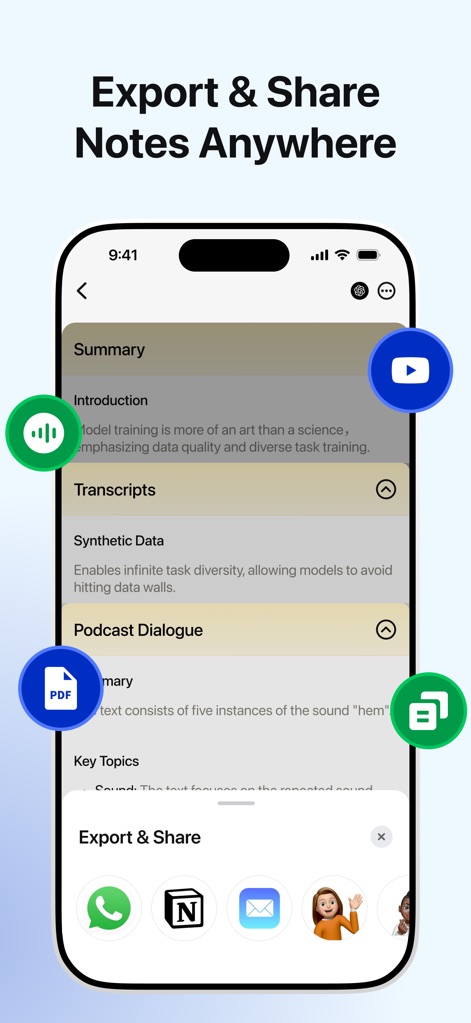
See how the app facilitates seamless content distribution, offering versatile export options like PDFs and Transcripts, and integrating with popular sharing platforms.
Seamless Sharing & Export
Description
Download
More Like This
Apps with similar features and user experience

Bible Note Taker & Recorder
TOPMUSE PTE. LTD.

Thea: Study Smart
Theaai Corporation

HyNote: AI Note Taker, Summary
Tuling Network Limited

Melonote:AI Voice to Text Note
Yan Cheng Cheok

StudyOS: Study with AI
DANIEL PONCELAS VARGAS

Genio AI: College Smart Tutor
Genio Tech, LLC

Nerdmask: Study Games
Supersmart LLC
Amazing Flash Cards
Erik Wegener

Studi - Learning Companion
Wesam Alzahir
This page is not an official page of the app or its developer, but an independent editorial publication created for informational and commentary purposes. Unless expressly stated otherwise, neither the app nor its developer is affiliated with, endorsed by, sponsored by, authorized by, or otherwise officially connected with MWM, Apple, Google Play, the app publisher, or the app's developer, and nothing on this page implies that the app was developed using MWM's services. Any trademarks, logos, screenshots, and other content remain the property of their respective owners.