
This page is not an official page of the app or its developer, but an independent editorial publication created for informational and commentary purposes. Unless expressly stated otherwise, neither the app nor its developer is affiliated with, endorsed by, sponsored by, authorized by, or otherwise officially connected with MWM, Apple, Google Play, the app publisher, or the app's developer, and nothing on this page implies that the app was developed using MWM's services. Any trademarks, logos, screenshots, and other content remain the property of their respective owners.


Rabbix
No longer bound by templates, Rabbix unleashes raw creative power with its AI-driven design engine.
Downloads
750k+User Rating
Total Ratings
105Publisher
Category
Graphics & DesignLocales
2Latest Version
1.6.0Size
101.4 MBFirst Released
Nov 17, 2025An Analytical Overview of its Core Capabilities
Key Features of Rabbix App
AI Text-to-Image Generation
The app allows users to instantly transform textual ideas into diverse visual content, including creative posters and product images, supporting multiple artistic styles to ensure unique and standout creations.
AI-Powered Template Library
This tool features a vast and trending library of memes, hot-topic posters, and social media graphics, enabling users to rapidly produce eye-catching, traffic-ready visuals like covers and banners in minutes.
Intuitive Precision Editing
It provides intelligent, user-friendly editing tools that enable seamless text replacement and precise cutouts through simple drag-and-click actions, allowing even beginners to polish and perfect every creative detail.
Cloud-Based Asset Management
The app automatically saves all created and uploaded content to a secure cloud space, offering organized categories for easy browsing and instant reuse, thereby safeguarding digital creative assets.
Frequently Asked Questions
Everything you need to know about Rabbix
What is 超级制图 (Super Design)?
超级制图 is an AI-powered image generation and editing tool developed by iFLYTEK. It allows users to create designs from descriptions, breaking away from traditional template-based image creation, and offers advanced editing capabilities for mobile devices.
Does 超级制图 offer AI text-to-image generation?
Yes, 超级制图 offers AI text-to-image generation. Users describe their ideas, and the app generates creative posters, product images, or social media content in various artistic styles.
Can I remove watermarks with 超级制图 (Super Design)?
Yes, 超级制图 features "智能擦除" (Smart Erase) to remove watermarks with a single click, leaving no traces. This function ensures clean and professional-looking images.
How does 超级制图 (Super Design) help beginners with image editing?
Yes, 超级制图 simplifies image editing with smart tools like drag, circle, and click. It provides zero-threshold operations for features such as seamless text modification and precise cutouts, making it easy for beginners.
Can 超级制图 (Super Design) perform precise image cutouts?
Yes, 超级制图 performs precise image cutouts with its "智能抠图" (Smart Cutout) feature. It ensures clear, natural-looking edges, even for fine details like hair.
Does 超级制图 (Super Design) support text modification within images?
Yes, 超级制图 supports seamless text modification within images through its "无痕改字" (Seamless Text Modification) feature. Users can effortlessly replace existing text on their pictures.
Is there a way to manage and reuse creative assets in 超级制图 (Super Design)?
Yes, 超级制图 provides a "创意空间" (Creative Space) where creations and uploaded content are automatically saved to the cloud. Users can categorize and manage their assets for easy reuse and secure storage.
Does 超级制图 (Super Design) provide templates for quick design?
Yes, 超级制图 offers a wide range of templates including trending memes, hot posters, and social media images. These templates allow for quick creation of eye-catching visuals in minutes.
Can I design custom IP characters using 超级制图 (Super Design)?
Yes, 超级制图 includes an "IP形象设计" (IP Character Design) feature. This allows users to quickly generate exclusive IP character logos, emoticons, and cultural/creative products.
The following screenshots and description are sourced directly from the app's official store listing and are the property of the app developer.
App Store
Screenshots
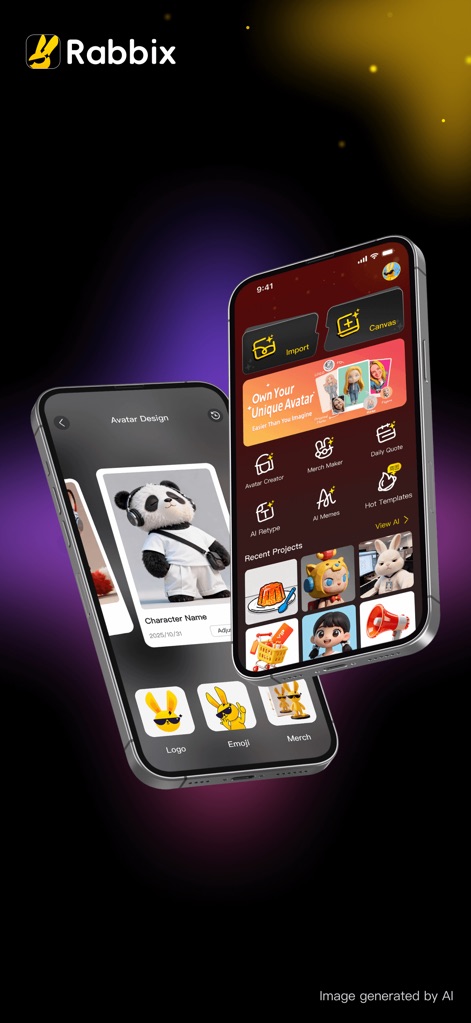
Discover the intuitive main interface, where users can quickly access functions like 'Import' existing images and start new projects on the 'Canvas'.
Creative Hub Overview

See how the app generates a professional headshot, allowing users to select from various background colors to achieve their desired look.
Instant Professional Headshots
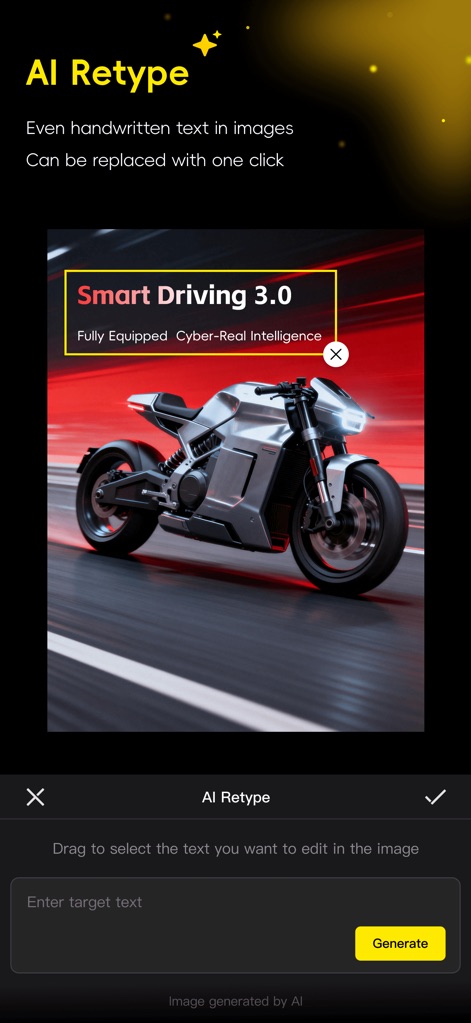
Observe the powerful AI Retype feature that enables seamless text replacement directly within images, facilitated by an intuitive 'Enter target text' field.
Smart Text Editing
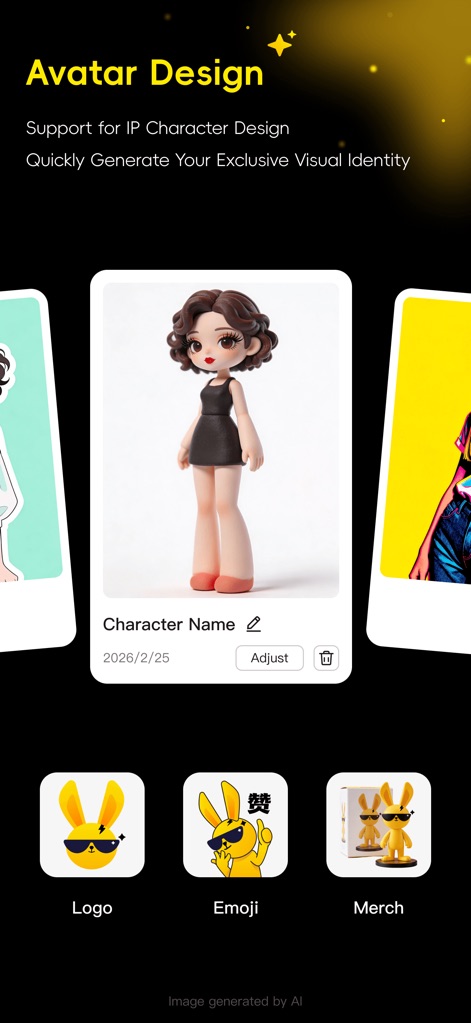
Explore the comprehensive Avatar Design module, which supports IP character creation and generates assets such as custom 'Logos' and 'Emojis'.
Custom Avatar Creation
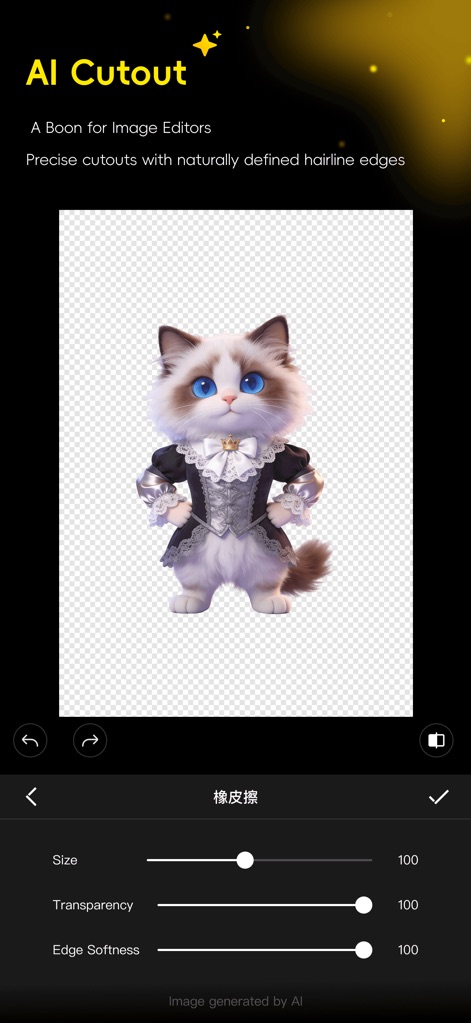
Witness the AI Cutout's precision, showcasing clean object isolation with a transparent background and fine-tuned 'Edge Softness' adjustments.
Precise Object Cutouts

Experience the Ultra HD enhancement capability, allowing users to restore image clarity using a visual comparison slider and a convenient 'Retry' button for adjustments.
Image Clarity Boost
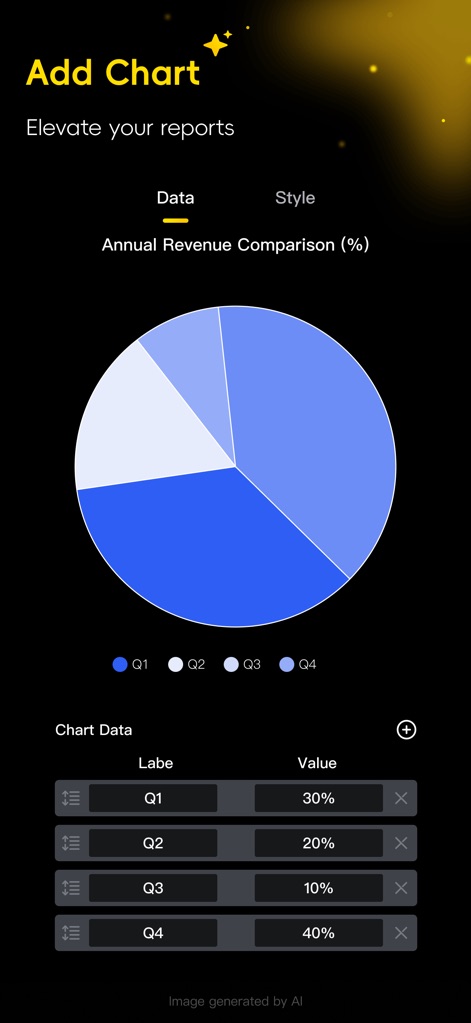
Understand how the 'Add Chart' feature facilitates dynamic data visualization through customizable pie charts, with an editable 'Chart Data' table for precise control.
Dynamic Data Visualization
Description
Download
More Like This
Top-ranked apps in the same category

Kling AI: AI Image&Video Maker
LOHAS GAMES PTE. LTD.

iScreen - Widgets & Wallpaper
Xiamen ShenZhuo Information Technology Co., Ltd.

Dreamina AI: Image&Video Maker
BYTEDANCE PTE. LTD.

Home AI - AI Interior Design
HUBX YAZILIM HIZMETLERI ANONIM SIRKETI

ibis Paint X
ibis inc.

ThemeKit: Widget & Icon Themes
Woohoo Tech. Ltd.

Sketchbook®
Sketchbook, Inc.

Colorful Widget- Widget&Themes
Guangzhou ZHIFENG Information Technology Co.,Ltd.

ReRoom AI: Interior Design
GM UniverseApps Limited
This page is not an official page of the app or its developer, but an independent editorial publication created for informational and commentary purposes. Unless expressly stated otherwise, neither the app nor its developer is affiliated with, endorsed by, sponsored by, authorized by, or otherwise officially connected with MWM, Apple, Google Play, the app publisher, or the app's developer, and nothing on this page implies that the app was developed using MWM's services. Any trademarks, logos, screenshots, and other content remain the property of their respective owners.