
Alarm.com


Take total control of your property with an all-in-one system for security, video, and automation, designed for the safety and peace of mind you deserve.
Publisher
Category
LifestyleDownloads
4M+User Rating
Total Ratings
171K+Locales
19Discover the interface used by 4M+ users.
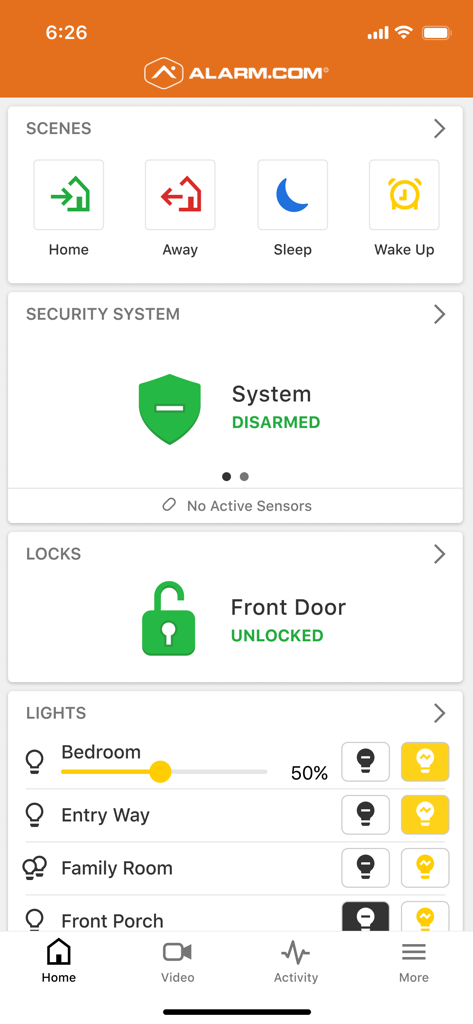
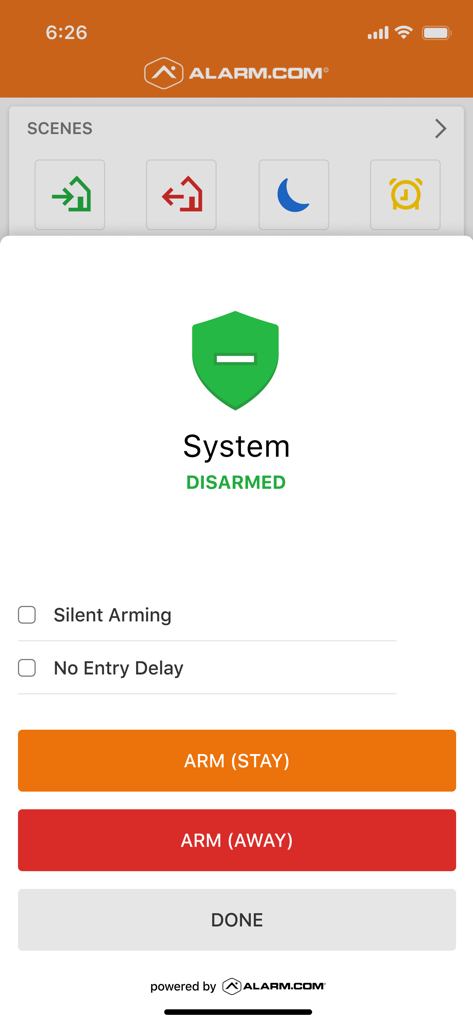
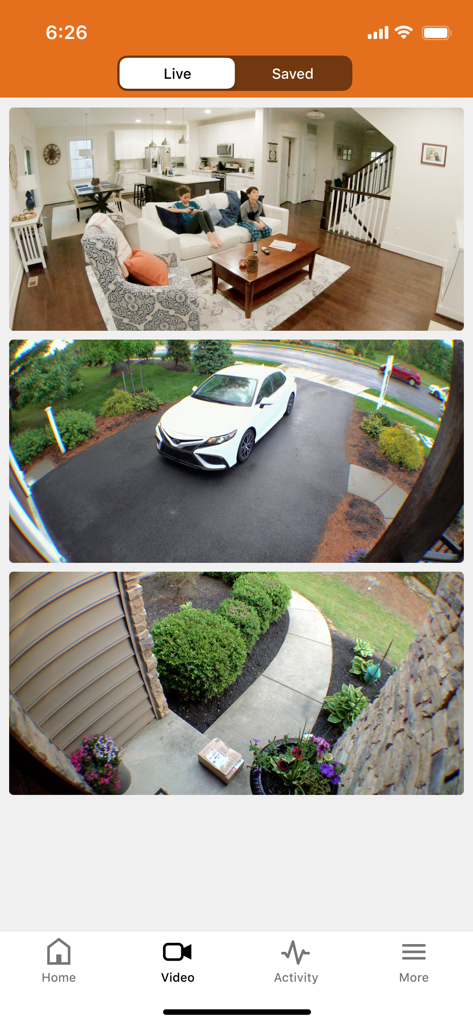
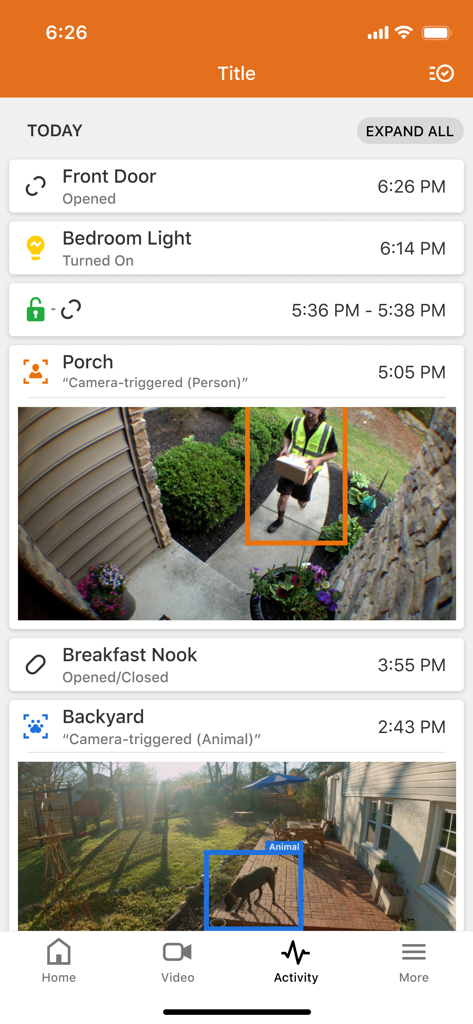
The tools that make this app stand out, trusted by 4M+ users.
Eliminate app fatigue by managing security, temperature, and access for multiple properties in one place.
Stay informed with smart notifications that distinguish between people and pets, or detect leaks before they become disasters.
Harness the power of your Apple devices to arm your system or unlock doors right from your wrist or tablet.
Everything you need to know about Alarm.com.
Description
Latest Version
5.13.0
Size
428.7 MB
First Released
May 8, 2009
Join over 4 million professionals and homeowners who trust Alarm.com for total property control. Download the app to connect your system and experience professional-grade protection on your iPhone and Apple Watch.
Everything you need to know about Alarm.com
Alarm.com is a unified system connecting security, locks, lights, and video cameras. It provides protection against crime, fire, carbon monoxide, and water damage, enabling remote control and intelligent alerts for homes and businesses.
The Alarm.com app supports iPhone, iPad, and Apple Watch. Apple Watch integration offers alerts, video clips, and smart controls directly from the wrist, making connection to your home or work convenient.
Alarm.com allows control of security panels, locks, and lights remotely. It provides alerts for activity, live/recorded video, and custom video alerts. Users can talk via doorbell cameras and unlock doors from the same screen.
Alarm.com facilitates arming/disarming security panels across multiple locations and alerts for late openings or restricted area access. It also offers smarter video alerts, automation for lights/locks/thermostats, and access management.
Yes, the Alarm.com app requires a compatible system and an interactive Alarm.com service plan. Feature availability depends on the specific system, equipment, and service plan in use.
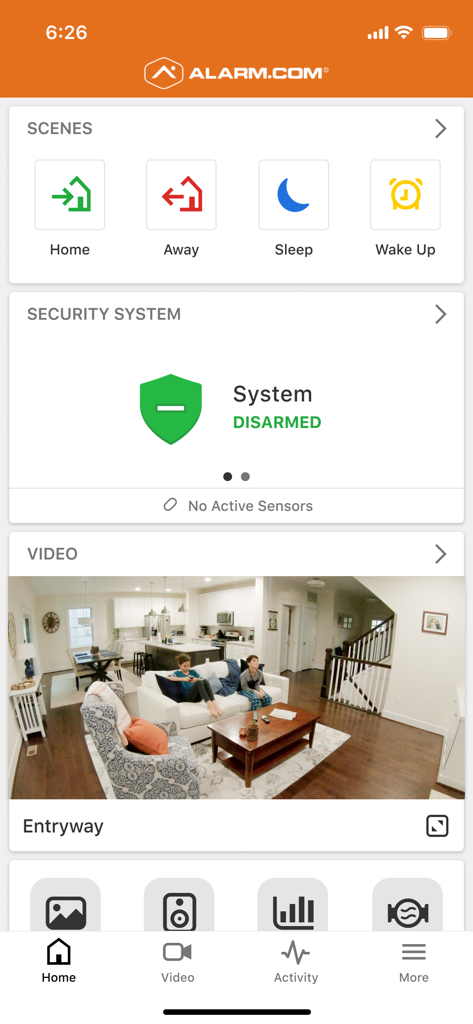
Users arm the security system by selecting the "Security System" section on the home screen. Options to "ARM (STAY)" or "ARM (AWAY)" are available, allowing for silent arming or no entry delay settings.
Yes, the Alarm.com app enables viewing of live and recorded video feeds from indoor and outdoor cameras. Users access this functionality via the "Video" tab in the application's navigation.
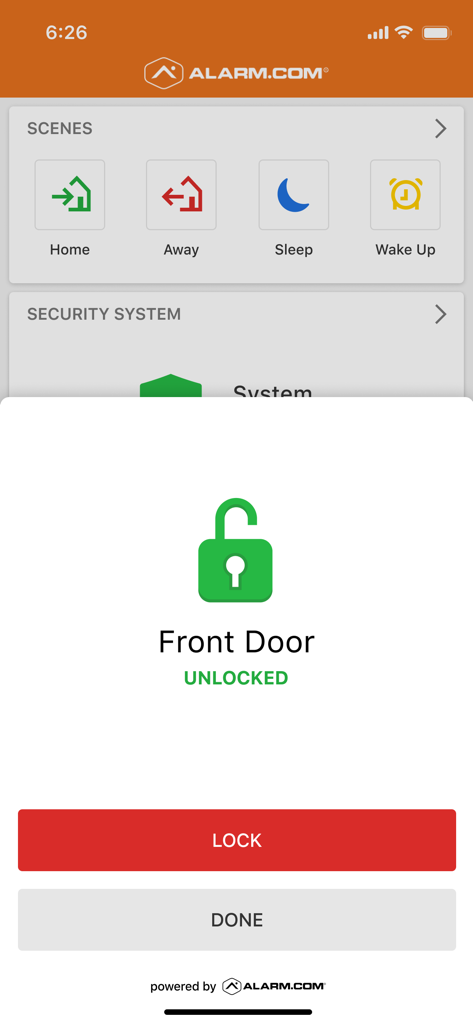
Yes, Alarm.com controls smart locks. The app's home screen displays lock status, such as "Front Door UNLOCKED." Users can tap to lock or unlock the door directly from this interface.
Alarm.com's "Scenes" commands activate multiple devices simultaneously with one touch. Examples include "Home," "Away," "Sleep," and "Wake Up," which automate daily security routines and device actions efficiently.
Yes, Alarm.com provides intelligent alerts for various activities. These include notifications for people entering or leaving, unexpected events, and specific camera-triggered detections such as persons or animals.
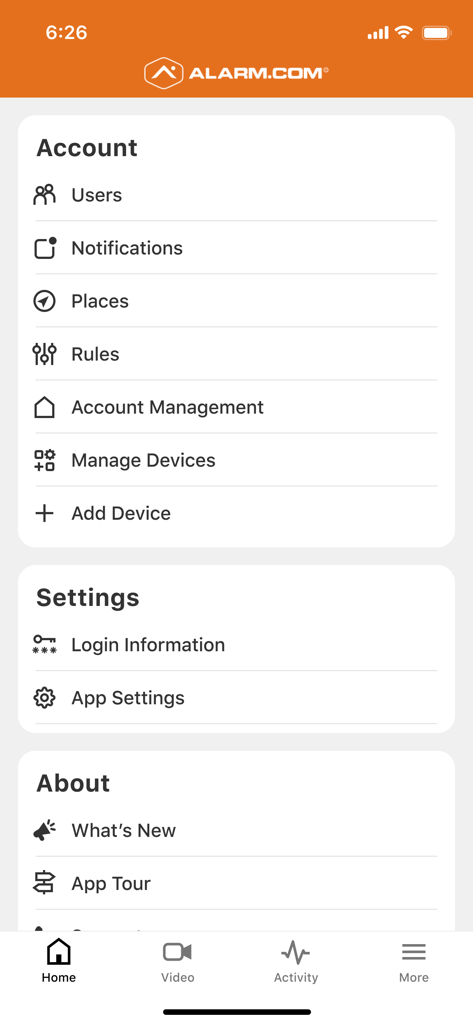
Users manage devices through the "More" menu, accessing "Manage Devices" or "Add Device" options. This section allows for configuration and integration of various connected home or business components.
Yes, Alarm.com offers customized video alerts. Users can configure notifications to highlight specific types of activity, ensuring they only see relevant events from their cameras, such as person or animal detections.
Yes, Alarm.com offers access control, particularly for business users. It tracks and manages access to multiple properties and allows users to buzz open access control doors directly from the Doorbell Call screen.
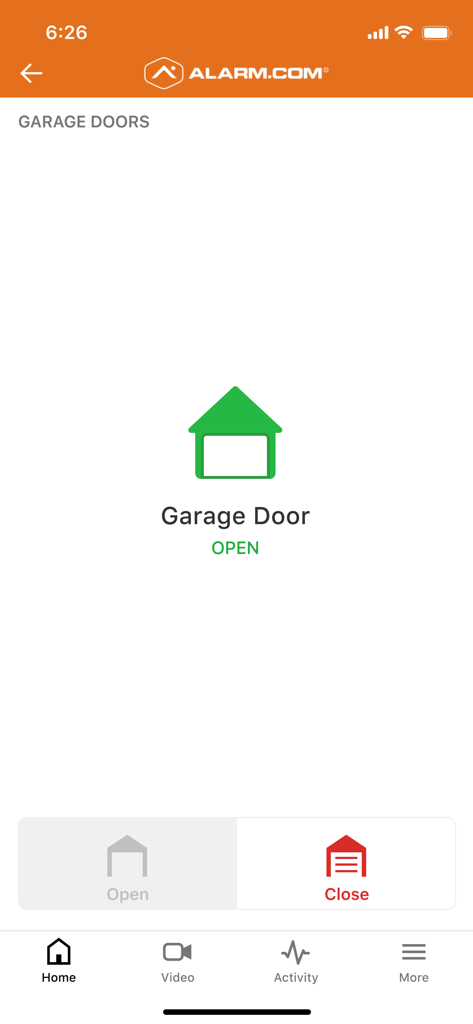
Yes, users control garage doors using the Alarm.com app. The interface displays the current status (e.g., "Garage Door OPEN") and provides clear buttons to either open or close the garage door.
Apps with similar features and user experience

Hangzhou Dong Bin Information Technology Co., Ltd.

Shenzhen Jooan Technology Company

PHOTON SAIL TECHNOLOGIES PTE. LTD.

洪波 王

SimpliSafe, Inc.

JFL Equipamentos Eletronicos Industria e Comercio Ltda.

Shenzhen Weixi Technology Co., Ltd

Bot Home Automation, INC

Hangzhou Hikvision Digital Technology Co., Ltd.
App information, icons, screenshots, and descriptions displayed on this page are sourced from the Apple App Store and are the property of their respective developers. Download estimates and rankings are based on MWM's proprietary models and may not reflect actual figures. This page is provided for informational and analytical purposes only.
Believe this page infringes your intellectual property? File a dispute